In this guide
As of November 2026, OpenAI doesn’t publish a fixed daily number of images for free ChatGPT users. Its pricing page just says “Limited image creation” for Free, “More image creation” for Go, and “Unlimited” on Pro. Your real limit is the one ChatGPT shows you: when you run out, a message tells you when image creation resets, and Settings → Usage shows how much you have left. Text chat keeps working while you wait.
The old “two images a day” figure dates from 2024 and no longer applies. Reports in 2026 range from a few images a day to more than 20 in a session, which is why there’s no single honest number.
Why the limit changes
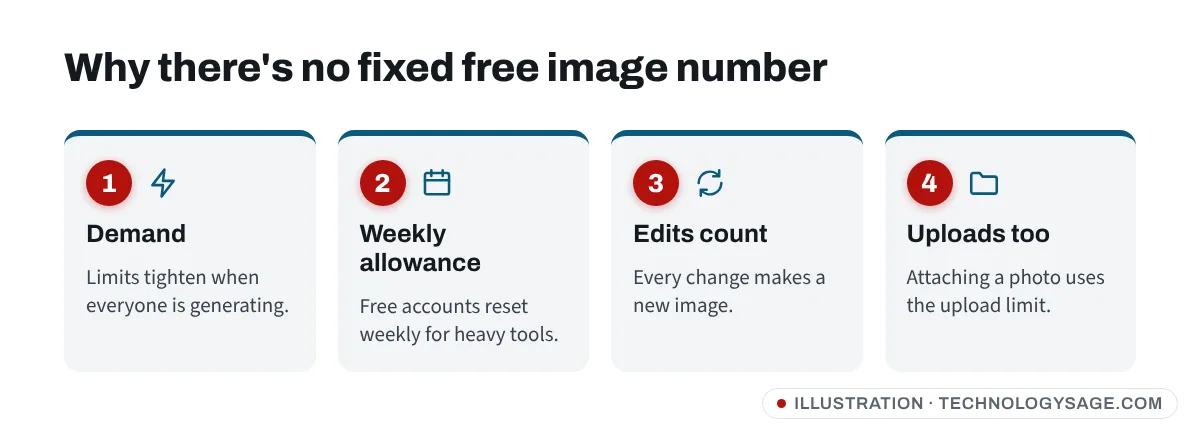
- Demand: when lots of people are generating images (for example during a new trend), free limits are tighter.
- Weekly allowance: since August 2026, free accounts have a weekly limit for heavy tools such as images, rather than a five-hour window.
- Edits count too: asking ChatGPT to change an image creates a new image, which uses your allowance.
- Uploads have their own limit: attaching a photo to edit uses the upload allowance as well.
How to check your ChatGPT image limit
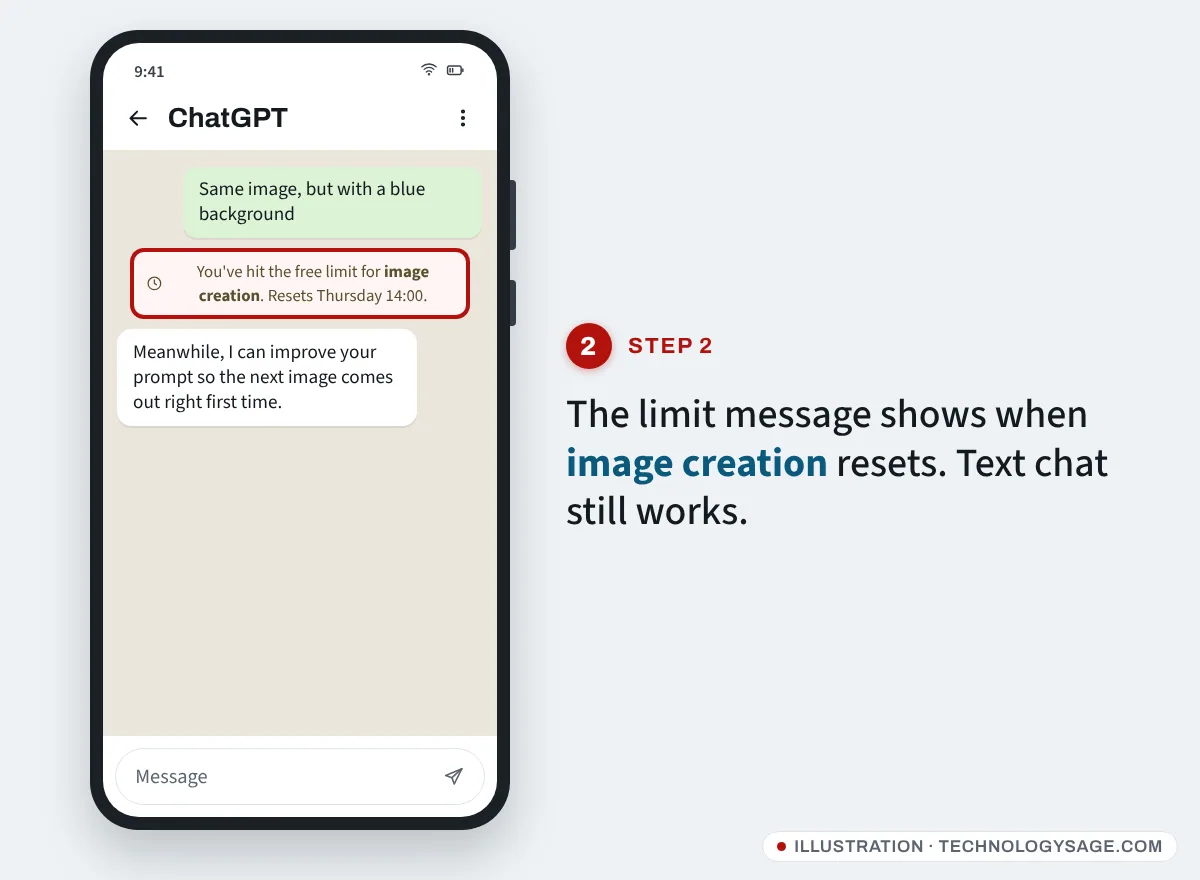
- Open ChatGPT and go to Settings → Usage. Look for Image creation.
- If you’ve already hit the limit, the message in the chat shows the reset day and time.
- Upgrading to Go or Plus resets free limits straight away. Go is $8 a month in the US (cheaper local prices in many countries) and Plus is $20 a month, as of November 2026.
Get more from your allowance
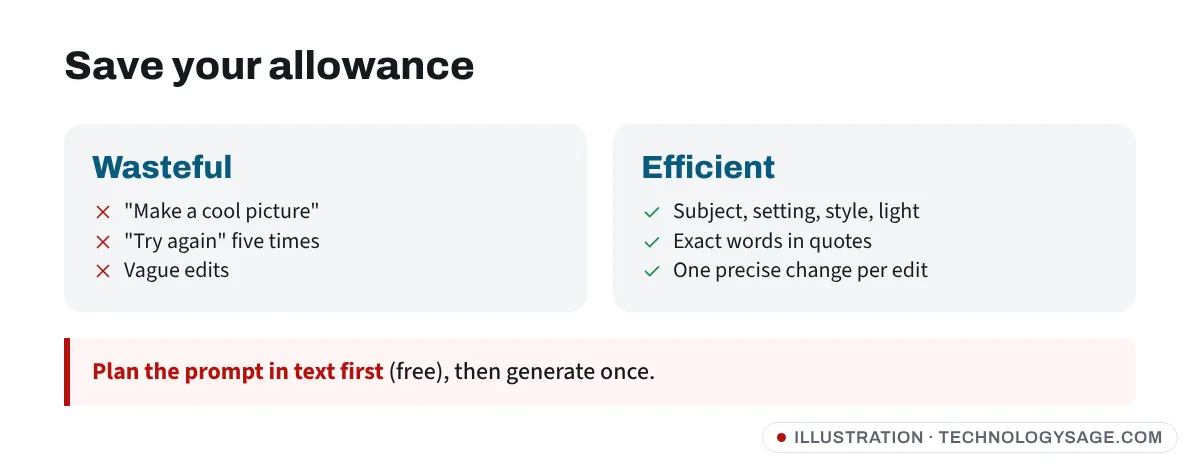
- Write one detailed prompt instead of five vague ones. Include the subject, setting, style, light, colours and the shape (square, portrait or landscape).
- Ask for text in the image carefully: spell out the exact words in quotes, and keep them short.
- Describe the change precisely when editing: “Same image, but make the background white” uses one image; “try again” five times uses five.
- Use Wi-Fi for images: generating and downloading images uses far more data than text; see how to conserve internet data.
- Plan in text first: ask ChatGPT for three prompt ideas (that’s free text chat), then generate only the best one.
Free alternatives when you run out
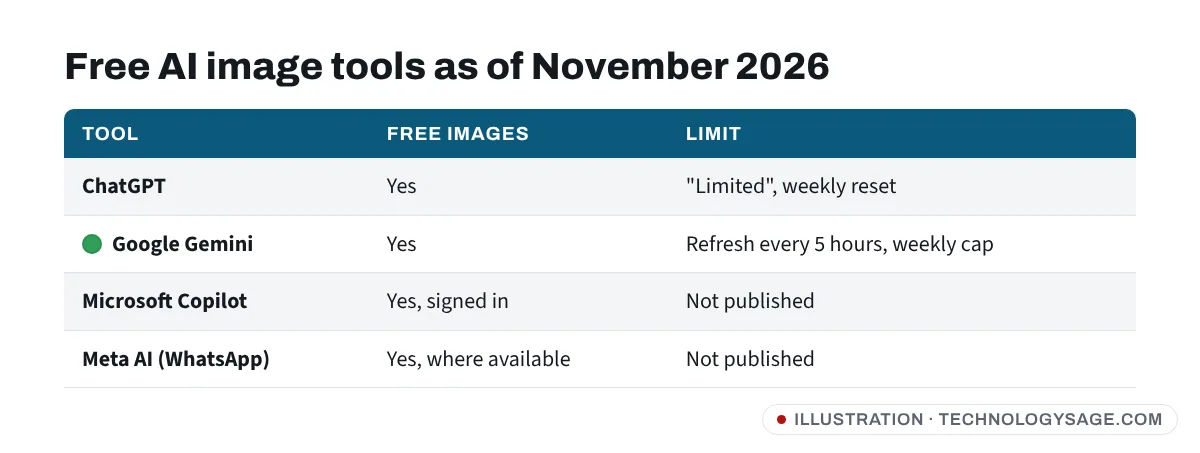
| Tool | Free images? | Limit (Nov 2026) | Good for |
|---|---|---|---|
| ChatGPT | Yes | “Limited”, weekly reset | Detailed scenes, text in images |
| Google Gemini (Nano Banana) | Yes | “Standard” limits, refresh every 5 hours with a weekly cap | Editing your own photos, keeping faces |
| Microsoft Copilot | Yes, with a free Microsoft account | Not published | Quick images on Windows and in Edge |
| Meta AI | Yes, in WhatsApp, Instagram, Facebook and the Meta AI app (where available) | Not published | Fun images inside chats |
None of these companies publishes a fixed free number any more; they all say limits depend on demand and can change.
Gemini
Open the Gemini app, type “Create an image of…”, or attach a photo to edit it. Google’s limits page says free accounts get standard usage that refreshes every 5 hours until a weekly limit, and paid Google AI Plus doubles it. You must be 18+ to edit photos of people. Our Gemini photo editing prompts show how to keep faces looking real, and is Gemini free covers the paid plans.
Microsoft Copilot
Go to copilot.microsoft.com or open the Copilot app, sign in with a free Microsoft account and ask it to create an image. See is Copilot free.
Meta AI
In supported countries, Meta AI is built into WhatsApp: open a chat with Meta AI and type “Imagine…” followed by your description. Availability varies by country. See Meta AI image generator and Meta AI on WhatsApp.
Don’t do this
- Multiple fake accounts to dodge limits break OpenAI’s terms and can get all of them suspended.
- “Unlimited ChatGPT images” APKs, Telegram bots and websites often harvest logins, show endless ads or install malware. Stick to the official apps and websites.
- Shared “Plus accounts” sold cheaply online get banned, and the seller keeps your money.
If images won’t generate (and you’re not at the limit)
- “This request violates our policies”: reword it. Images of real people, public figures, violence or copyrighted characters are often refused.
- Image stuck loading: your connection may have dropped. Try again on Wi-Fi; see ChatGPT not working.
- Can’t download the image: tap the image, then the download icon. If saving fails on Android, check your phone has space (free up storage).
- Option missing: update the ChatGPT app from the Play Store.
FAQ
How many images can I make with ChatGPT for free?
OpenAI doesn’t publish a number as of November 2026. Free accounts get “limited image creation” with a weekly reset; check Settings → Usage for your exact allowance.
When does the ChatGPT image limit reset?
The limit message and Settings → Usage show the exact reset time. Since August 2026 free accounts have a weekly allowance for heavy tools.
Does editing an image count towards the limit?
Yes. Every edit produces a new image, so it uses your allowance.
What’s the Gemini image limit for free users?
Google doesn’t give a fixed number. Free accounts get standard limits that refresh every 5 hours up to a weekly cap.
Which free AI image generator has the highest limit?
It changes with demand. Spreading your images across ChatGPT, Gemini, Copilot and Meta AI is the practical way to make more for free.