In this guide
If ChatGPT isn’t working, first check status.openai.com to see if OpenAI has an outage; if it does, all you can do is wait. If the status page is green, the problem is on your side: start a new chat, update or restart the app, turn off any VPN, switch between Wi-Fi and mobile data, and clear the app’s cache. Most “Something went wrong” and “Network error” messages go away after one of those steps.
Below are fixes for each common error, plus slowness and login problems.
Step 1: Check whether ChatGPT is down
- Open status.openai.com in your browser.
- Look at ChatGPT. Green means working; yellow or red with an incident note means OpenAI knows about a problem.
- If there’s an incident, wait. Big outages in 2026 (February, April, July and August, for example) lasted from under an hour to a few hours.
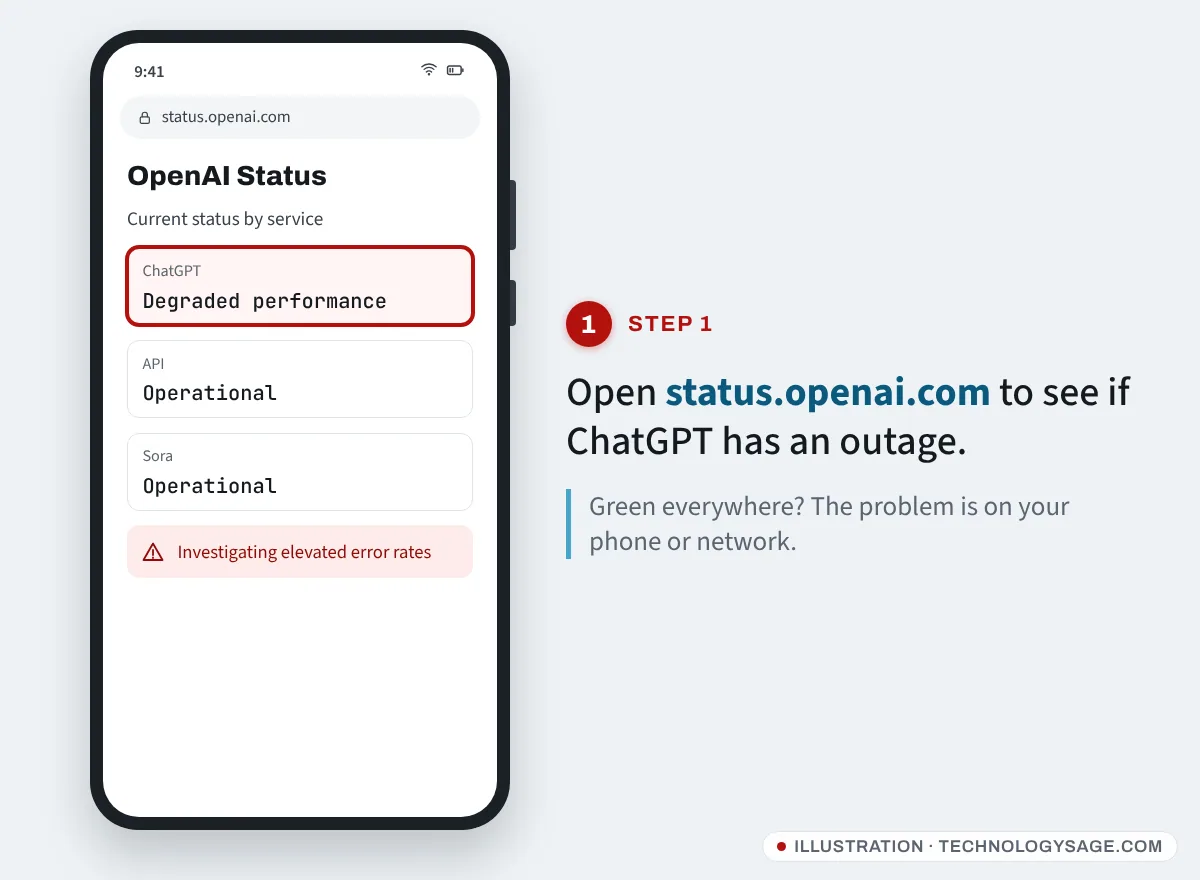
If the status page is green but ChatGPT still won’t work, carry on below.
What each ChatGPT error means
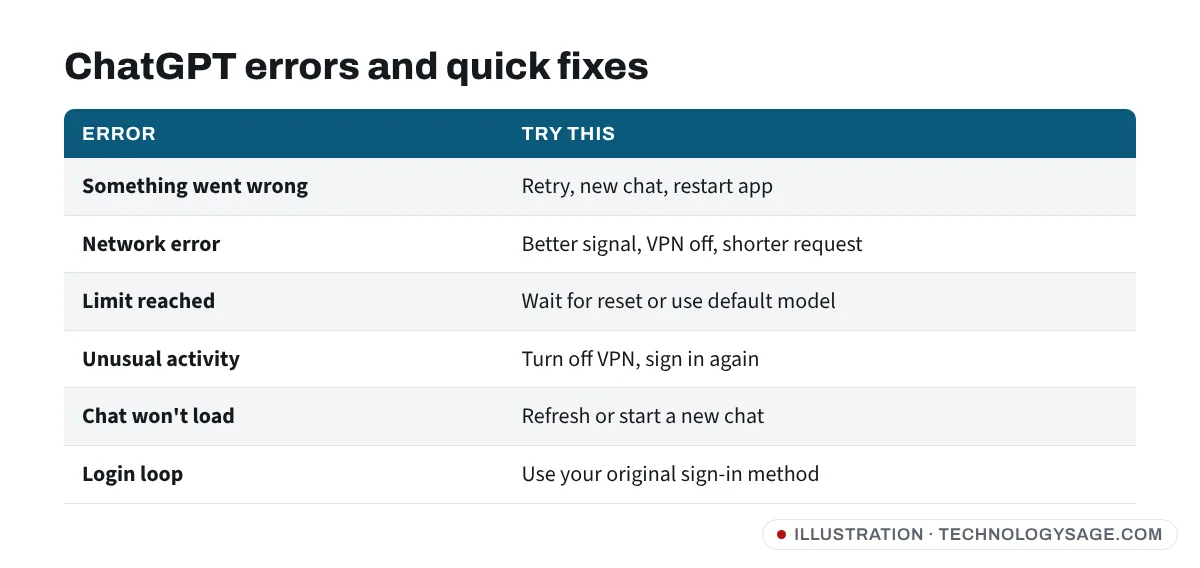
| Error | What it usually means | Try |
|---|---|---|
| “Something went wrong” | Temporary server or app glitch | Retry, new chat, restart app |
| “Network error” | Connection dropped, often on long answers | Better signal, VPN off, shorter request |
| “Too many requests” / limit reached | You hit your plan’s limit | Wait for reset, or use a lighter model |
| “Unusual activity detected” | VPN, shared network or automation | VPN off, sign in again |
| “Conversation not found” / chat won’t load | Glitch or the chat is too long | Refresh, or start a new chat |
| Login loop / “Oops” on sign-in | Cookies, wrong sign-in method | Clear cookies, use the same method as before |
If you’re hitting limits on the free plan, see ChatGPT free limits for what resets when.
Fixes on Android phones
- Retry or start a new chat. Very long chats can fail to load. Tap New chat.
- Update the app in the Play Store, then restart your phone.
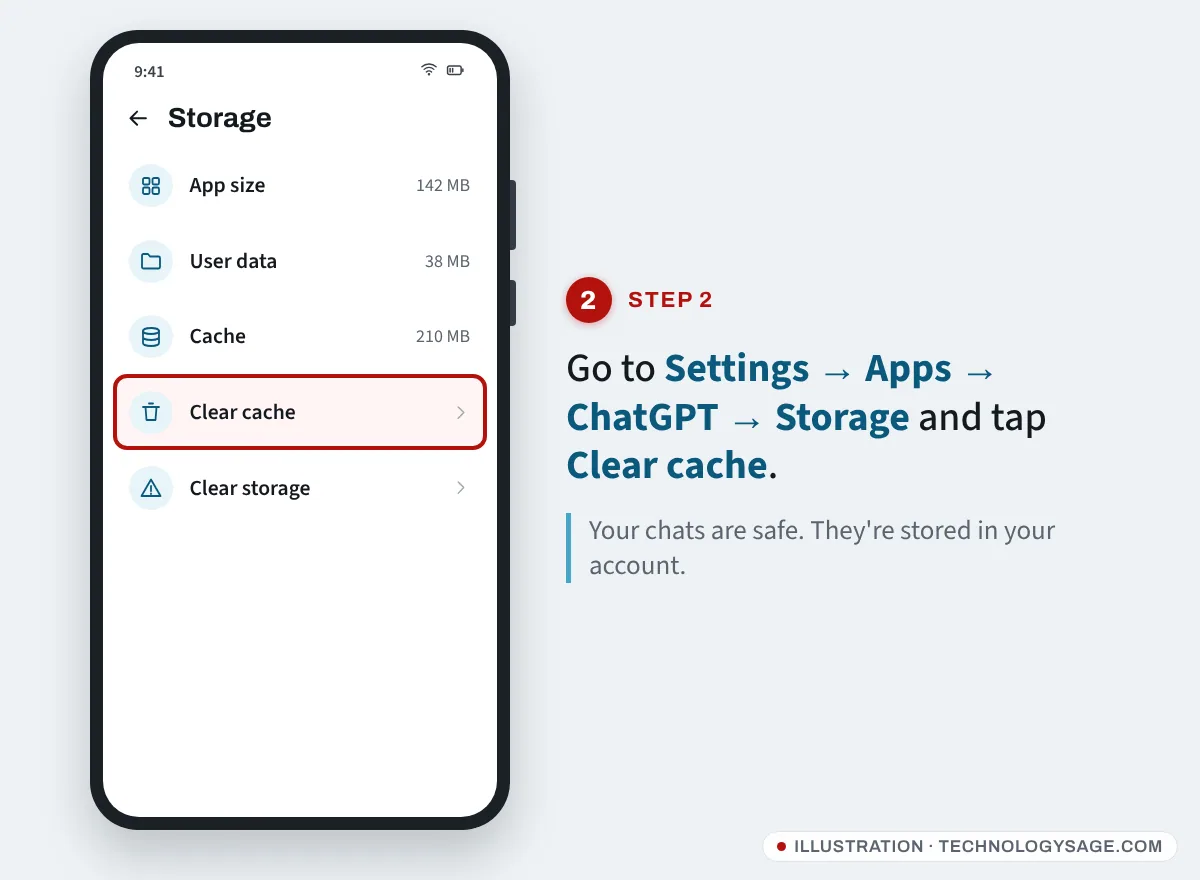
- Clear the cache: Settings → Apps → ChatGPT → Storage → Clear cache. On Tecno, Infinix and itel phones the path is similar under Settings → Apps → App management. This doesn’t delete your chats, which are stored in your account.
- Turn off VPN and Private DNS. VPNs and custom DNS often trigger “Unusual activity” and network errors. Check Settings → Network & internet → Private DNS (or Connections → More connection settings on Samsung) and set it to Automatic or Off.
- Switch networks. Try mobile data instead of Wi-Fi, or the other way round. If other apps also fail, see Wi-Fi connected but no internet.
- Let it run in the background. Battery savers on budget phones can kill the app mid-answer. Set Settings → Apps → ChatGPT → Battery to Unrestricted.
- Free up storage. A nearly full phone makes apps crash. See internal storage full fixes.
- Reinstall as a last resort, then sign in with the same account.
Fixes on a PC or in a browser
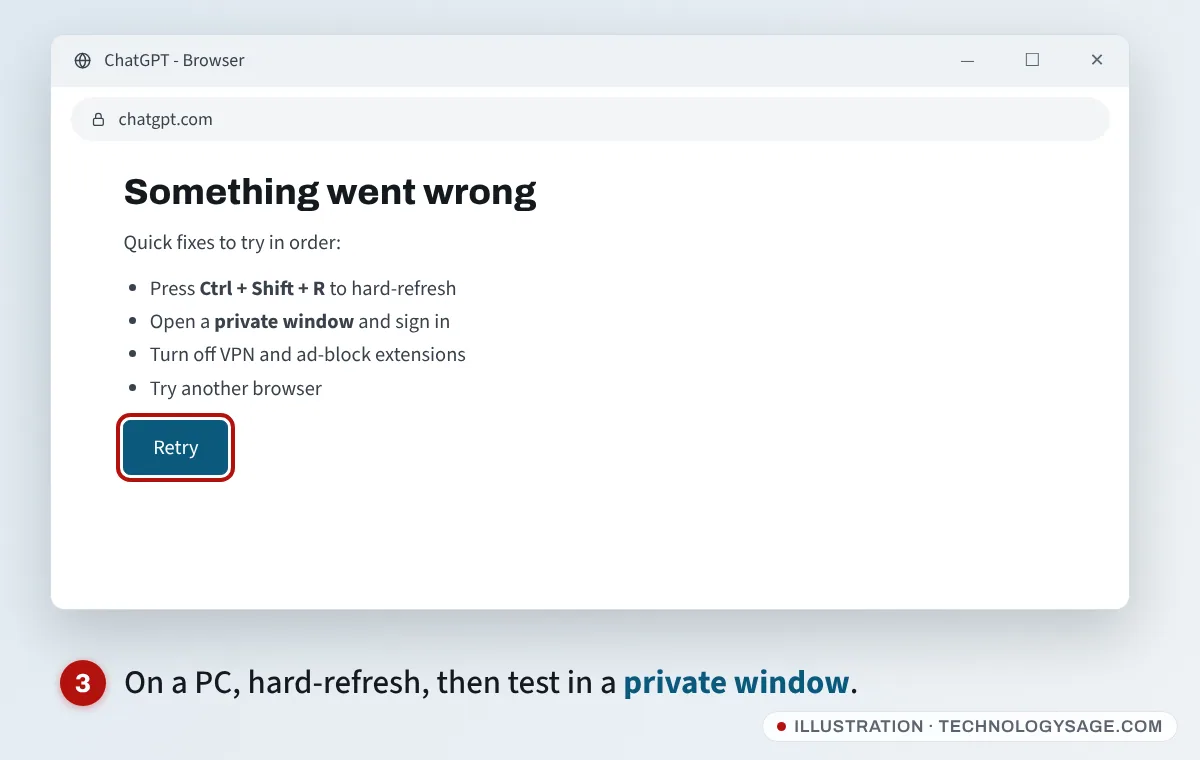
- Press Ctrl + Shift + R (or Ctrl + F5) for a hard refresh.
- Open chatgpt.com in a private/incognito window. If it works there, an extension or old cookies are the problem: disable extensions (ad blockers, VPN and translation add-ons first) or clear cookies for chatgpt.com.
- Try another browser, such as Chrome, Edge or Firefox.
- Turn off VPN, proxy and “secure DNS” in your browser settings.
- On the Windows app, sign out and back in, or reinstall it from the Microsoft Store.
ChatGPT is slow
- Busy times. Replies can slow down when huge numbers of people are using ChatGPT at once. Try again later.
- Thinking models are slower by design. If you picked a reasoning or “Thinking” option, it can take a minute or more. Switch to the faster default for simple questions.
- Long chats. Every reply re-reads the whole conversation. Start a new chat for a new topic.
- Big files and images take longer to process. Upload fewer or smaller files.
- Weak signal. Answers stream in bit by bit; a poor 3G connection makes this stall. Move closer to the router or switch to 4G.
Can’t log in to ChatGPT
- Use the same sign-in method as before. If you signed up with Continue with Google, typing your Gmail address and a password creates a different login. Pick the button you originally used (Google, Apple, Microsoft, phone or email).
- Check your email for the code or link, including the spam folder. Codes expire quickly; request a new one if needed.
- Phone number problems. OpenAI asks for a mobile number from a supported country or region in some cases. Virtual and VoIP numbers often don’t work.
- Forgot password or lost your Google account? Reset your password from the login screen. If you used Google sign-in and can’t get into Google, see how to recover a Gmail account.
- Country not supported. ChatGPT doesn’t work in a few countries. Using a VPN to get around this breaks OpenAI’s terms.
If none of this works, use the chat bubble at help.openai.com to contact OpenAI support.
Safety note
OpenAI support will never ask for your password, verification codes, or payment by gift card or airtime, and doesn’t offer customer support through WhatsApp or Telegram. Be wary of “ChatGPT recovery” accounts on social media and fake apps promising a working “ChatGPT Pro” version. If you’re looking for ChatGPT on WhatsApp, read whether 1-800-CHATGPT still works first.
FAQ
Why does ChatGPT keep saying “Something went wrong”?
Usually a short server glitch or a very long chat. Retry, start a new chat, and update the app. If it keeps happening, check status.openai.com for an outage.
Is ChatGPT down right now?
Check status.openai.com. It shows live status for ChatGPT, the API and other OpenAI services.
Why is ChatGPT not working on my phone but working on my laptop?
The phone app needs updating, its cache needs clearing, or a VPN, Private DNS or battery saver is interfering. Work through the Android fixes above.
Will clearing the ChatGPT app cache delete my chats?
No. Your chats are saved in your OpenAI account and reappear when you sign in.
Why is ChatGPT so slow today?
Usually heavy traffic, a long chat or a slower “Thinking” model. Start a new chat and use the default model for quick questions.