In this guide
To set a WhatsApp username, update WhatsApp, then open Settings → Account → Username and tap Create username. Pick a name of 3 to 35 characters using lowercase letters, numbers, periods and underscores. If you want strangers to need more than your username to reach you, turn on the username key in the same screen.
Usernames let people message you without seeing your phone number. They are rolling out in stages, so some people can only reserve a name for now while others can already use it. Here is how it works, what the key does and how to avoid the scams that have already appeared around it.
What a WhatsApp username actually changes
- Your number stays hidden from new contacts who reach you by username. You still need a phone number to register and use WhatsApp, and people who already have your number can still message you.
- There is no search or directory. WhatsApp says nobody can browse or search for usernames. Someone has to know your exact username to start a chat.
- New chats show a context card. When someone messages you by username for the first time, WhatsApp shows details such as their country and any groups you share, so you can judge whether they are genuine.
- Businesses work slightly differently. A business can have a username, but its phone number is still shown when it contacts you.
The official rules and answers are on WhatsApp’s usernames FAQ.
How to create your WhatsApp username
- Update WhatsApp from the Play Store (Android) or App Store (iPhone). Older versions do not have the option.
- Open WhatsApp and go to Settings. On Android, tap the three dots at the top right, then Settings. On iPhone, tap the Settings tab at the bottom (some newer versions label it You).
- Tap Account, then Username.
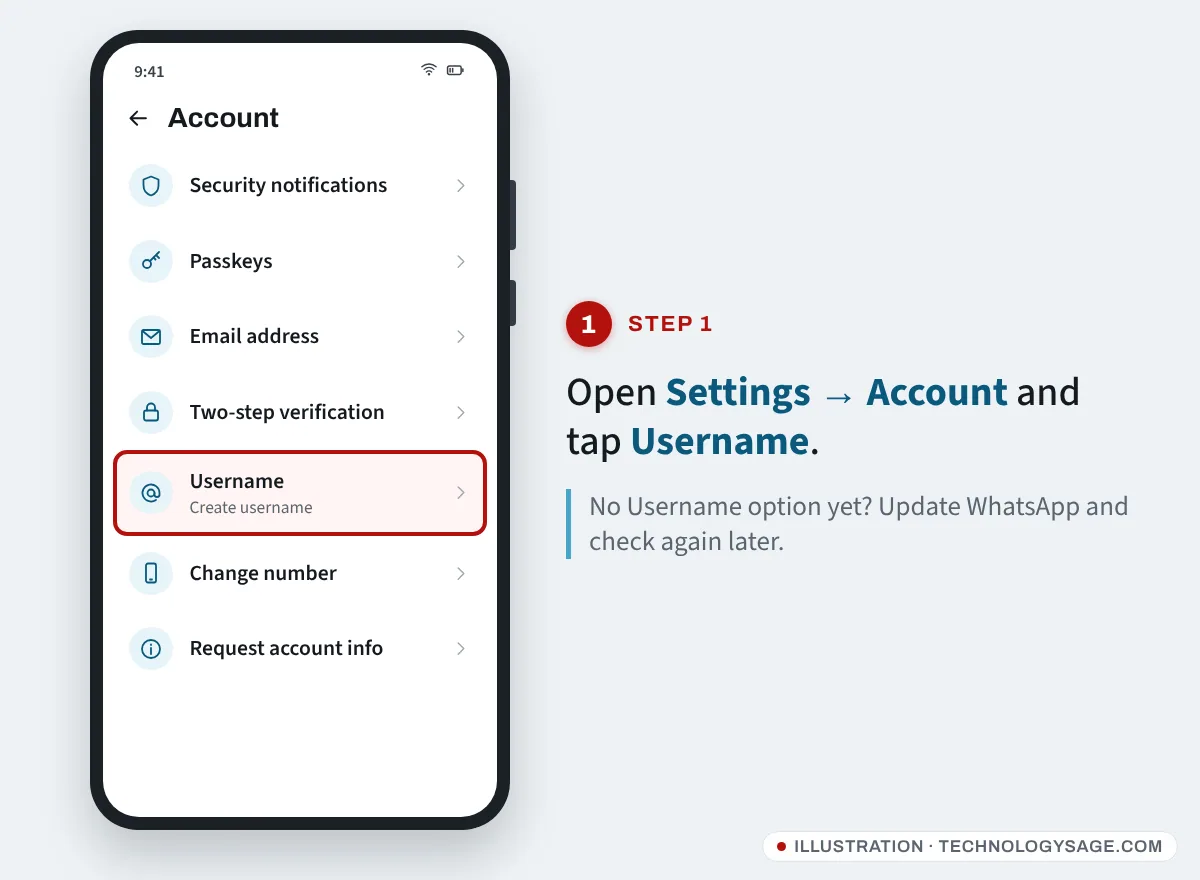
- Tap Create username and type the name you want. If it is taken, WhatsApp can suggest variations.
- Tap Done or Save to confirm.
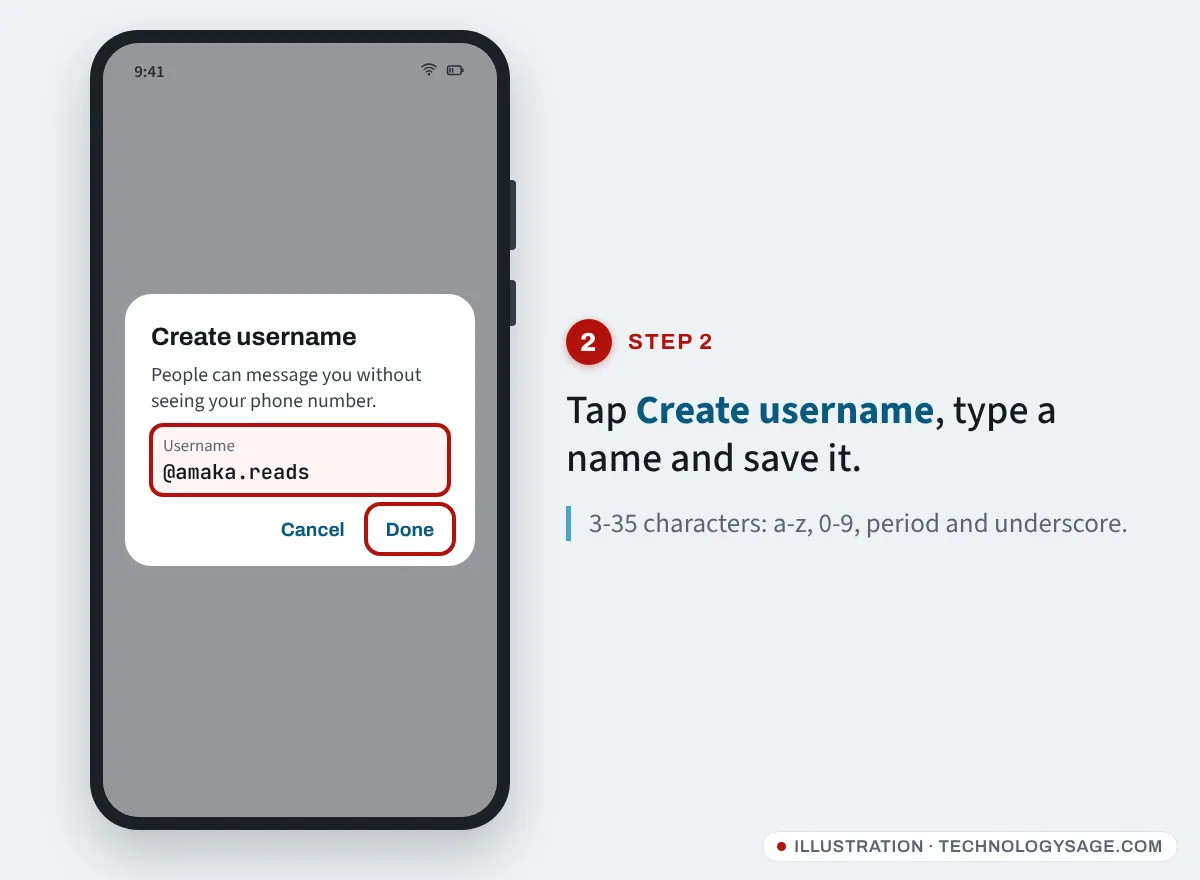
If you see no Username option, your account has not received the feature yet. Keep the app updated and check again in a few days. Menu names can also differ slightly between Android and iPhone and between app versions.
Username rules
| Rule | Detail |
|---|---|
| Length | 3 to 35 characters |
| Allowed characters | Lowercase a-z, numbers 0-9, period (.) and underscore (_) |
| Not allowed | A name made only of numbers; spaces and other symbols |
| Blocked words | Words such as “bank”, “government”, “police” and “verified” |
| Reserved names | Instagram and Facebook usernames are held for their owners; well-known names are held too |
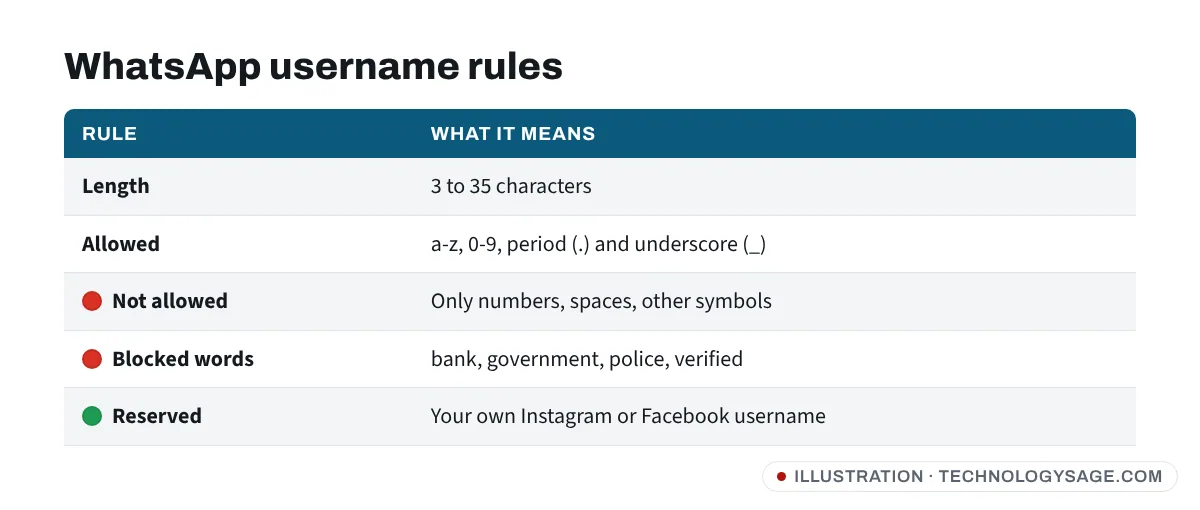
If your preferred name is your existing Instagram or Facebook username, WhatsApp holds it for you. To claim it, add your WhatsApp account to Meta’s Accounts Center so Meta can confirm you own both accounts.
How to change or delete your username
Go back to Settings → Account → Username and tap Edit to change it, or use the option on the same screen to remove it. WhatsApp limits how often you can change your username to stop abuse, but it does not publish an exact number, so choose carefully. People who already chat with you will not lose the conversation when you change it.
The username key: stop strangers who guess your name
Short, simple usernames are easy to guess. The username key is an optional extra code that a new person must enter, together with your exact username, before their first message reaches you.
- Open Settings → Account → Username.
- Find the setting for who can contact you by username and change it from Everyone to People who know my key.
- WhatsApp generates the key for you. You cannot choose your own, but you can tap the option to get a different key at any time.
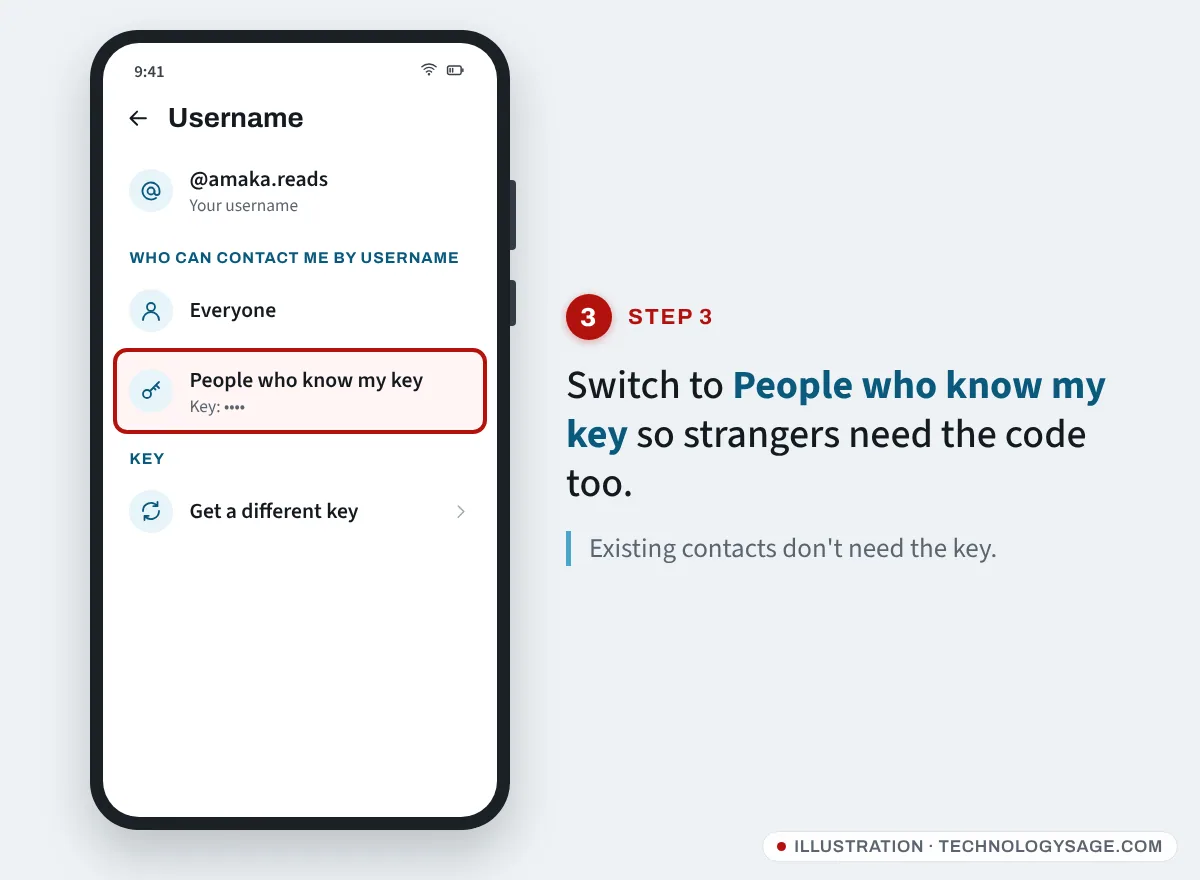
Share the key only with people you actually want to hear from, the same way you would share a phone number. Some practical points:
- Existing contacts are not affected. Anyone who has your number or has chatted with you before does not need the key.
- Changing the key stops new people reaching you with the old one, but people you already chat with keep messaging you normally.
- Guessing is blocked. WhatsApp says it blocks repeated attempts to guess a key.
- Manage it from your main phone. The key can only be managed on your primary phone, not on WhatsApp Web or the desktop app.
Username scams to watch for
New features attract scammers quickly. Watch for these:
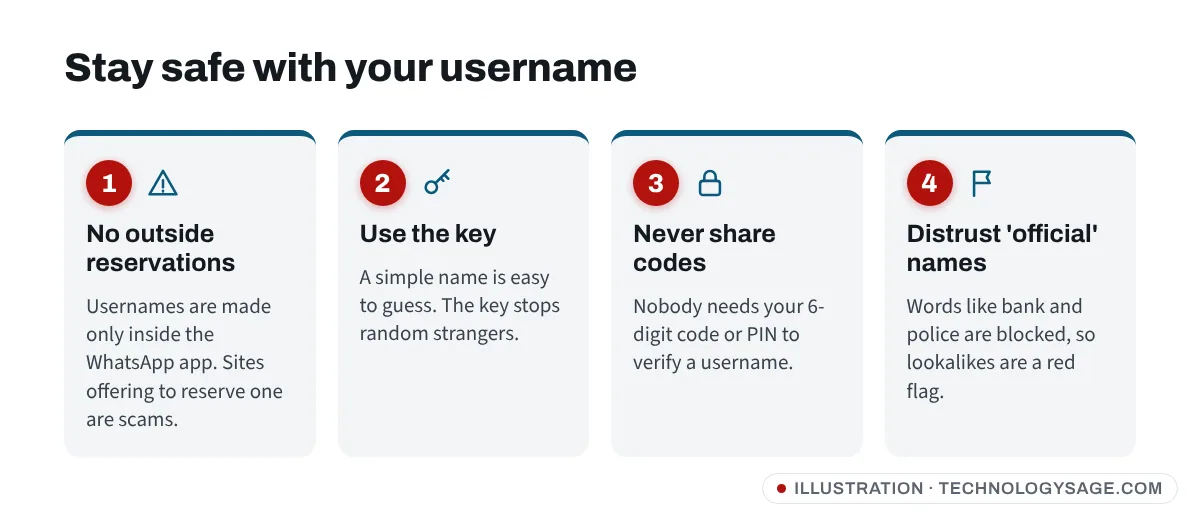
- “Reserve your name before it’s gone” links. You create and reserve a username only inside the WhatsApp app. A website, APK or “agent” that offers to reserve one for you, especially for a fee, is a scam. Do not install modified WhatsApp versions to get the feature early.
- Lookalike bank or government accounts. WhatsApp blocks words like “bank” and “police”, so a username that looks official is a warning sign, not proof. Check the context card, and contact your bank through the number on your card or its official app.
- Code requests. Nobody needs your six-digit registration code or two-step verification PIN to “verify your username”. Anyone who asks for them wants to take over your account. See our guide to what to do if your WhatsApp is hacked.
- Fake “buy a rare username” offers. WhatsApp revokes usernames and bans accounts used for impersonation or scams, and claims that anyone can reserve well-known names are false.
A username is only one part of privacy. Also review who can see your profile photo and last seen; our guide to hiding WhatsApp last seen and read receipts covers those settings, and WhatsApp linked devices shows how to check nobody else is logged into your account.
If it doesn’t work
- No Username option: update WhatsApp and restart the phone. The rollout is gradual and country by country, so you may need to wait.
- “Username not available”: it is taken, reserved for a Facebook or Instagram owner, held as a well-known name, or contains a blocked word. Try adding a period, an underscore or a few numbers.
- Can’t find the key option on WhatsApp Web or desktop: open WhatsApp on your main phone instead.
- Someone can’t message you by username: check they typed it exactly, and if you turned on the key, give them the current key.
- Using a second WhatsApp on the same phone: each account needs its own username. Our guide to running two WhatsApp accounts explains the setups.
FAQ
Does a username replace my phone number?
No. You still need a phone number to sign up, and people who already have your number can still reach you. The username simply lets new people contact you without seeing it.
Can people search for my WhatsApp username?
No. WhatsApp has no username search or directory. Someone has to know your exact username, plus your key if you turned it on.
How many times can I change my username?
WhatsApp limits changes but does not state a number. Avoid changing it often, and pick something you are happy to keep.
Is the username key the same as two-step verification?
No. The key controls who can start a chat with you by username. Two-step verification is a PIN that protects your account from being registered on another phone. Use both.
Can I use the same username I have on Instagram?
Yes, if it is yours. WhatsApp reserves Instagram and Facebook usernames for their owners. Link your accounts in Meta’s Accounts Center to claim it.