In this guide
To use Meta AI on WhatsApp, update WhatsApp, open the Chats tab and tap the round Meta AI button above the new-chat button (or type in the Ask Meta AI or Search bar). That opens a private chat where you can ask questions, write messages, translate text or make images. In a group, type @Meta AI followed by your question. Everyday use is free. As of November 2026, Meta also sells optional Meta One plans for people who want more image and video generation.
Meta AI is not switched on in every country, language or account yet, so if you can’t see it, skip to the troubleshooting section.
Is Meta AI on WhatsApp free?
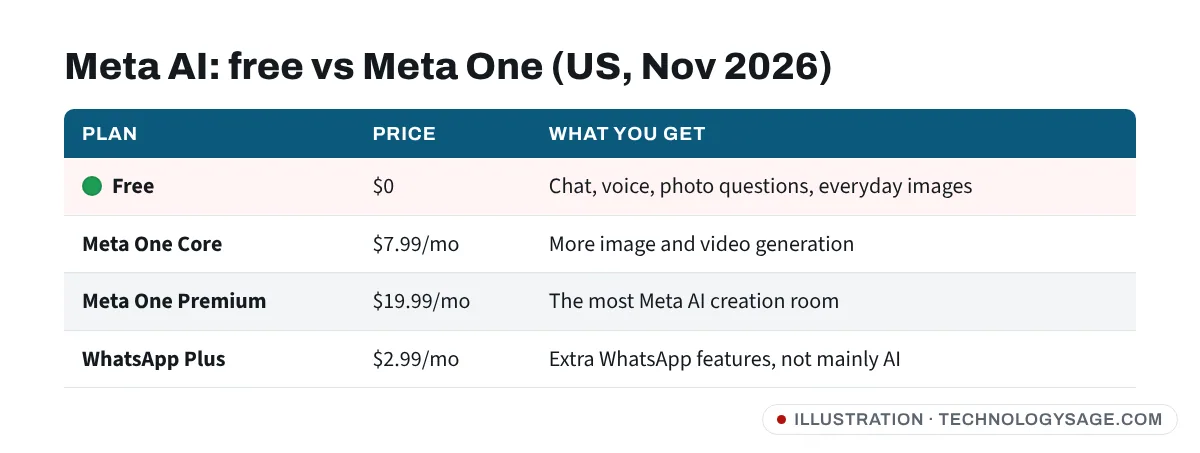
Yes. Meta says the core experience of its apps and everyday use of Meta AI remain free. In September 2026 Meta launched Meta One, a subscription that gives more room to create with Meta AI across WhatsApp, Instagram and Facebook. Meta’s announcement lists these individual plans:
- WhatsApp Plus: $2.99 a month (extra WhatsApp features, not mainly AI).
- Meta One Core: $7.99 a month, with more image and video generation with Meta AI.
- Meta One Premium: $19.99 a month, with the most room to create with Meta AI.
These are US prices as of November 2026. Meta says plans, prices and availability vary by country, app and account, and they are likely to change. You do not need any of them to chat with Meta AI.
How to start a chat with Meta AI
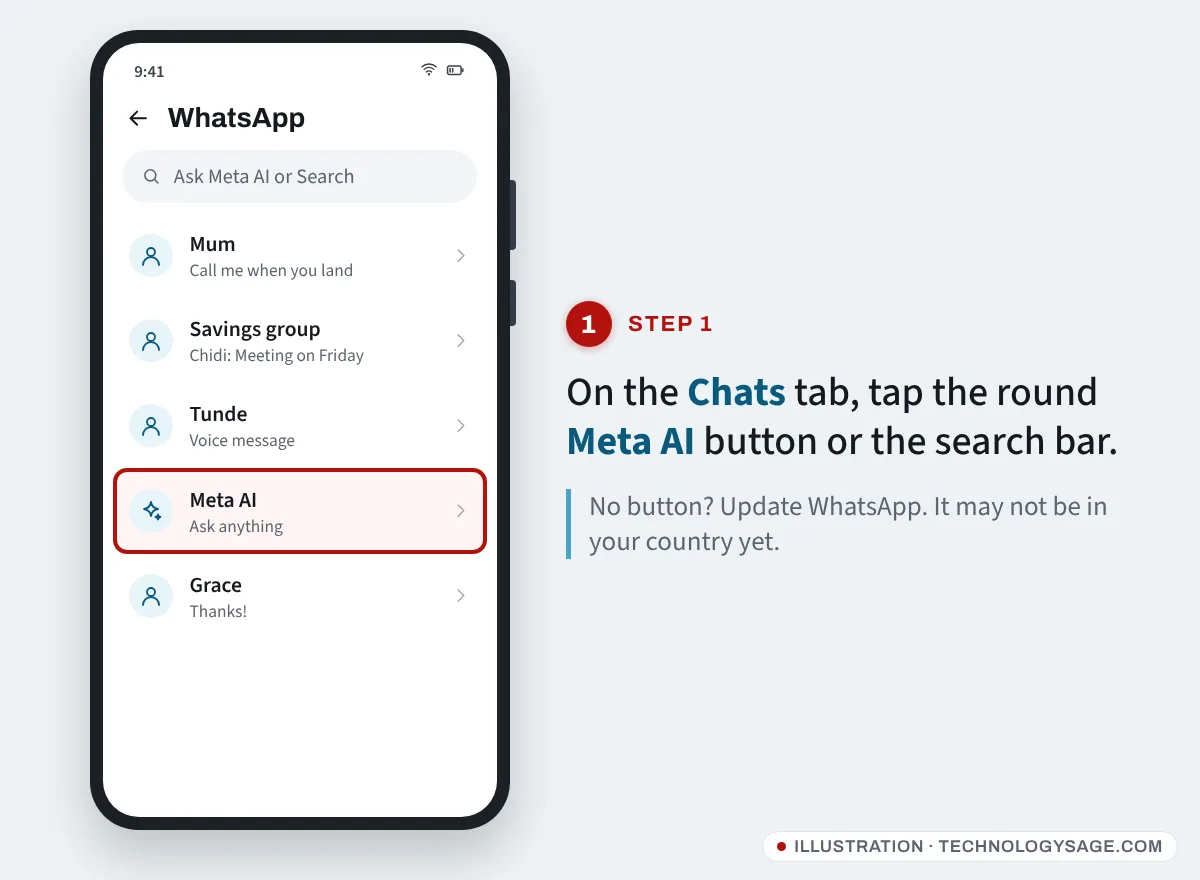
- Update WhatsApp from the Play Store or App Store. Older versions may not show Meta AI.
- Open WhatsApp and stay on the Chats tab.
- Tap the round, colourful Meta AI button at the bottom right, just above the green new-chat button. On some phones you will instead see a Meta AI chat in your list, or the search bar will say Ask Meta AI or Search.
- The first time, read and accept the terms.
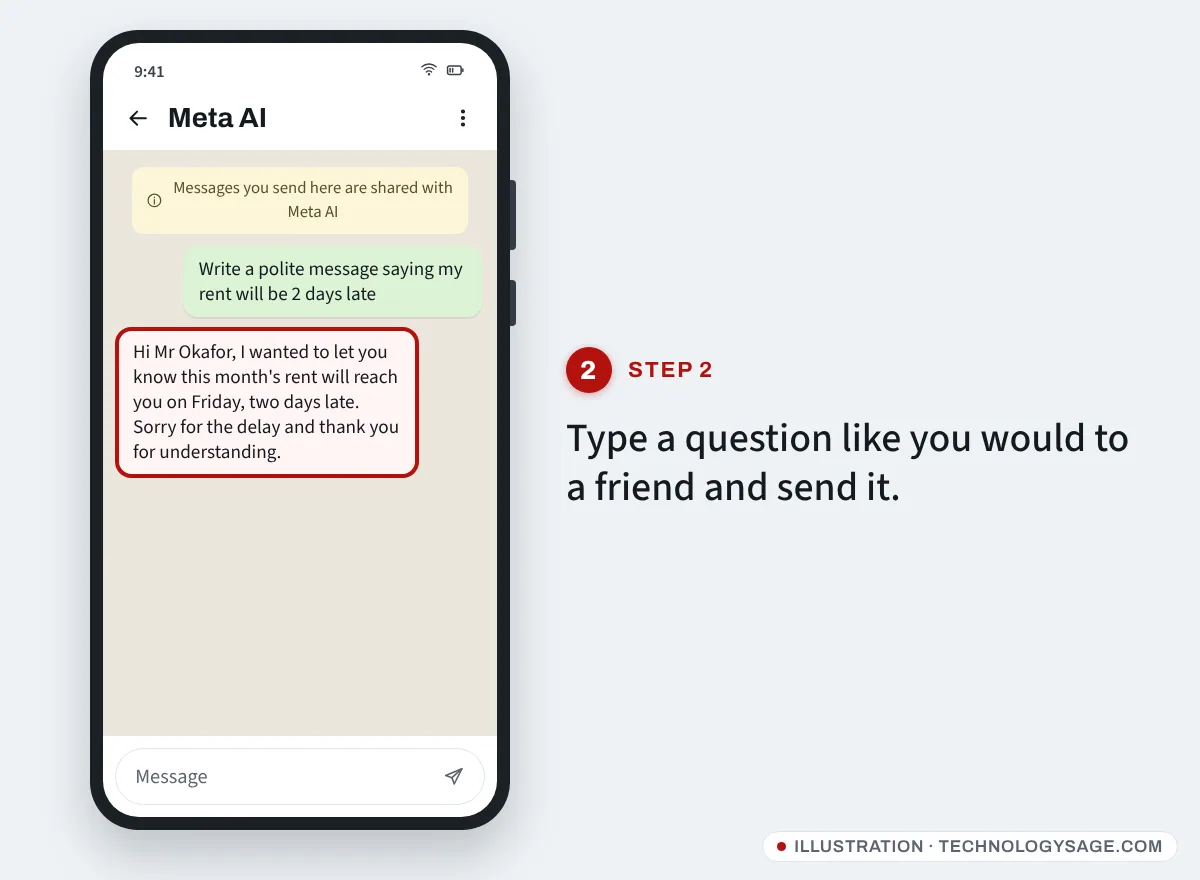
- Type or speak your question and send it, as you would to a friend.
Good first prompts:
- “Write a polite message telling my landlord the rent will be two days late.”
- “Translate this into French:” followed by your text.
- “Explain compound interest like I’m 15.”
- “Plan a three-day trip to Mombasa on a small budget.”
You can also send a photo and ask about it (“What plant is this?”, “Explain this maths question”) or use the microphone to talk instead of typing.
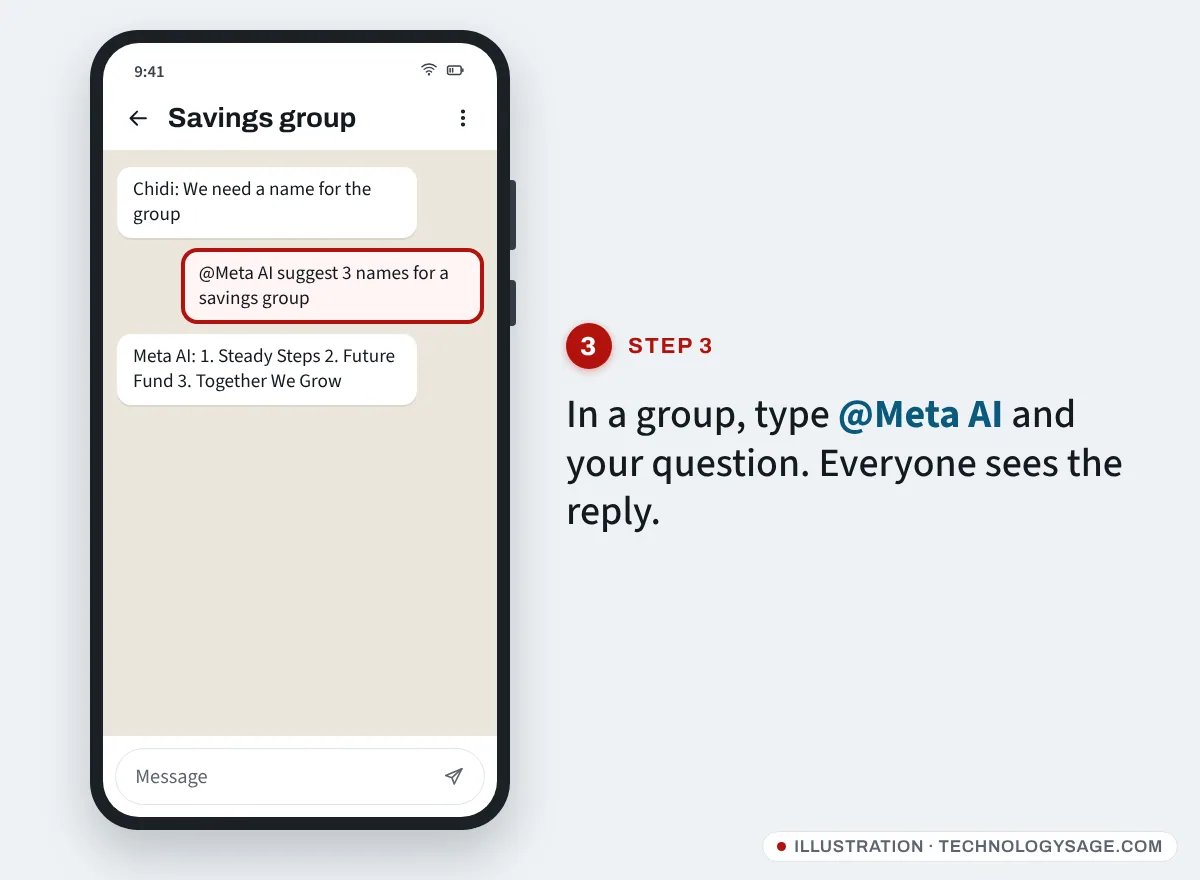
How to use Meta AI in a group chat
- Open the group.
- Type @ and choose Meta AI from the list.
- Add your question, for example “@Meta AI suggest five names for our savings group”, and send.
Everyone in the group sees the question and the reply. Meta AI only sees the message you mention it in (and anything you reply to it with), not the rest of the group’s chat. Mentioning Meta AI in a one-to-one chat works the same way.
Making and editing images
In your Meta AI chat, type imagine or “create an image of” followed by a description, such as “imagine a lion reading a newspaper in Lagos traffic, cartoon style”. You can then ask for changes or send your own photo and ask for a new background or style. Since July 2026 this runs on Meta’s Muse Image model, which Meta says is free for everyday creation and rolling out in select markets first.
Full steps and prompt ideas are in our guide to making AI images in WhatsApp with Meta AI.
Privacy: what Meta AI can see
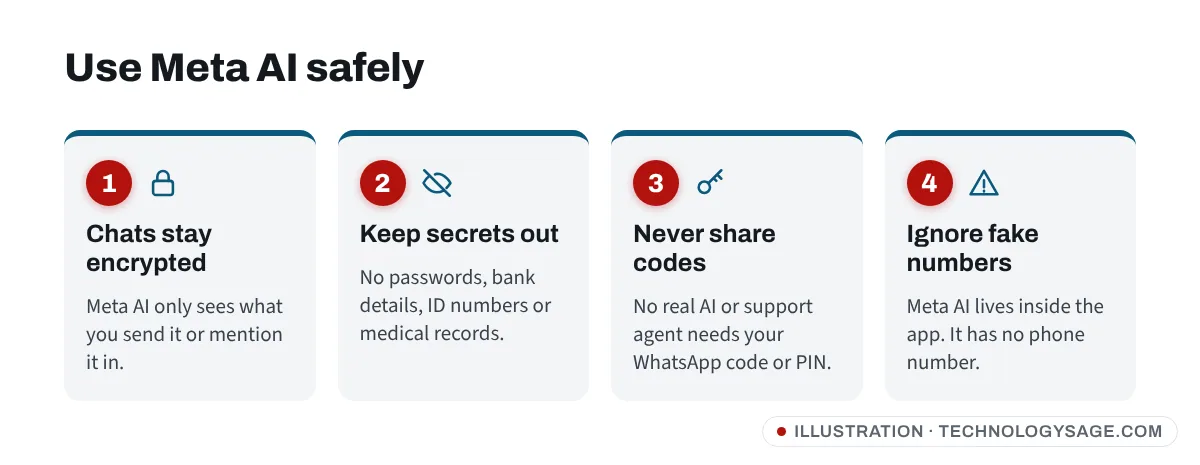
- Your normal chats stay end-to-end encrypted. WhatsApp says Meta AI can’t read your personal messages unless you send them to it or mention it.
- What you send to Meta AI is shared with Meta so it can answer. Don’t send passwords, bank details, ID numbers, medical records or anything you would not want stored.
- Incognito chat. Where available, WhatsApp offers temporary incognito chats with Meta AI that disappear when you leave them. Look for it in the Meta AI chat menu.
- Summaries of unread messages use what WhatsApp calls Private Processing, which it says lets Meta AI handle those messages without Meta or WhatsApp reading them.
You can read WhatsApp’s own explanation on its Meta AI page.
Can you turn off or remove Meta AI?
Not fully. Meta AI is built into WhatsApp and there is no switch to delete it in most countries. You can:
- Delete or mute the Meta AI chat: open it, tap the three dots and choose Mute or Delete chat.
- Simply never tap the button. Meta AI does nothing unless you message or mention it.
- Check your region’s settings. In some places with stricter privacy laws, such as the EU and UK, extra options may appear.
Meta AI not showing on WhatsApp? Fixes
If you can’t find the button, the search bar shows only “Search”, or Meta AI says it is unavailable, work through these:
- Update WhatsApp and restart your phone.
- Check your country and language. Meta AI is rolling out country by country. Meta first added English in countries including Nigeria, Ghana, Pakistan, Canada and Australia, and later more languages. If it hasn’t launched for your number’s country or your app language, nothing you change will add it. Try switching WhatsApp to English in Settings → App language (on some versions Settings → Chats → App language).
- Use your main phone. Some AI features arrive on the phone app before linked devices such as WhatsApp Web.
- Business app. The WhatsApp Business app gets different AI tools from the regular app.
- Age and account limits. Meta can restrict AI features for younger users or accounts in some regions.
- “Something went wrong” replies. Check your data or Wi-Fi (fix Wi-Fi with no internet), close the chat and try again later. Meta AI sometimes refuses or fails on busy servers.
- Join WhatsApp beta (Android) only if you’re comfortable with test versions; new features often appear there first.
Stay safe: fake “Meta AI” accounts
- The real Meta AI has no phone number. It lives inside the app. A contact called “Meta AI Support” asking for your code is a scammer.
- Never share your 6-digit WhatsApp code or two-step PIN with anyone or any bot. If you already did, follow our WhatsApp hacked recovery guide.
- Meta AI is free to use. Anyone selling “Meta AI activation” or “WhatsApp AI premium” outside the official app store is not Meta.
FAQ
Is Meta AI on WhatsApp free?
Yes, chatting with Meta AI is free. As of November 2026, optional Meta One plans ($7.99 or $19.99 a month in the US) add more image and video generation, but you don’t need them for everyday questions.
Can Meta AI read my WhatsApp messages?
WhatsApp says your personal chats stay end-to-end encrypted and Meta AI only sees what you send to it or messages where you mention @Meta AI.
Why don’t I have Meta AI on WhatsApp?
It is rolling out by country, language and account. Update WhatsApp and try English as the app language. If it still isn’t there, it hasn’t reached your account yet.
Does Meta AI work on WhatsApp Web?
It can, but features often reach the phone app first. If it’s missing on the web, use it on your phone.
Can I use ChatGPT on WhatsApp instead?
Only in some regions. ChatGPT left WhatsApp in most countries in January 2026. See whether 1-800-CHATGPT still works.