In this guide
- Quick comparison
- ChatGPT: best all-rounder
- Gemini: best if you use Google
- Claude: best for writing and long documents
- Microsoft Copilot: best on Windows
- Meta AI: best for WhatsApp users and low data
- What about DeepSeek and Grok?
- Which one should you use?
- Tips for budget phones and weak connections
- Stay safe with free AI
- FAQ
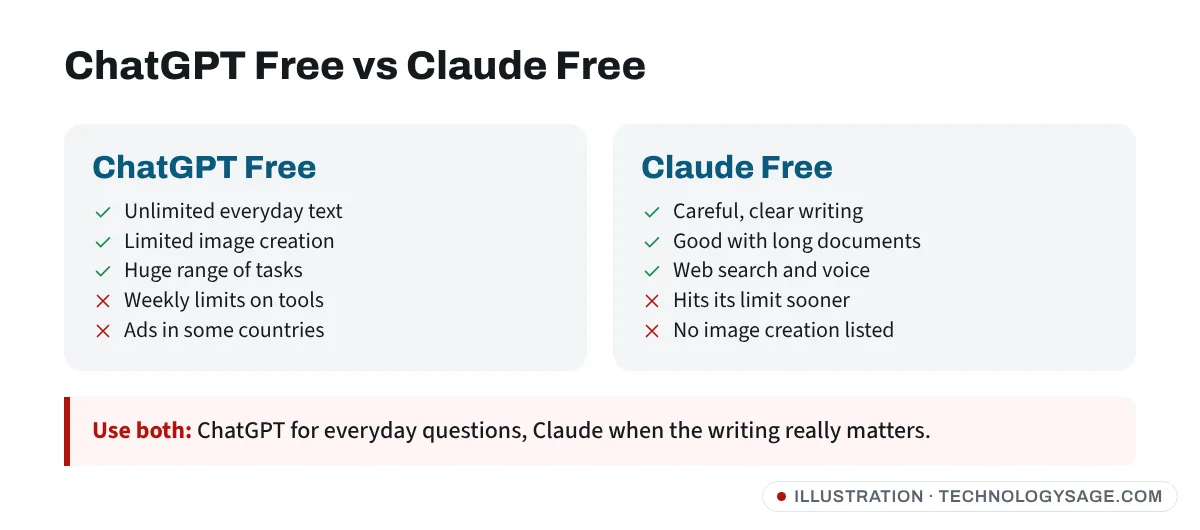
For most people in November 2026, ChatGPT is the best free AI chatbot: its free plan has no cap on everyday text chats, it searches the web, and it works well on cheap phones. Gemini is the best pick if you live in Google apps or want free photo editing, and Claude is the strongest free option for careful writing and long documents, though its free usage runs out sooner. If you mainly use WhatsApp and want to save data, Meta AI inside WhatsApp needs no extra app.
All of them change their free plans often. The limits below are as of November 2026; check each app’s own plan page before relying on them.
Quick comparison
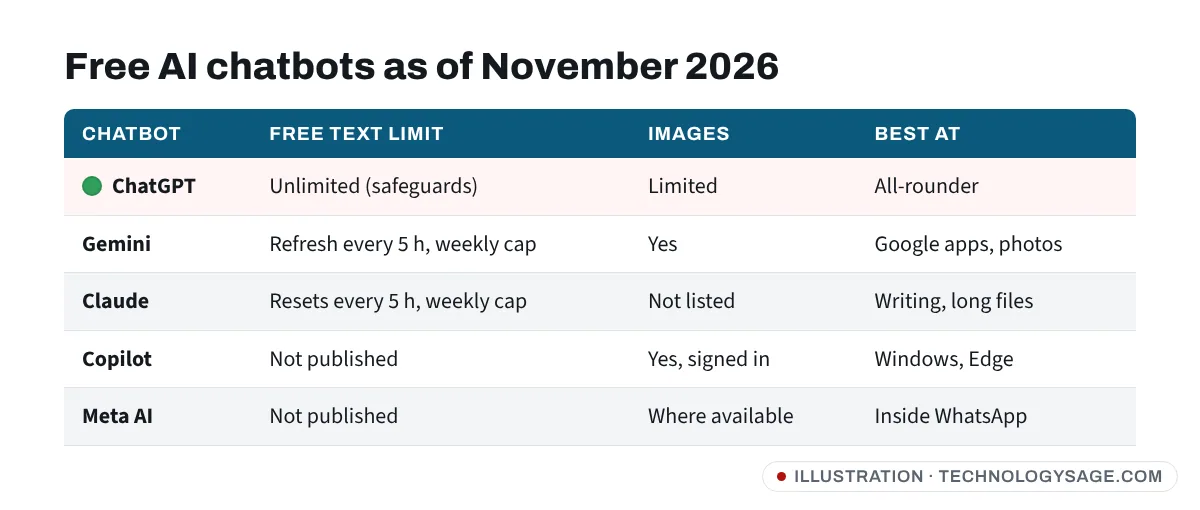
| ChatGPT Free | Gemini Free | Claude Free | Copilot | Meta AI | |
|---|---|---|---|---|---|
| Text chat limit | Unlimited (abuse safeguards) | Standard limits, refresh every 5 h + weekly cap | Limited, resets every 5 h + weekly | Not published | Not published |
| Web search | Yes | Yes | Yes | Yes | Yes |
| Make images | Limited | Yes (Nano Banana) | No image creation listed | Yes, signed in | Yes, where available |
| Upload files/photos | Limited | Yes | Yes | Yes | Photos |
| Voice chat | Limited | Yes (Gemini Live) | Yes | Yes | Yes |
| Best at | All-rounder | Google apps, photos | Writing, documents | Windows, Edge | |
| Paid plan (US) | Go $8, Plus $20 | AI Plus $7.99, AI Pro $19.99 | Pro $20 | M365 Premium $19.99 | None needed |
Prices vary by country; many are much cheaper in local currency.
ChatGPT: best all-rounder
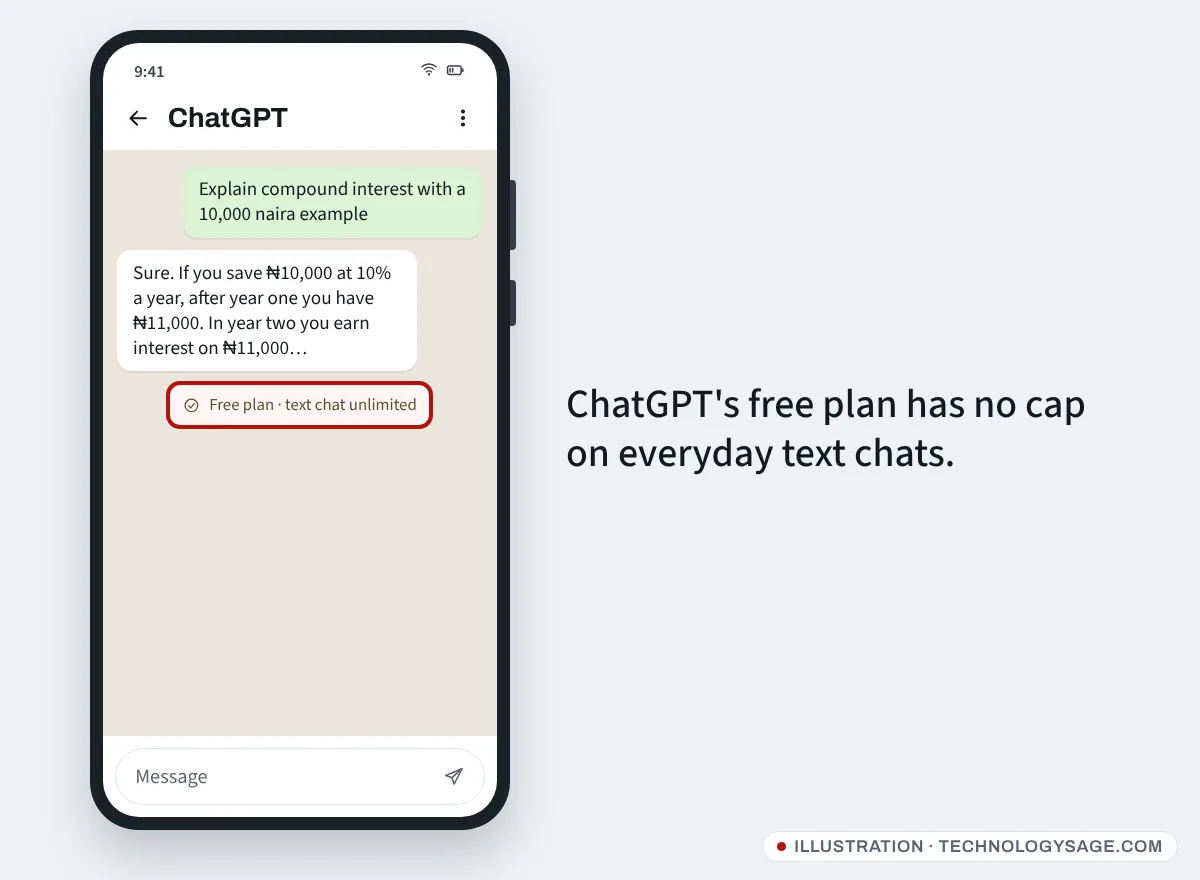
Since August 2026, OpenAI’s free plan includes unlimited everyday text chats with GPT-5.6 Luna, a Think button for harder problems, web search, and limited image creation, uploads, voice and deep research.
- Good for: quick questions, explanations, homework help, CVs, emails, code, planning.
- Downsides: heavy tools have weekly limits; free users may see ads in some countries; chats are used for training unless you turn it off in Settings → Data controls.
- More detail: ChatGPT free plan limits and ChatGPT Go vs Plus.
Gemini: best if you use Google
Gemini is built into many Android phones and connects to Gmail, Google Docs, Drive, Maps and YouTube when you allow it.
- Good for: summarising emails, planning with Maps, studying with Study Notebooks, and photo editing (see Gemini photo editing prompts).
- Downsides: free usage is “standard” limits that refresh every 5 hours up to a weekly cap; video generation needs a paid plan.
- Students in 140+ countries can get a free year of AI Plus until 31 December 2026: see Gemini for students. Full plan details are in is Gemini free.
Claude: best for writing and long documents
Anthropic’s free plan includes the Sonnet and Haiku models, web search, voice, file creation and memory, with “limited usage” that resets every 5 hours and weekly.
- Good for: essays and reports you want help structuring, careful editing, reading long PDFs, and clear explanations.
- Downsides: you’ll hit the free limit sooner than with ChatGPT, especially with long files; no image generation listed on the free plan.
- See is Claude free and Claude usage limit.
Microsoft Copilot: best on Windows
Free at copilot.microsoft.com and in the Copilot app, with web answers, images and voice when signed in to a Microsoft account. It’s already on Windows 11 laptops. See is Copilot free.
Meta AI: best for WhatsApp users and low data
In countries where it’s available, Meta AI sits inside WhatsApp, Instagram and Facebook. You don’t install anything: open the Meta AI chat in WhatsApp or tap the blue circle. It can answer questions and create images (“Imagine…”). See Meta AI on WhatsApp. Answers are shorter and less detailed than ChatGPT’s or Claude’s.
What about DeepSeek and Grok?
DeepSeek is free and capable at maths and code, but it stores data in China and has faced action from regulators in several countries; read is DeepSeek safe before sharing anything personal. Grok from xAI has a free tier inside X; see is Grok free.
Which one should you use?
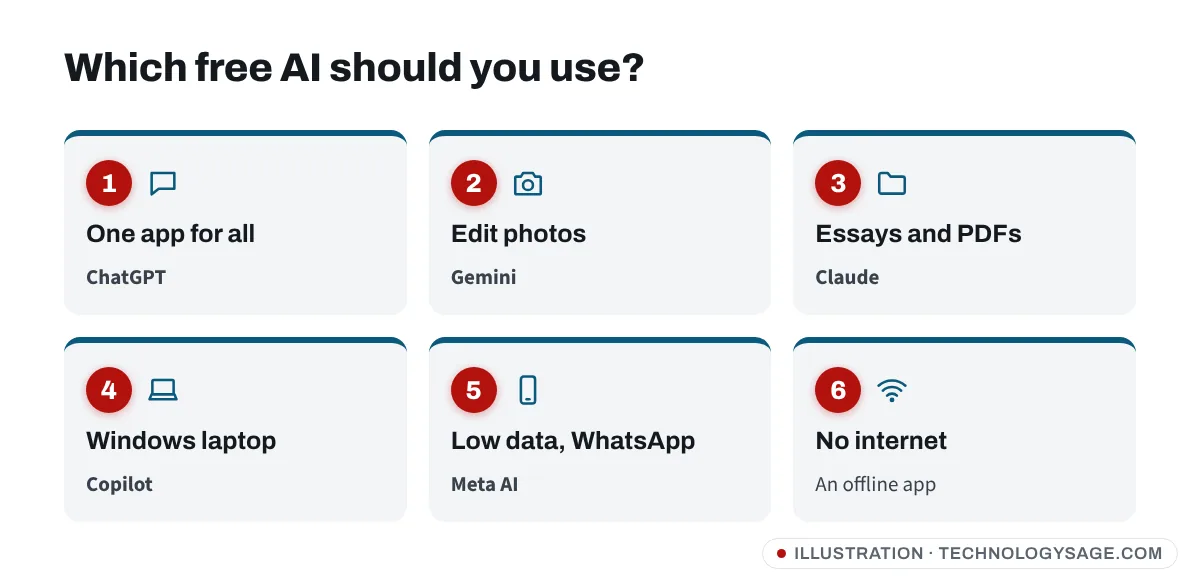
- Just want one app: ChatGPT.
- Student: ChatGPT or Gemini (claim the free student year), with Claude for essay structure and feedback.
- Edit your photos: Gemini.
- Writing and long PDFs: Claude.
- Office work on a Windows laptop: Copilot.
- Slow data or small phone: Meta AI in WhatsApp, or any of them in the browser instead of an app.
- No internet at all: none of these work offline; see can you use ChatGPT offline? for apps that run on your phone.
Tips for budget phones and weak connections
- Use the website instead of the app (chatgpt.com, gemini.google.com, claude.ai) in Chrome if your phone has little storage. Add it to your home screen with ⋮ → Add to Home screen.
- Turn off voice and image features when on mobile data; text uses very little. More tips in how to conserve internet data.
- Keep chats short and start new ones for new topics. Long chats load slowly on 2 GB and 3 GB RAM phones.
- Clear app cache if an app becomes slow: Settings → Apps → [app] → Storage → Clear cache. See also expand RAM on Android for what “extended RAM” can and can’t do.
Stay safe with free AI
- Never paste passwords, OTP codes, bank or ID numbers into any chatbot.
- Install only the official apps from the Play Store (check the developer: OpenAI, Google LLC, Anthropic, Microsoft Corporation, Meta). Lookalike “AI Chat” apps often charge weekly subscriptions after a trial.
- Double-check facts for health, legal and money questions. All chatbots make confident mistakes.
- Be wary of “free ChatGPT Plus” offers on WhatsApp and Telegram; see how to get ChatGPT Plus for free for the legitimate ways.
FAQ
Which free AI is the best in 2026?
For most people, ChatGPT, because everyday text chats are unlimited on the free plan. Gemini is a close second, especially on Android and for photo editing.
Is Gemini better than ChatGPT?
It depends on the job. Gemini is better inside Google apps and for editing photos; ChatGPT is the stronger all-rounder with fewer free limits on text.
Is Claude free?
Yes. Claude’s free plan includes Sonnet and Haiku with limited usage that resets every 5 hours and weekly. Pro costs $20 a month in the US.
What’s the best AI app for Android?
ChatGPT and Gemini are the most polished Android apps. On a phone with little storage, use their websites in Chrome instead.
Which AI chatbot uses the least data?
Text chats use very little in any app. Meta AI inside WhatsApp avoids installing another app, which helps on phones with little space.