In this guide
To check your Tecno warranty, dial *#06# to see your IMEI, then enter it on the Warranty Check page of the official Tecno website (tecno-mobile.com, under Support) or on the Carlcare website (carlcare.com). Both are free and show whether your phone is still covered and when the cover ends.
Carlcare is Tecno’s official after-sales service, so whichever checker you use, repairs happen at a Carlcare service centre. Here’s how to do the check, read the result and make a claim.
Step 1: Get your Tecno IMEI
Tecno’s own warranty page lists three ways to find the IMEI:
- Dial *#06# in the Phone app. The IMEI pops up immediately (two numbers on dual-SIM phones; use the first).
- Go to Settings → About phone and open Status or the IMEI entry. On older HiOS versions the path is Settings → System → About phone → Status.
- Read the sticker on the Tecno box.
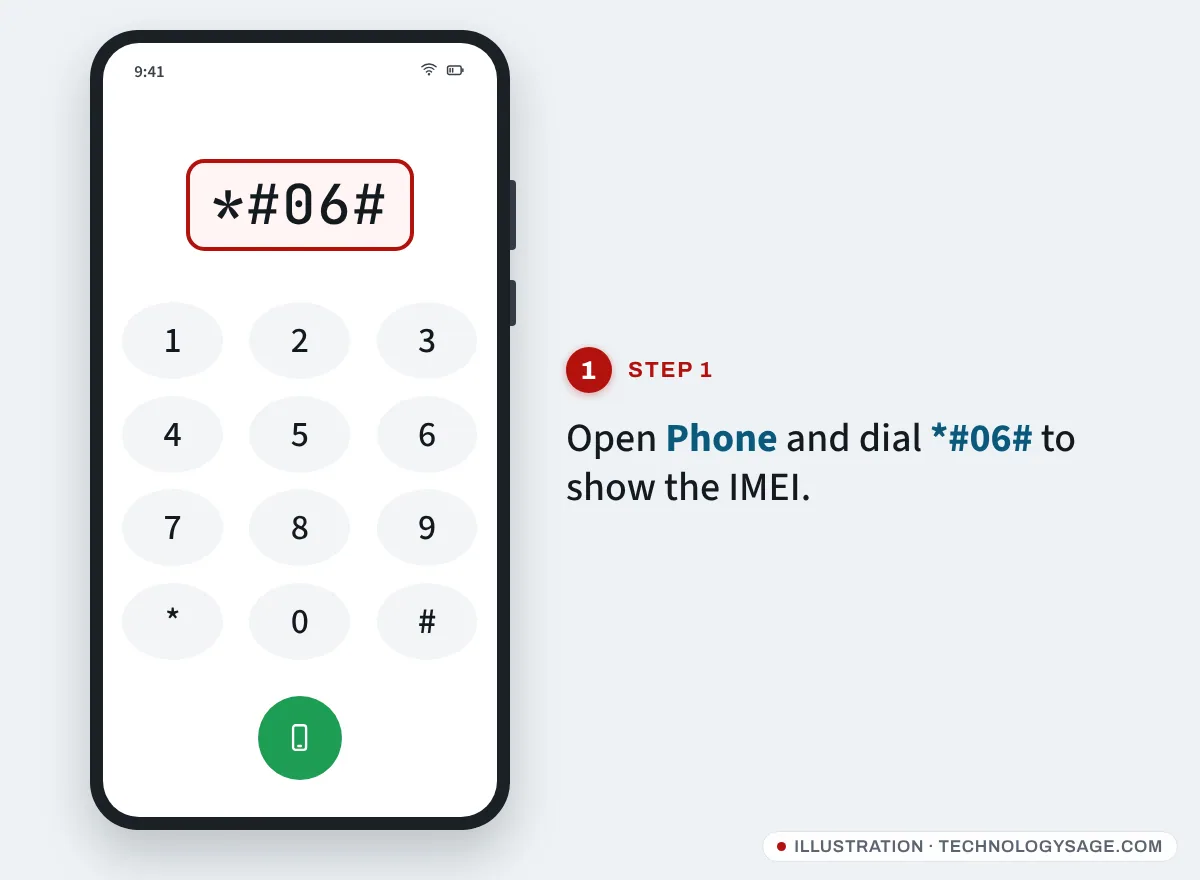
The IMEI on the screen and on the box should be identical. If they’re different, ask the seller why before you pay, and read our Tecno IMEI check guide to confirm the phone is genuine.
Step 2: Use Tecno’s official warranty checker
- Go to tecno-mobile.com and choose your country (the site has separate pages for most countries, some in French or other languages).
- Open Support → Warranty Check.
- Enter your 15-digit IMEI and tap Search.
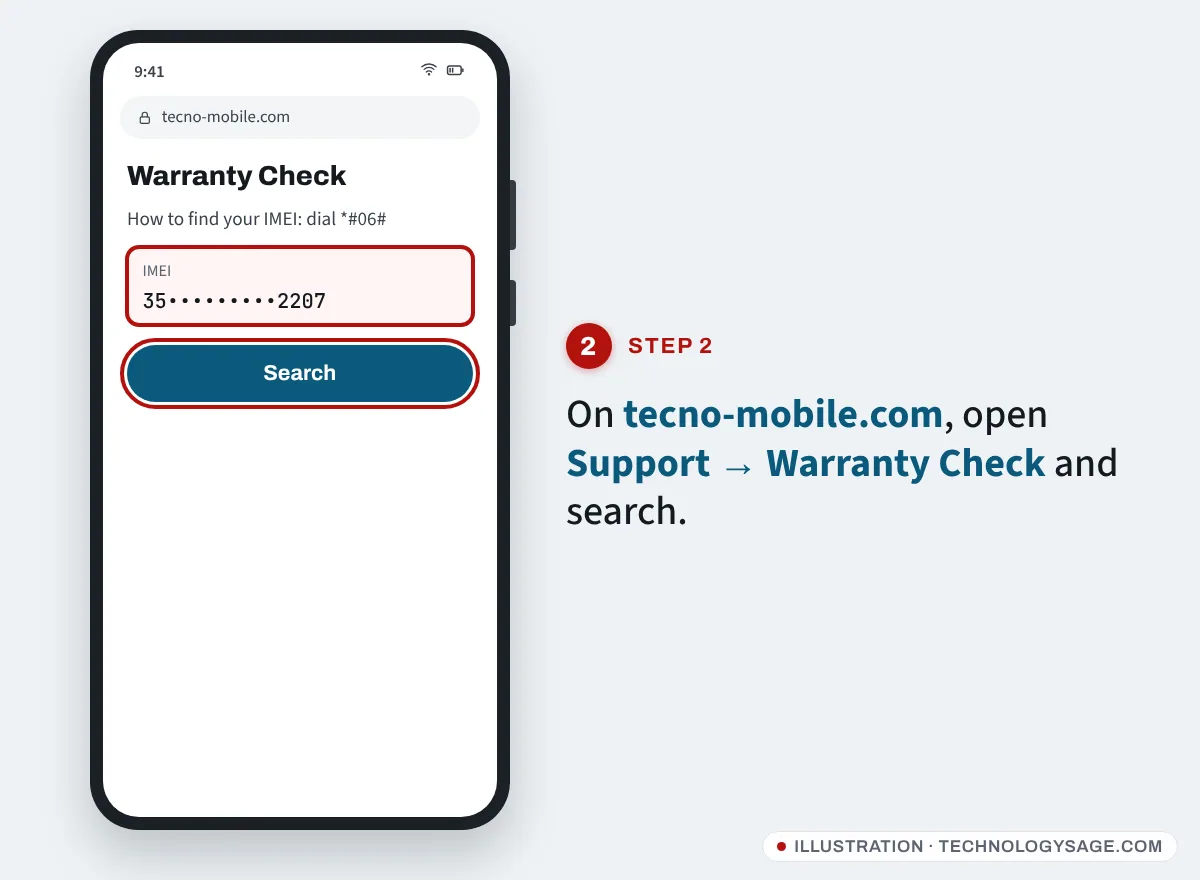
If your country page doesn’t have a warranty check, or it returns nothing, use Carlcare instead.
Step 3 (alternative): Check on Carlcare
- Open carlcare.com and select your country.
- Go to Repair Service → Warranty Check.
- Type the IMEI in Enter your IMEI and tap the search icon.
The Carlcare app, pre-installed on many Tecno phones and free on Google Play, can also show the phone’s electronic warranty card without typing anything. Make sure the developer is listed as Transsion Holdings before installing.
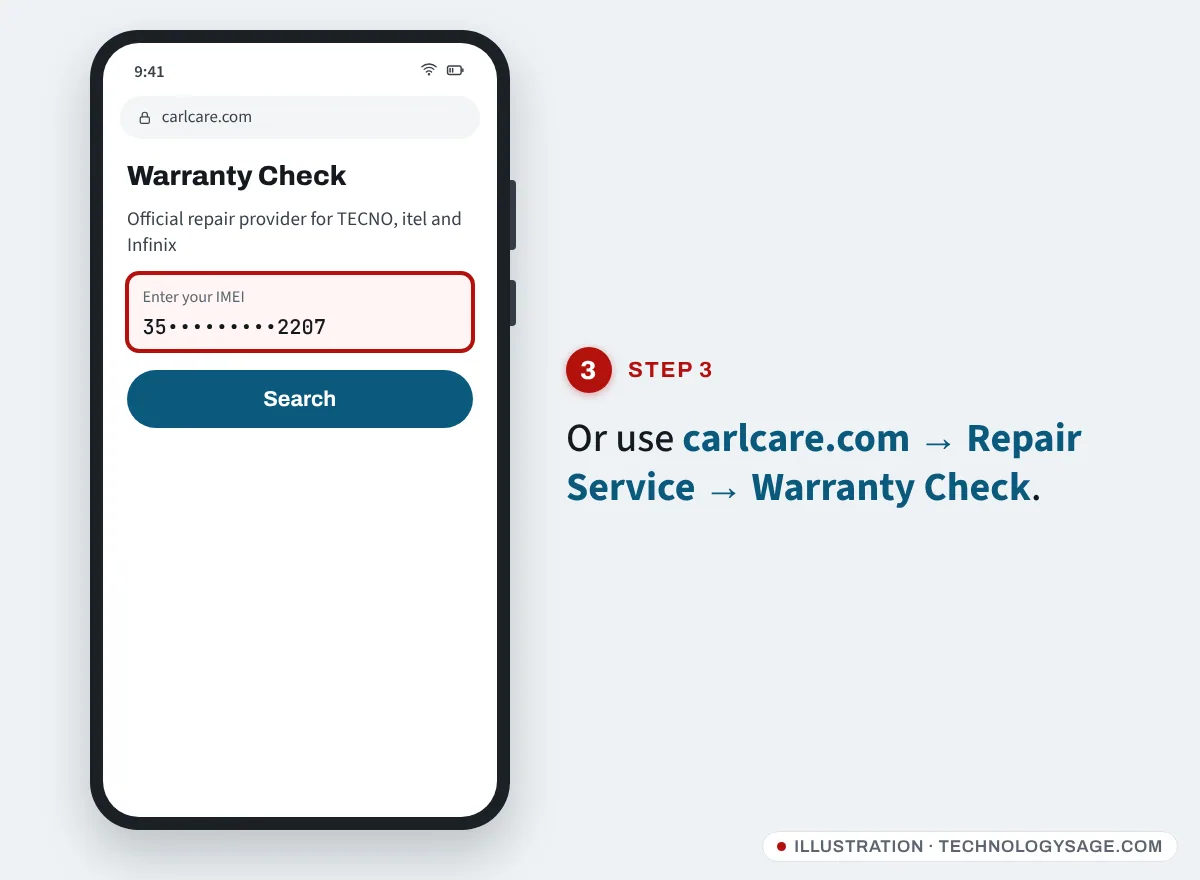
What the result means
- Warranty end date in the future: you’re covered for manufacturing faults until that date.
- Expired: repairs are still available at Carlcare, but you pay.
- “Inactivated” / “your equipment information is not available”: this is the wording Tecno’s checker uses when it can’t find the phone. Check the IMEI again; if it’s correct, the warranty may never have been registered or the phone came through an unofficial channel. Contact Carlcare with your receipt.
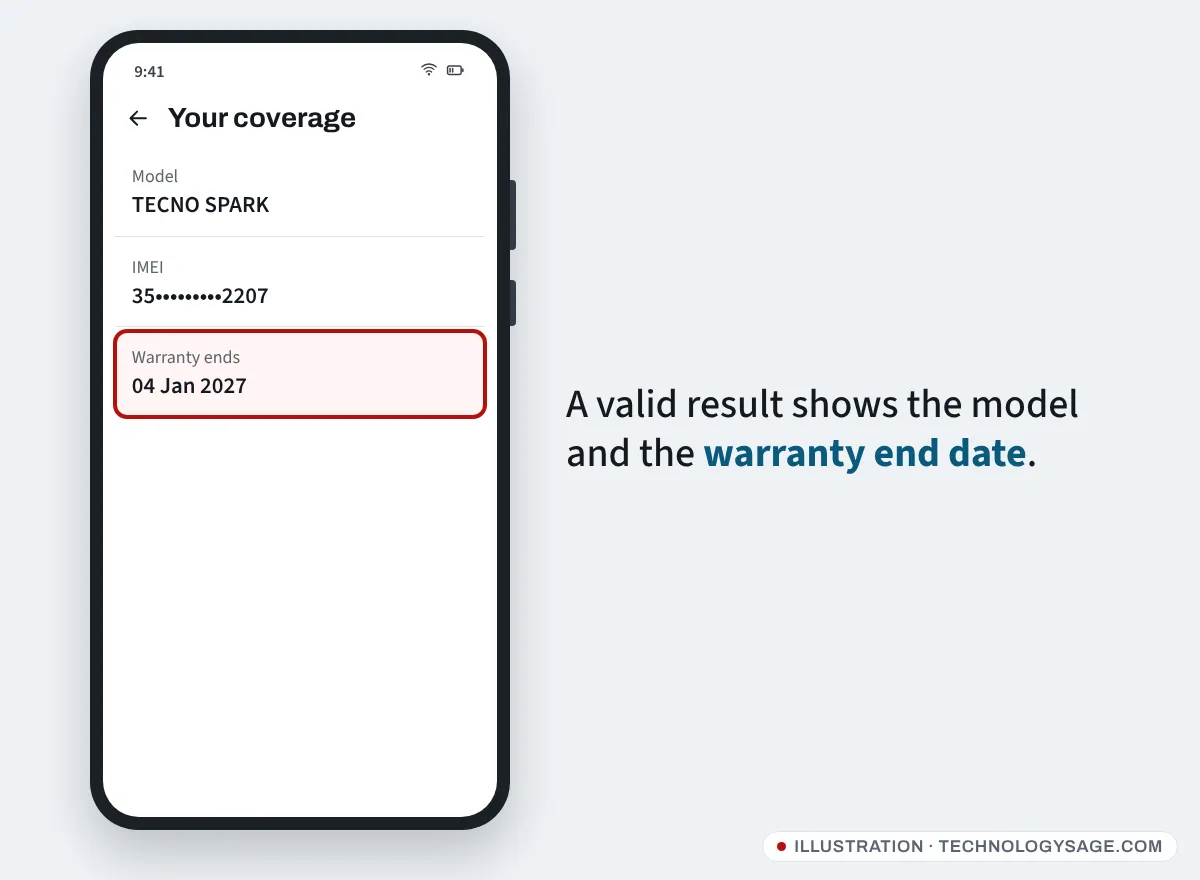
Tecno’s own pages note that the date shown is a reference and the final decision is made by the Carlcare service centre. The electronic warranty often starts when the phone is first switched on and used, so keep your receipt in case the start date needs correcting.
How long is the Tecno warranty?
It varies by country, so open Service Policy for your country on carlcare.com. Two examples from Carlcare’s current Tecno policies:
| Item | Nigeria | Kenya |
|---|---|---|
| Handset, including built-in battery | 13 months | 13 months |
| In-box charger, cable, headset | 6 months | 6 months |
| Charger or cable bought separately | 12 months | 12 months |
According to Carlcare’s global Tecno policy, the warranty covers the first buyer only and excludes cosmetic damage (scratches, dents, cracked screens), liquid damage, drops and other accidents, repairs by unauthorised shops, unauthorised modifications, normal wear and tear, and phones with a removed or defaced serial number. Phones bought outside official channels may be locked and may not get official repairs.
How to make a warranty claim
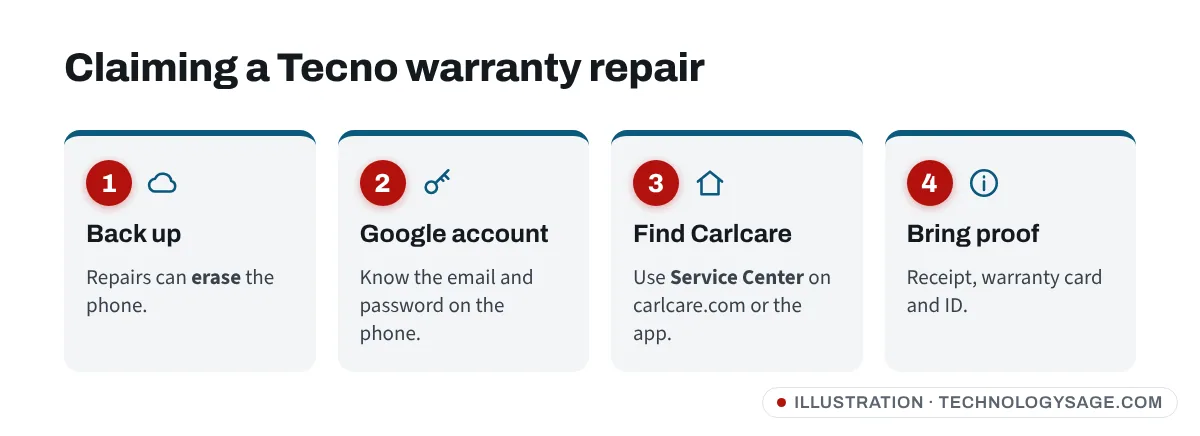
- Back up photos, contacts and chats. Carlcare warns that repairs can erase the phone. (See how to move WhatsApp to a new phone for chat backups.)
- Know the Google account and password on the phone, because you’ll need them if the phone is reset.
- Find a service centre on carlcare.com (Service Center) or in the Carlcare app, and book if your country offers reservations.
- Bring the phone, receipt, warranty card if you have one, and ID.
- Describe the fault. If it’s a covered defect, the repair is free. If staff find water or impact damage, they’ll quote a price before doing any work.
If it doesn’t work
- The site says the IMEI is invalid: enter exactly 15 digits, no spaces or slashes. Copy it from *#06#.
- The page is in French or another language: you’re on a country page. Use your browser’s translate option or switch country at the top of the site.
- The page won’t load: switch between Wi-Fi and mobile data, or try a different browser.
- The phone won’t turn on: get the IMEI from the box, or just take the phone and receipt to Carlcare.
- The result shows a different model from your phone: the IMEI may have been changed, which is illegal in many countries. Don’t buy it, or report it to the seller.
Avoid warranty scams
Tecno and Carlcare don’t charge for warranty checks and never ask you to pay by airtime, gift card or mobile money to a personal number. Be wary of social-media accounts selling “warranty extension” or “activation” and of unofficial “IMEI checker” sites. Never give anyone your Google password or one-time codes. For more on staying safe, see our phone security tips and how to protect your smartphone from viruses.
FAQ
Is there a Tecno warranty check by SMS?
We couldn’t find an official SMS warranty check that works across countries. Use the Tecno website, the Carlcare website or the Carlcare app.
Does Tecno warranty cover a cracked screen?
No. Screen cracks and other physical damage are excluded under Carlcare’s policy. You can still pay Carlcare for a genuine replacement screen; prices are listed under Spare Parts Price on carlcare.com.
Can I transfer the warranty if I buy a used Tecno?
Carlcare’s policy says the warranty applies to the first purchaser only and isn’t transferable. In practice, a used phone with a valid date and the original receipt is more likely to be served, but there’s no guarantee.
Will a factory reset void my warranty?
No. A normal reset from Settings is fine. Flashing unofficial software or unlocking the bootloader can cause a claim to be refused. If you need to wipe the phone, follow our Tecno hard reset guide.