In this guide
Yes. Microsoft Copilot, the chat assistant at copilot.microsoft.com and in the Copilot app for Android, iPhone and Windows, is free to use. You can chat, search the web, summarise pages and create images without paying, and signing in with a free Microsoft account unlocks chat history, longer conversations, voice and image creation. You only pay if you want Copilot inside Word, Excel, PowerPoint and Outlook with higher limits, which comes with a Microsoft 365 subscription.
The confusing part is that “Copilot” is the name of several different products. This guide sorts them out, as of November 2026. Microsoft changes its plans and prices often, so check the official plans page before you buy anything.
Which Copilot are you asking about?
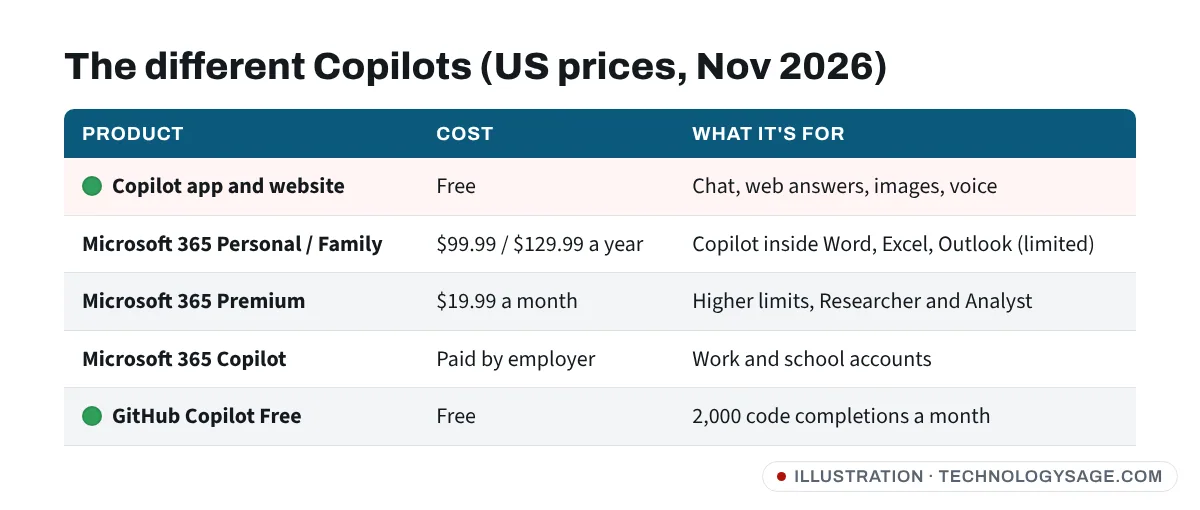
| Product | Cost (US, as of Nov 2026) | Who it’s for |
|---|---|---|
| Microsoft Copilot (app and website) | Free | Anyone: chat, web answers, images, voice |
| Copilot in Microsoft 365 Personal / Family | Part of the subscription ($99.99/year Personal, $129.99/year Family) | Copilot inside Word, Excel, PowerPoint, Outlook, with monthly AI limits |
| Microsoft 365 Premium | $19.99/month or $199.99/year | Heavy users: higher limits, Researcher and Analyst agents |
| Microsoft 365 Copilot (work) | Paid by employers | Company and school accounts |
| GitHub Copilot Free | Free | Programmers, in code editors |
Prices differ by country, and Microsoft shows your local price at checkout. Copilot Pro, the old $20 add-on, is no longer sold to new customers; Microsoft now points people to Microsoft 365 Premium instead.
What free Copilot can do
Free Copilot is a general AI assistant, similar to the free versions of ChatGPT and Gemini. According to Microsoft’s support pages, it covers:
- Chat for writing, brainstorming, explaining homework topics and drafting messages.
- Answers from the web, with links to the sources.
- Webpage and PDF summaries through Copilot in the Microsoft Edge browser.
- Image creation, when you’re signed in with a Microsoft account.
- Voice conversations and longer chats, also with a Microsoft account.
It works on Windows, Android, iPhone, Mac and in any browser. On a budget Android phone, the website in Chrome works fine if you don’t want another app.
How to start using Copilot for free
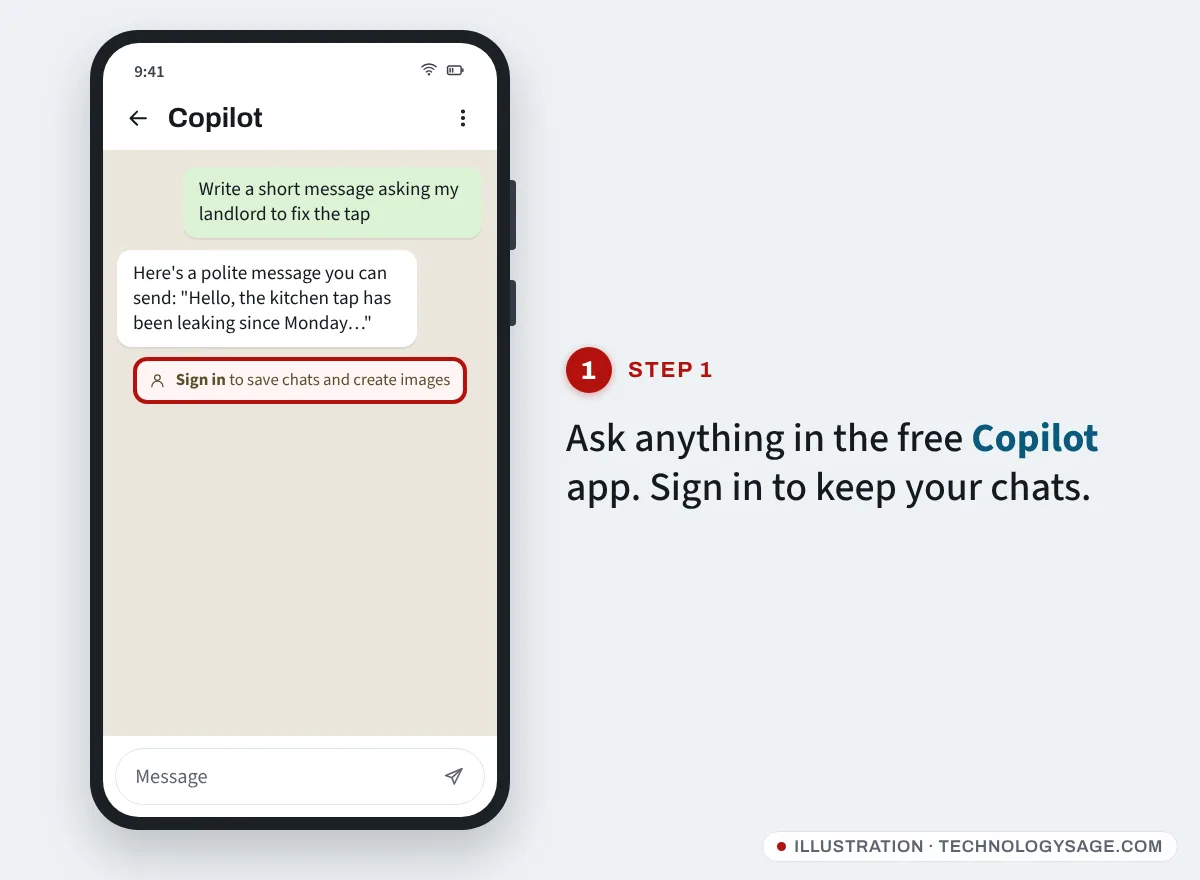
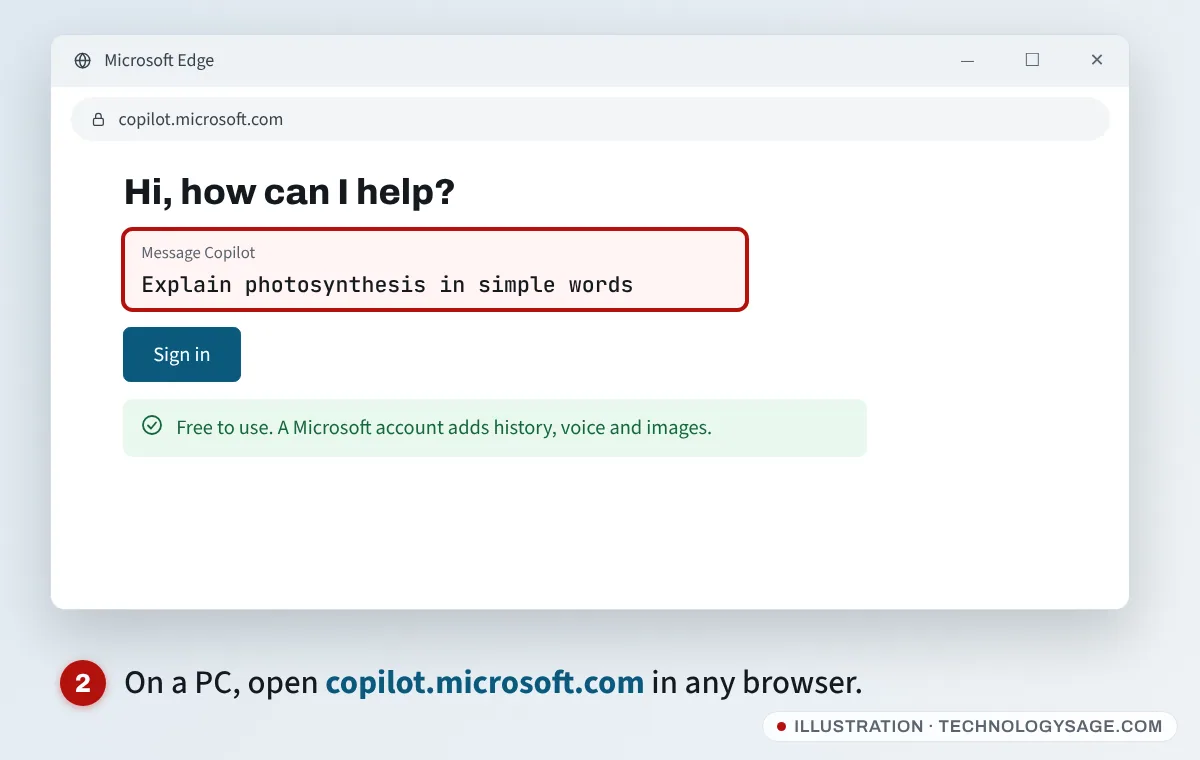
- Open copilot.microsoft.com in your browser, or install Microsoft Copilot from the Google Play Store or the Microsoft Store. On Windows 11 it’s usually already installed: press the Windows key and type Copilot.
- You can ask a question straight away without an account.
- To keep your chats and use voice and image creation, tap Sign in and use a Microsoft account (an Outlook.com or Hotmail address works, and creating one is free).
Free Copilot limits
Microsoft doesn’t publish a fixed number of free messages or images per day. Heavy features like image creation and voice have usage limits that can change with demand, and when you reach one, Copilot tells you in the chat. Several features that used to be in the free version, such as longer research reports, have moved to paid plans over 2025 and 2026, so don’t be surprised if something you saw in an older video now asks you to upgrade.
What you pay for: Copilot in Microsoft 365
If you subscribe to Microsoft 365 Personal or Family, Copilot also appears inside the desktop and mobile Office apps: it can draft a document in Word, build formulas in Excel, turn notes into PowerPoint slides and summarise your Outlook inbox.
A few things to know, from Microsoft’s own pages:
- Usage is limited. Copilot in the Office apps uses monthly AI credits. Microsoft’s example: asking Copilot to “summarize my inbox” uses one credit. You get a notification when you’re close to the limit.
- Only the subscription owner gets it. On a Family plan, the people you share with still get Word, Excel and storage, but the Copilot features in the apps belong to the owner.
- Premium raises the limits. Microsoft 365 Premium gives “extensive” use of image generation and Audio Overviews and adds the Researcher and Analyst agents. Microsoft also lists an even higher Microsoft 365 Pro tier for the heaviest users.
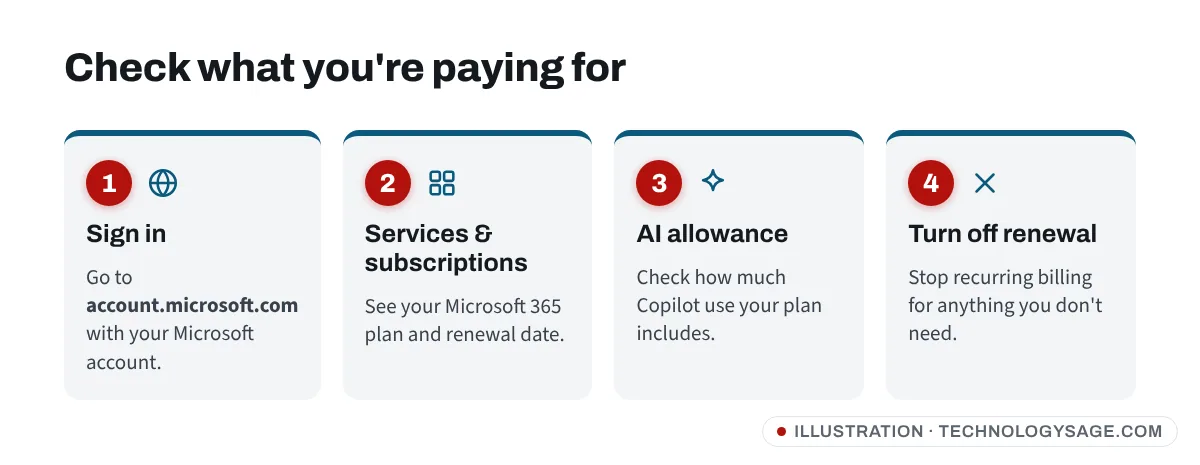
To see what you’re paying for and how much AI allowance you have, sign in at account.microsoft.com and open Services & subscriptions.
Don’t want to pay for Copilot in Office?
When Microsoft added Copilot to Personal and Family, the price went up. Some existing subscribers have been offered Classic plans without Copilot at the old price when they cancel or renew. Whether you see that option depends on your account and country, so check Services & subscriptions before your renewal date. If you only need Word and Excel occasionally, the free web versions at microsoft365.com also work with a free Microsoft account. (Whichever version you use, turn on AutoSave; our guide on recovering an unsaved Office document explains why.)
Is GitHub Copilot free?
GitHub Copilot is a different product for writing code in editors such as Visual Studio Code. It has its own free plan. According to GitHub’s documentation, Copilot Free includes up to 2,000 code completions a month, a limited allowance of chat through GitHub AI credits, and automatic model selection. Paid plans are Copilot Pro at $10/month and Pro+ at $39/month.
Students can get GitHub Copilot’s features free after verifying their student status with GitHub, and verified teachers and popular open-source maintainers may qualify for free Copilot Pro.
Free Copilot vs paying: which do you need?
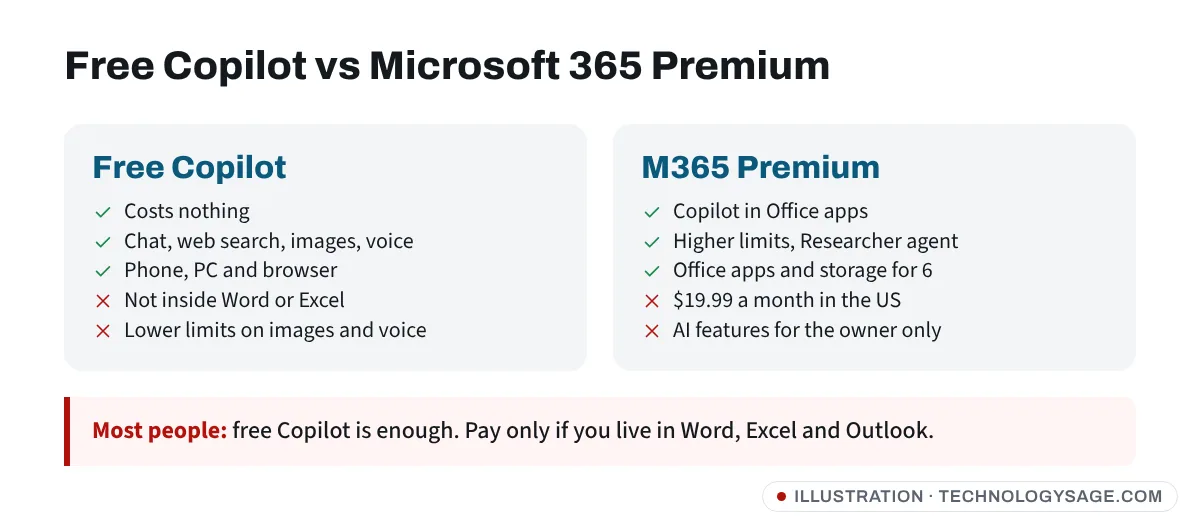
- Stick with free Copilot if you want a chatbot for questions, writing help and the occasional image. It’s enough for most people, and it costs nothing on your phone or PC.
- Get Microsoft 365 Personal or Family if you already want Office apps and 1 TB of OneDrive storage; Copilot in the apps comes with it.
- Consider Premium only if you hit the AI limits regularly or need the Researcher and Analyst agents.
If you’re comparing assistants, see is Gemini free, is Claude free and our roundup of the best free AI chatbot.
If Copilot isn’t working or asks you to pay
- “Sign in to continue”: some features need a Microsoft account. Signing in is free.
- A limit message: you’ve used your allowance for that feature (often image creation or voice). Wait, or try again later in the day.
- Copilot not in your country: Copilot is available in most countries, but some features roll out region by region.
- Copilot is missing on Windows: open Microsoft Store, search Microsoft Copilot and install or update it.
- You’re being charged and don’t know why: check Services & subscriptions at account.microsoft.com and turn off recurring billing for anything you don’t need.
Safety note: Microsoft never asks you to pay for Copilot with gift cards, airtime or crypto, and won’t call you asking for your password or a sign-in code. “Copilot Pro free forever” APKs and cracked Office downloads are a common way to spread malware. Install Copilot only from the Google Play Store, the Microsoft Store or Microsoft’s website, and keep your account secure with a strong password, like you would for your Gmail account.
FAQ
Is Copilot free on Windows 11?
Yes. The Copilot app that comes with Windows 11 is free. Paying only adds Copilot inside the Office apps and higher limits.
Do I need a Microsoft account to use Copilot?
No, you can ask questions without signing in. A free Microsoft account adds chat history, longer conversations, voice and image creation.
How much is Copilot Pro now?
Copilot Pro is no longer sold to new customers. Microsoft replaced it with Microsoft 365 Premium, which costs $19.99 a month in the US as of November 2026.
Is Copilot better than ChatGPT?
They’re similar for everyday questions. Copilot leans on Bing search and works inside Edge and Office; ChatGPT’s free plan has no cap on everyday text chats. See ChatGPT free plan limits to compare.
Can I use Copilot in Word for free?
Not with full features. Copilot in Word, Excel and PowerPoint comes with a Microsoft 365 subscription. If you have a work or school account, your organisation may already provide it.