In this guide
No, you can’t use ChatGPT offline. ChatGPT runs on OpenAI’s servers, so the app needs an internet connection for every message; without one, it shows a connection error. To use AI with no data, install an app that runs a smaller AI model on your phone, such as Google’s AI Edge Gallery or PocketPal AI, download a model once over Wi-Fi, and then chat in airplane mode. On a laptop, OpenAI’s own open-weight gpt-oss-20b runs offline with free tools like Ollama or LM Studio.
Offline models are smaller than ChatGPT, so they’re slower and make more mistakes, but they’re private, free, and work during network outages or when your data runs out.
What you need
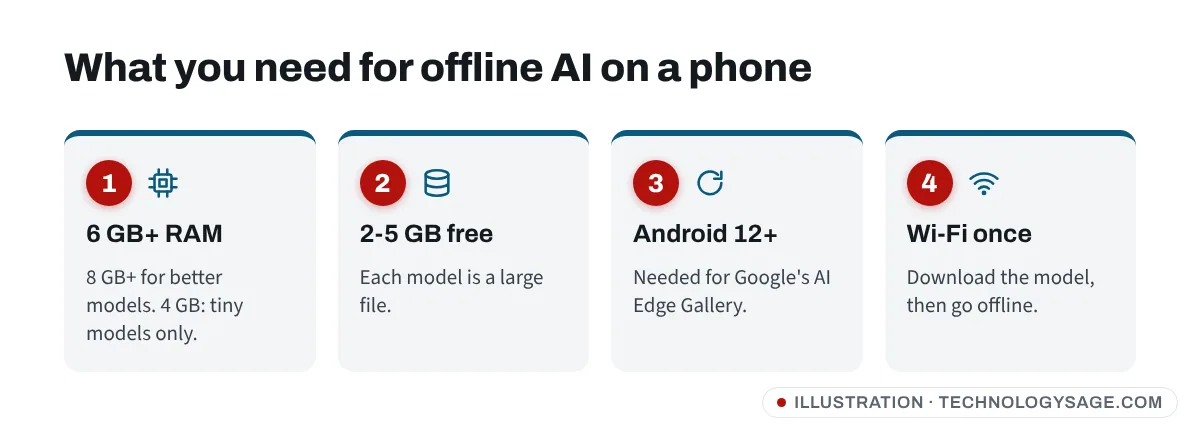
- RAM: 6 GB or more for small models; 8 GB or more for better ones. PocketPal’s guidance is 6 GB+ for smaller and 8 GB+ for larger models. Phones with 3-4 GB RAM can only run tiny models (around 1 billion parameters), and slowly. “Extended RAM” or “virtual RAM” on Tecno, Infinix and Samsung phones doesn’t really help here; see expand RAM on Android for why.
- Storage: 2-5 GB free for one model, plus the app.
- Android version: Google’s AI Edge Gallery needs Android 12 or later for its current Gemma models.
- Wi-Fi once: models are big downloads. After that, no data is needed.
To check your RAM, go to Settings → About phone (on Samsung, Settings → About phone → Software information or Device care → Memory).
Option 1: Google AI Edge Gallery (easiest)
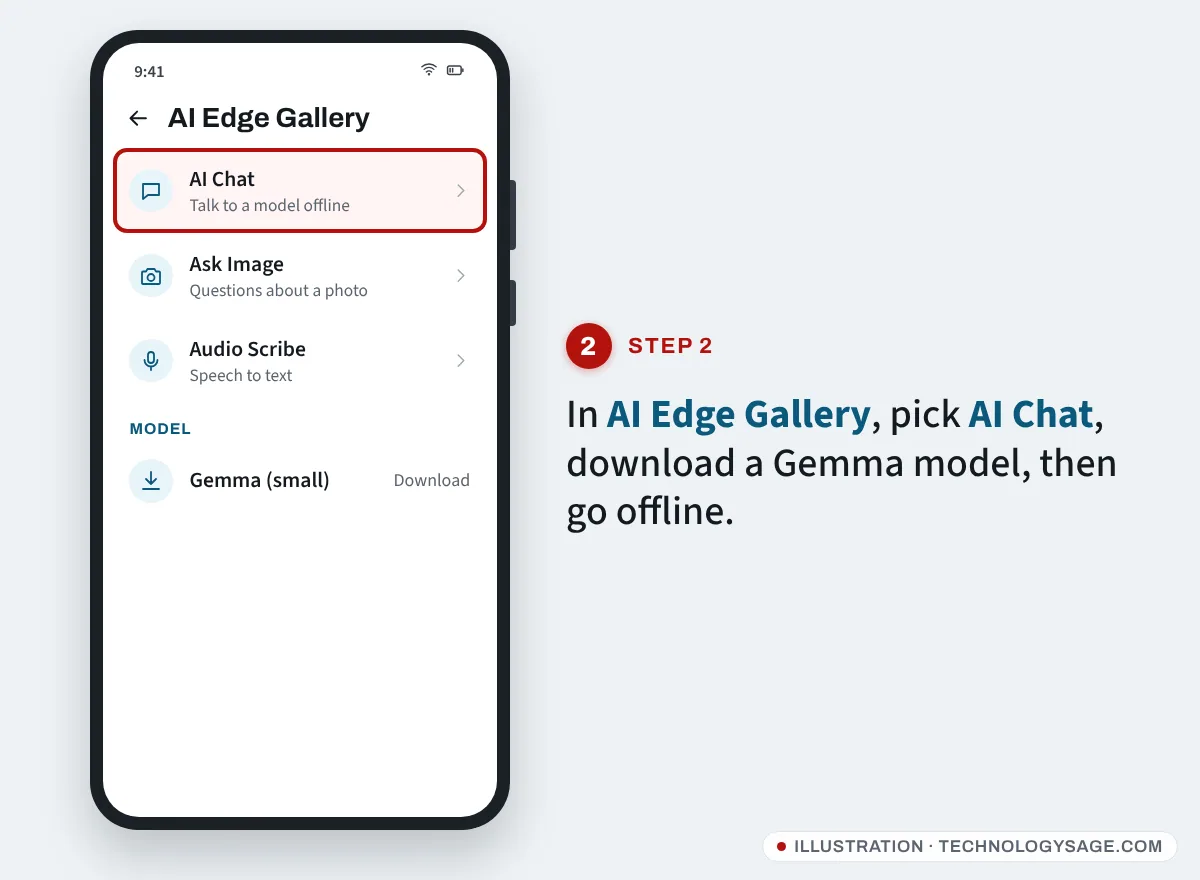
Google’s AI Edge Gallery is an official app, now on the Google Play Store, that downloads Google’s open Gemma models and runs them fully on your phone. Since 2026 it runs Gemma 4.
- Install Google AI Edge Gallery from the Play Store (developer: Google).
- Open it and choose AI Chat (or Ask Image to ask about a photo, or Audio Scribe to transcribe speech).
- Pick a model. On a mid-range phone, start with the smallest Gemma option; on a flagship, try the larger E4B model.
- Tap Download and wait for it to finish over Wi-Fi.
- Turn on airplane mode and start chatting. It works with no connection.
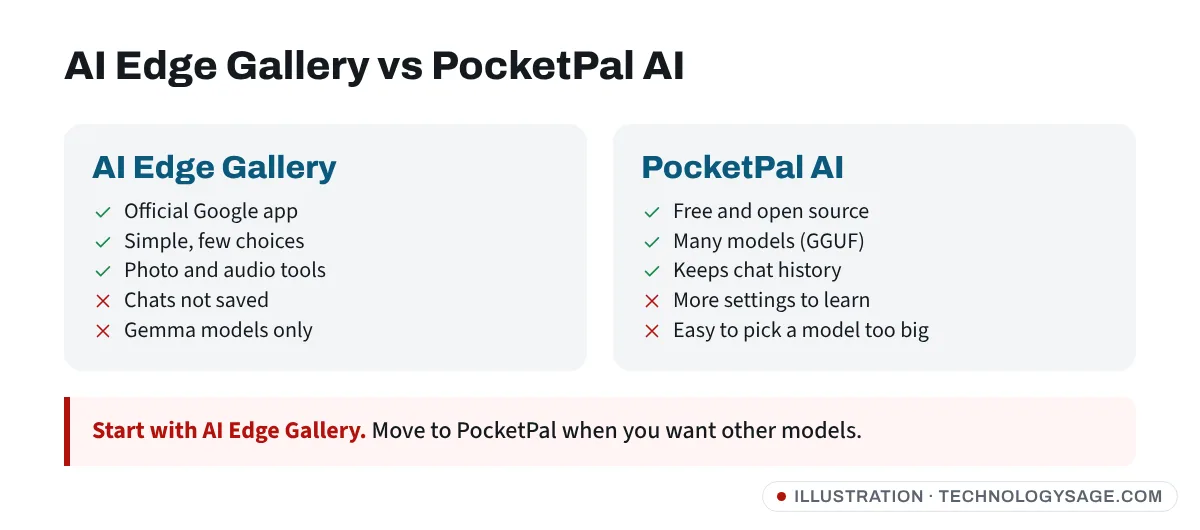
Things to know: reviewers note that chats aren’t saved between sessions, and speed on Android depends a lot on your phone’s chip.
Option 2: PocketPal AI (more models)
PocketPal AI is a free, open-source app for Android and iPhone that runs GGUF model files (the format used by most offline models) completely offline. It’s more flexible: you can pick from many models, including small versions of Llama, Qwen, Gemma and DeepSeek-based models from Hugging Face.
- Install PocketPal AI from the Play Store.
- Open Models and tap a recommended small model (look for 1B to 3B in the name on a mid-range phone).
- Download it over Wi-Fi, then tap Load.
- Go to Chat and start typing. Turn off data to confirm it’s offline.
If the app crashes or the phone gets hot, choose a smaller model or one with a lower quantisation (for example Q4 instead of Q8 in the name).
Option 3: Offline AI on a Windows laptop
A laptop with 16 GB of RAM or more can run much better models than a phone.
- OpenAI gpt-oss-20b: OpenAI’s open-weight model is the closest you’ll get to “offline ChatGPT”. OpenAI’s own guides show how to run it locally with Ollama or LM Studio. It needs roughly 16 GB of memory available for the model (graphics memory, system RAM or both), and the download is about 13 GB. On a 16 GB laptop running other apps, it may be slow or fail to load.
- Smaller models (Gemma, Llama, Qwen in 3B-8B sizes) run on 8-16 GB laptops.
How to run it with Ollama
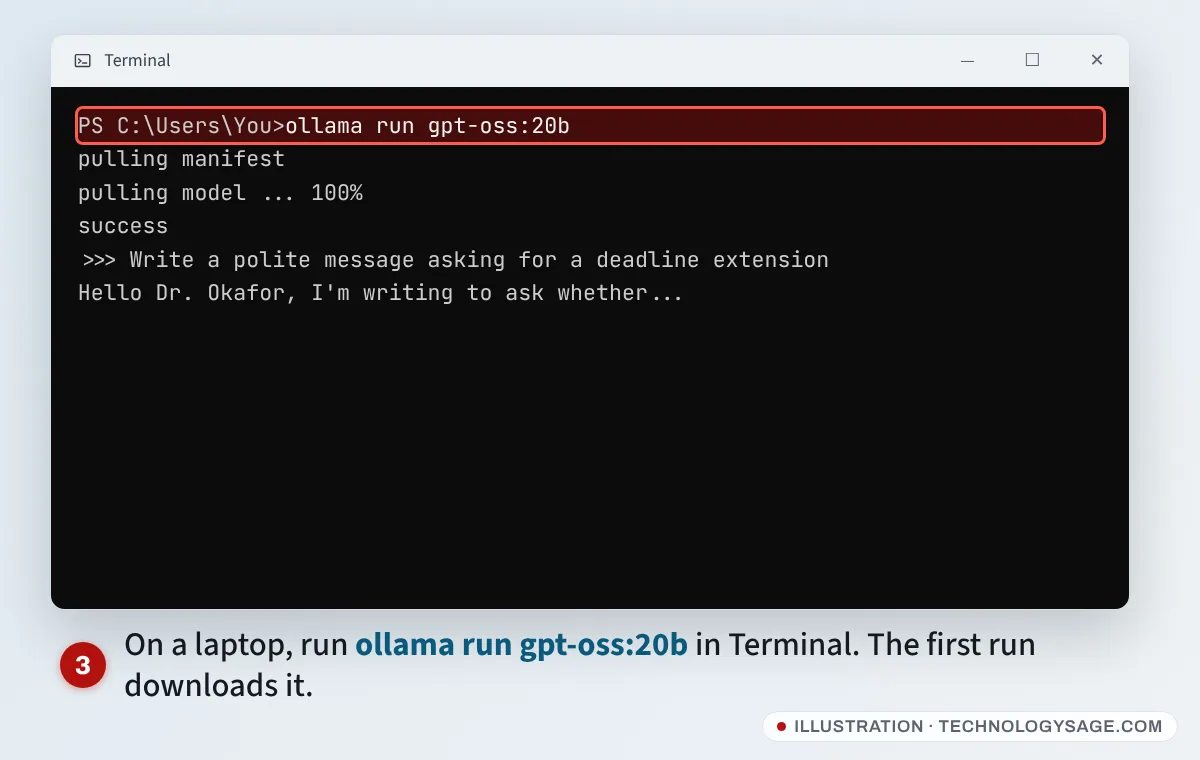
- Download Ollama for Windows from its official website and install it.
- Open Terminal (right-click Start → Terminal).
- Type
ollama run gpt-oss:20bfor OpenAI’s model, or a smaller one such asollama run gemma3:4bon lower-memory laptops. The first run downloads the model. - When you see
>>>, type your question. Unplug from the internet to check it works offline.
LM Studio does the same with a point-and-click window: install it, search for a model in Discover, download, then chat. Not sure how much RAM your laptop has? See how to check RAM on Windows.
Running DeepSeek locally
DeepSeek has released open-weight models, and smaller “distilled” versions run in Ollama, LM Studio and PocketPal. Running them on your own device means your chats never leave it, which avoids the main privacy worry about DeepSeek’s app; see is DeepSeek safe.
What offline AI can and can’t do
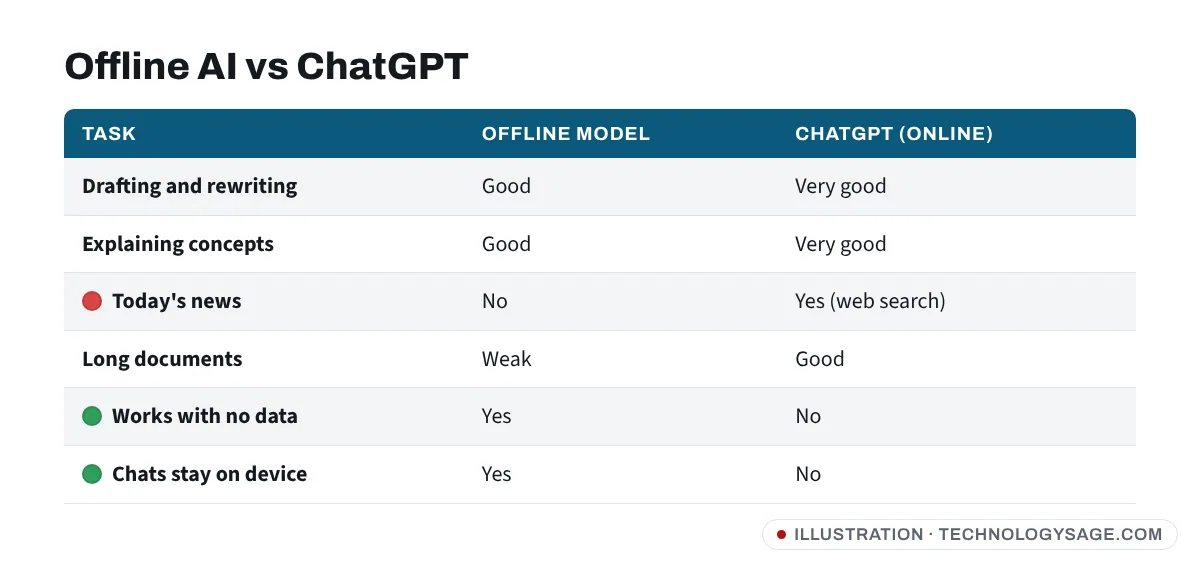
- Good at: drafting messages, summarising text you paste, explaining concepts, simple maths, translating common languages, brainstorming.
- Not good at: current news (no internet, and its knowledge stops at its training date), long documents, complex reasoning, and facts about local or niche topics. It can make things up confidently, so double-check.
- Battery and heat: running a model works your processor hard. Expect your phone to warm up and the battery to drain faster; see how to check battery health.
If it doesn’t work
- App crashes when loading a model: the model is too big for your RAM. Close other apps, restart the phone, and choose a smaller model.
- “Insufficient storage”: free up space first (Samsung internal storage full or reduce storage use on Android).
- Very slow replies: normal on mid-range phones. Use a 1B-2B model and keep prompts short.
- Download keeps failing: switch to stable Wi-Fi; mobile data often drops on multi-gigabyte downloads.
Safety note: “ChatGPT offline APK” and “ChatGPT Plus unlocked” downloads are not from OpenAI. OpenAI doesn’t offer an offline ChatGPT app. Install only from the Play Store or the developer’s official website, and avoid apps that ask for SMS, contacts or accessibility permissions they don’t need.
FAQ
Does the ChatGPT app work without internet?
No. You can scroll through chats already loaded on screen, but sending a message needs a connection. If ChatGPT fails even with internet, see ChatGPT not working.
What’s the best offline AI app for Android?
Google AI Edge Gallery is the easiest and comes from Google. PocketPal AI offers more models and saves your chats.
Can a 4 GB RAM phone run offline AI?
Only very small models, slowly. For a usable experience you need 6 GB or more.
Is offline AI private?
Yes, if the model runs on your device and you’re offline, your prompts aren’t sent anywhere. Check each app’s privacy policy for analytics it might send when you’re back online.
Is gpt-oss the same as ChatGPT?
No. It’s an open-weight model OpenAI released for people to run themselves. It’s capable, but it isn’t the model behind ChatGPT, and it has no web search offline.