In this guide
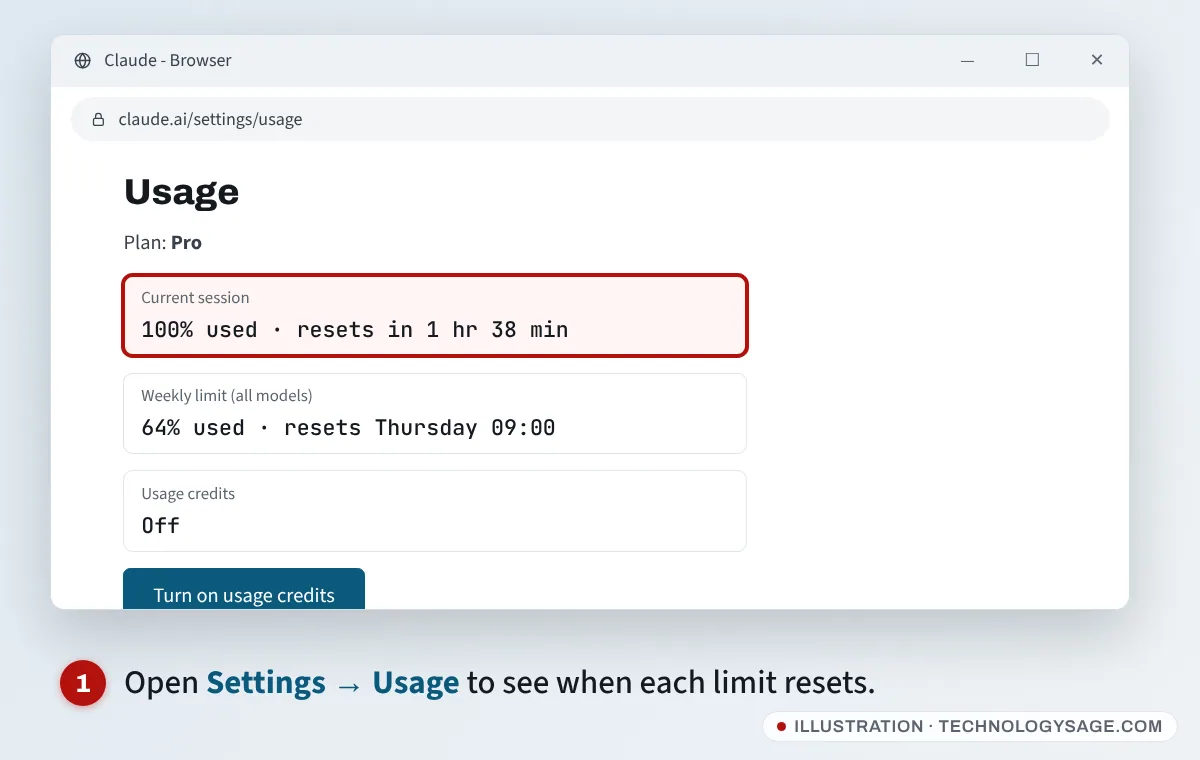
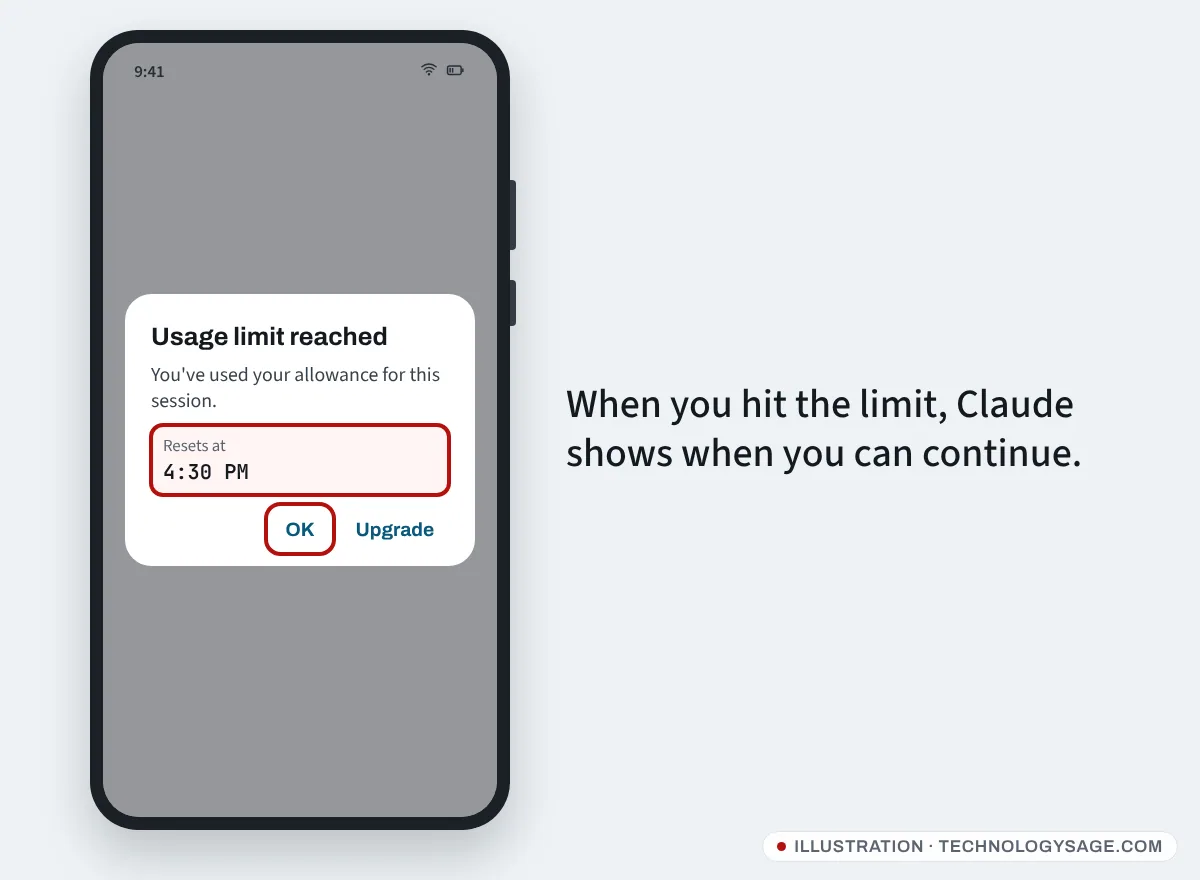
When Claude says you’ve reached your usage limit, you’ve used up your allowance for the current five-hour session or for the week. You can’t send more messages until it resets, unless you’re on a paid plan with usage credits turned on or you upgrade. To see exactly when you can continue, open Settings → Usage on claude.ai: it shows the time left in your current session and the date of your weekly reset.
Here’s how the limits work as of November 2026, and how to make your allowance go further.
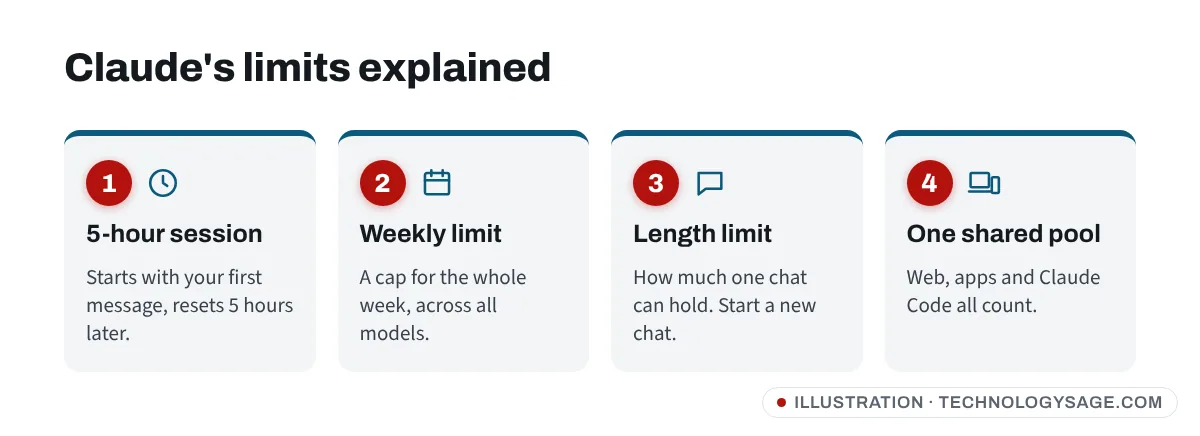
The two Claude limits
Anthropic’s help article on usage and length limits describes two separate limits:
- Five-hour session limit. Your session starts when you send your first message and resets five hours later. Free, Pro and Max plans all have it. Verified Ultra accounts don’t.
- Weekly limit. A cap across the whole week, on all models, that resets at a fixed time for your account. Some plans also have a separate weekly cap for Anthropic’s top model. You can hit the weekly limit even if your current session has room left.
There’s also a length limit, which is different: it’s how much a single conversation can hold (the context window). If one chat gets too long, Claude asks you to start a new one even if you have usage left.
Everything shares the same pool
Chatting on claude.ai, the desktop and mobile apps, and Claude Code all draw from the same allowance. A long coding session can use up the limit you wanted for writing later.
How much usage does each plan get?
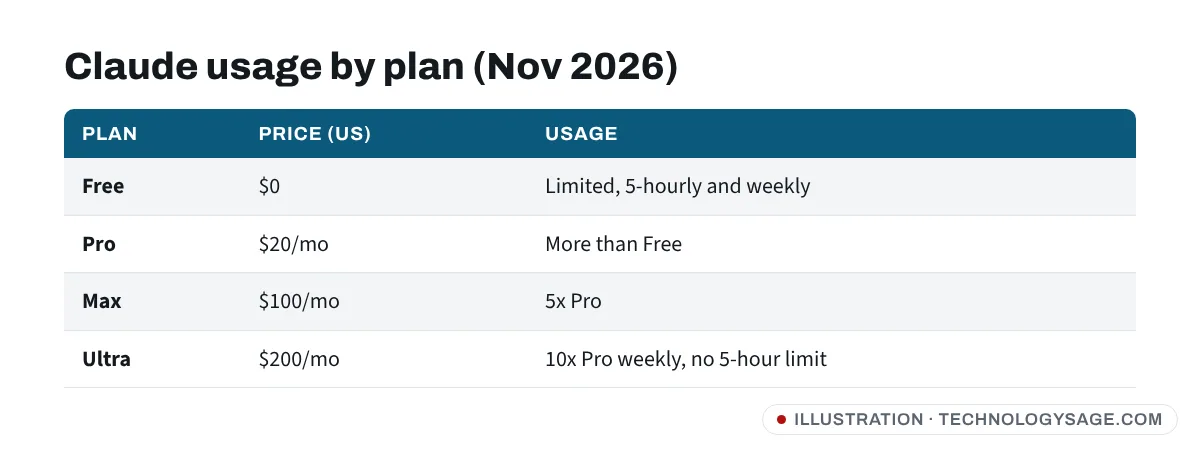
Anthropic doesn’t publish message counts, because usage depends on the model, chat length, files and tools. Its pricing page describes plans relative to each other (US prices, November 2026):
| Plan | Price | Usage |
|---|---|---|
| Free | $0 | Limited, every 5 hours and every week |
| Pro | $20/month ($17/month yearly) | More than Free |
| Max | $100/month | 5x Pro every 5 hours and every week |
| Ultra | $200/month | 10x Pro weekly, no 5-hour limit (verified accounts) |
For what the free plan includes, see is Claude free?
How to check when your limit resets
- On a computer, go to claude.ai, click your name or initials, then Settings → Usage. (Direct link: claude.ai/settings/usage.)
- Look at Current session for time left until the five-hour reset, and the weekly section for your next weekly reset.
- In the mobile app, the same Usage page is in your account settings; if you can’t find it, open claude.ai/settings/usage in your phone’s browser.
What to do when you hit the limit
- Wait for the reset. The limit message and the Usage page tell you when.
- Turn on usage credits (paid plans). Pro, Max, Ultra, Team and seat-based Enterprise plans can buy extra usage. With credits on, your work continues instead of stopping.
- Upgrade. Free to Pro, or Pro to Max, if you hit limits most days.
- Switch tools for now. Use another free assistant until the reset. See our best free AI chatbot comparison.
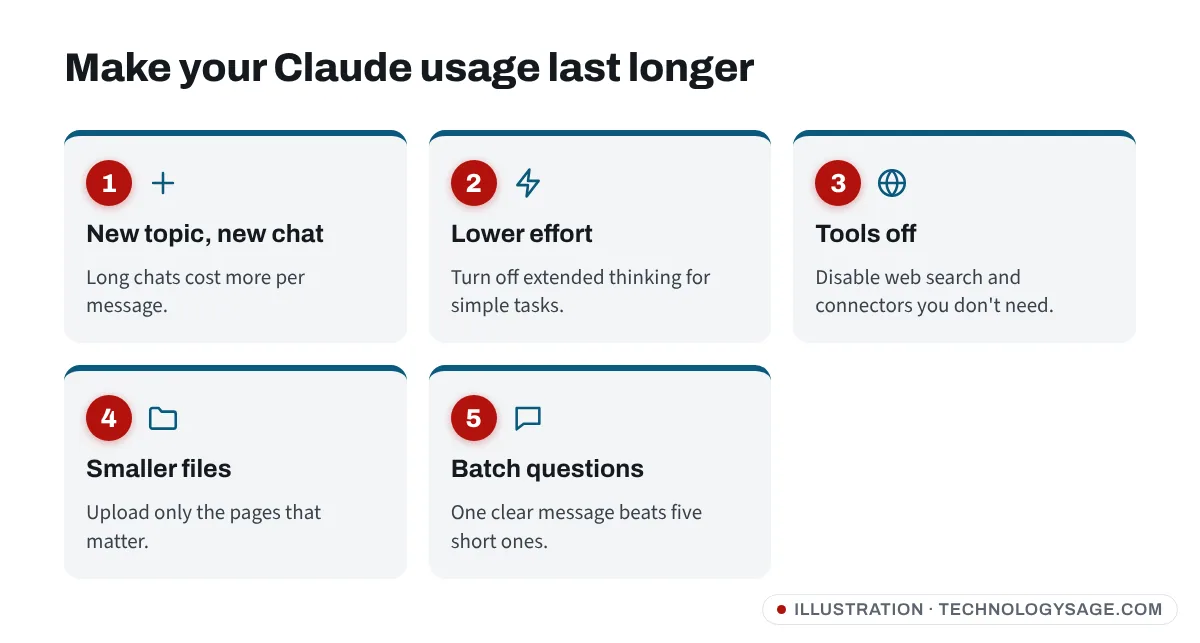
7 ways to make your Claude usage last longer
These come from Anthropic’s own advice plus common sense:
- Start new chats for new topics. Every reply re-reads the whole conversation, so long chats use far more allowance per message.
- Use lower effort for routine jobs. Where Claude offers effort levels, higher effort uses more tokens.
- Turn off extended thinking when you don’t need deep reasoning.
- Switch off web search and connected apps you aren’t using; tools use a lot of usage.
- Upload only what’s needed. Send the two pages that matter, not a 200-page PDF. Smaller images help too.
- Keep project instructions short and remove old project files.
- Batch your questions. One clear message with three questions uses less than three back-and-forth messages.
If the limit seems wrong
- You hit the limit after a few messages. Check for a huge file, long chat or tool use; start a fresh chat. Also check Claude Code isn’t running in the background on the same account.
- The Usage page doesn’t load. Sign out and in, try another browser, or check Anthropic’s status page for an incident. If your connection is the problem, see Wi-Fi connected but no internet.
- You paid but still see Free limits. Make sure you’re signed in to the same account you paid with; Google sign-in and email sign-in can create two different accounts.
- Still stuck? Use the help chat at support.claude.com.
Safety note
Anthropic never sells “unlimited Claude” codes and never asks for your password or sign-in code. Accounts or “limit bypass” tools sold on Telegram or WhatsApp break Anthropic’s terms and can get your account banned. Keep the email account linked to Claude secure; if you lose access to it, see how to recover a Gmail account.
FAQ
How long is the Claude usage limit?
The session limit resets five hours after your first message in that session. The weekly limit resets once a week at a fixed time for your account.
Why did I hit the Claude limit so fast?
Long chats, big files, extended thinking, web search and Claude Code all use more of your allowance. Start new chats and switch off tools you don’t need.
Does Claude Pro have unlimited messages?
No. Pro has more usage than Free but still has five-hour and weekly limits. Only verified Ultra accounts skip the five-hour limit, and they still have a weekly cap.
Can I pay to keep using Claude after the limit?
On paid plans, yes: turn on usage credits. Free users have to wait or upgrade.
Does Claude Code share my chat limit?
Yes. Claude Code, the apps and claude.ai all count towards the same usage limit.