In this guide
If your WhatsApp is hacked, the fix is to register your number on WhatsApp again on your own phone. Open WhatsApp, tap Log back in or reinstall it, enter your number and type the 6-digit code you receive by SMS or call. That logs the hacker out straight away. If they set a two-step verification PIN you don’t know, you will have to wait 7 days (or reset it by email if you added one), then try again.
Below: how to tell whether you have really been hacked, how the takeovers usually happen, the recovery steps in order, and how to stop it happening again.
Signs your WhatsApp is hacked
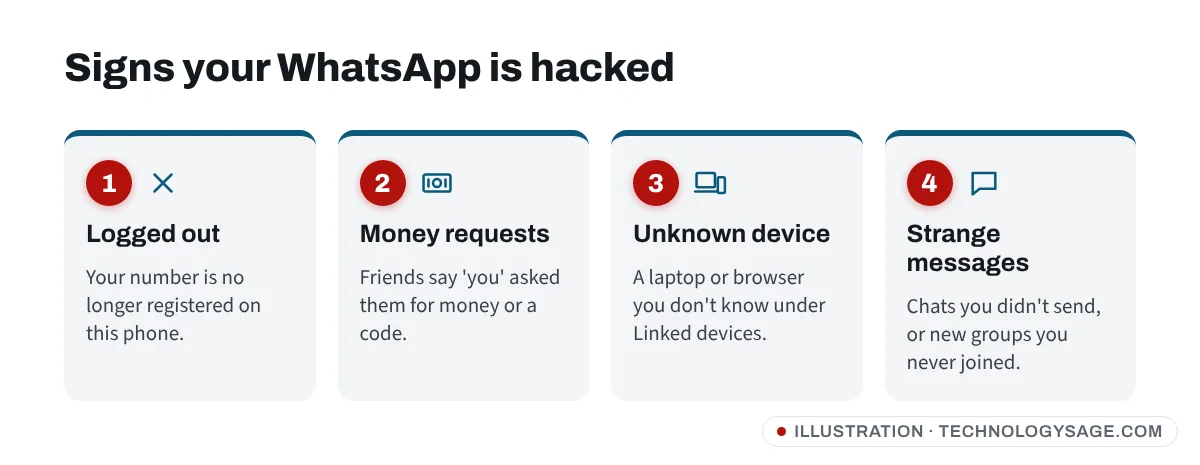
- WhatsApp logged you out with a message that your phone number is no longer registered on this phone.
- Friends say you asked them for money, sent strange links or asked for a “code you sent by mistake”.
- Messages you didn’t send appear in your chats, or chats are marked as read before you opened them.
- A device you don’t recognise is listed under Linked devices (a laptop, browser or tablet).
- You were added to groups you never joined, or your profile photo or “About” changed.
- WhatsApp asked for your 6-digit code when you didn’t try to register.
Two things that are not signs of hacking: a “security code changed” message in a chat (it usually means your contact reinstalled WhatsApp or changed phones; see WhatsApp security code changed) and an occasional failed delivery.
How WhatsApp accounts are usually stolen
Almost every takeover relies on getting your 6-digit registration code. Common tricks:
- “I sent my code to you by mistake.” A friend’s hacked account messages you and asks you to forward a code. The code is actually for your account.
- Fake competitions and votes. A link asks you to “vote” for someone and enter your phone number and a code.
- Voicemail interception. The attacker asks WhatsApp to call your number with the code while keeping your line busy, so the code goes to voicemail. If your voicemail still has the default PIN, they can listen to it.
- SIM swap. A criminal convinces your mobile network to move your number to a new SIM.
- A linked device. Someone briefly gets your unlocked phone and scans a WhatsApp Web QR code to link their computer.
Ghana’s Cyber Security Authority has issued an alert about a surge in WhatsApp account takeovers, and the same tricks are widely reported in Nigeria, Kenya, South Africa, India and elsewhere.
How to recover a hacked WhatsApp account
Step 1: Register WhatsApp again on your phone
- Make sure the SIM with your WhatsApp number is in your phone and has signal.
- Open WhatsApp. If it logged you out, tap Log back in or Agree and continue. If it still opens normally but you saw signs of a hack, go to Step 4 first to remove linked devices, then turn on two-step verification.
- Enter your full phone number with country code and tap Next.
- Enter the 6-digit code that arrives by SMS or voice call.
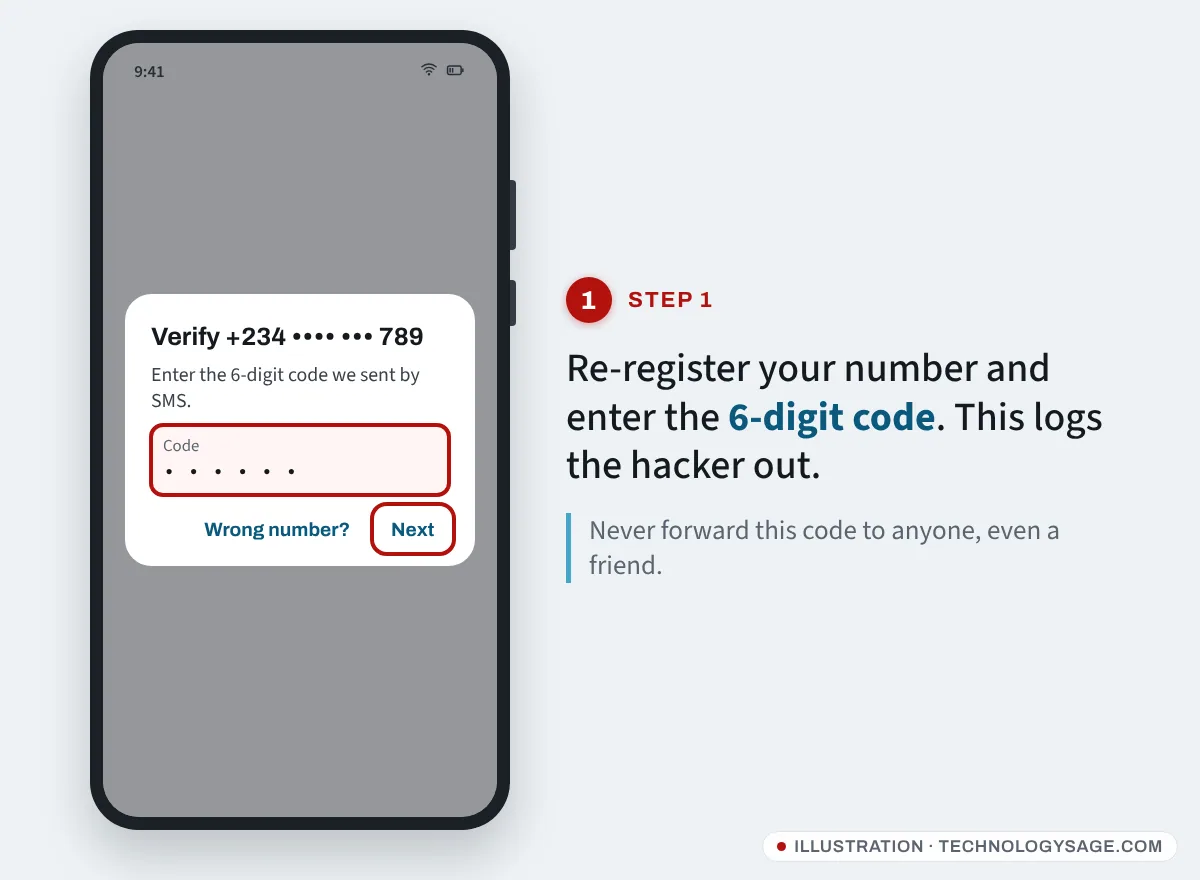
As soon as you enter the code, whoever was using your account on another phone is logged out. WhatsApp says re-registering is the only way to remove them; changing a password elsewhere won’t do it. If the code doesn’t arrive, see WhatsApp verification code not received.
Step 2: If WhatsApp asks for a two-step verification PIN you don’t know
Hackers often switch on two-step verification so you can’t get back in. You have two options:
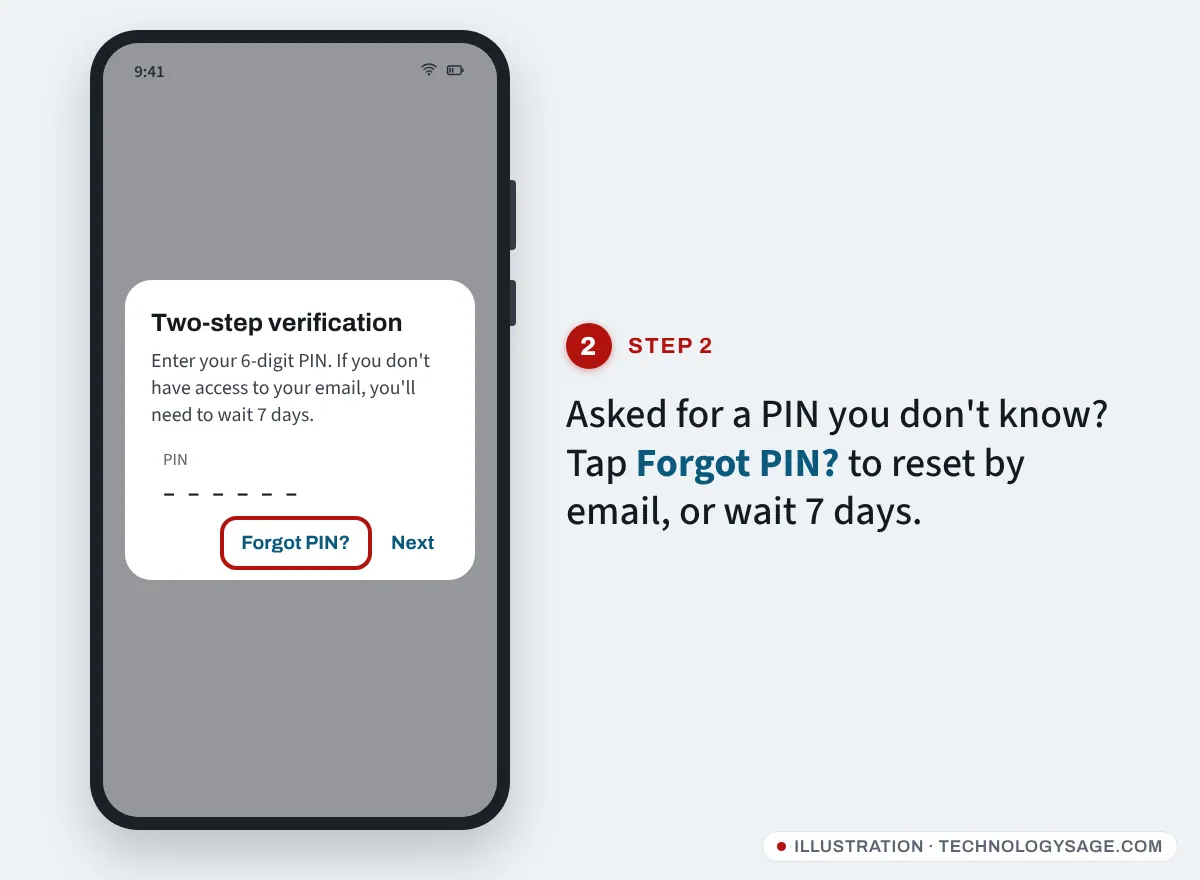
- Reset by email. If you added an email address to two-step verification earlier, tap Forgot PIN? and request a reset link to that email.
- Wait 7 days. Without an email, WhatsApp makes you wait 7 days before you can register without the PIN, and the screen shows when you can try again. WhatsApp says the other person is logged out once you enter the 6-digit code, so they lose access while you wait.
Do not reinstall WhatsApp again and again during the wait. Come back when the countdown ends.
Step 3: Warn your contacts
Post a status or ask a family member to message your groups: “My WhatsApp was hacked. Ignore any requests for money or codes from my number.” Scammers move fast, and your contacts are their next target.
Step 4: Check linked devices
Once you are back in, open Linked devices (Android: three dots → Linked devices; iPhone: Settings → Linked devices). Tap anything you don’t recognise and choose Log out. Our WhatsApp linked devices guide has more detail.
Step 5: Lock the account down
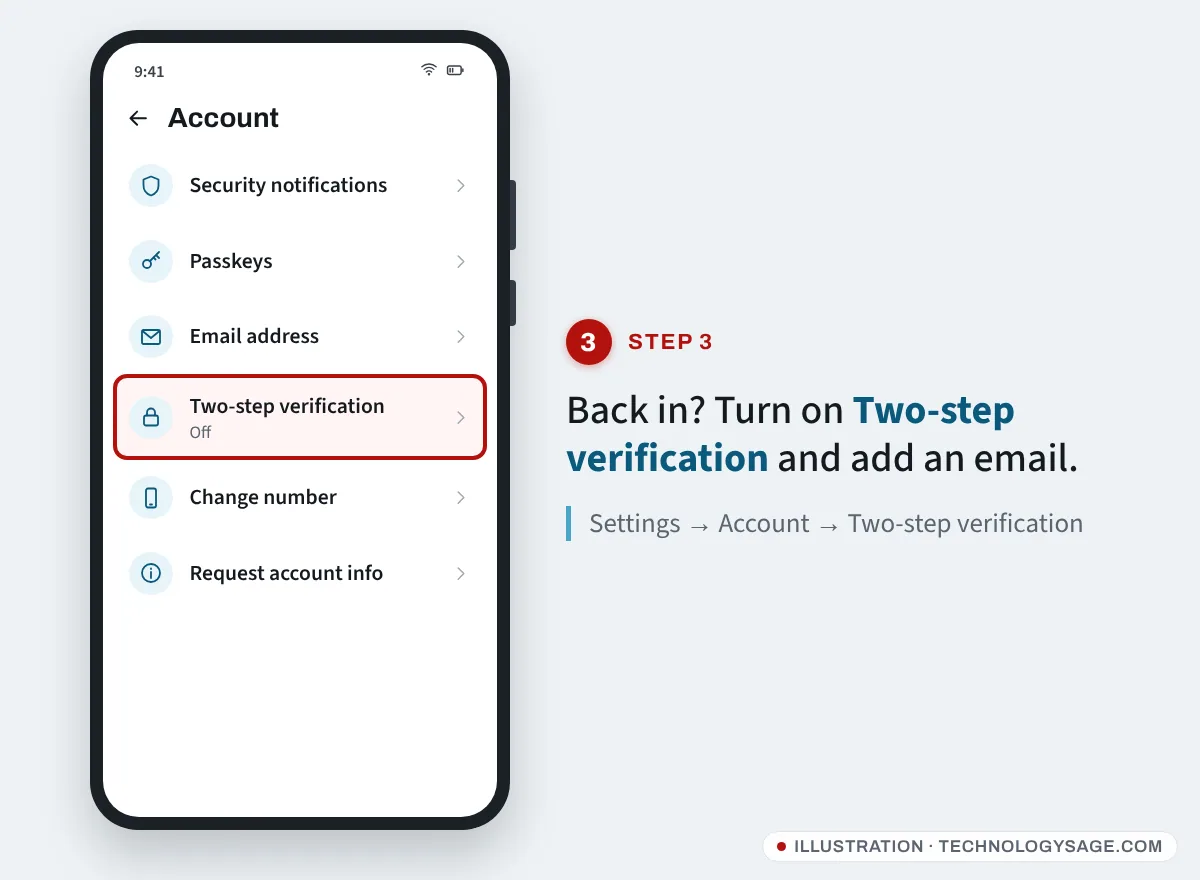
- Go to Settings → Account → Two-step verification → Turn on. Choose a 6-digit PIN you will remember and add an email address so you can reset it.
- In Settings → Account, add a Passkey if your phone offers it, and set an Email address for verification.
- Set a voicemail PIN with your mobile network, or turn voicemail off.
- Ask your network to add a SIM PIN or port-out protection if it offers one.
When to contact WhatsApp
WhatsApp warns that you should try to recover the account first. Reporting it as stolen before you get it back can lead to a ban that also locks you out. If you still can’t recover it, use Settings → Help → Contact us inside the app (from any phone with WhatsApp) or the contact options on WhatsApp’s official help centre at faq.whatsapp.com. Explain that your account was stolen and give your number in full international format.
WhatsApp cannot tell you who accessed your account. Your old chats are stored on your phone and end-to-end encrypted, so the person who took the account cannot read past messages that were on your phone, only new ones received while they had it.
Beware “recovery hackers”
Search for this problem and you will find Instagram pages, Telegram channels and Facebook comments offering to “recover hacked WhatsApp in 30 minutes”. They are scammers who take your money and sometimes your new code too. Nobody can recover your WhatsApp except you, with the code sent to your SIM. WhatsApp support will never ask you for your 6-digit code, your PIN, or payment by airtime, mobile money or gift cards.
If it doesn’t work
- You no longer have the SIM: go to your mobile network with ID and ask for a replacement SIM with the same number, then register again. If you added an email to WhatsApp, you may be able to verify with it.
- The code keeps going to the hacker: that means your SIM may have been swapped. Contact your network immediately.
- “This account is not allowed to use WhatsApp”: the account has been banned, possibly because the hacker spammed from it. Follow the in-app request review option.
- Hacked again after recovery: check your phone for unfamiliar apps and remote-access tools, and read our phone security tips.
FAQ
Can a hacker read my old WhatsApp messages?
Not from your phone’s chat history. Your messages are stored on your device and encrypted. A hacker who registers your number sees only new messages. A hacker on a linked device, however, can see chats synced to that device, which is why you must log those out.
How do I know if someone is using my WhatsApp on another device?
Check Linked devices. Any computer or browser you don’t recognise should be logged out. WhatsApp also notifies you on your phone when a new device is linked.
Why do I have to wait 7 days?
The wait protects accounts with two-step verification from being taken over with only an SMS code. Adding an email to your PIN lets you skip it next time.
Should I delete WhatsApp and create a new account?
No. Recover the existing account by re-registering. Deleting it can mean losing your groups and chats.