In this guide
- Why does my phone say Invalid SIM?
- 1. Restart the phone
- 2. Remove and reseat the SIM card
- 3. Swap test: is it the SIM or the phone?
- 4. Check whether your phone is carrier-locked
- 5. Check the IMEI (dial *#06#)
- 6. Check your SIM and account with the carrier
- 7. Update the phone and carrier settings
- 8. Reset network settings
- Invalid SIM on an eSIM
- FAQ
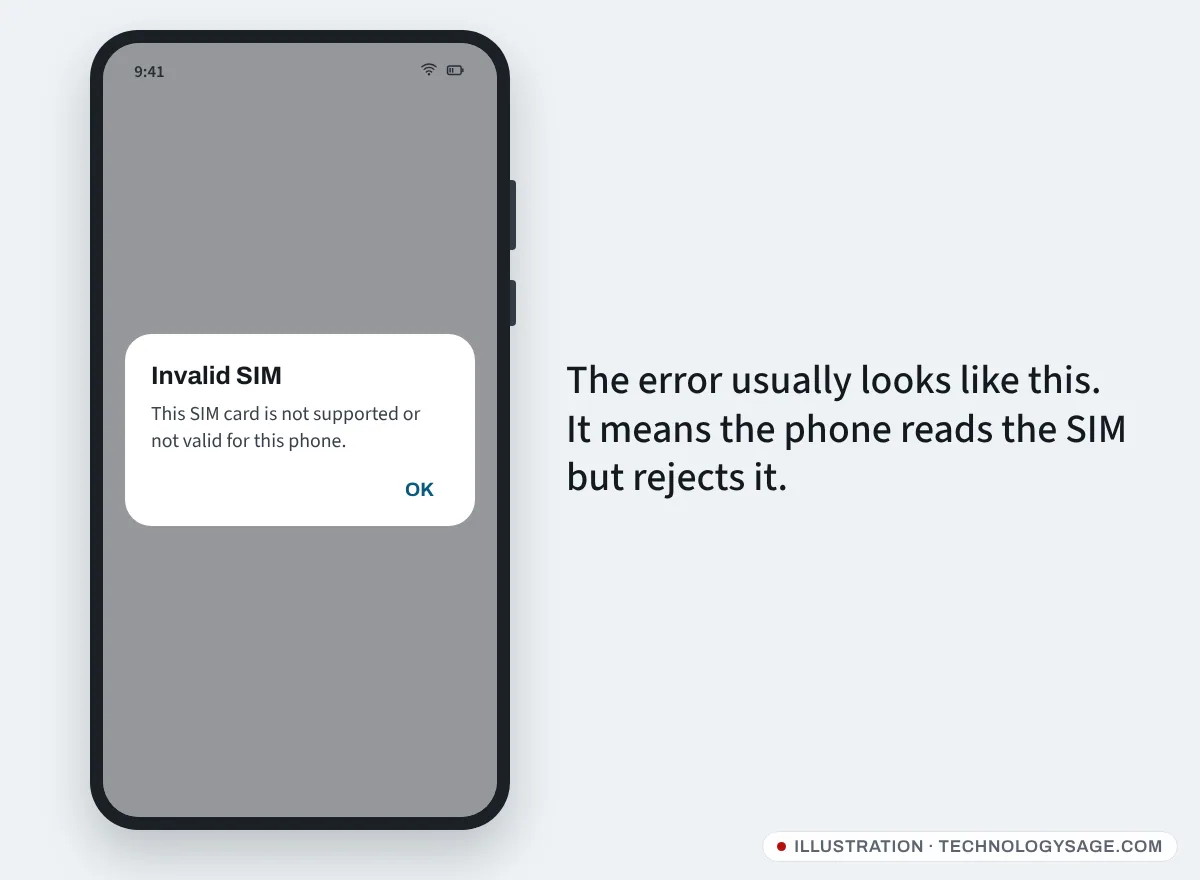
An Invalid SIM error means your phone can see the SIM card but won’t accept it. The most common causes are a SIM that’s badly seated or dirty, a phone that’s locked to another carrier, a SIM or line that’s not active, or, on phones that have been repaired or flashed, a missing or blocked IMEI. Start by restarting and reseating the SIM, then test the SIM in another phone: that one check tells you whether the fault is in the SIM or in the phone.
The fixes below work on iPhone and every Android brand, including Samsung, Tecno, Infinix, itel, Xiaomi and Pixel.
Why does my phone say Invalid SIM?
| Cause | Typical sign |
|---|---|
| SIM not seated properly, dirty or damaged | Error appeared after a drop, or the tray was opened |
| Phone locked to a carrier | Error appears with a new carrier’s SIM only |
| SIM or line inactive | Old SIM, unused prepaid line, unpaid account |
| Blocked or missing IMEI | Error with every SIM; *#06# shows a blank or odd IMEI |
| Software or carrier settings glitch | Started after an update; often fixed by a restart |
Some phones show a slightly different message for the same problem: “SIM card not supported”, “SIM not valid”, “No SIM” or “SIM card not detected”.
1. Restart the phone
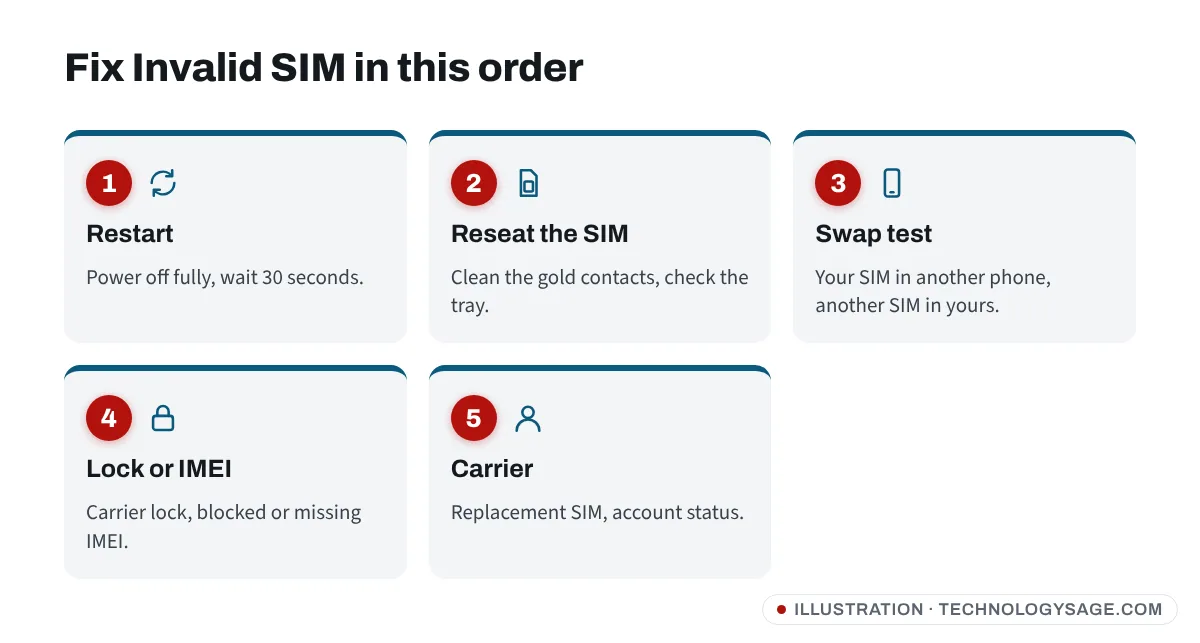
Turn the phone completely off, wait 30 seconds, and turn it back on. A restart makes the phone read the SIM again from scratch and clears many one-off glitches. Apple lists it among its first steps for Invalid SIM and No SIM alerts.
2. Remove and reseat the SIM card
- Turn the phone off.
- Push a SIM ejector tool or straightened paperclip into the small hole beside the tray. (On some budget phones the SIM slot is under the back cover or inside a combined SIM/microSD tray.)
- Take the SIM out. Check the gold contacts for dirt, scratches or cracks. Wipe them gently with a dry, lint-free cloth.
- Put the SIM back the right way round (match the cut corner to the tray) and make sure it sits flat.
- Push the tray in until it’s flush and not loose, then turn the phone on.
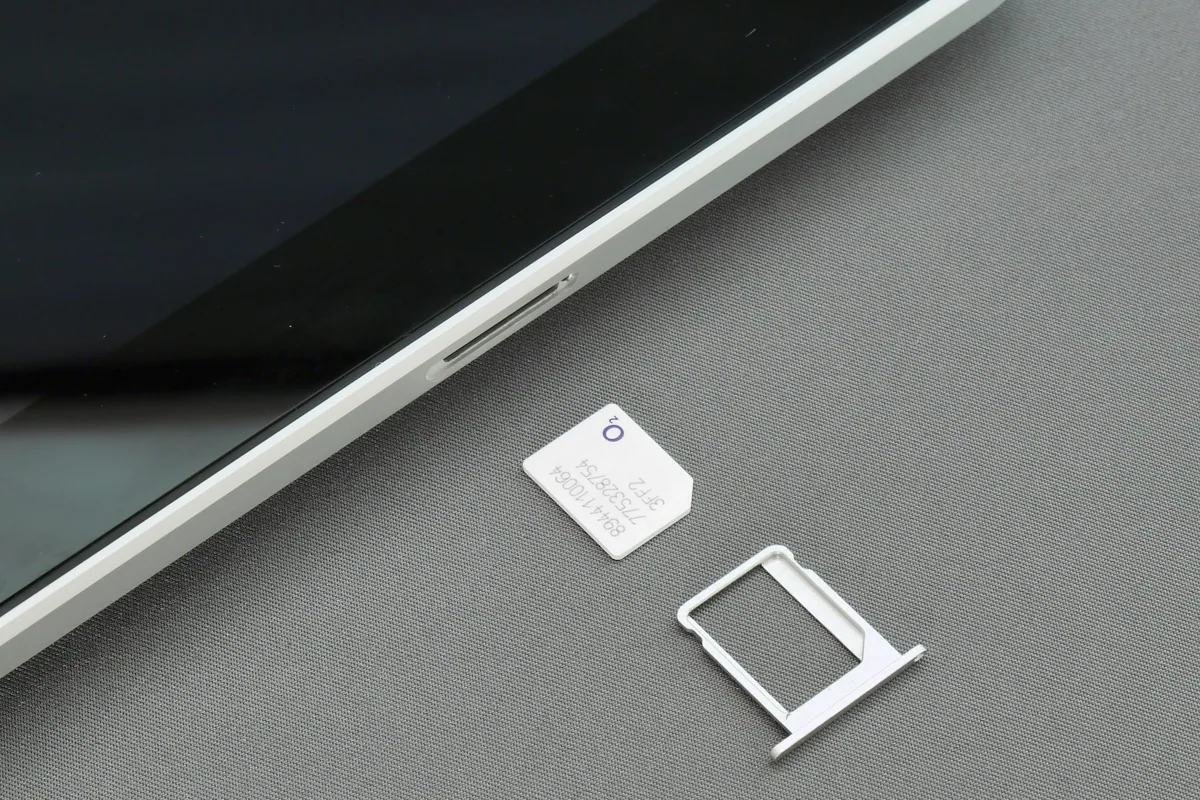 Photo: Brett Jordan on Unsplash
Don’t use an adapter that’s loose or bent; a nano SIM in a cheap adapter is a common cause of Invalid SIM on older phones. If the SIM was cut down with scissors, ask your carrier for a proper replacement.
On a dual-SIM phone, try the SIM in the other slot. If it works there, the first slot may be faulty.
3. Swap test: is it the SIM or the phone?
- Put your SIM in another phone. If it shows the same error, the SIM or your account is the problem: go to step 6.
- Put another person’s SIM in your phone (ideally from a different carrier). If that one also says Invalid SIM, the phone is the problem: go to steps 4 and 5.
This takes two minutes and saves a lot of guessing.
4. Check whether your phone is carrier-locked
Phones sold cheaply by a carrier are often locked so they only work with that carrier’s SIMs. Insert another network’s SIM and you get Invalid SIM, “SIM not supported” or a request for an unlock code.
- iPhone: Go to Settings → General → About and look at Carrier Lock. “No SIM restrictions” means the iPhone is unlocked. Anything else means it’s locked.
- Android: There’s no universal setting. Signs of a lock include a “SIM network unlock PIN” prompt or the error appearing only with other carriers’ SIMs.
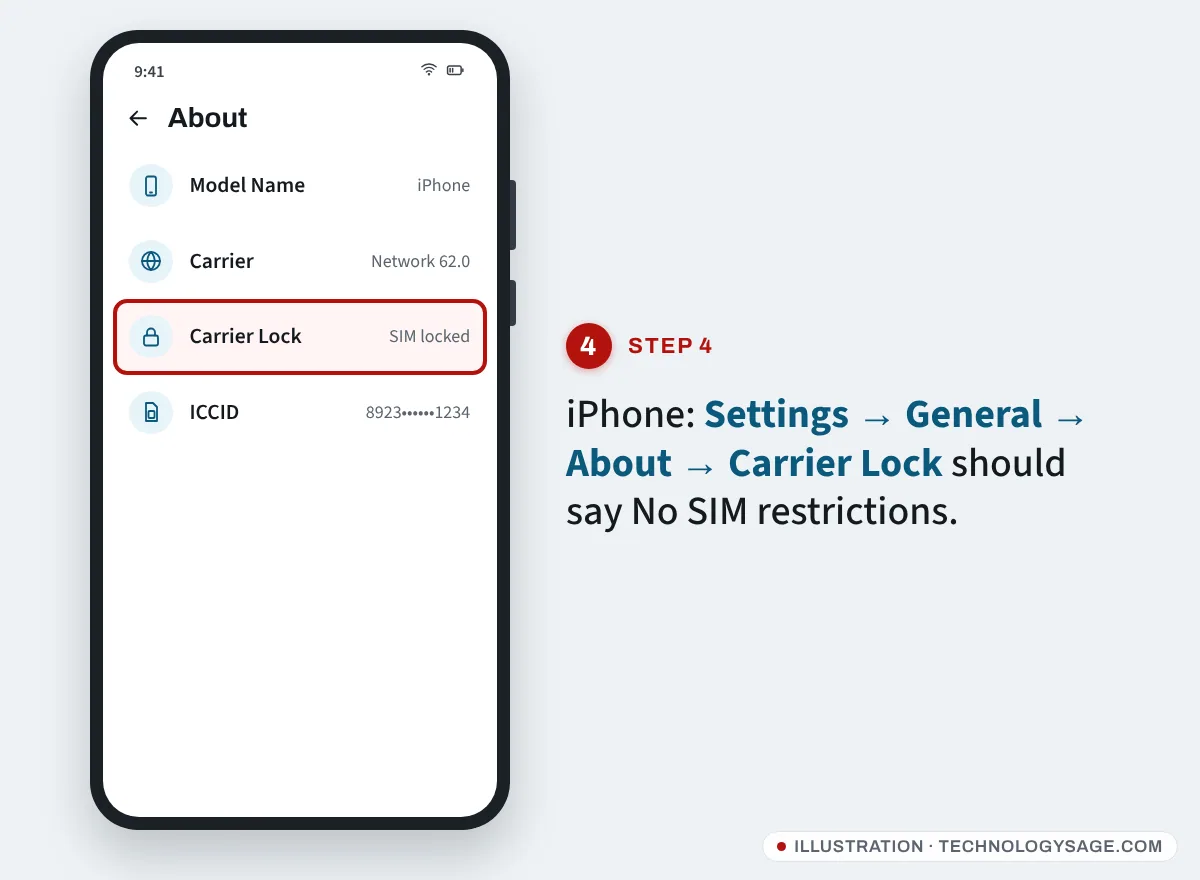
Only the carrier that locked the phone can unlock it. Ask them; many will unlock a phone once its contract or payment plan is complete. Avoid paid “unlock code” sellers and unlocking software: they’re often scams, and some tools damage the phone’s network settings.
5. Check the IMEI (dial *#06#)
The IMEI is your phone’s unique network identity. If it’s missing or blocked, every SIM shows Invalid SIM or “No service”.
- Open Phone and dial
*#06#. - You should see one IMEI (or two on dual-SIM phones), each 15 digits, matching the sticker on the box.
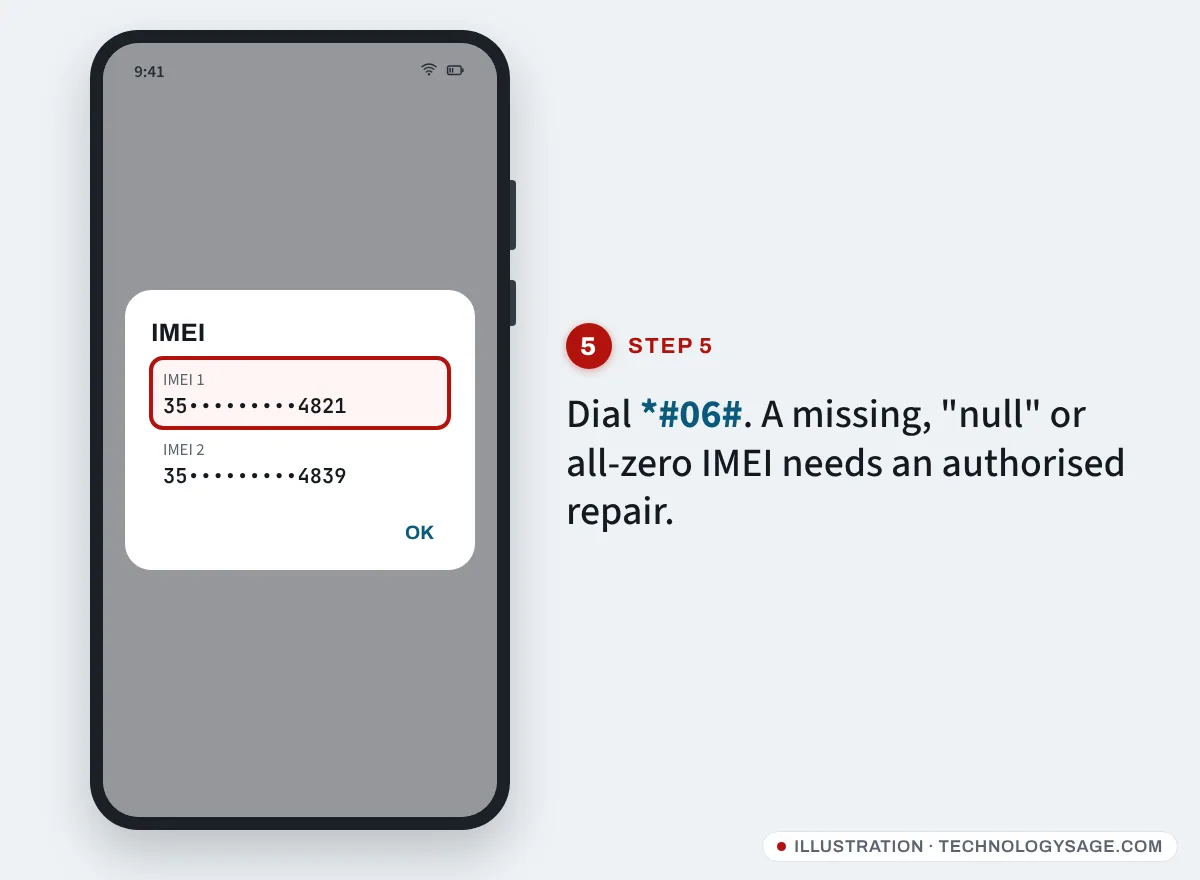
What the result means:
- Blank, “null”, “invalid” or all zeros: the IMEI was lost, often after a failed software flash or board repair. It needs an authorised service centre for your brand (for Tecno, Infinix and itel that’s Carlcare; for Samsung, a Samsung service centre). Don’t use “IMEI repair” tools: changing an IMEI is illegal in many countries.
- IMEI is fine but every SIM fails: the IMEI may be blacklisted because the phone was reported lost or stolen, or, in some countries, because a phone bought abroad hasn’t been registered with the national telecom regulator. Check with your carrier or regulator. For Tecno phones, our guide to checking a Tecno IMEI shows how to confirm it’s genuine.
6. Check your SIM and account with the carrier
If the SIM fails in every phone:
- The SIM may be damaged or worn out. Carriers replace SIMs, often for free or a small fee, and keep your number.
- The line may be inactive: prepaid SIMs unused for months are often disconnected, and unpaid contract lines are suspended.
- In many countries an unregistered SIM (one not linked to your ID) is blocked.
- You may have had a SIM swap you didn’t ask for. If your SIM stopped working suddenly and you didn’t change anything, contact your carrier straight away from another phone and check your bank and mobile money accounts: this is how SIM-swap fraud starts.
Take your ID to the carrier’s official shop or use its official app. They’ll test the SIM and replace it if needed.
7. Update the phone and carrier settings
- iPhone: Go to Settings → General → About. If a carrier settings update is available, a message pops up; tap Update. Also check Settings → General → Software Update.
- Android: Settings → Software update (Samsung) or Settings → System → Software updates (most others). On Pixel, also update Carrier Services in the Play Store.
8. Reset network settings
This clears mobile network settings, saved Wi-Fi networks (on most phones) and Bluetooth pairings, but not photos or apps.
- iPhone: Settings → General → Transfer or Reset iPhone → Reset → Reset Network Settings.
- Samsung: Settings → General management → Reset → Reset mobile network settings.
- Pixel: Settings → System → Reset options → Reset Mobile Network Settings.
- Tecno, Infinix, itel: Settings → System → Reset options (names vary slightly by version).
A full factory reset rarely fixes Invalid SIM and erases everything. If you try it as a last resort, back up first and make sure you know your Google account password: after a reset, the phone asks for the Google account that was on it (Factory Reset Protection).
Invalid SIM on an eSIM
If you use an eSIM and see Invalid SIM or “No SIM”, restart first, then contact your carrier: Apple’s advice is the same. Don’t delete the eSIM unless the carrier tells you to, because you may need a new QR code to add it back. Our guide on how to activate an eSIM explains how reinstalling works.
FAQ
What does Invalid SIM mean?
The phone detects a SIM card but can’t use it. Usually the SIM is loose or damaged, the phone is locked to another carrier, the line is inactive, or the phone’s IMEI is missing or blocked.
How do I fix Invalid SIM on Android?
Restart, reseat the SIM, try another SIM, check the IMEI with *#06#, update the software, then reset mobile network settings. If the SIM fails in every phone, ask your carrier for a replacement.
Can a phone say Invalid SIM because it’s locked?
Yes. A carrier-locked phone rejects SIMs from other networks. Ask the original carrier to unlock it.
Why does my iPhone say Invalid SIM after an update?
Restart it, check Settings → General → About for a carrier settings update, and reseat the SIM. If it persists, Apple recommends testing a different SIM through your carrier, then contacting Apple support.
Is it the same as “SIM not provisioned”?
No. “Not provisioned” means the SIM is fine but not activated on the network. See SIM not provisioned: what it means and how to fix it.