
In this guide
To check voicemail on your own phone, open the Phone app and either tap the Voicemail tab (iPhone, and Android phones with visual voicemail) or press and hold 1 on the keypad to call your mailbox. To check voicemail from another phone, call your own number, press * (on some networks #) while your greeting plays, then enter your voicemail PIN.
These steps work with any carrier, because the mailbox lives on your carrier’s network. Only the exact keys and menu options change between networks.
How to check voicemail on iPhone
- Open the Phone app.
- Tap Voicemail (bottom right on most iOS versions; on newer ones it may appear in the Phone app’s menu or filter list).
- Tap a message to see its details, then tap Play. Tap the speaker icon to play it out loud.
- If your carrier offers it, a transcript of the message appears under the caller’s name.
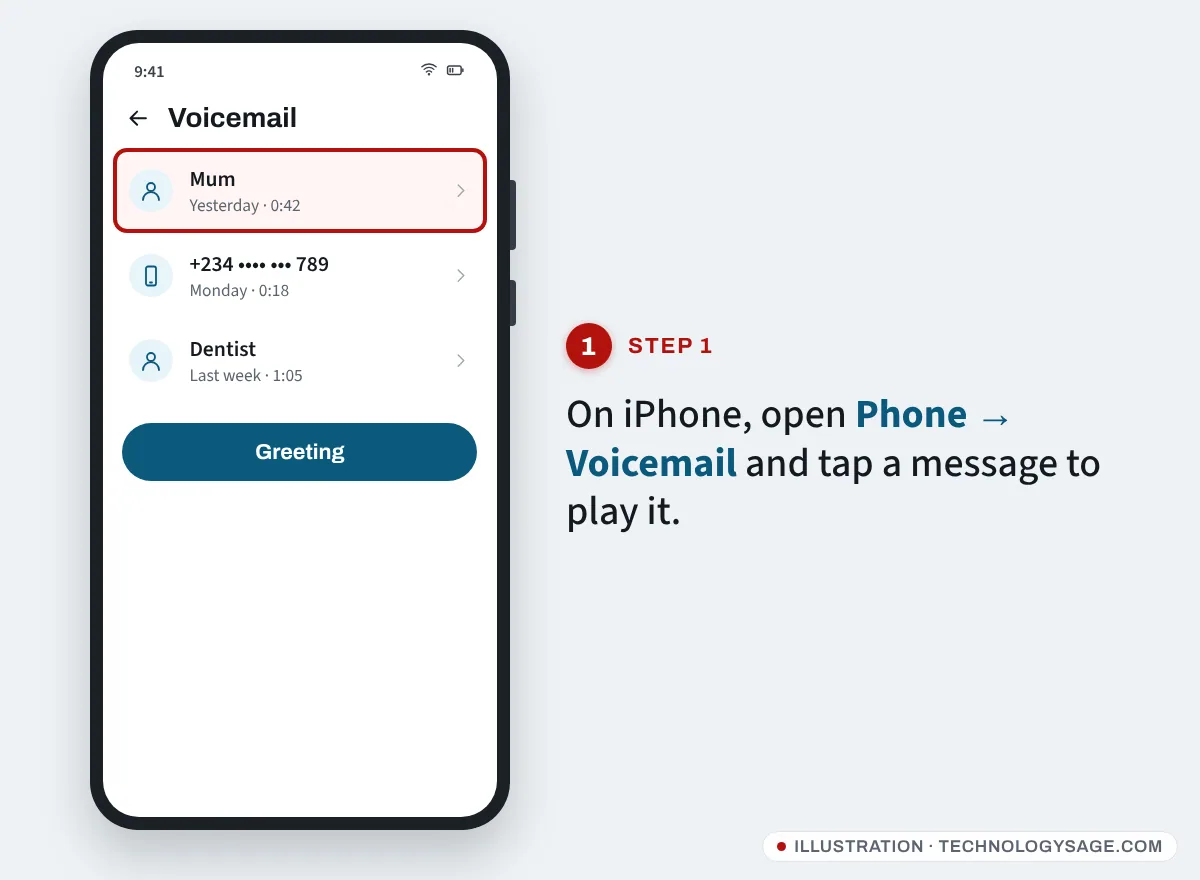
If the tab shows Call Voicemail instead of a list, your carrier doesn’t provide visual voicemail on your plan. Tap it, enter your PIN when asked, and listen to the messages through the voice menu.
To delete a message, swipe left on it and tap Delete. Deleted messages move to Deleted Messages at the bottom of the list until you clear them.
How to check voicemail on Android
The steps depend on which Phone app your phone uses.
Google Phone (Pixel and many other Android phones)
- Open Phone.
- If visual voicemail is on, tap the Voicemail tab, or look for voicemail entries in Recents.
- Tap a message to play it. Some carriers add a transcript.
If there’s no voicemail tab, turn visual voicemail on under ⋮ → Settings → Voicemail, if your carrier supports it.
Samsung Galaxy
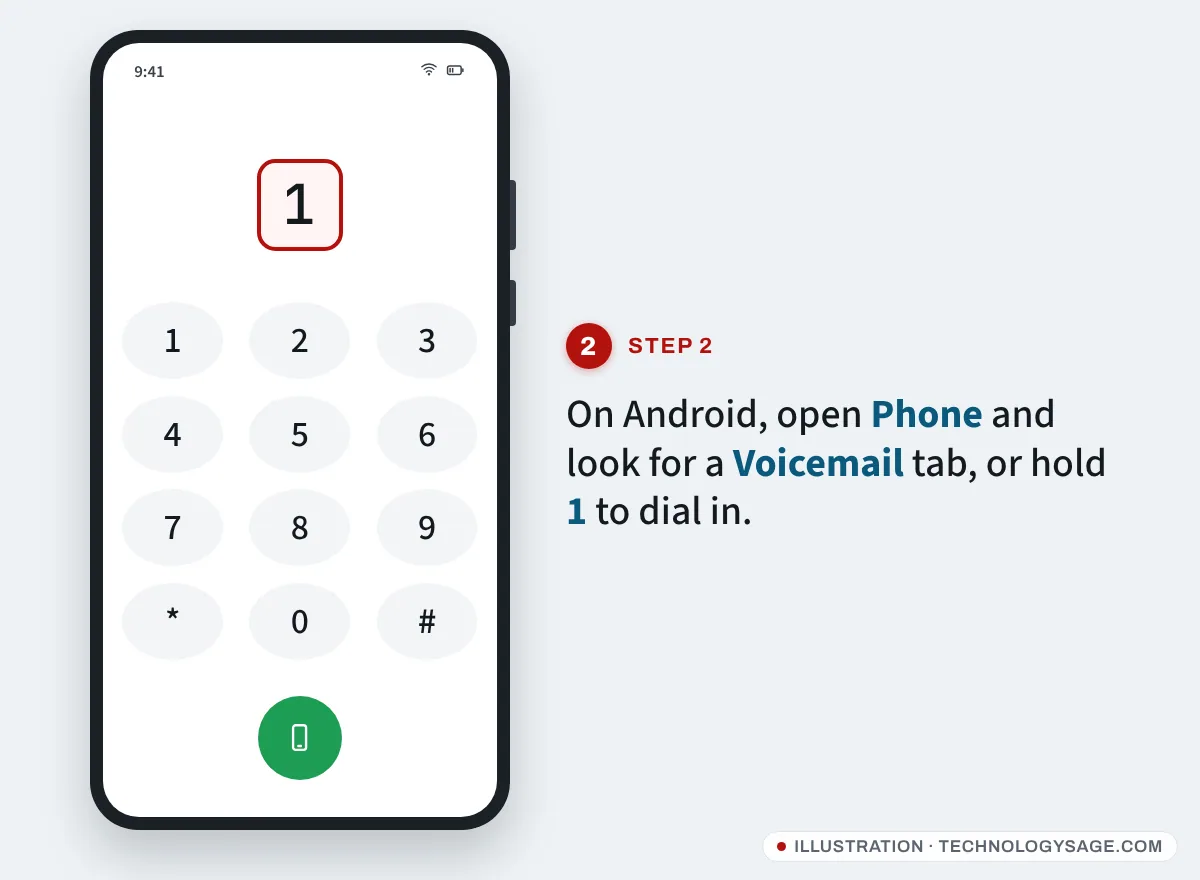
- Open Phone and go to Keypad.
- Press and hold 1, or tap the voicemail icon if your keypad shows one.
- Enter your PIN and follow the menu.
Some Samsung phones sold by carriers come with a Visual Voicemail app. Open it to see messages as a list.
Tecno, Infinix, itel and other Android phones
Open the Phone app, hold 1 and follow the prompts. When a new message arrives, a voicemail icon usually appears in the status bar; tapping the notification dials your mailbox too.
How to check voicemail on a basic or feature phone
Press and hold 1, or go to Messages → Voice mail (the exact menu name varies) and choose Listen to voice mail. If it asks for a number, see how to find your voicemail number in our setup guide.
How to check voicemail from another phone
This is useful when your phone is lost, broken, out of charge or abroad without roaming.
- From any phone, call your own mobile number.
- Let it ring until your voicemail greeting starts. If your phone is switched off, it goes to the greeting straight away.
- Press * during the greeting. On some networks it’s #, and a few use a different key, so try the other one if nothing happens.
- Enter your voicemail PIN and press # if asked.
- Follow the menu to play, save or delete messages.
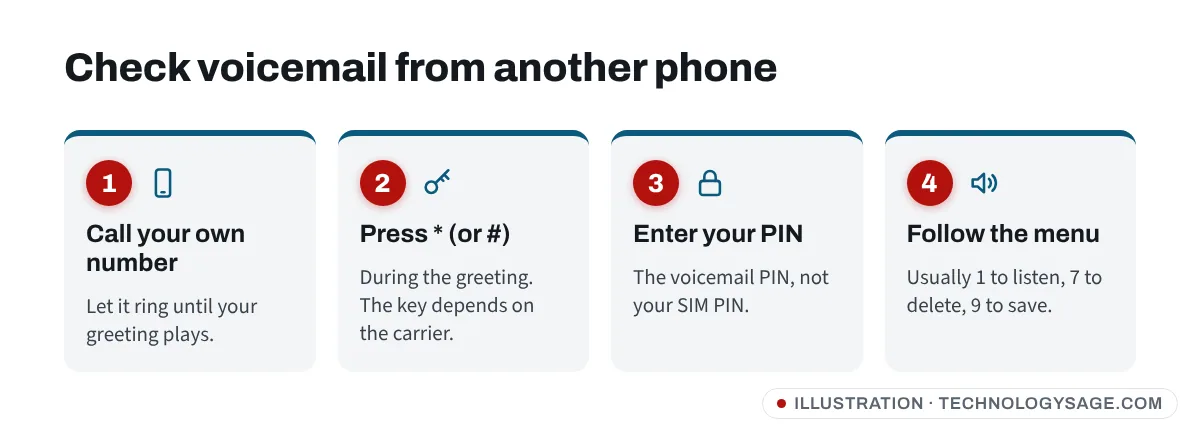
Common menu keys are 1 to listen, 7 to delete and 9 to save, but they differ between carriers. The voice menu always says which key does what, so listen once before pressing anything.
Other ways to reach your mailbox from another phone:
- Your carrier’s voicemail access number. Many carriers publish a number you can call from any phone; it then asks for your mobile number and PIN. Find it on the carrier’s official help pages.
- Your carrier’s app or website. Some let you play voicemail messages after you sign in.
If pressing * plays a “mailbox full” message or ends the call, the mailbox may be full or the carrier may not allow remote access. Delete old messages when you have your phone back, or ask the carrier.
Forgot your voicemail PIN?
You can’t check voicemail from another phone without the PIN. To reset it:
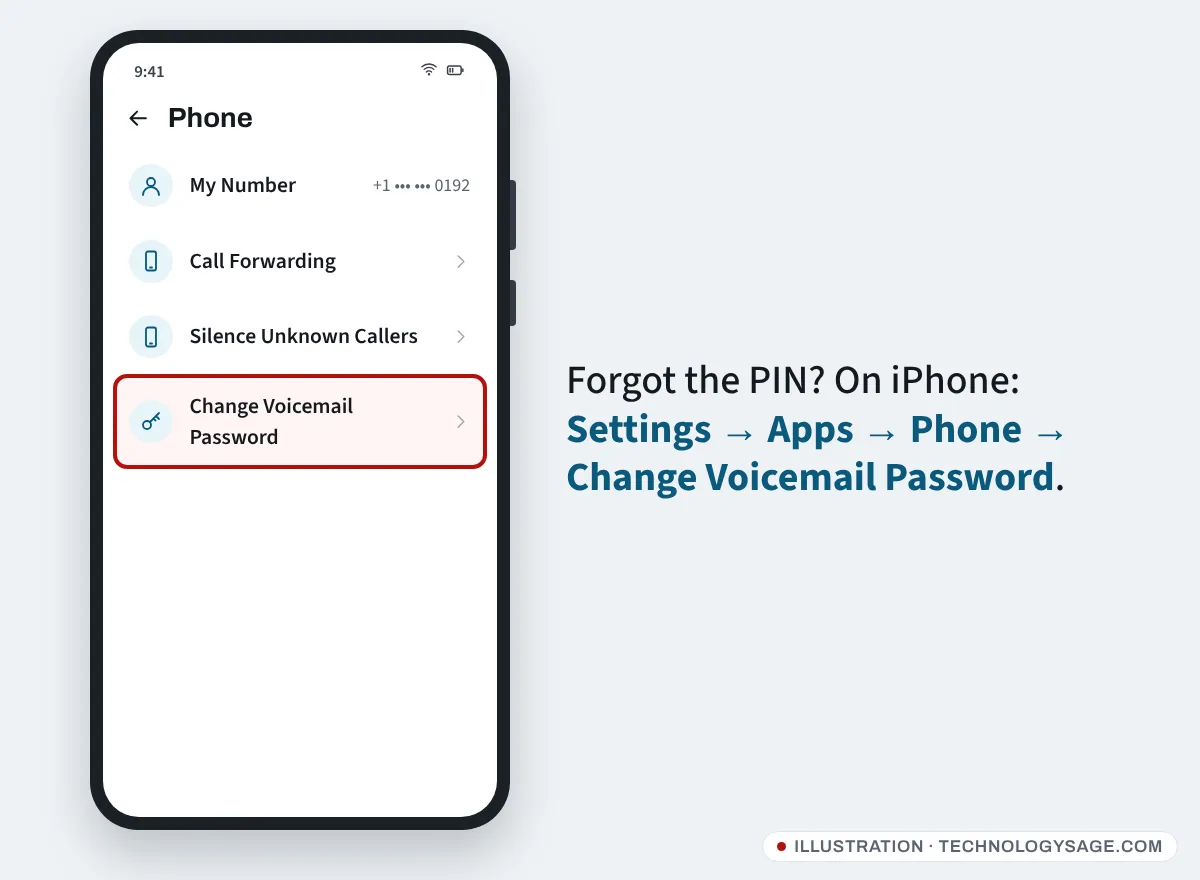
- iPhone: Settings → Apps → Phone → Change Voicemail Password (on older iOS: Settings → Phone). You’ll need the current one, or ask the carrier.
- Android: some Phone apps have Settings → Voicemail → Change PIN. If not, call your voicemail from your own phone; many systems skip the PIN when you call from your own number, and the options menu lets you change it.
- Any phone: ask your carrier to reset it. They will verify your identity first.
If you can’t check your voicemail
- “Voicemail number not available”. Your phone doesn’t have the number saved. Dial
*#61#; the number shown is usually your voicemail. Add it under the Phone app’s Voicemail settings. - Visual voicemail says “unavailable” or never loads. It needs mobile data for some carriers. Turn on mobile data, turn off Wi-Fi briefly, then restart the phone. On iPhone, check Settings → General → About for a carrier settings update.
- No new messages, but people say they left one. Calls may be forwarded somewhere else, or voicemail may be off. Dial
*#61#and*#62#to see where calls go, or read why calls go straight to voicemail. - Voicemail notification won’t go away. Listen to and delete every new message from the voice menu, then restart the phone. If it stays, the carrier can clear the indicator.
- Dual SIM. Each SIM has its own mailbox. Hold 1 and choose the right SIM, or pick it in the voicemail settings.
Keep your voicemail safe
- Use a voicemail PIN that’s hard to guess and different from your SIM PIN or phone unlock code.
- Your carrier, bank or WhatsApp will never ask you to tell them your voicemail PIN or a code you received.
- Watch for “missed call” or “new voicemail” text messages with links. Carriers notify you through the phone’s own voicemail icon, not links to unknown websites.
FAQ
How do I check my voicemail on my phone?
Open the Phone app and tap Voicemail, or press and hold 1 to call your mailbox, then enter your PIN if asked.
How do I check my voicemail from another phone?
Call your own number, press * (or # on some networks) during your greeting, then enter your voicemail PIN and follow the menu.
Why can’t I see the Voicemail tab on my Android phone?
Visual voicemail isn’t supported by every carrier or phone, and it can be turned off. Check Phone → ⋮ → Settings → Voicemail, and use hold-1 if it isn’t available.
How long are voicemails kept?
It depends on your carrier. Many delete saved and unsaved messages after a set number of days, so save important messages or copy them off the phone.
Can I check voicemail without a PIN?
Usually only from your own phone, where many carriers skip the PIN. From another phone you need the PIN. If you don’t want voicemail at all, see how to turn off voicemail.