In this guide
To activate an eSIM on Android, first check that your phone supports it (dial *#06# and look for an EID number), then get an eSIM QR code or activation code from your mobile network. On a Samsung Galaxy, go to Settings → Connections → SIM manager → Add eSIM and scan the QR code; on a Pixel, go to Settings → Network & internet → SIMs and tap Download a SIM instead? Connect to Wi-Fi first, because the phone downloads the eSIM profile over the internet.
An eSIM is a SIM chip built into the phone. Instead of inserting a card, you download your number onto it. It works the same for calls, SMS, data and mobile money, and it can’t fall out or be swapped without your network’s involvement.
Step 1: Check if your phone supports eSIM
Many budget Android phones don’t have eSIM, so check this before you visit your network.
- Open the Phone app and dial *#06#.
- If you see an EID (a long 32-digit number) along with your IMEI, your phone has an eSIM chip.
- If there’s only IMEI (and maybe a serial number), the phone doesn’t support eSIM.
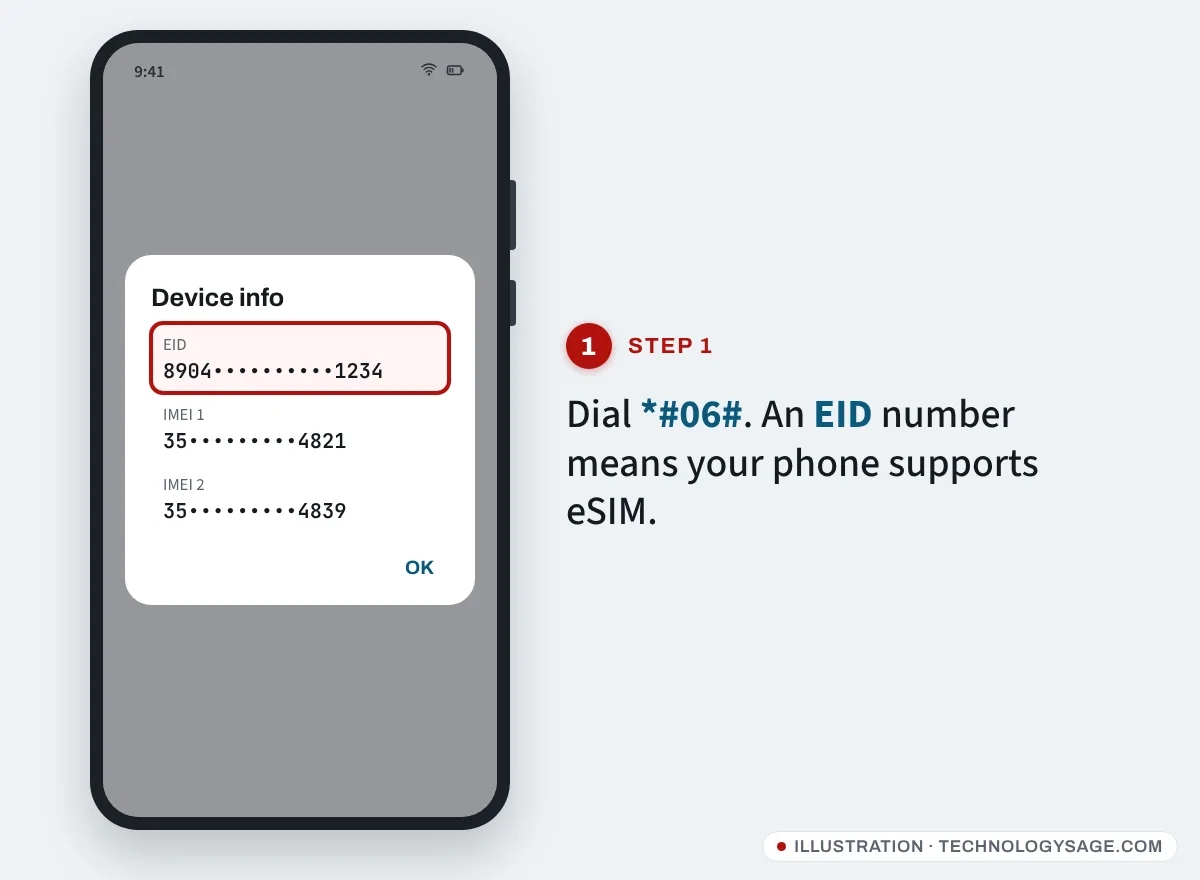
You can also look in Settings → About phone → Status (or Status information) for EID, or try the steps in Step 3: if there’s no “Add eSIM” or “Download a SIM” option, the phone has no eSIM.
Which phones usually have eSIM:
- Samsung: Galaxy S, Z Flip and Z Fold models, and many mid-range Galaxy A models (for example the A3x and A5x series) in many countries. Cheaper Galaxy A0x and A1x models usually don’t, though some recent 5G versions do in some regions. It varies by country, so check your exact model number.
- Google Pixel: Pixel 3 and later.
- Xiaomi/Redmi, Tecno, Infinix, itel: most models don’t. A few newer, higher-end models (such as some Redmi Note Pro, Tecno Camon Ultra and Infinix Note 60 models) list eSIM, but often only in certain regions.
- Carrier-locked phones (especially imported US phones) may block eSIMs from other networks.
The phone’s own EID check beats any online list.
Step 2: Get an eSIM from your network
Your network gives you either a QR code, an activation code, or pushes the eSIM to your phone directly. How you request it depends on the network:
- New line or switching from a physical SIM: most networks do this at their own shop. Take your ID (the one the line is registered with) and the phone, because they may need your EID and to scan the code with you. Some networks now also let you request an eSIM in their app.
- Kenya (Safaricom): visit a Safaricom shop with your ID and a supported phone; details are on the Safaricom eSIM page. There’s a small fee for prepay lines.
- Nigeria, South Africa, India, the Philippines, Pakistan, Ghana and others: networks such as MTN, Airtel, Vodacom, Jio, Globe and Smart offer eSIM on many plans. Check your network’s official website or app for “eSIM”, or ask at a branded shop.
- Travel eSIMs: for data abroad you can buy a data-only eSIM online. It installs the same way (QR code), but usually gives no local phone number.
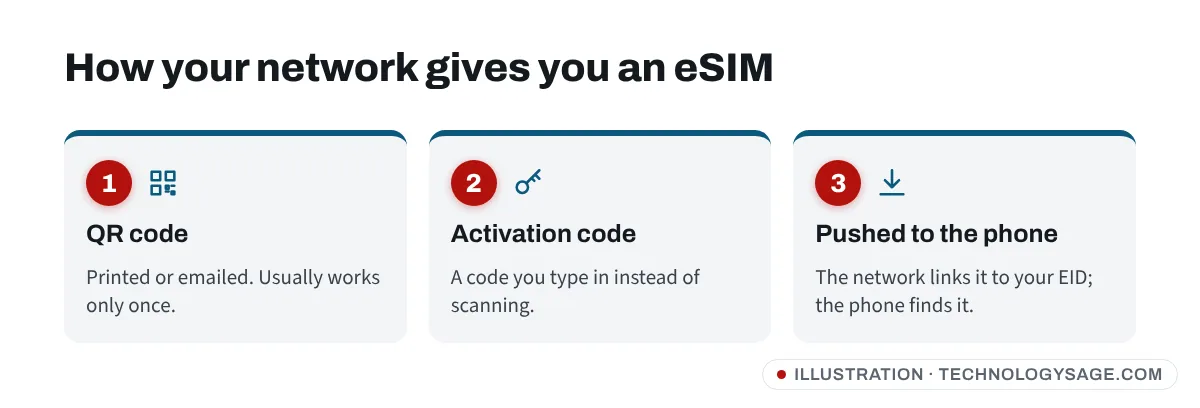
Keep the QR code private. It’s the key to your number. Anyone who scans it first could install your line on their phone. Real network staff never ask you to send them the QR code, an OTP or your PIN over WhatsApp.
Step 3: Add the eSIM on a Samsung Galaxy
- Connect to Wi-Fi (or use mobile data from your other SIM).
- Open Settings → Connections → SIM manager (on older One UI versions, SIM card manager).
- Tap Add eSIM (older versions: Add mobile plan).
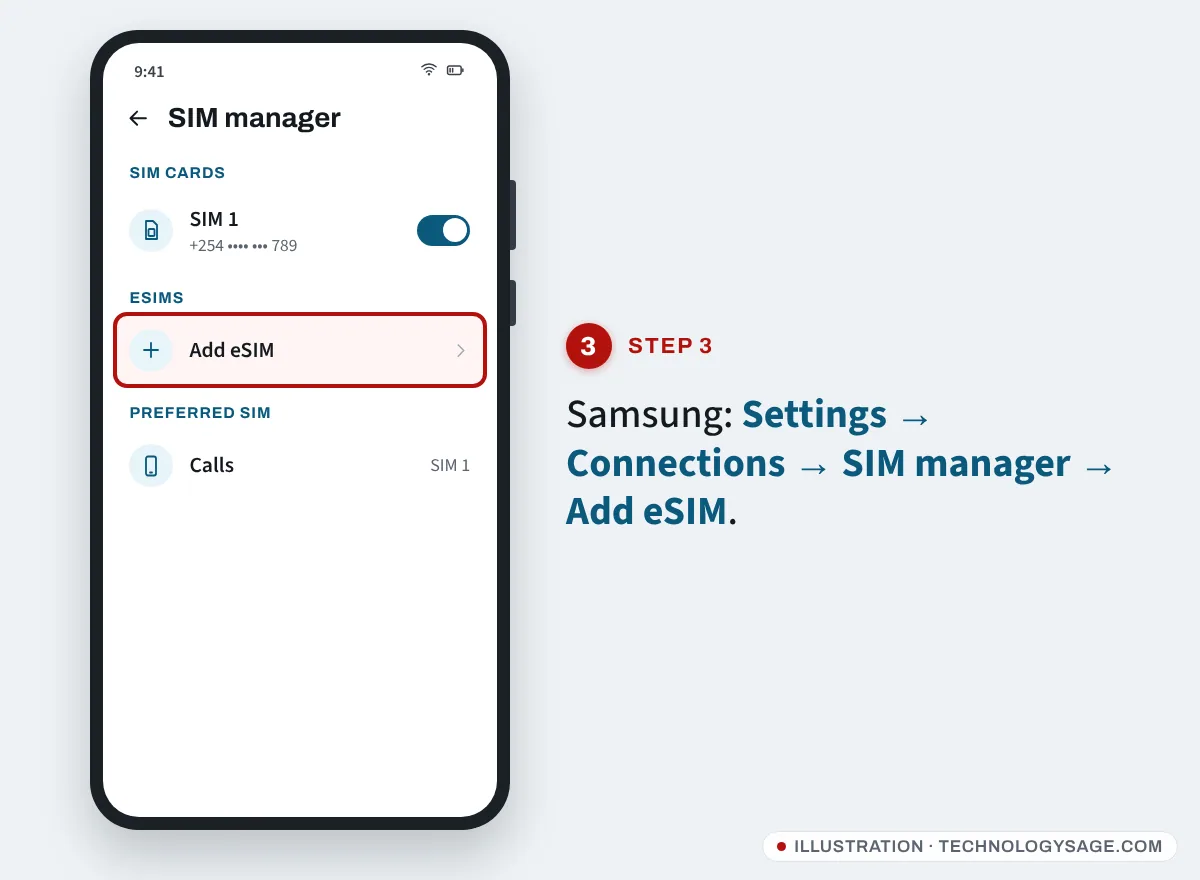
- Choose how to add it:
- Scan QR code from service provider (or Add using QR code), then point the camera at the QR code;
- Enter activation code, if your network gave you a code instead;
- or, if your network pre-assigned the eSIM, the phone may find it automatically: tap Add when it appears.
- Confirm the prompts. The phone downloads and activates the eSIM; this can take a minute or two.
- Give the line a name (for example “Work” or “Safaricom”) so you can tell your SIMs apart.
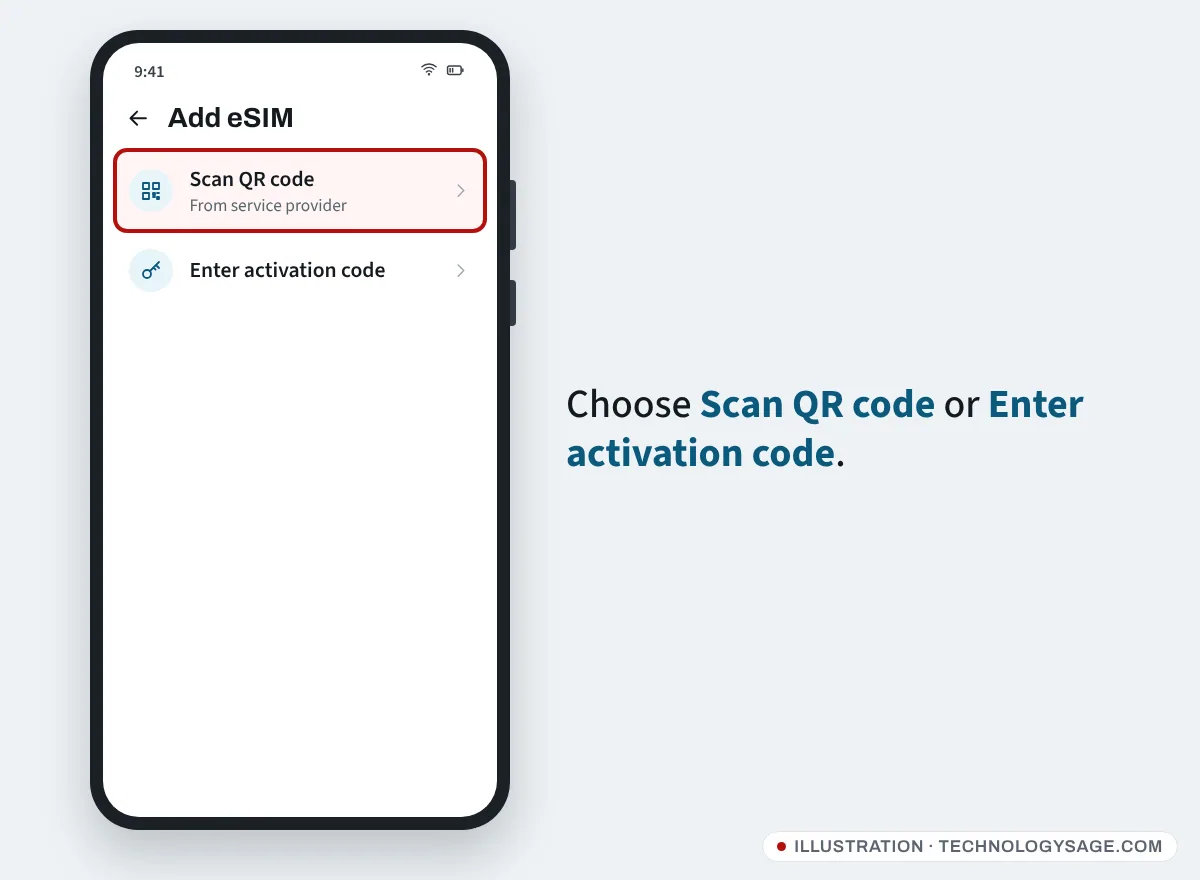
Menu names vary slightly between models and One UI versions, but they’re always in SIM manager.
Step 3 (Pixel and stock Android): Add the eSIM
- Connect to Wi-Fi.
- Open Settings → Network & internet → SIMs.
- Tap Add SIM or the + button, then Download a SIM instead? and Next.
- Scan the QR code from your network, or tap Need help? / Enter it manually to type the activation code.
- Tap Download or Activate, then confirm.
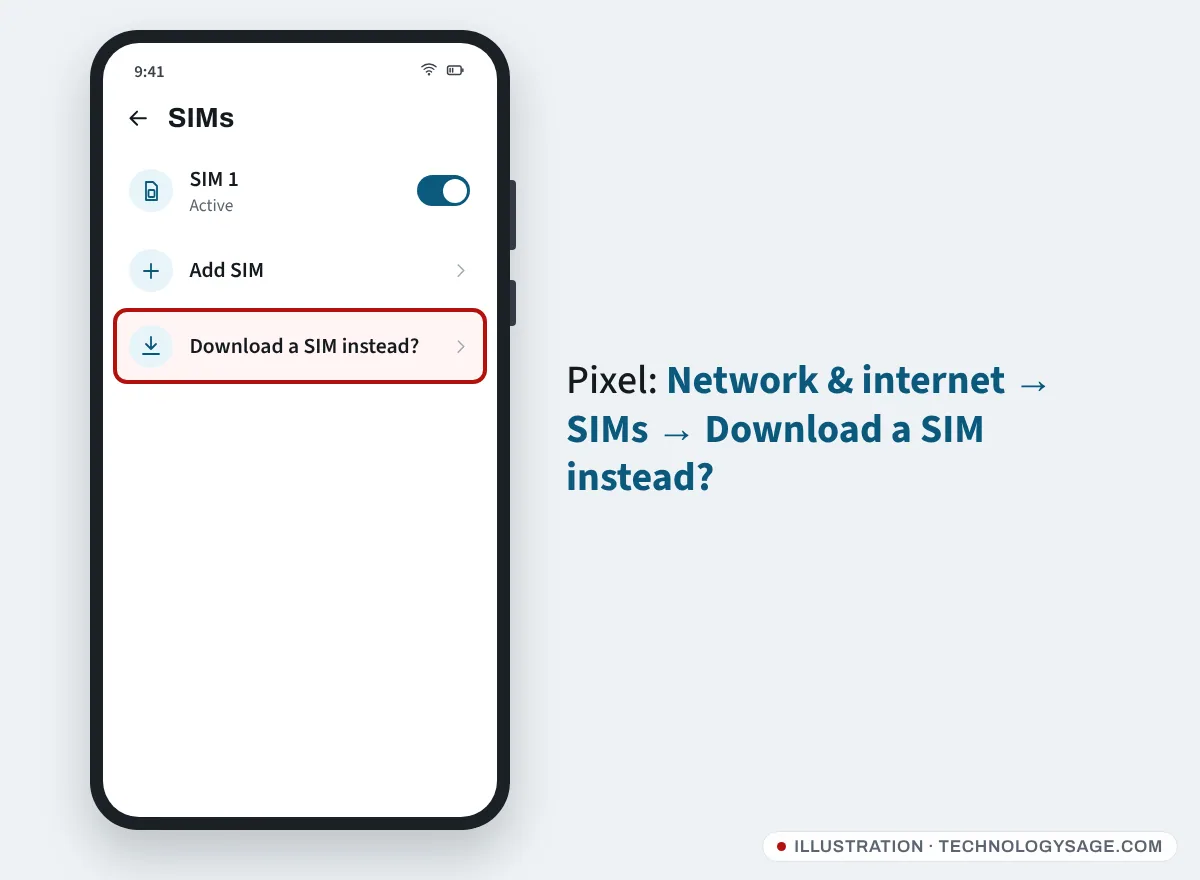
If you’re adding an eSIM next to an existing physical SIM, the phone asks Use 2 SIMs? Tap Yes; the phone may restart.
Other brands with eSIM (Motorola, Redmi, Tecno, Infinix and others) use similar wording. Look in Settings → SIM cards or Mobile network for Add eSIM or Download SIM, or search Settings for “eSIM”.
Step 4: Set which SIM to use for calls, SMS and data
With a physical SIM and an eSIM, choose the defaults:
- Samsung: Settings → Connections → SIM manager, then under Preferred SIM set Calls, Messages and Mobile data.
- Pixel: Settings → Network & internet → SIMs, tap each SIM, and set Mobile data, Calls preference and SMS preference.
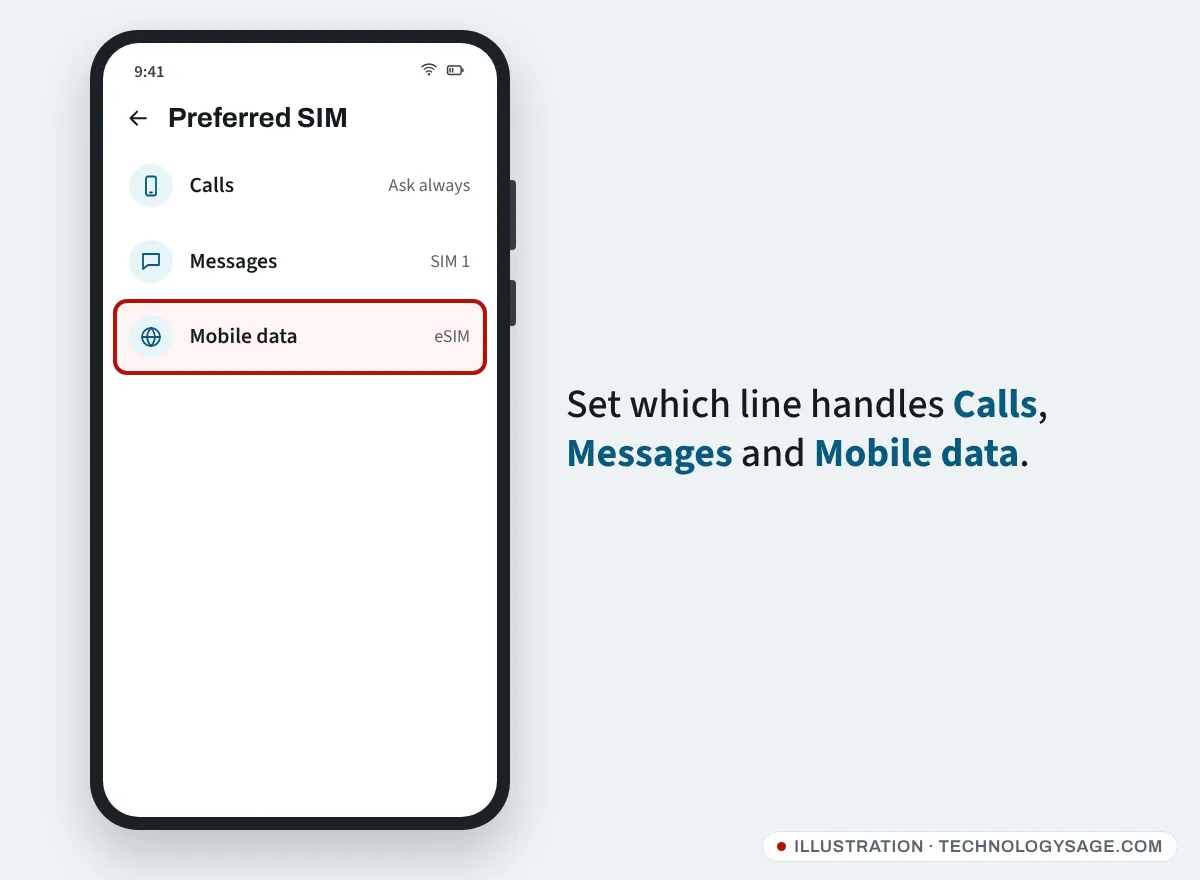
Test it: make a call, send an SMS and open a website on mobile data. For mobile money (M-Pesa, MTN MoMo, Airtel Money), dial the USSD menu from the eSIM line to check it works. If you’ve moved a line with mobile money, our guide to reversing an M-Pesa transaction is worth bookmarking.
If it doesn’t work
- “Unable to add eSIM” or download fails: check Wi-Fi, then try again. If it keeps failing, the QR code may already have been used or expired. Most eSIM QR codes work only once; ask your network for a new one. If Wi-Fi connects but nothing loads, see Wi-Fi connected but no internet.
- “This code is no longer valid”: the network needs to reissue the eSIM. Don’t keep scanning old codes.
- eSIM added but “No service”: restart the phone, make sure the eSIM line is switched on in SIM manager, and check that Mobile network has data turned on. Ask the network to confirm the line is active.
- No “Add eSIM” option: the phone doesn’t support eSIM, or it’s carrier-locked to another network.
- Deleted the eSIM by mistake: deleting it from the phone doesn’t cancel your line, but you’ll usually need a new QR code from your network to add it again.
- Moving to a new phone: an eSIM doesn’t move by itself. Some Samsung and Pixel phones can transfer it during setup if your network supports this; otherwise, request a new eSIM from your network for the new phone. Back up your chats first; see how to move WhatsApp to a new phone.
- Factory reset: before resetting, check whether the reset screen offers to keep your eSIM. If you erase it, you’ll need a new QR code.
If your eSIM phone is lost or stolen, call your network to suspend the line, then use Google’s tools to find, lock or erase your lost Android phone. An eSIM line uses data like any other, so see how to reduce data usage on Android if your bundles run out fast.
FAQ
How do I convert my physical SIM to an eSIM?
Ask your network. Most do it in their shop or app after checking your ID. They deactivate the physical SIM and give you an eSIM QR code for the same number, which you then add as in Step 3.
Does my phone support eSIM?
Dial *#06#. If you see an EID number, it does. If you only see IMEI numbers, it doesn’t.
Can I use an eSIM and a physical SIM at the same time?
Yes, on most eSIM phones. You can choose which line handles calls, SMS and data. Many phones can store several eSIMs, but usually only one or two lines can be active at once.
Is eSIM safer than a physical SIM?
It can’t be stolen with the phone and put in another one, and moving it requires your network. But SIM-swap fraud still happens through the network, so keep your ID, PINs and QR codes private.
Do I need internet to activate an eSIM?
Yes. The phone downloads the eSIM profile, so connect to Wi-Fi or use data from another SIM during setup. After that, the eSIM works like a normal SIM.