
In this guide
- Why do my calls go straight to voicemail? Find the cause fast
- 1. Turn off Do Not Disturb, Focus or Modes
- 2. Check call forwarding
- 3. Turn off Silence Unknown Callers and check blocked numbers
- 4. Check signal, Airplane mode and battery
- 5. Dual SIM: the other SIM may be busy or off
- 6. Restart, update and reset network settings
- 7. Ask your carrier
- When someone else’s phone goes straight to voicemail
- FAQ
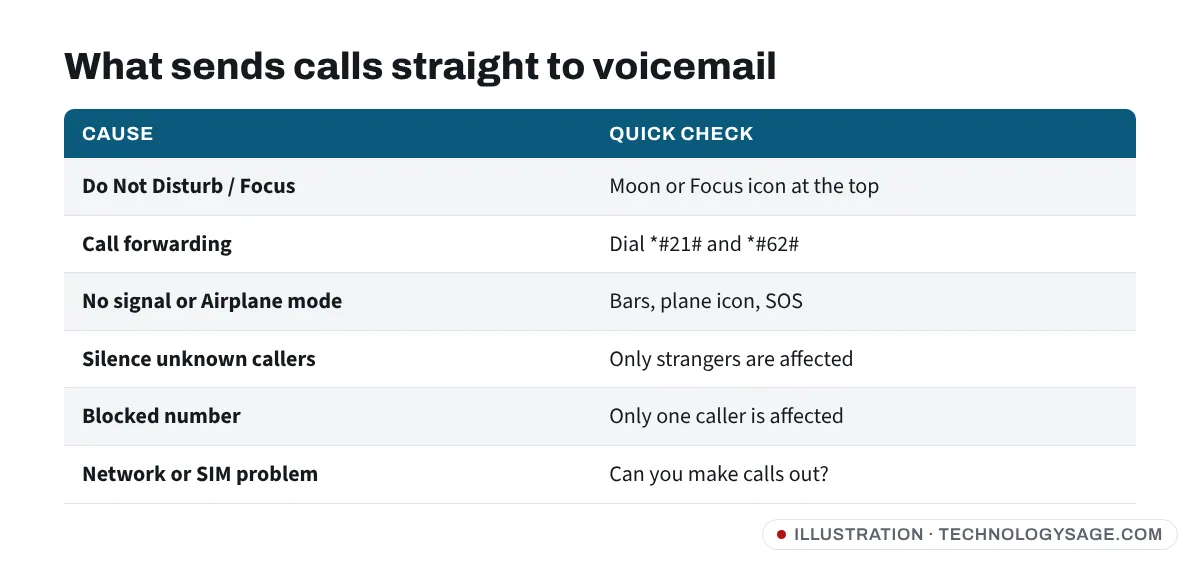
When a phone goes straight to voicemail without ringing, the network couldn’t deliver the call or your phone told it not to ring. The usual causes are Do Not Disturb or a Focus mode, call forwarding set to send calls away, Silence Unknown Callers or a blocked number, or no signal (phone off, Airplane mode, out of coverage). Check those four first; together they explain nearly every case.
This guide covers both sides: your phone sending calls to voicemail, and someone else’s phone going straight to voicemail when you call them.
Why do my calls go straight to voicemail? Find the cause fast
Answer these two questions first:
- Does it happen to every caller, or only some?
- Only one person → that number is probably blocked or filtered.
- Only unknown numbers → Silence Unknown Callers or a spam filter.
- Everyone → Do Not Disturb, forwarding, or the signal.
- Can you make calls out right now?
- No → it’s a signal, SIM or network problem.
- Yes → it’s a setting on the phone or a forwarding rule.
1. Turn off Do Not Disturb, Focus or Modes
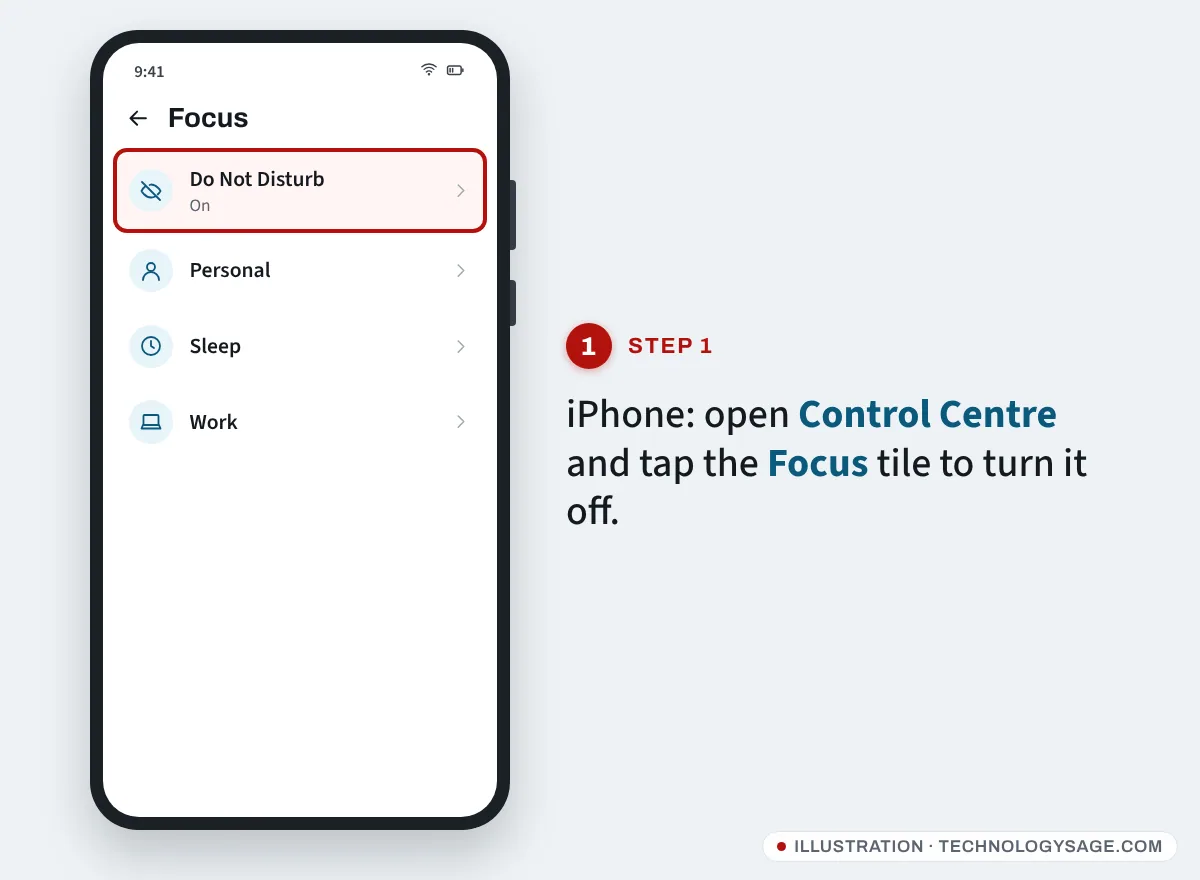
Do Not Disturb sends calls to voicemail on many phones, including iPhones with a Focus on. Apple lists Focus as the first thing to check when calls don’t ring and go straight to voicemail.
- iPhone: Open Control Centre. If a Focus (Do Not Disturb, Sleep, Work, Driving) is highlighted, tap it to turn it off. Then check Settings → Focus for schedules and Driving focus that turns on automatically in a car.
- Android (Pixel and Android 15 or later): Swipe down and turn off Do Not Disturb or the active Mode. Check Settings → Modes for schedules.
- Samsung: Swipe down and turn off Do not disturb, then check Settings → Modes and Routines for modes such as Sleep or Driving.
2. Check call forwarding
If “forward all calls” is on, your phone never rings. If “forward when unreachable” is set and your phone briefly loses signal, calls also skip straight to voicemail.
Open the Phone app and dial these codes (they work on most GSM, 4G and 5G networks):
| Dial | Shows |
|---|---|
*#21# |
All calls forwarded (unconditional) |
*#62# |
Forwarding when unreachable |
*#67# |
Forwarding when busy |
*#61# |
Forwarding when unanswered |
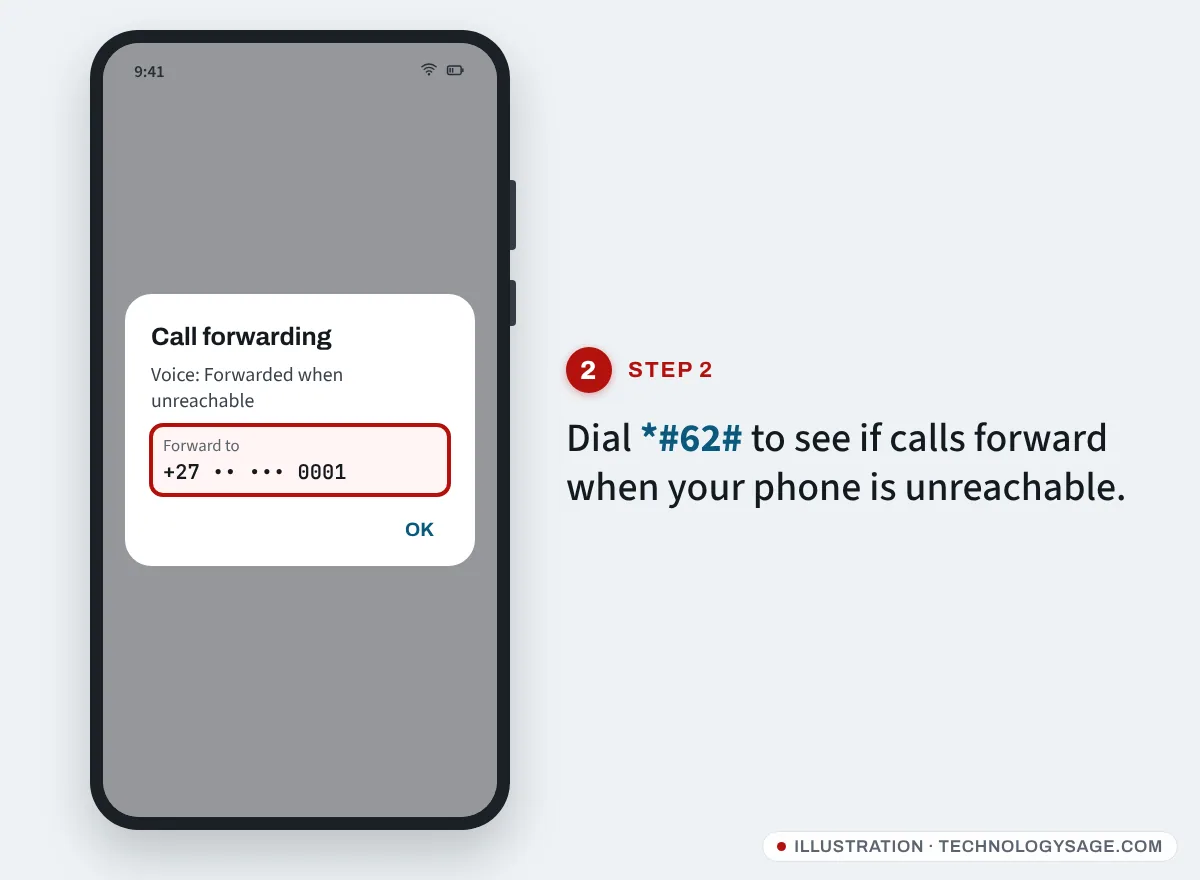
“Forward all” should be off unless you set it on purpose. To cancel it, dial ##21#, or switch it off in the menu:
- iPhone: Settings → Apps → Phone → Call Forwarding (on older iOS: Settings → Phone → Call Forwarding). Make sure it’s off.
- Samsung: Phone → ⋮ → Settings → Supplementary services → Call forwarding → Voice calls → Always forward → Disable.
- Google Phone: Phone → ⋮ → Settings → Calling accounts → your SIM → Call forwarding → Always forward → Turn off.
The busy, unanswered and unreachable forwards are normal: they point to your voicemail. Only change them if they point to a number you don’t recognise. If you find forwarding to a number you didn’t set, cancel it immediately with ##002#, change your voicemail PIN, and tell your carrier: forwarding is one way criminals intercept verification calls.
3. Turn off Silence Unknown Callers and check blocked numbers
- iPhone: Settings → Apps → Phone → Silence Unknown Callers. With it on, anyone not in your contacts, recent calls or Siri suggestions goes straight to voicemail. Turn it off, or save the caller as a contact. In the same menu, tap Blocked Contacts and remove anyone you blocked by mistake.
- Samsung: Phone → ⋮ → Settings → Block numbers. Check the list and the Block unknown/private numbers switch.
- Google Phone: ⋮ → Settings → Blocked numbers, and Caller ID & spam for spam filtering.
- Call-blocking apps have their own lists, so check those too.
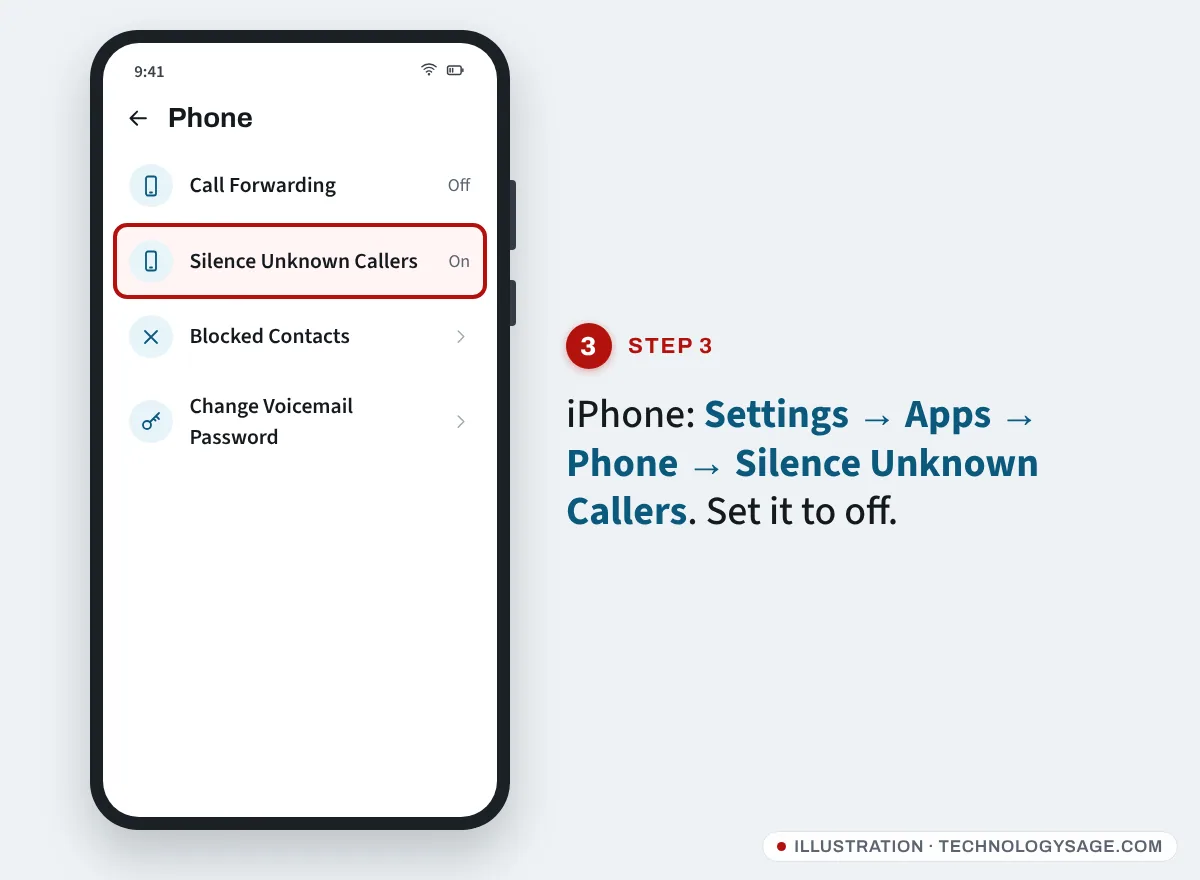
A blocked caller usually goes straight to voicemail, and on iPhone their message lands in a separate Blocked Messages section at the bottom of the voicemail list.
4. Check signal, Airplane mode and battery
If your phone is off, in Airplane mode or out of coverage, the network sends calls straight to voicemail. Check:
- Airplane mode is off.
- You have signal bars, not “No service”, “SOS” or Emergency calls only. If you see one of these, start with our fix for Emergency calls only or, for SIM errors, Invalid SIM and SIM not provisioned.
- Battery saver or an aggressive battery app isn’t closing the Phone app (some budget Android phones do this). Exclude the Phone app from battery optimisation.
If signal is weak at home, Wi-Fi Calling can help, if your carrier supports it: iPhone Settings → Apps → Phone → Wi-Fi Calling; on Android, look under Phone → Settings or Settings → Connections.
5. Dual SIM: the other SIM may be busy or off
On most dual-SIM phones only one SIM can be on a call at a time. While you’re on a call on SIM 1, calls to SIM 2 go to voicemail. Also check under Settings → SIM manager (Samsung) or Settings → Network & internet → SIMs (Pixel) that both SIMs are turned on.
6. Restart, update and reset network settings
- Restart the phone.
- Update the software, and on iPhone check Settings → General → About for a carrier settings update.
- Reset network settings if the problem continues:
- iPhone: Settings → General → Transfer or Reset iPhone → Reset → Reset Network Settings.
- Samsung: Settings → General management → Reset → Reset mobile network settings.
- Pixel: Settings → System → Reset options → Reset Mobile Network Settings.
This doesn’t delete photos or apps, but some phones also forget Wi-Fi passwords and Bluetooth pairings.
7. Ask your carrier
If every setting is right and calls still don’t ring, the problem may be on the network: a fault on your line, a forwarding rule set on the account, a recent number transfer, or a local outage. Contact your carrier through its official app or website, tell them which steps you’ve tried, and ask them to check call forwarding and your line status.
When someone else’s phone goes straight to voicemail
If you call a person and it goes straight to voicemail every time, it usually means one of these, in rough order of likelihood:
- Their phone is off, out of battery or has no signal.
- They have Do Not Disturb or a Focus on.
- They use Silence Unknown Callers and you’re not in their contacts.
- They’re on another call (busy forwarding).
- They have blocked your number. This can’t be confirmed from your side; one sign is that your calls always go straight to voicemail while theirs show they’re active elsewhere, but every other cause above looks the same.
Send a text message, or try again later, before assuming the worst.
FAQ
Why is my phone going straight to voicemail without ringing?
Most often Do Not Disturb or Focus, call forwarding, Silence Unknown Callers, a blocked number, or no signal. Check them in that order.
How do I stop calls going straight to voicemail on iPhone?
Turn off any Focus in Control Centre, turn off Silence Unknown Callers and Call Forwarding under Settings → Apps → Phone, then check Blocked Contacts and your signal.
Does going straight to voicemail mean I’ve been blocked?
Not necessarily. A phone that’s off, in Do Not Disturb or out of coverage behaves the same way. Only the other person can confirm a block.
Why do only some calls go straight to voicemail?
Those callers are probably unknown numbers being silenced, numbers marked as spam, or blocked contacts. Check your blocking and spam settings.
How do I stop voicemail completely?
See how to turn off voicemail. If your phone is not ringing at all even when calls arrive, see why your phone is not ringing.