In this guide
To check a Tecno phone’s IMEI, dial *#06#, make sure the number matches the one in Settings → About phone and on the box, then enter it on Tecno’s or Carlcare’s official warranty checker. A genuine Tecno sold through official channels shows the correct model there. In Nigeria, Kenya, India and Pakistan you can also check the IMEI with the national regulator for free.
No single check proves a phone is 100% original, but these together will catch almost every fake, cloned or stolen Tecno.
Step 1: Read the IMEI three ways
A real Tecno shows the same IMEI everywhere:
- Dialler: open Phone, dial *#06#. Dual-SIM phones show IMEI 1 and IMEI 2.
- Settings: Settings → About phone → Status (on older HiOS: Settings → System → About phone → Status).
- Box: the sticker on the side of the Tecno box.
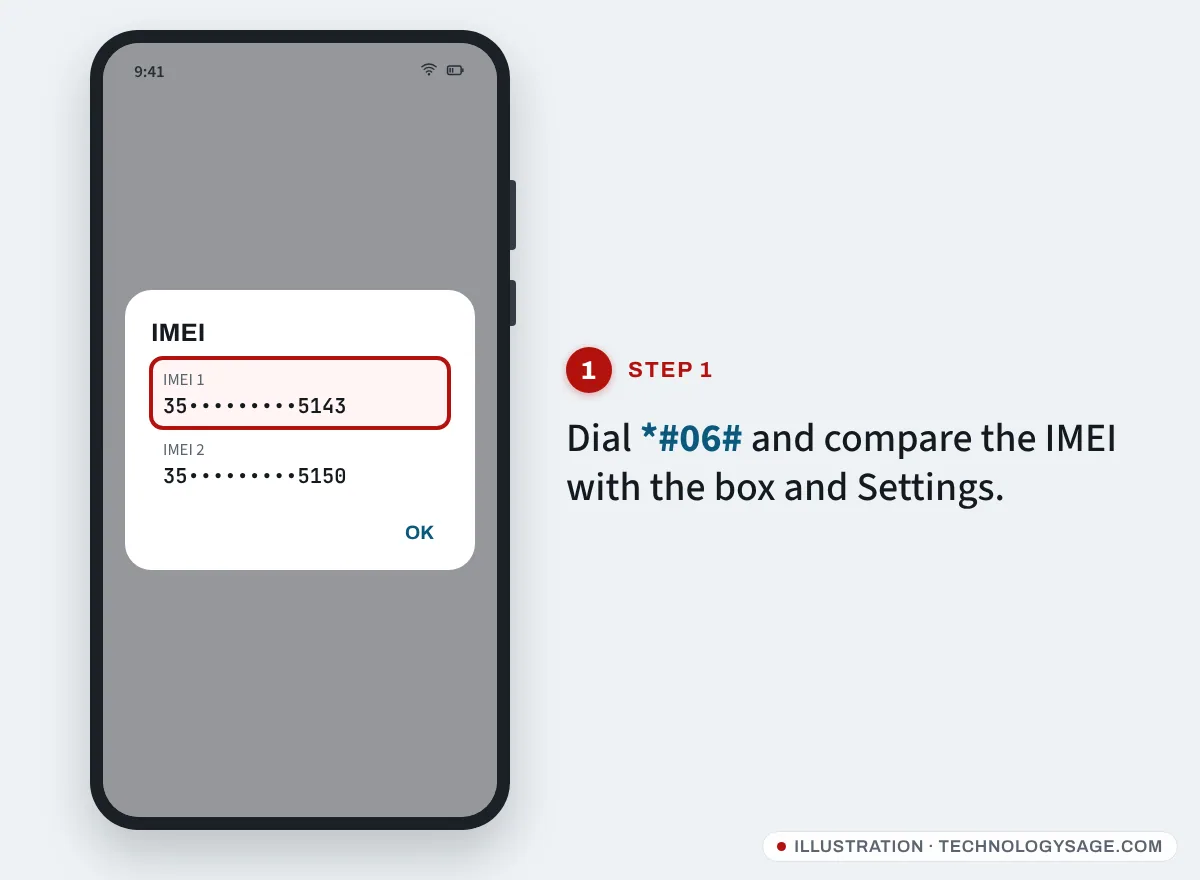
If the dialler shows a different number from the box, or shows 0, null or invalid, walk away from the sale. Common causes are a swapped box, a replaced motherboard, or a tampered IMEI.
Step 2: Check the model in Settings
- Open Settings → About phone.
- Note the Model and Android version, and look at the storage under Settings → Storage.
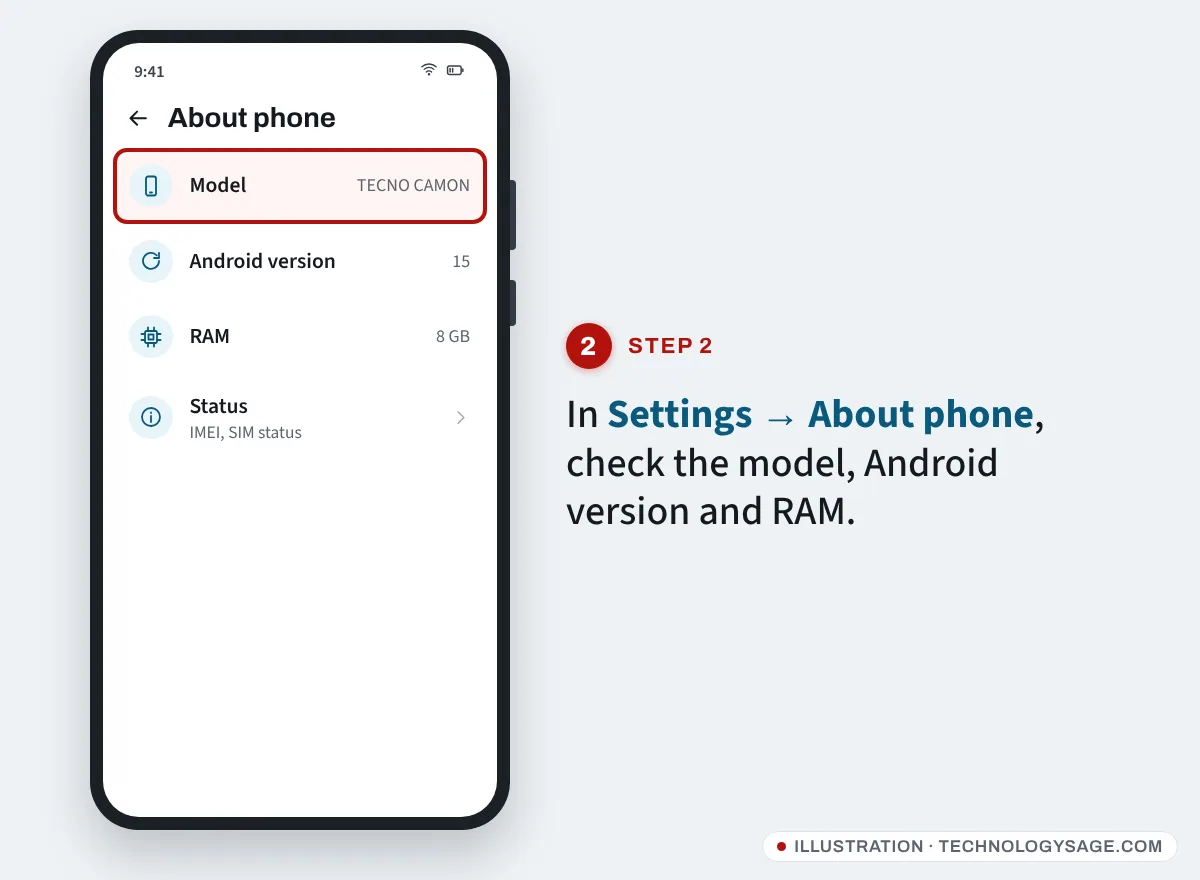
Fake phones often claim more memory than they have, or run a much older Android version than the real model shipped with. Compare what you see with the model’s official specs on tecno-mobile.com. A storage-testing app from Google Play can reveal fake storage sizes on suspicious phones.
Step 3: Run the IMEI through Tecno’s or Carlcare’s checker
- Go to tecno-mobile.com, choose your country and open Support → Warranty Check, or use carlcare.com → Repair Service → Warranty Check.
- Enter the IMEI and search.
- A genuine phone from an official channel normally returns its model and a warranty date.
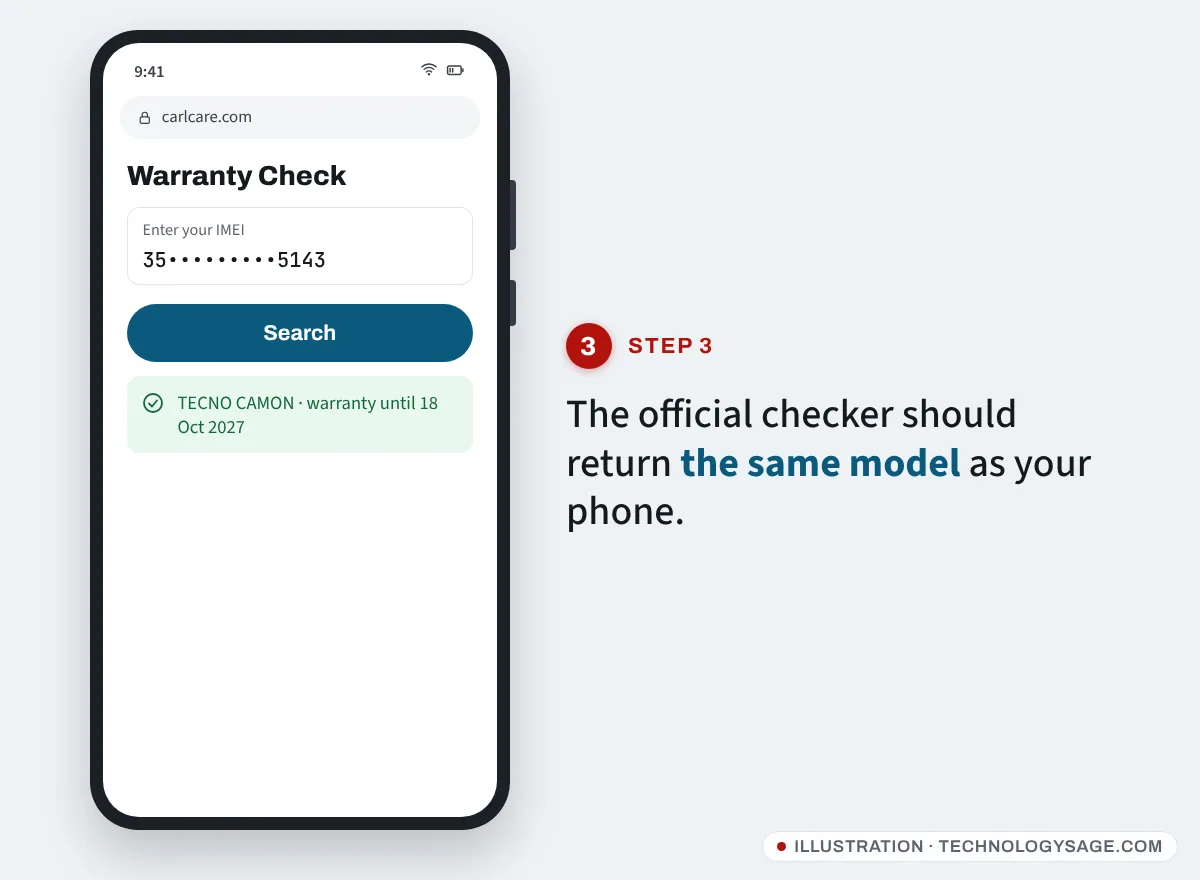
If the model in the result doesn’t match the phone in your hand, the IMEI belongs to another device. If the checker says the information isn’t available, the phone may be a grey import or a fake; ask the seller for an official receipt. Our Tecno warranty check guide explains each result.
Step 4: Check with your country’s regulator
Several regulators run free, official IMEI checks. They confirm whether an IMEI is valid, approved or blacklisted:
| Country | How to check |
|---|---|
| Nigeria | NCC Device Checker: dial *315# or use the Device Checker on ncc.gov.ng |
| Kenya | Text the 15-digit IMEI to 1555 (Communications Authority, free) |
| India | Text KYM followed by the IMEI to 14422, or use the Sanchar Saathi website or app |
| Pakistan | Text the IMEI to 8484, or use PTA’s DIRBS device verification |
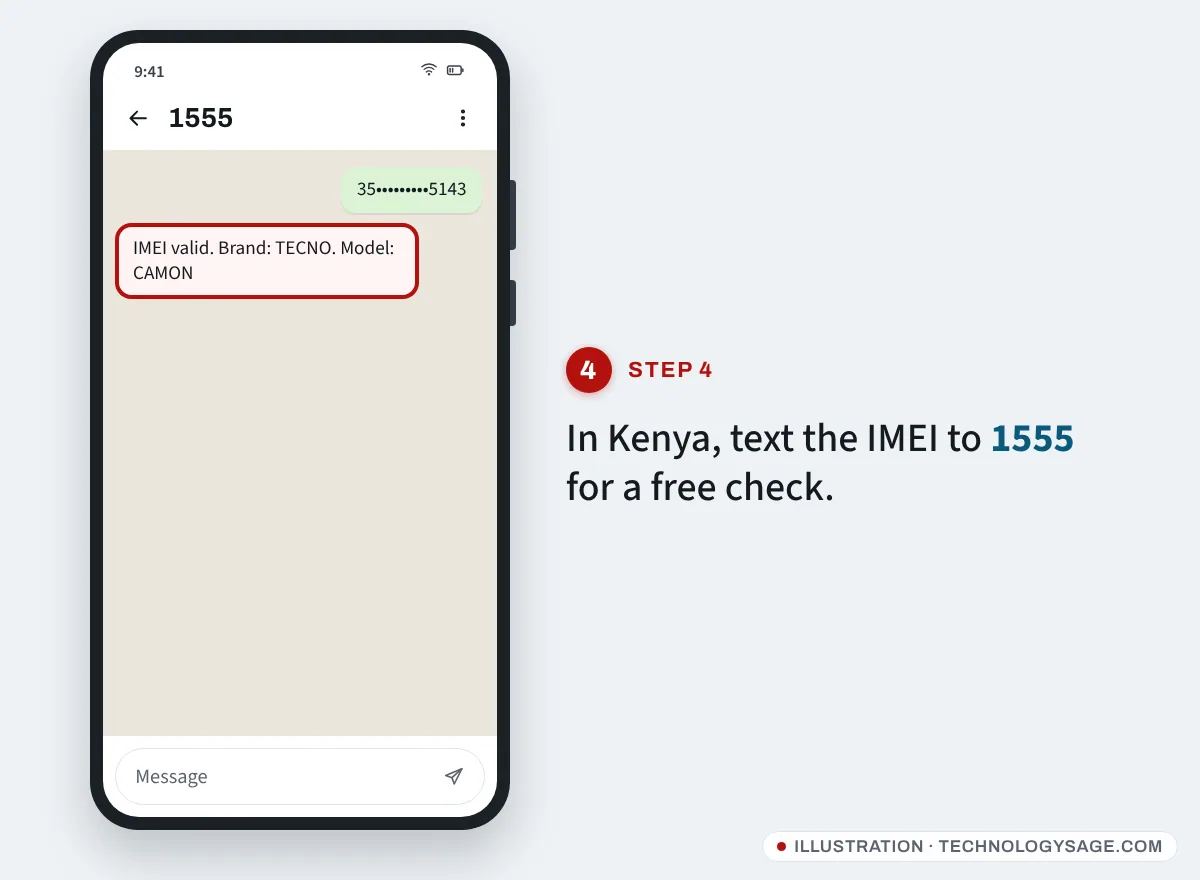
A “valid” or “approved” reply with the right brand and model is a good sign. “Blacklisted”, “duplicate” or “stolen” means don’t buy it. In Pakistan, check both IMEIs on a dual-SIM phone. Regulators themselves say a pass confirms the IMEI’s status, not the condition of the phone, so still do the physical checks below.
Step 5: Physical and software checks
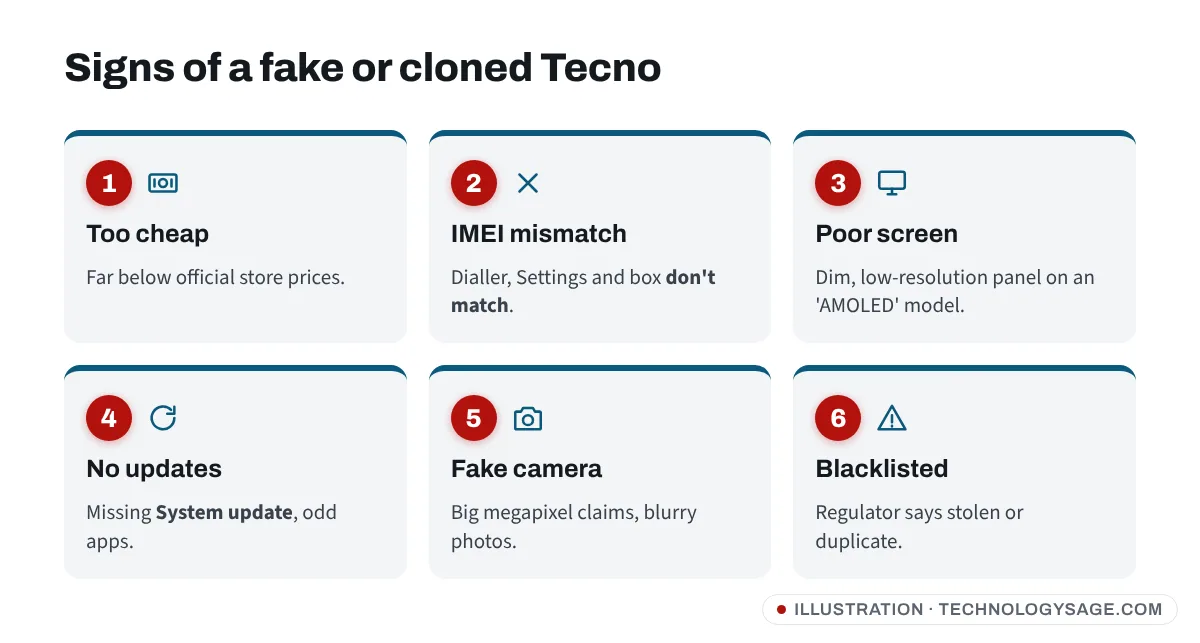
- Price: a “new” Camon or Pova far below the price in official Tecno stores is a red flag.
- Build and screen: wobbly buttons, a thick bezel or a dim, low-resolution screen on a model advertised as AMOLED.
- Software: a real Tecno runs HiOS with Tecno’s own apps (such as Carlcare). Clones often have odd app icons, missing System update in Settings, or poor translations.
- Camera: clones may advertise 50 MP or more but take blurry, low-resolution photos.
- Updates: search Settings for System update and check for updates. Genuine phones connect to Tecno’s update server.
Is Tecno’s old genuineness check still available?
Older guides mention a Tecno site where you entered the IMEI and a “VC” code from under the battery. That site dates from the removable-battery era and may no longer be available, so rely on the warranty checker and the regulator checks above instead.
If something doesn’t add up
- Seller refuses to let you dial *#06#: don’t buy.
- IMEI is fine but the phone feels wrong: take it to a Carlcare service centre before paying. Staff can confirm whether it’s genuine.
- You already bought a fake: go back to the seller, and in Nigeria or Kenya report it to the consumer protection authority. Don’t try to “repair” or change the IMEI.
Stay safe
Never pay anyone online to “verify” or “unblock” an IMEI. Official checks are free (Pakistan’s SMS may cost a small standard fee). Only use regulator numbers and websites, not links sent on WhatsApp or social media. If you’re buying second-hand, ask the seller to remove their Google account in front of you; a phone still locked to someone else’s account after a reset is unusable. More tips: how to protect your smartphone from viruses and how to improve your phone’s security.
FAQ
Can I check if a Tecno is original without the box?
Yes. Use *#06# and Settings to get the IMEI, then run it through Tecno’s or Carlcare’s checker and your regulator. The box is just an extra comparison.
Can two phones have the same IMEI?
They shouldn’t. Fake and cloned phones sometimes reuse IMEIs, which is why regulators flag “duplicate” IMEIs. A duplicate result is a reason not to buy.
Does an IMEI check show if the phone was stolen?
The regulator checks in Kenya, India and Pakistan can show blacklisted or blocked IMEIs, including phones reported stolen. Tecno’s warranty checker doesn’t show theft status.
Can I check an Infinix or itel the same way?
Yes. All three brands use Carlcare. See our Infinix warranty check and itel warranty check guides.