In this guide
SIM not provisioned means your phone has read the SIM card, but your carrier’s network hasn’t activated it for service. You usually see it with a new SIM, a replacement SIM or a number transfer that hasn’t finished, or when a line has been suspended. Wait a little, restart the phone, and complete the activation your carrier asks for; if it still shows after a few hours, the carrier has to activate the SIM on its side.
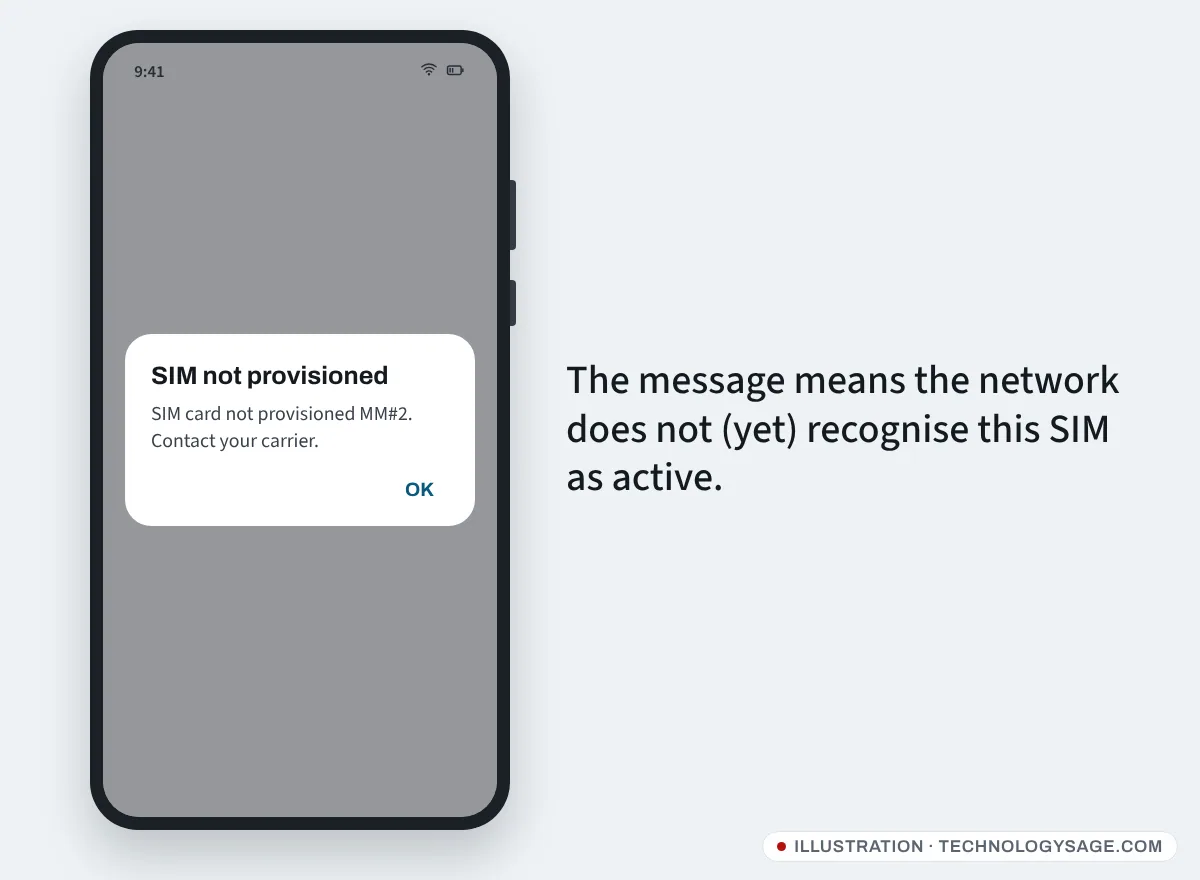
You may see it as “SIM not provisioned”, “SIM 1 not provisioned” (on dual-SIM phones), “SIM card not provisioned MM#2” or “SIM not provisioned for voice”. They all point to the same thing: the network doesn’t recognise the SIM as an active line.
What does “SIM not provisioned” mean?
“Provisioning” is the carrier setting up your SIM on its systems: linking the SIM’s serial number (ICCID) to your phone number, plan and account. Until that’s done, the phone sees a SIM but the network refuses to register it, so you can’t call, text or use mobile data. Emergency calls usually still work.
“MM#2” is a mobility-management error code meaning, roughly, “the network doesn’t know this subscriber”. It isn’t a fault in your phone.
Why does my phone say SIM not provisioned?
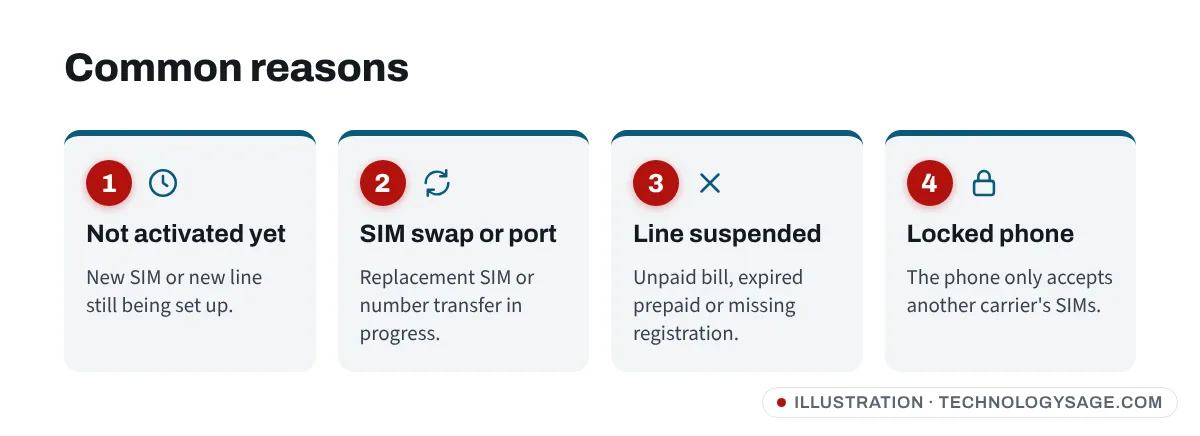
- New SIM not activated yet. Many carriers need you to activate online, by text, in their app, or by registering your ID first.
- SIM swap or replacement in progress. When you get a replacement SIM, the old one stops working and the new one can take a while to go live.
- Number transfer (porting) not finished. During a port to a new carrier, the new SIM may show “not provisioned” until the transfer completes.
- Line suspended or expired. Unpaid bills, long-unused prepaid lines and SIMs not registered to an ID (required in many countries) can be cut off.
- Phone locked to another carrier. Some locked phones show “not provisioned” instead of “invalid SIM” with another network’s card.
- Wrong SIM in the wrong slot. On some dual-SIM phones, a data-only SIM or an inactive SIM in slot 1 triggers “SIM 1 not provisioned”.
How to fix SIM not provisioned
1. Give it time, then restart
If the SIM is new or just replaced, activation can take from a few minutes to several hours, depending on the carrier. Keep the phone on, then restart it. A restart makes it try to register on the network again.
2. Toggle Airplane mode
Turn Airplane mode on, wait 30 seconds, and turn it off. The phone drops and re-requests its network registration, which often picks up a freshly activated SIM.
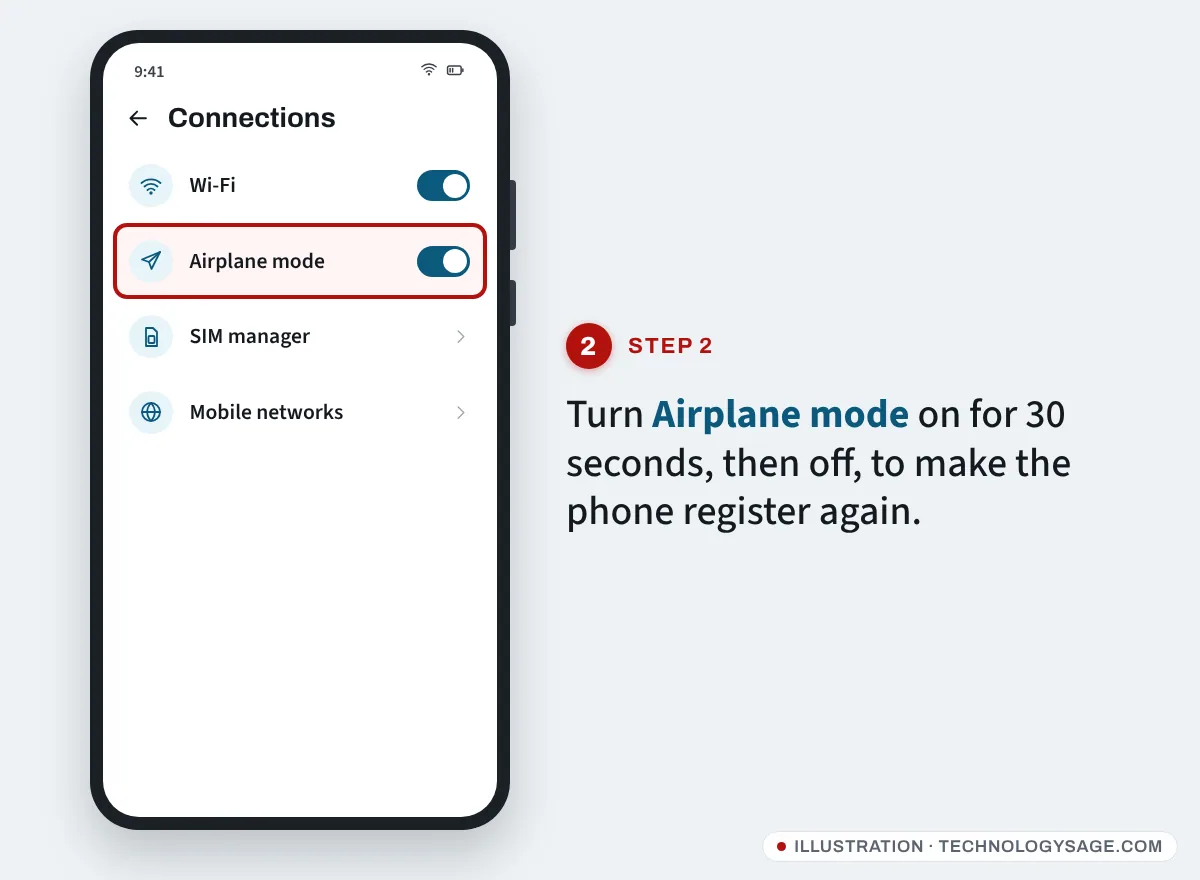
- iPhone: Control Centre → airplane icon.
- Android: swipe down twice → Airplane mode, or Settings → Connections (Samsung) / Settings → Network & internet (Pixel and most others).
3. Complete the activation step
Check the SIM pack, welcome letter, email or text from your carrier. It tells you how to activate: through the carrier’s app or website, by sending a text, by calling an activation number, or by registering the SIM with your ID in a shop. If you bought the SIM from a reseller, make sure registration was actually completed.
On iPhone, an eSIM or a SIM from a new carrier sometimes needs you to finish setup in Settings → Mobile Data (or Cellular). On Android, a new eSIM may need you to confirm it in SIM manager or SIMs. Our guide on how to activate an eSIM covers this.
4. Reseat the SIM and check the slot
Turn the phone off, take the SIM out, check it isn’t damaged, and put it back properly. On a dual-SIM phone, try it in the other slot and make sure the SIM you want is turned on under SIM manager (Samsung) or SIMs (Pixel and others).
5. Update the phone and carrier settings
- iPhone: Settings → General → About. If a carrier settings update is waiting, a message appears; tap Update.
- Android: install system updates, and update Carrier Services from the Play Store.
6. Check whether your phone is locked
If the SIM works in another phone but not in yours, your phone may be locked to its original carrier. On iPhone, check Settings → General → About → Carrier Lock; “No SIM restrictions” means unlocked. On Android, the error appearing only with other networks’ SIMs is the usual sign. Only the original carrier can unlock it.
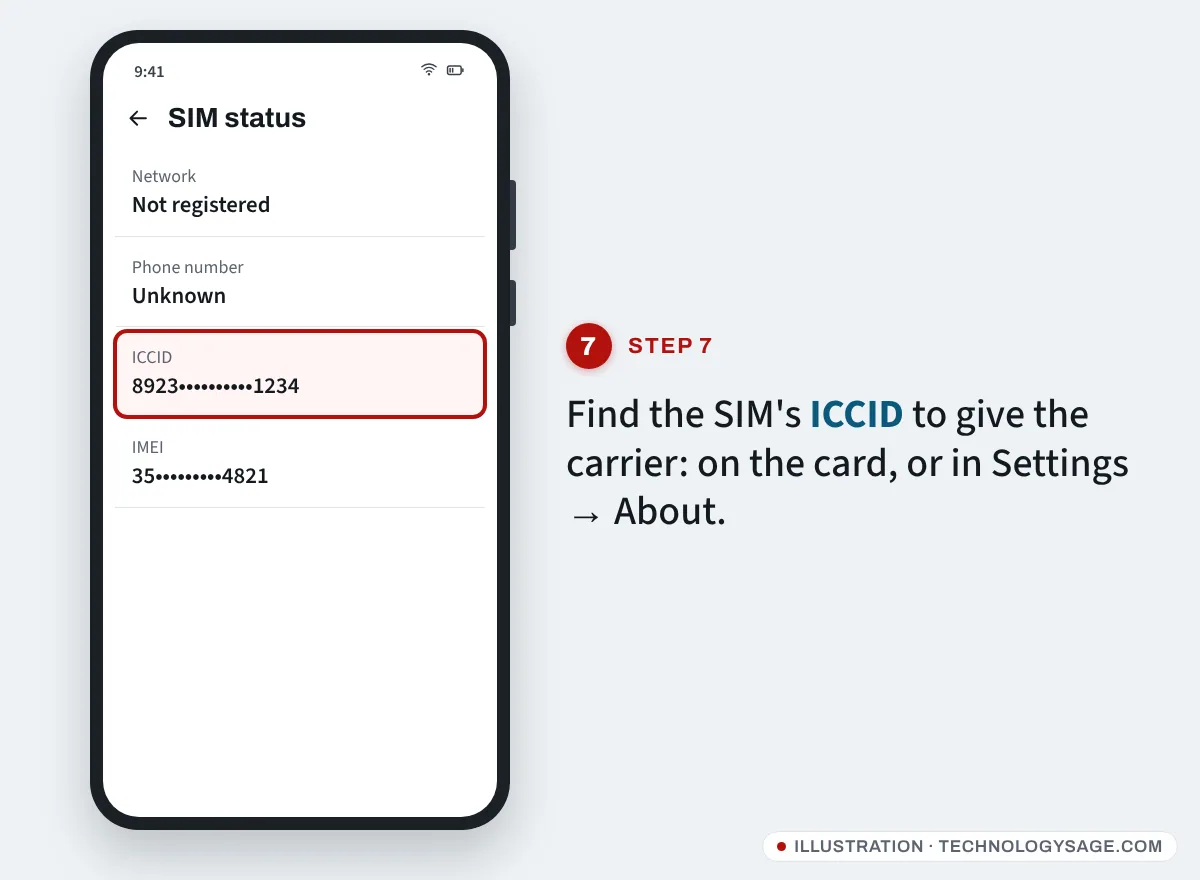
7. Contact your carrier with your ICCID
If none of the above works, the carrier needs to activate or re-provision the SIM. Call them from another phone, or use their app or website on Wi-Fi, and give them:
- your phone number,
- the SIM’s ICCID (the long number printed on the SIM card and its holder, usually starting with 89; it’s also in Settings → General → About on iPhone and in Settings → About phone → SIM status or Status information on many Android phones),
- what you’ve already tried.
Ask them to “check the SIM is provisioned on the account” and, if needed, “re-send the activation” or replace the SIM.
Safety: sudden “not provisioned” can mean a SIM swap
If your SIM was working, you didn’t order a new SIM or move carriers, and it suddenly says “not provisioned” or “no service”, someone may have moved your number to another SIM. Criminals do this to receive your bank, mobile money and WhatsApp codes.
- Contact your carrier immediately from another phone, using the number on its official website.
- Ask whether a SIM swap or port-out happened on your number.
- Change your bank and email passwords from a safe device, and alert your bank or mobile money provider.
Your carrier will never ask you to share a one-time code or pay a “reactivation fee” in airtime or gift cards. If WhatsApp was taken over, see what to do if WhatsApp is hacked.
If it still says SIM not provisioned
- Works in another phone: your phone is locked, or its IMEI is blocked. See Invalid SIM fixes for checking the IMEI with
*#06#. - Fails in every phone: the carrier hasn’t activated it or the SIM is faulty. Ask for a replacement.
- Calls work but data doesn’t (“not provisioned for data”): your plan or APN settings are the issue. Ask the carrier to send the correct mobile data settings.
- Phone shows “Emergency calls only”: see Emergency calls only: what it means and fixes.
FAQ
What does SIM not provisioned mean?
The SIM is in the phone and readable, but the carrier hasn’t activated it on its network, so the phone can’t connect for calls, texts or data.
What does SIM 1 not provisioned mean?
The same thing, for the SIM in the first slot of a dual-SIM phone. Check that the SIM in slot 1 is active, or move your active SIM to that slot.
How long does it take for a SIM to be provisioned?
Often minutes, sometimes a few hours, and longer during a number transfer. If it’s still not working the next day, contact your carrier.
Can I fix SIM not provisioned myself?
You can restart, toggle Airplane mode, finish activation and reseat the SIM. If the carrier hasn’t activated the line, only they can fix it.
Does SIM not provisioned mean my SIM is broken?
Usually not. It means the network doesn’t recognise it as active yet. A damaged SIM more often shows “Invalid SIM” or “No SIM”.