In this guide
To reset an itel smartphone, open Settings → System → Reset options → Erase all data (factory reset) and confirm. If you can’t unlock the phone or it won’t start, turn it off, hold Volume Up + Power until recovery mode opens, and select Wipe data/factory reset. itel keypad phones are reset from their own settings menu with the phone’s security code.
All three methods delete everything stored on the phone. Only reset your own phone: after a smartphone reset, Factory Reset Protection (FRP) asks for the Google account that was on it.
Before you reset
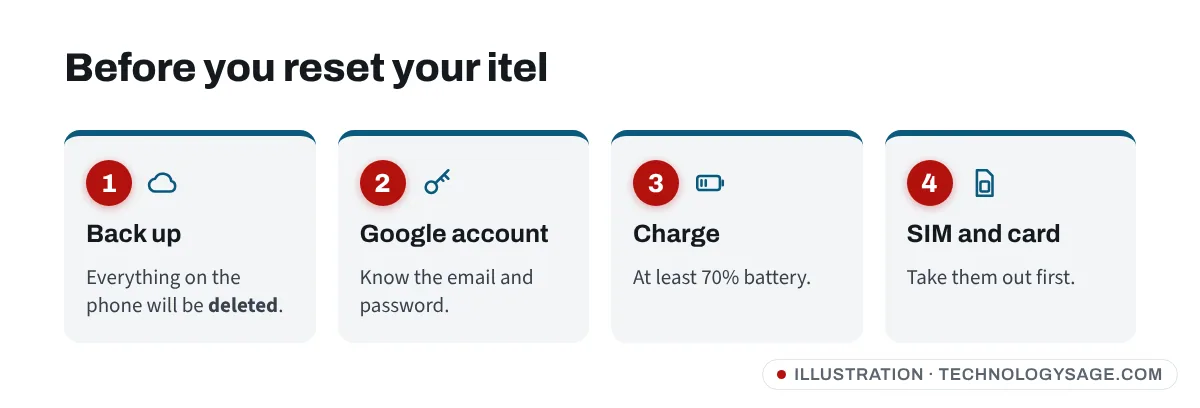
- Back up photos, contacts and documents. Google Photos and Google Contacts back up automatically if they’re turned on. WhatsApp needs its own backup; see how to move WhatsApp to a new phone.
- Make sure you know the Google account and password on the phone.
- Charge the battery to at least 70%.
- Remove the SIM and memory card.
- Giving the phone away? Remove your Google account from Settings → Accounts first.
If the phone is only slow or full, a reset may be overkill. Clearing storage and removing unused apps often helps more than you’d expect; our guide to making Android run faster has the steps.
Method 1: Factory reset in Settings (itel smartphones)
This works on itel A, P, S, City and Zeno series phones, including Android Go models.
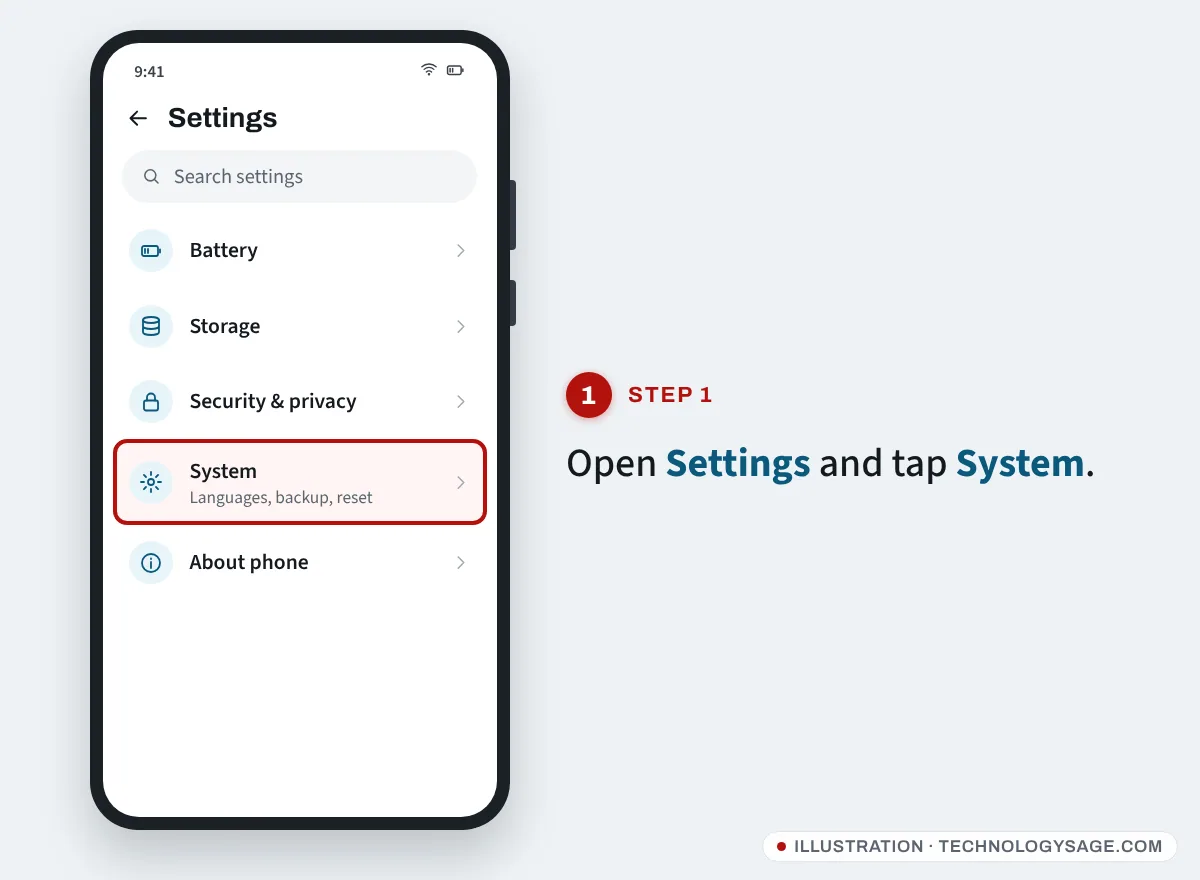
- Open Settings.
- Scroll down and tap System.
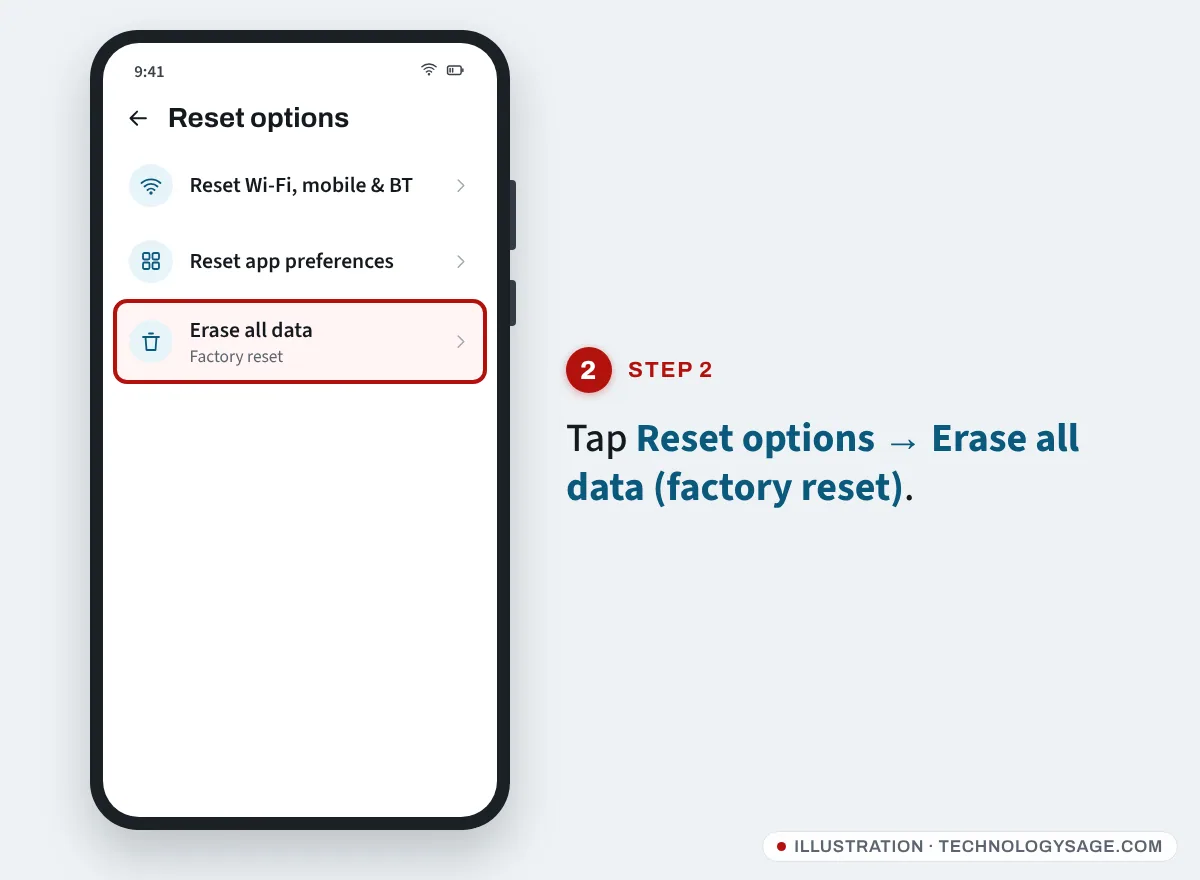
- Tap Reset options.
- Tap Erase all data (factory reset).
- Tap Erase all data (it may say Reset phone) and enter your PIN or pattern.
Can’t find it? Tap the search bar at the top of Settings and type reset. Menu names differ a little between itelOS versions.
Method 2: Hard reset with buttons (recovery mode)
Use this if you forgot your screen lock, or the phone is stuck on the itel logo or keeps restarting.
- Turn the phone off. If it’s frozen, hold Power for 10 to 15 seconds.
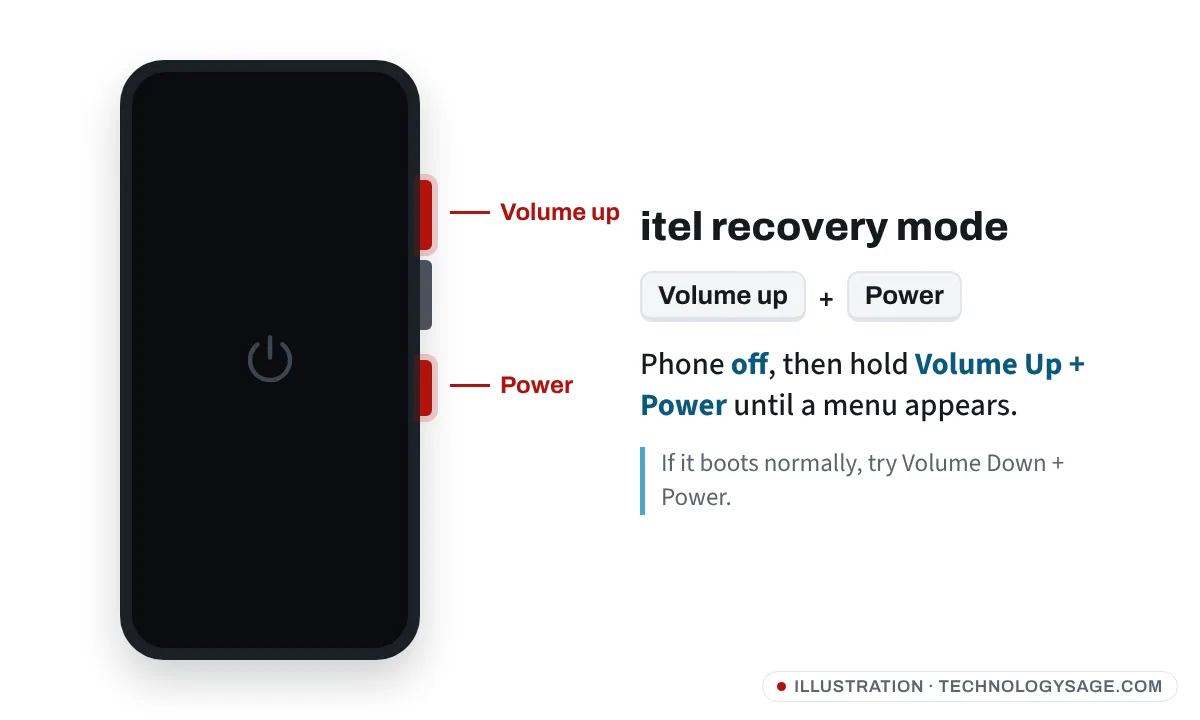
- Hold Volume Up + Power together. Release them when the itel logo or a menu appears.
- What you see next:
- Android Recovery menu: continue to step 4.
- Small boot menu (Recovery / Fastboot / Normal): press Volume Up to choose Recovery Mode, then Volume Down to confirm.
- Robot with “No command”: hold Power, press Volume Up once, then release.
- Normal start-up: try again holding a little longer, or use Volume Down + Power, which some itel models use.
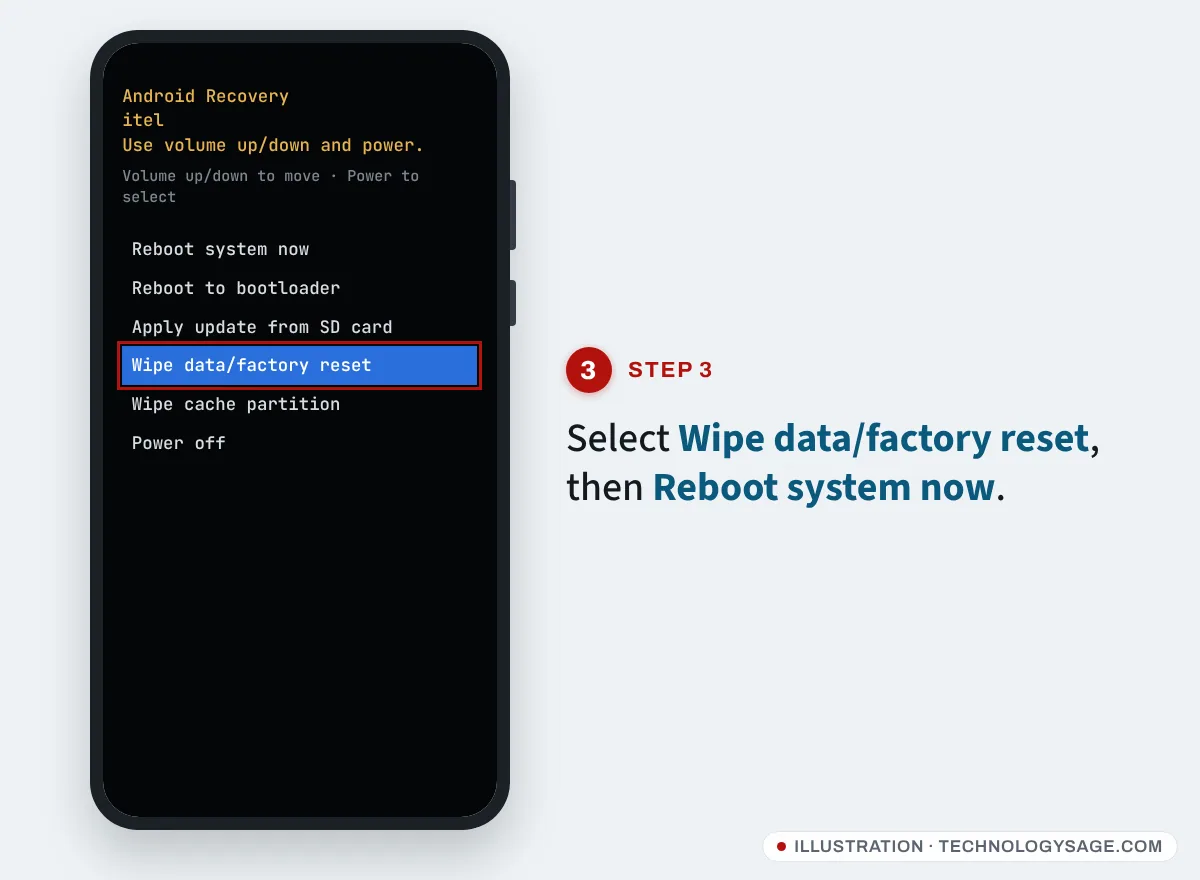
- Use Volume Down to reach Wipe data/factory reset and press Power.
- Confirm with Factory data reset or Yes.
- When the wipe finishes, select Reboot system now.
The first boot afterwards is slow. Wait until the welcome screen appears.
Method 3: Reset an itel keypad (feature) phone
itel feature phones don’t have recovery mode. They have a Restore factory settings option in their menu:
- Open Menu → Settings.
- Look for Restore factory settings (on some models inside Phone settings or Security).
- Enter the phone’s security code when asked and confirm.
The default security code is printed in the user manual that came with the phone. If you changed it and can’t remember it, take the phone and your receipt to a Carlcare service centre. Avoid “unlock code” software and websites; many are scams and some damage the phone.
Restoring factory settings on a feature phone resets settings and may delete contacts and messages saved on the phone (not on the SIM), so copy important contacts to the SIM first.
After the reset: Google account verification
When you set the smartphone up again, it asks for the Google account that was previously signed in. This is FRP, and it’s normal.
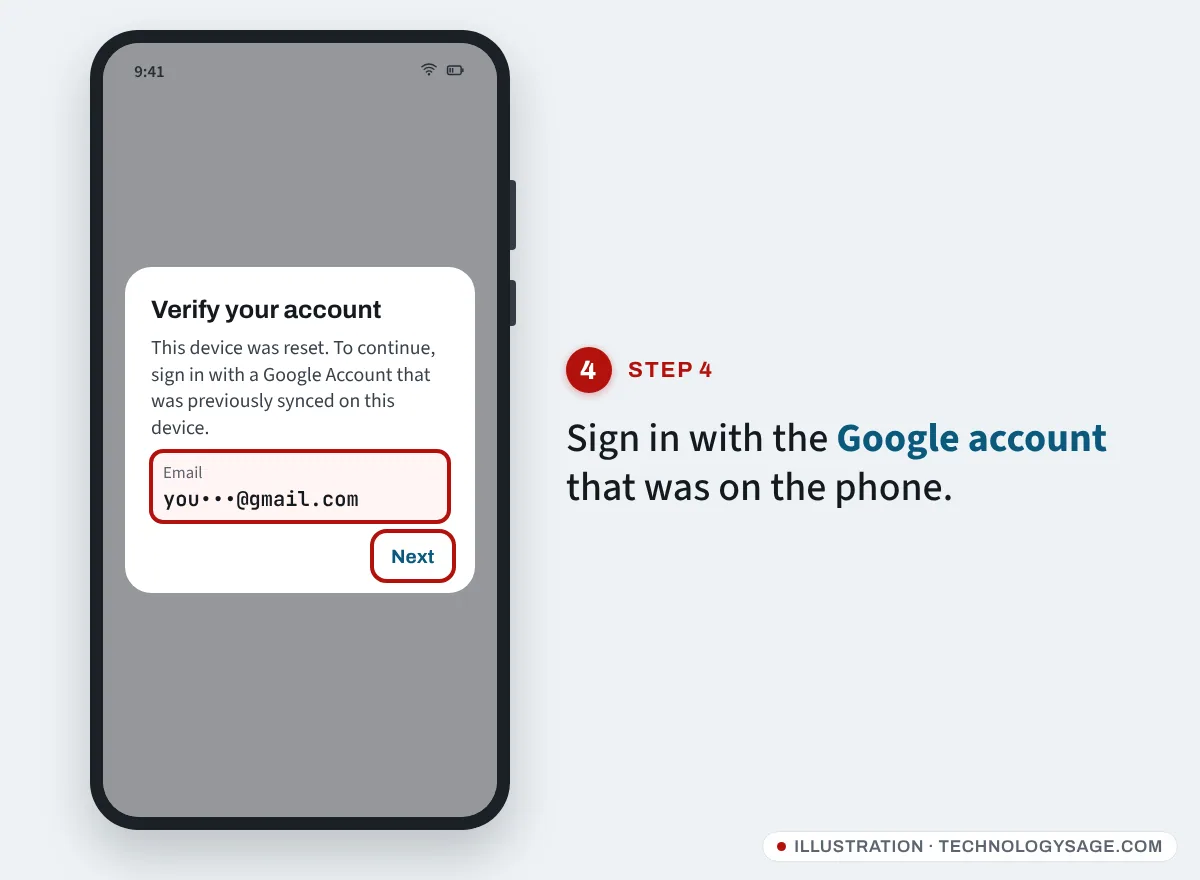
- Connect to Wi-Fi or mobile data and sign in.
- Forgot the password? Recover the account from another phone or computer first. Our guide on recovering a Gmail account without a phone number walks through it.
- Second-hand phone locked to someone else? Ask the seller to remove the account. If you can’t reach them, Carlcare can help if you have proof of purchase; carlcare.com lists a Phone Unlocking Appeal under Support.
If it doesn’t work
- Buttons do nothing: make sure the phone is fully off and charged. A very flat battery won’t start recovery.
- Recovery opens but shows “No command” again: wait a minute and repeat the Power + Volume Up tap.
- Stuck on the itel logo after reset: open recovery, choose Wipe cache partition, then reboot.
- Still stuck: the software may need reinstalling. That needs a computer and the exact firmware; on Unisoc-based itel phones it’s done with a tool like the one in our SPD UpgradeDownload guide. If the phone is under warranty, use our itel warranty check and let Carlcare do it for free.
Stay safe
itel and Carlcare don’t ask for payment by airtime or mobile money to personal numbers, and won’t ask for your Google password or one-time codes. Ignore “unlock” services on social media.
FAQ
Is there a code to factory reset an itel smartphone?
No. Use Settings or recovery mode. Dial codes passed around online don’t reliably reset itel smartphones and some open hidden test menus.
Will a factory reset remove viruses?
Yes, in almost all cases a full reset removes malicious apps. Install apps only from Google Play afterwards. See how to protect your smartphone from viruses.
How long does an itel reset take?
Usually 5 to 15 minutes, though Google says some phones can take up to an hour.
Does a reset delete what’s on my SD card?
A factory reset wipes the phone’s internal storage. Files on a removable memory card usually stay, but take the card out first to be safe.