In this guide
To check your itel warranty, dial *#06# to get the phone’s IMEI, then enter it on the Warranty Check page of the official Carlcare website (carlcare.com), which handles after-sales service for itel, Tecno and Infinix. The result shows whether your phone is still covered and when the warranty ends.
This works for itel smartphones (A, P, S, City and Zeno series) and for itel feature phones (the “keypad” phones). Here’s the full process.
Step 1: Find the IMEI
On an itel smartphone
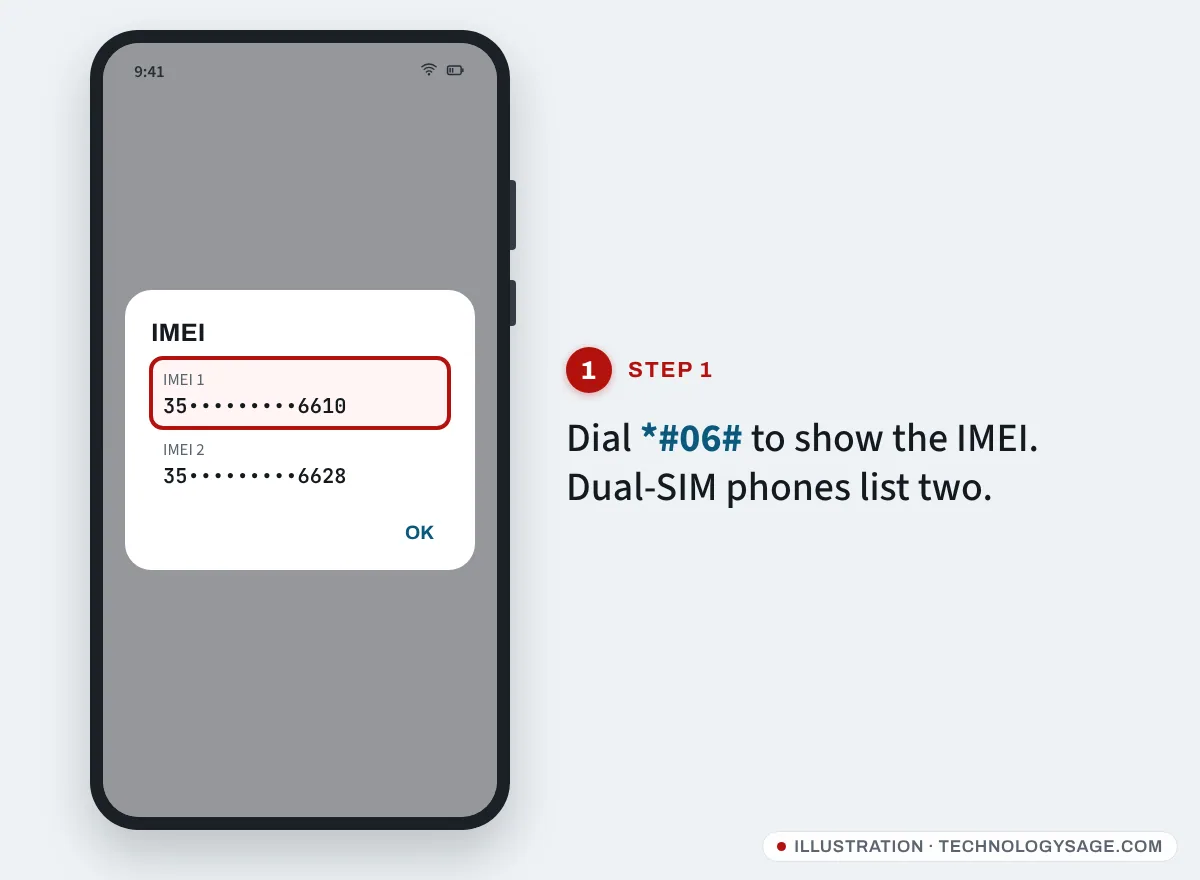
- Open Phone and dial *#06#. The IMEI shows on screen. Dual-SIM phones show two; use either.
- Or open Settings → About phone and look for IMEI (on some itelOS and Android Go versions it’s inside Status).
On an itel feature phone
- On the home screen, type *#06# with the keypad. Most itel keypad phones show the IMEI straight away.
- If nothing appears, switch the phone off, remove the back cover and battery (on models with a removable battery) and read the IMEI sticker underneath.
You’ll also find the IMEI on a sticker on the side of the box.
Step 2: Enter it on Carlcare’s warranty page
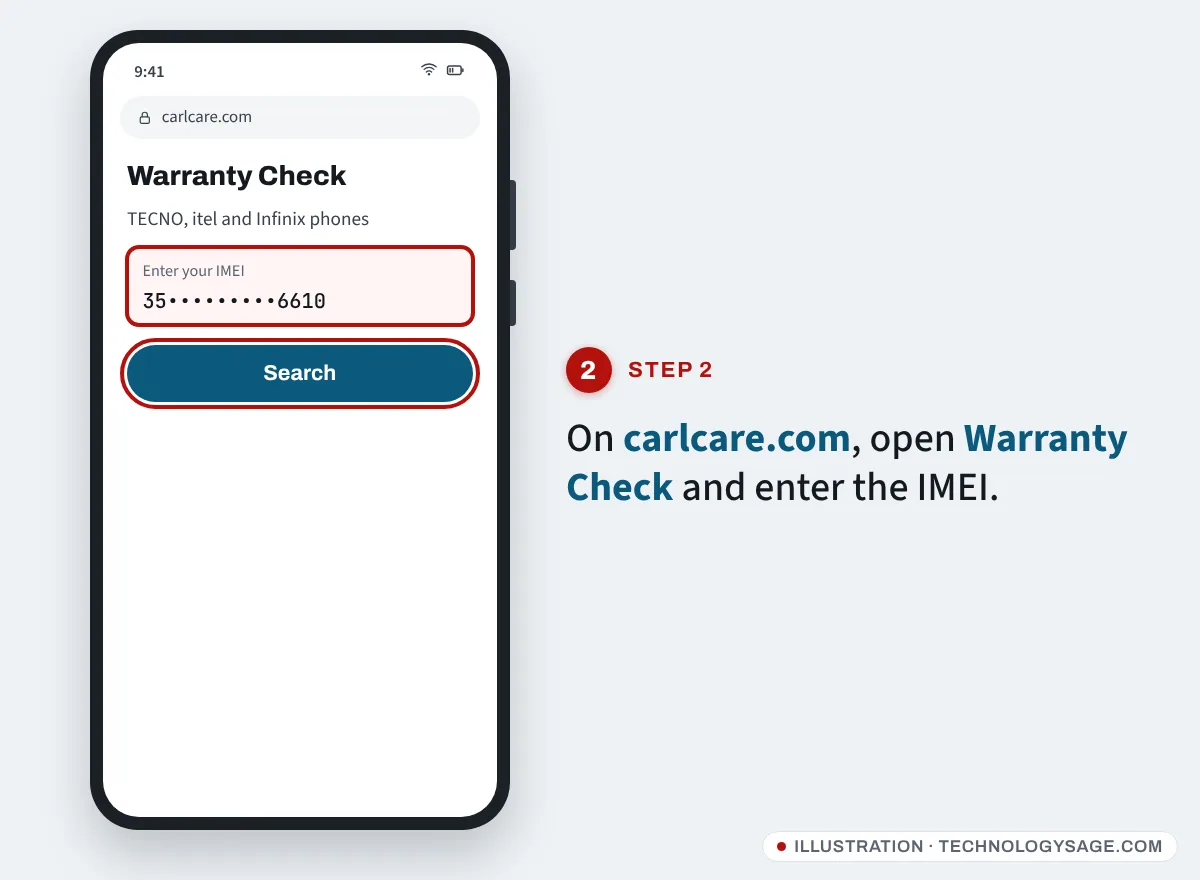
- Open carlcare.com on any phone or computer.
- Choose your country or region (warranty rules differ by country).
- Go to Repair Service → Warranty Check.
- Type the IMEI in the Enter your IMEI box and tap the search icon.
If you’re checking a feature phone, use a smartphone or computer for this step.
Step 3: Read the result
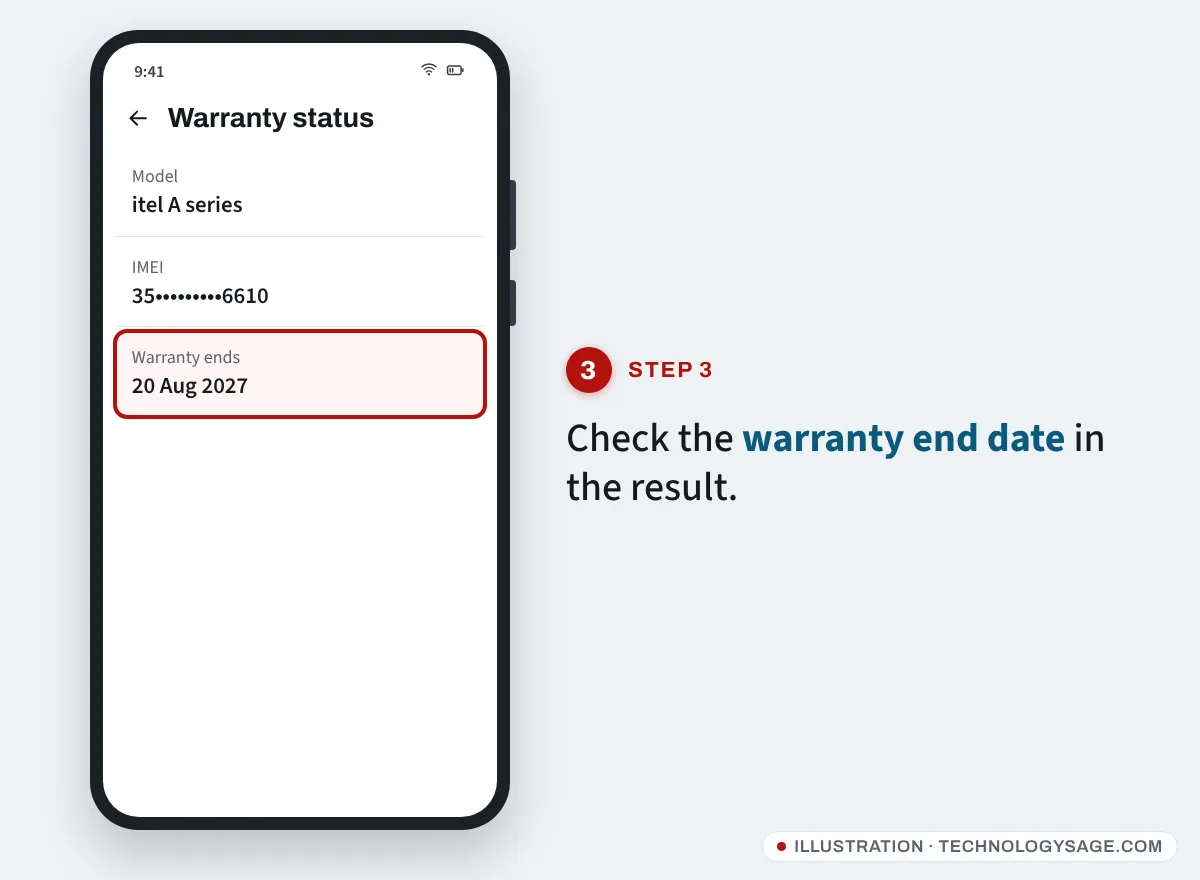
- An end date in the future: the phone is under warranty until that date.
- An end date in the past: the warranty has expired; Carlcare can still repair the phone for a fee.
- No information found: re-enter the IMEI carefully. If it still fails, the warranty may not have been registered or the phone may have come through an unofficial channel. Take your receipt to a Carlcare centre.
The warranty clock usually starts when the phone is first activated rather than on your receipt date, so keep the receipt. It’s your proof if the date shown is too early.
Check with the Carlcare app
The Carlcare app (by Transsion Holdings) is pre-installed on many itel smartphones and is free on Google Play. Open it and look for the warranty or e-warranty card on the main screen; it reads the phone’s own IMEI automatically. You can also book a repair, find service centres and track a repair from the app.
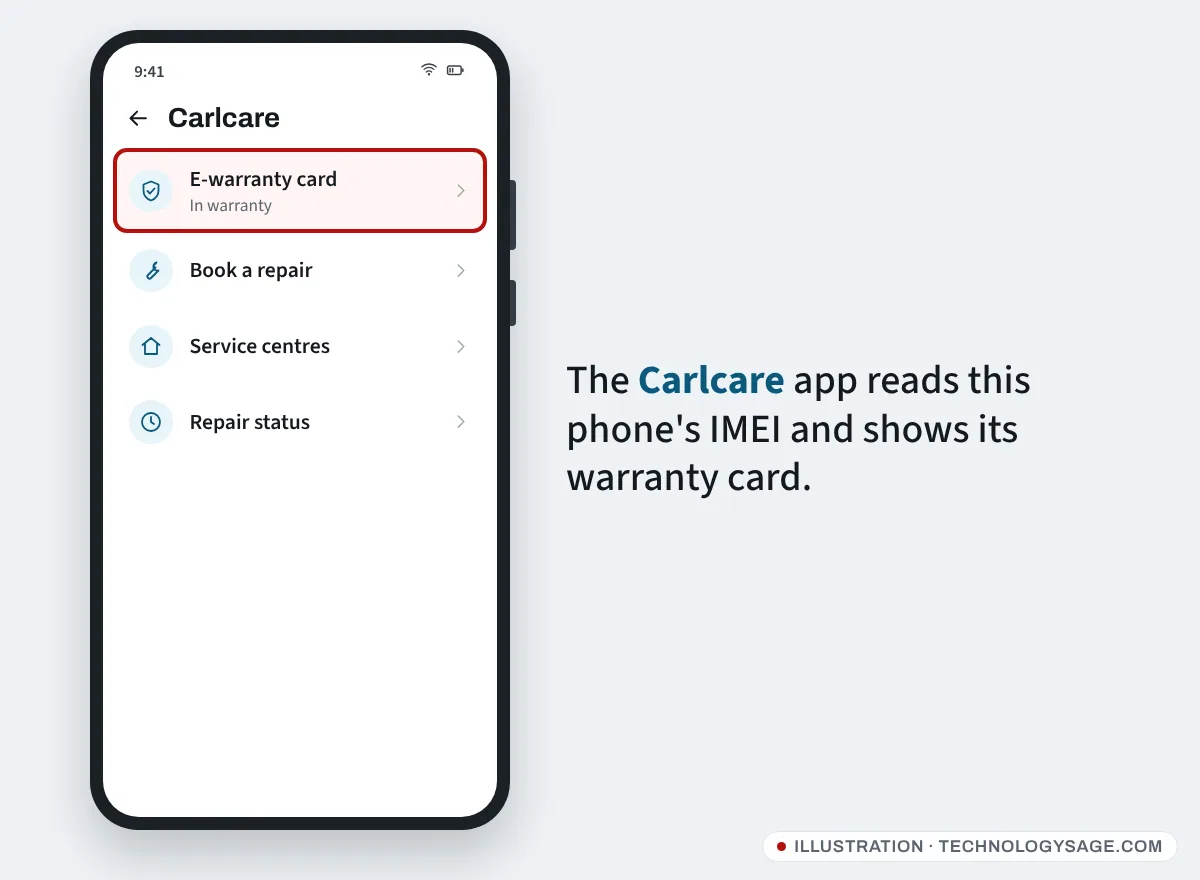
On low-storage Android Go phones the app may not be installed. The website works just as well.
How long is the itel warranty?
Check Service Policy for your country on carlcare.com, because periods differ. Carlcare’s Kenya policy for itel, for example, lists:
| Item | Warranty (Kenya example) |
|---|---|
| Handset, including built-in battery | 24 months |
| In-box charger, cable, headset | 6 months |
| Charger or cable bought separately | 12 months |
| TWS earbuds | 12 months |
In 2024 itel also announced it was extending the warranty on its feature phones in sub-Saharan Africa from 12 to 24 months. Older phones, and phones in other regions, may still have 12 months, so the checker’s date is what counts.
Carlcare’s global itel policy says the warranty is for the first buyer only. It doesn’t cover cosmetic damage, cracked screens, liquid damage, drops or other accidents, repairs by unauthorised technicians, unauthorised modifications, normal wear and tear, or phones whose serial number has been removed. It also warns that phones bought from unofficial channels may be locked and may not get official repairs.
How to claim a repair
- Back up what you can. Carlcare repairs can erase phone storage.
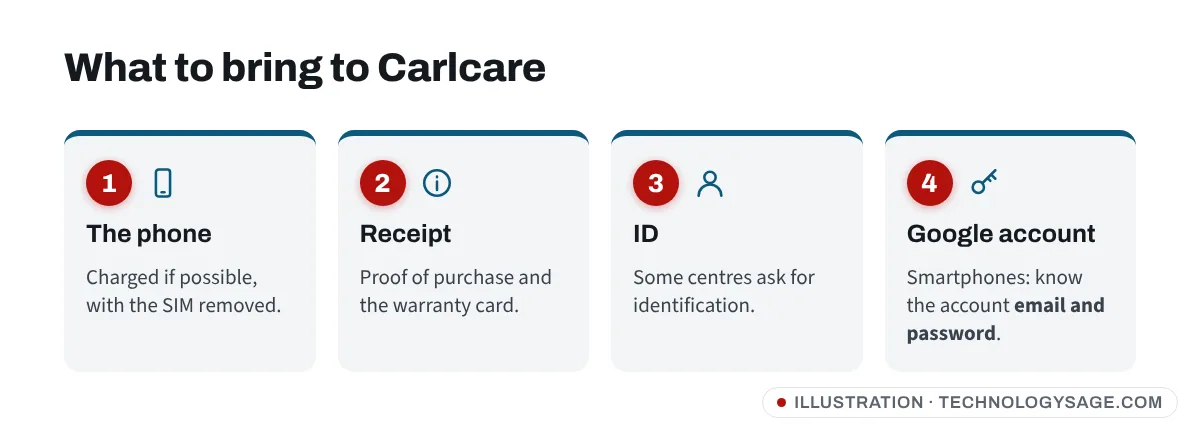
- If it’s a smartphone, make sure you know the Google account signed in on it.
- Find the nearest centre under Service Center on carlcare.com.
- Take the phone, receipt, warranty card (if any) and ID.
- If the fault is covered, the repair is free. If staff find physical or water damage, they should quote you first.
If it doesn’t work
- *#06# shows nothing on a feature phone: some models need you to press the call key after the code. If still nothing, read the sticker under the battery or on the box.
- “Invalid IMEI”: you need all 15 digits, no spaces.
- IMEI shows as zeros or “invalid”: the phone’s software or board has a fault. Carlcare can diagnose it. Don’t use “IMEI repair” software; changing an IMEI is illegal in many countries, and such tools often carry malware (see how to protect your smartphone from viruses).
- Network says “invalid SIM” after a repair: go back to the same service centre; it’s usually a software issue they can fix.
Don’t fall for fake support
Warranty checks are free. Carlcare doesn’t ask for payment by airtime or mobile money to personal numbers, and won’t ask for your Google password or one-time codes. Use only the contacts listed on carlcare.com. If your phone was stolen, report it to the police and your network rather than to “recovery” pages on social media. More tips: how to improve the security of your phone.
Also checking a Tecno or Infinix? See our Tecno warranty check and Infinix warranty check guides. If you need to wipe the phone before handing it in, follow how to reset an itel phone.
FAQ
Can I check itel warranty by SMS?
We couldn’t find an official SMS warranty service for itel that works across countries. Use the Carlcare website or app, or call the Carlcare hotline listed on carlcare.com for your country.
Does the itel warranty cover the battery?
The built-in battery is covered as part of the handset in Carlcare’s Kenya policy, but batteries are treated as consumable parts and normal ageing isn’t a defect. A battery that swells or fails early is worth showing to Carlcare. Before you go, you can check battery health on Android.
My itel was bought online. Is it covered?
If it was sold by an official itel store or authorised retailer, yes. Grey-market imports may be refused. Keep the order confirmation as your receipt.
Is a repaired phone’s warranty extended?
itel’s support terms say a repaired or replaced product keeps the remaining time of the original warranty, so the clock does not restart.