In this guide
- Before you start: never share this code
- 1. Check your number and country code
- 2. Wait for the timer, then don’t keep resending
- 3. Get the code by phone call
- 4. Use email if you’re re-registering
- 5. Make sure your SIM can receive texts and calls
- 6. Check for SMS and call blockers
- 7. Restart the phone and update WhatsApp
- 8. Try a different network or location
- 9. Contact your mobile network
- Numbers that can’t be used
- If you’re stuck on a different screen
- FAQ
If your WhatsApp verification code isn’t arriving, first check that you typed your number correctly with the right country code, and that your SIM has signal and can receive texts. Then wait for the timer to finish and tap Need help getting a code? → Call me to get the 6-digit code by voice call instead of SMS. Requesting codes again and again doesn’t help; each new request makes the next wait longer.
If that doesn’t work, go through the nine fixes below in order.
Before you start: never share this code
The 6-digit code is the key to your WhatsApp account. Nobody legitimate will ever ask you for it: not WhatsApp, not a friend, not a “promo” or “job” agent. If someone messages you saying they sent their code to you “by mistake”, it’s a scam to steal your account. If you received a code you didn’t request, ignore it and see what to do if WhatsApp is hacked.
1. Check your number and country code
The most common mistake is the number format.
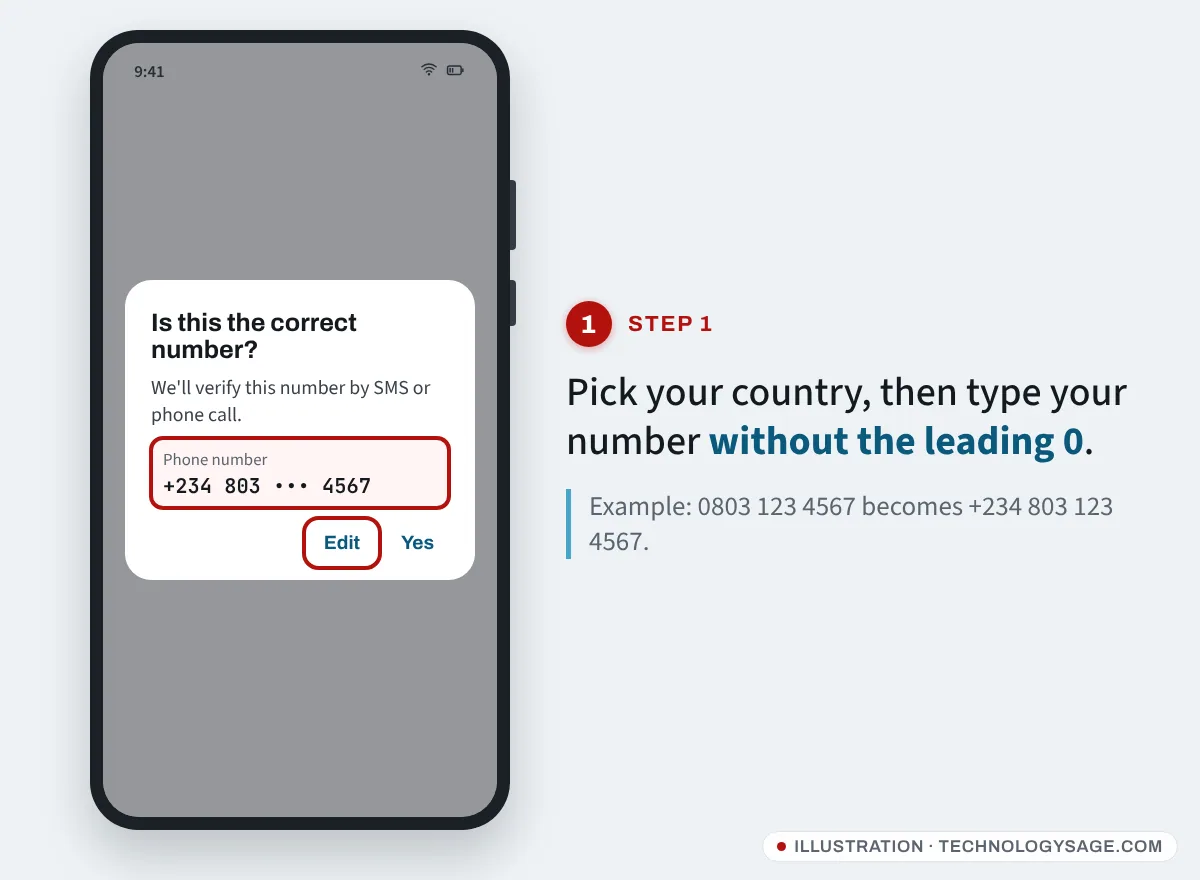
- On the Enter your phone number screen, pick your country from the list. The country code fills in automatically (for example +234 Nigeria, +91 India, +254 Kenya, +63 Philippines, +92 Pakistan, +27 South Africa, +233 Ghana).
- Type the rest of your number without the leading 0. For example, Nigerian 0803 123 4567 becomes +234 803 123 4567.
- Tap Next and double-check the number in the confirmation pop-up. If it’s wrong, tap Edit.
2. Wait for the timer, then don’t keep resending
WhatsApp shows a countdown before you can ask for another code. SMS codes can take up to about 10 minutes in some regions.
- Let the timer run out completely before you tap anything.
- Each new request extends the wait before the next one.
- If you see “Login not available right now” or a long wait, it’s a temporary hold. WhatsApp says there’s no way to speed it up, and starting again early can reset the wait. Come back after the time shown.
- Entering the wrong code too many times also triggers a wait.
3. Get the code by phone call
If SMS isn’t working, a voice call often is.
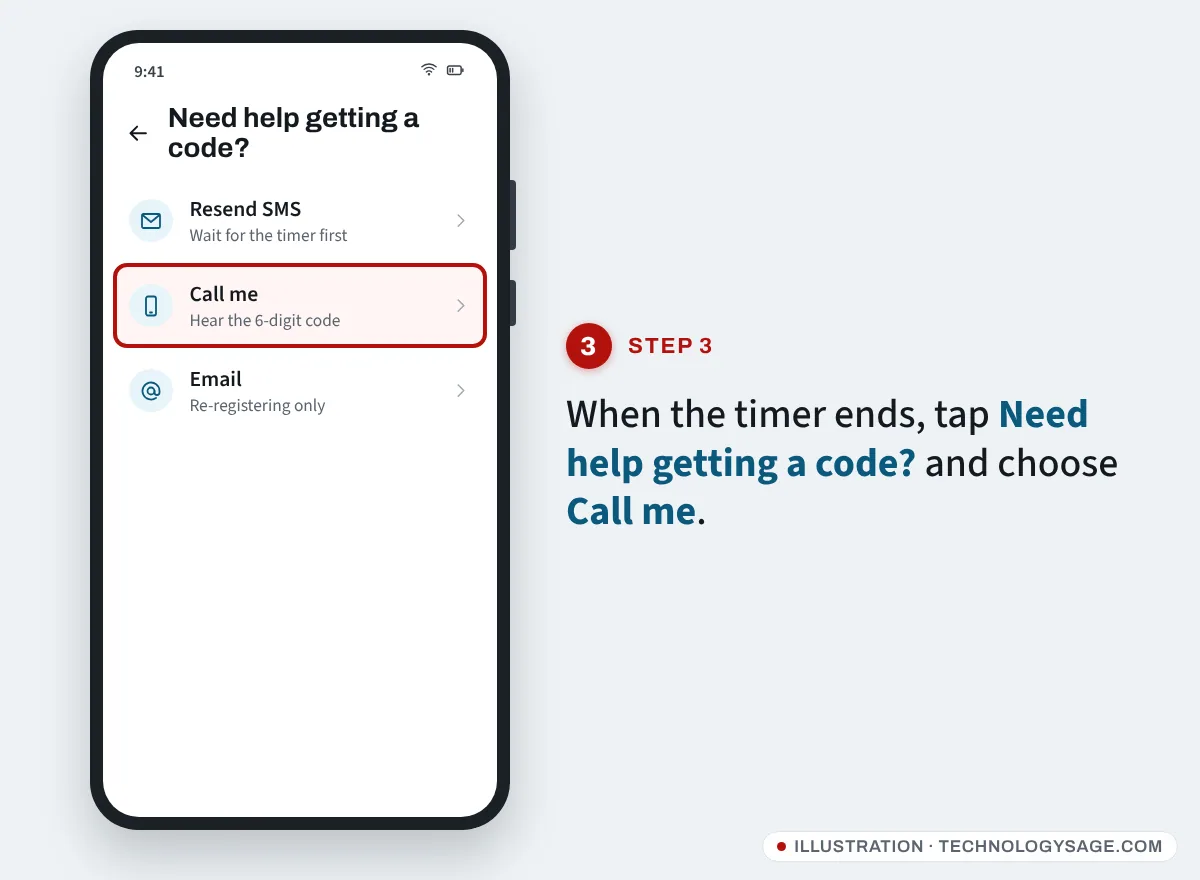
- When the timer ends, tap Need help getting a code? (on some versions, Didn’t receive code?).
- Choose Call me (or Voice call).
- Answer the call; an automated voice reads out your 6-digit code. Type it into WhatsApp.
If you can’t answer (for example the SIM is in another phone), WhatsApp says that in most regions it will leave the code as a voicemail if voicemail is turned on.
Depending on your phone and region, WhatsApp may also offer other options, such as verifying with a missed call or, when you re-register an existing account, by email.
4. Use email if you’re re-registering
If you previously added and verified an email address in WhatsApp (Settings → Account → Email address), you may be able to get the code by email when you set up WhatsApp again. On the Choose how to verify screen, tap Email → Continue. This is not available for a brand-new account.
5. Make sure your SIM can receive texts and calls
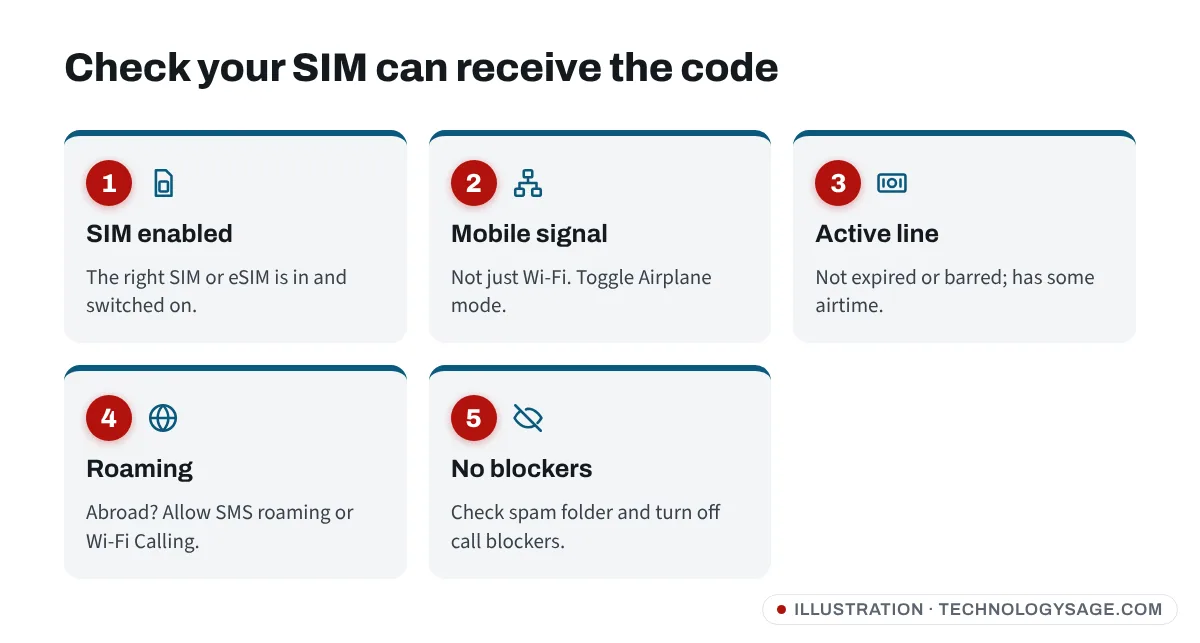
- Signal: You need mobile network signal, not just Wi-Fi. Move near a window or outside, and turn Airplane mode on for 10 seconds, then off.
- Active line: Check the line isn’t barred or expired. Send a text to your own number from another phone, or call it, to confirm it works.
- Airtime: Some prepaid lines can’t receive messages properly when they’ve been inactive or have no balance. Load a small amount of airtime if you’re unsure.
- Dual SIM: WhatsApp sends the code to the number you typed, so that SIM must be in the phone and switched on. On dual-SIM Tecno, Infinix, itel and Samsung phones, check Settings → SIM card manager (or SIM cards & mobile networks) that both SIMs are enabled. If you use a second WhatsApp on the other SIM, see how to run multiple WhatsApp accounts.
- eSIM: An eSIM receives SMS like a normal SIM, but it must be active and switched on. See how to activate an eSIM.
- Roaming: If you’re abroad, turn on roaming for SMS or use Wi-Fi Calling, if your network supports it.
- New or ported number: After moving your number to another network, codes can’t arrive until the number is fully active on the new network.
6. Check for SMS and call blockers
Codes often arrive but get hidden.
-
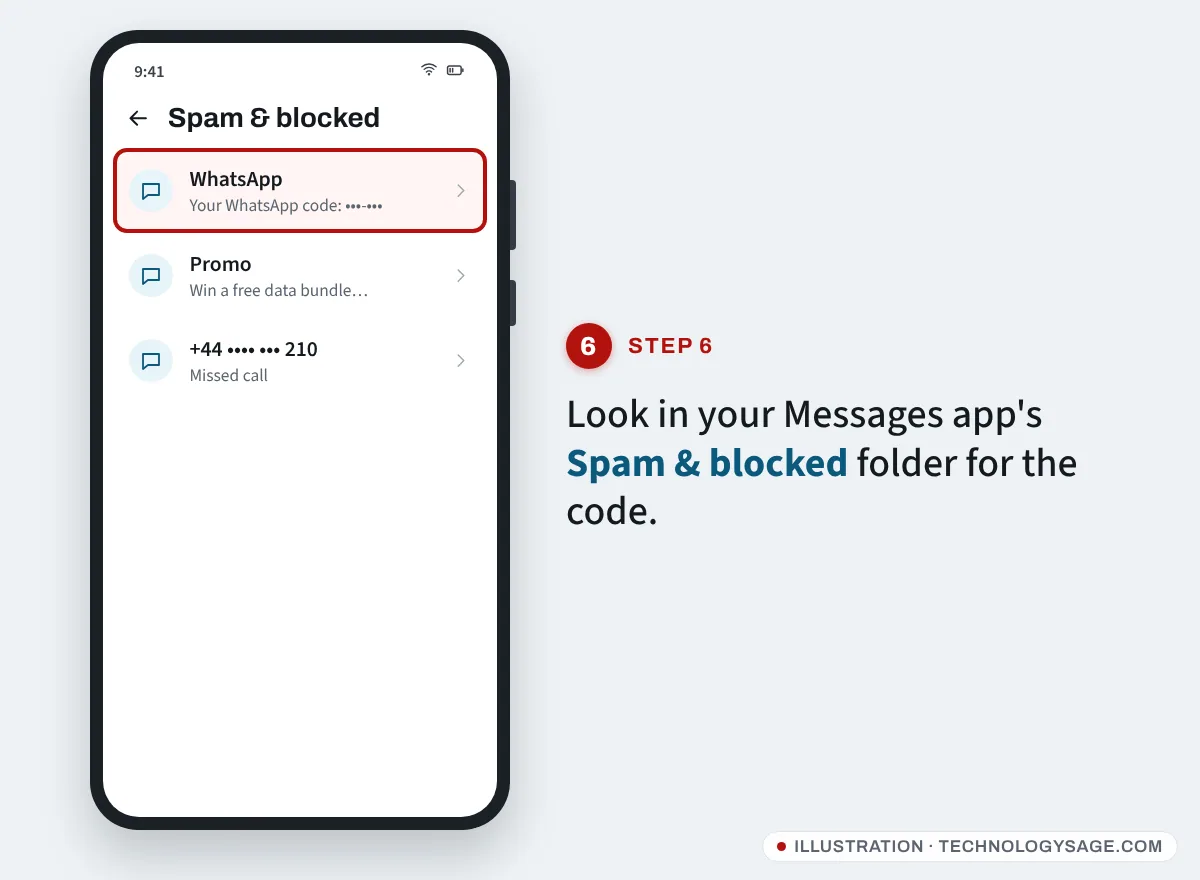
Open your Messages app and check Spam & blocked (Google Messages: tap your profile icon or menu → Spam & blocked; Samsung Messages: three dots → Settings → Block numbers and spam).
-
Turn off any call blocker or “unknown caller” filter while you verify, so the Call me option can ring through. Our list of call and SMS blocking apps explains how these filters work.
-
Disable Do Not Disturb temporarily.
-
Some networks let you block promotional or short-code messages. If you’ve done that, verification texts can be blocked too. Contact your network to check.
7. Restart the phone and update WhatsApp
- Restart the phone.
- Open the Play Store (or App Store), search for WhatsApp and install any update.
- If you’re stuck on the verification screen, uninstall and reinstall WhatsApp, then request the code again after any wait time has passed.
If WhatsApp was already set up on this phone with chats you care about, make sure you have a backup before reinstalling. See how to move WhatsApp to a new Android phone for backup steps.
8. Try a different network or location
Weak coverage or a congested network delays SMS. WhatsApp suggests moving to a different location for better signal, or turning on Wi-Fi Calling in your phone’s settings if your network offers it, so voice calls can reach you over Wi-Fi.
9. Contact your mobile network
If nothing arrives after trying everything, call your network’s customer care. They can confirm whether SMS or calls from international senders to your number are being blocked or delayed. WhatsApp itself says some regions have known delays with SMS and call codes, so sometimes waiting a few hours is the only fix.
Numbers that can’t be used
WhatsApp doesn’t accept VoIP, toll-free, premium-rate or most landline numbers (WhatsApp Business can use landlines). Free “virtual numbers” from websites and apps often fail or get banned, and shared virtual numbers are risky because anyone else using that number can take the account.
If you’re stuck on a different screen
- It asks for a 6-digit PIN after the code: that’s your two-step verification PIN, not the SMS code. If you forgot it, tap Forgot PIN? to reset it by email, if you added one.
- “Your phone number is banned from using WhatsApp”: you need to request a review from inside the app, not a new code.
- Logged out and code goes to someone else: your account may have been registered by someone else. Follow our WhatsApp hacked guide.
FAQ
How long should I wait for the WhatsApp code?
Usually it arrives within a minute or two, but it can take up to about 10 minutes in some places. Wait for the timer to finish before requesting another code or choosing Call me.
Why does WhatsApp say “try again in 1 hour” or longer?
You’ve requested too many codes or entered too many wrong ones. It’s a temporary security hold, and the only fix is to wait. Starting over early can reset the timer.
Can I get the WhatsApp code without my SIM?
Only if your number is reachable somehow: the SIM in another phone (for the SMS or call), voicemail for the Call me option, or email if you’re re-registering and verified an email before. Without access to the number, you can’t verify it.
Is it safe to use a code-receiving website?
No. Public SMS websites show your code to everyone, and the account can be stolen or banned. Use your own number.