In this guide
If your Instagram account is disabled or suspended, open the Instagram app and log in with your username and password. You will see a notice such as We suspended your account; tap Disagree with decision (or Request a review) and follow the steps, which may include a security code, a video selfie or a photo of your ID. Do it before the deadline shown on that screen, because once it passes the account can be deleted for good.
This guide explains the different kinds of “disabled”, what each appeal step involves, how long it can take and what to try if it fails. It only covers appealing your own account.
Disabled, suspended or deactivated: which is it?
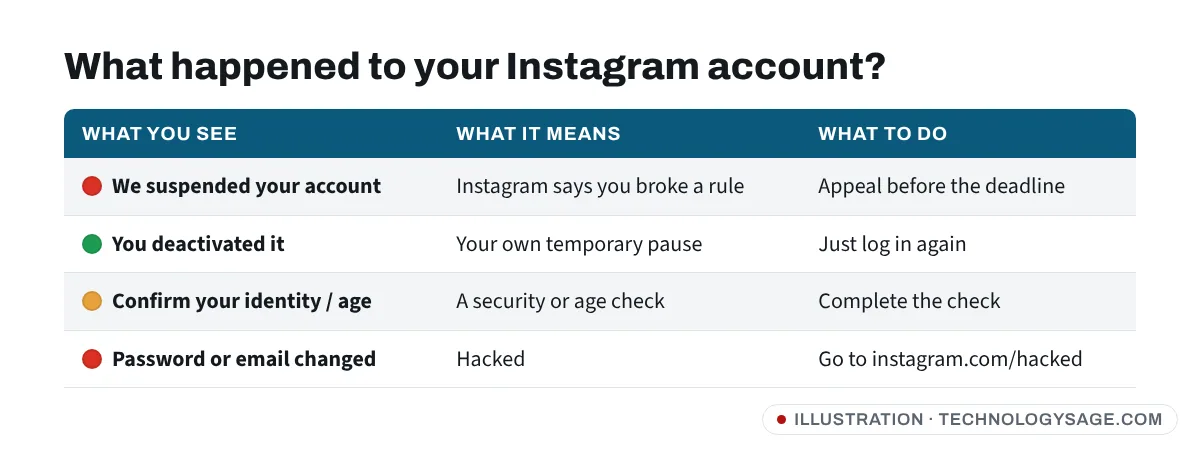
- Suspended / disabled by Instagram. Instagram thinks the account broke its Community Guidelines or Terms of Use. You see a notice when you log in, usually with an appeal option and a deadline.
- Deactivated by you. If you used temporarily deactivate, there is nothing to appeal. Just log back in to reactivate.
- Locked for security or age. Instagram may ask you to confirm your identity or your age before you can continue. This is a check, not a ban.
- Hacked. If you can’t log in because someone changed your password, email or phone number, see Instagram hacked and email changed instead.
Common reasons Instagram disables accounts
- Posts, comments or messages that break the Community Guidelines (nudity, hate, harassment, violence, scams).
- Repeated copyright or trademark complaints.
- Impersonation or using a fake name or someone else’s photos.
- Being under 13, or Instagram believing you are.
- Spam-like behaviour: following, liking or messaging too fast, or using follower, like or auto-DM apps that log in with your password.
- Your account being hacked and used to post scams, which then gets your account suspended.
- Mistakes. Automated systems do get it wrong, which is what the appeal is for.
Meta’s own explanation of when it disables accounts is on its Transparency Center.
How to appeal a disabled Instagram account
Step 1: Log in and read the notice
Open the Instagram app (update it first) and log in with your normal username and password. Read the notice carefully. It usually says:
- why the account was suspended (the reason may be general),
- how many days you have to appeal,
- whether you can request a review at all.
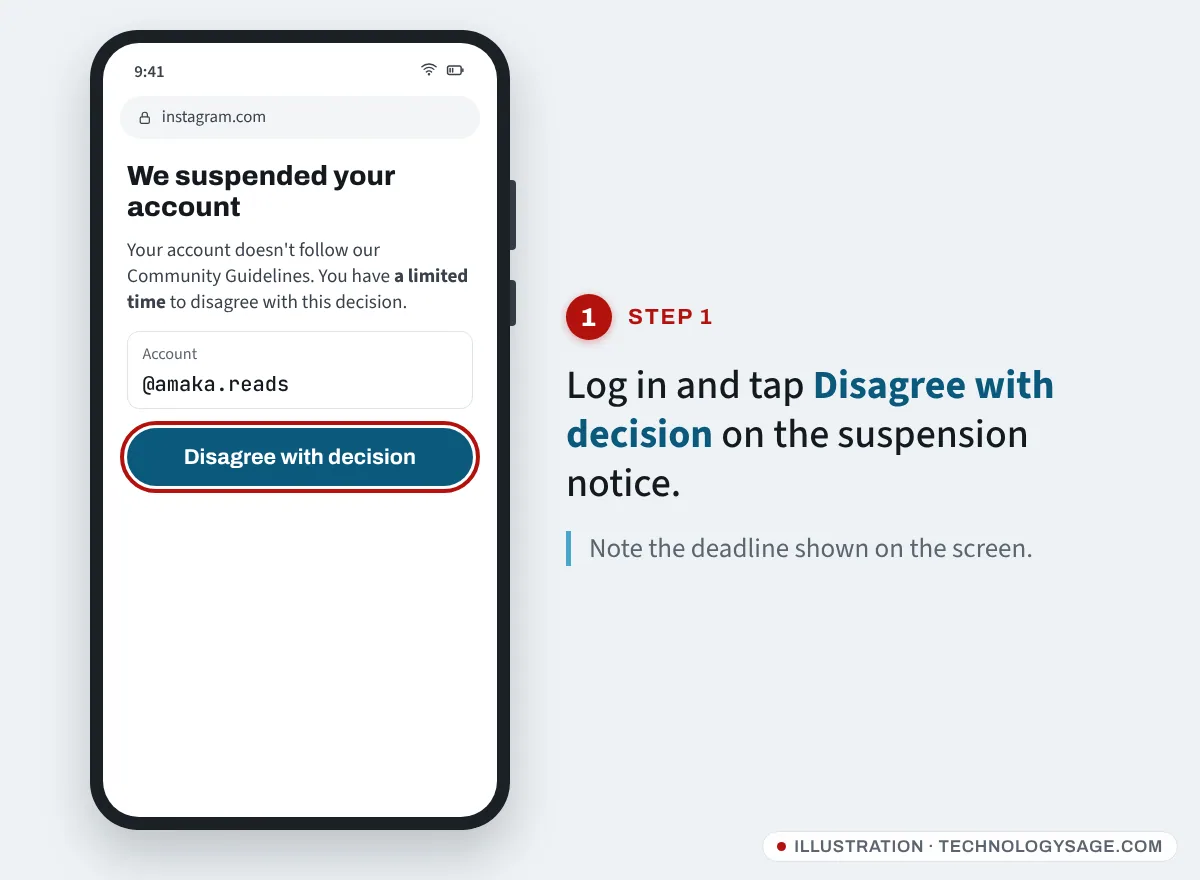
Take a screenshot so you have the date and reason.
Step 2: Tap Disagree with decision
Tap Disagree with decision or Request a review. Instagram may then ask you to confirm the account is yours by sending a security code to the email or phone number on the account. Enter the code.
Step 3: Complete the identity or age check
Depending on the reason, Instagram may ask for:
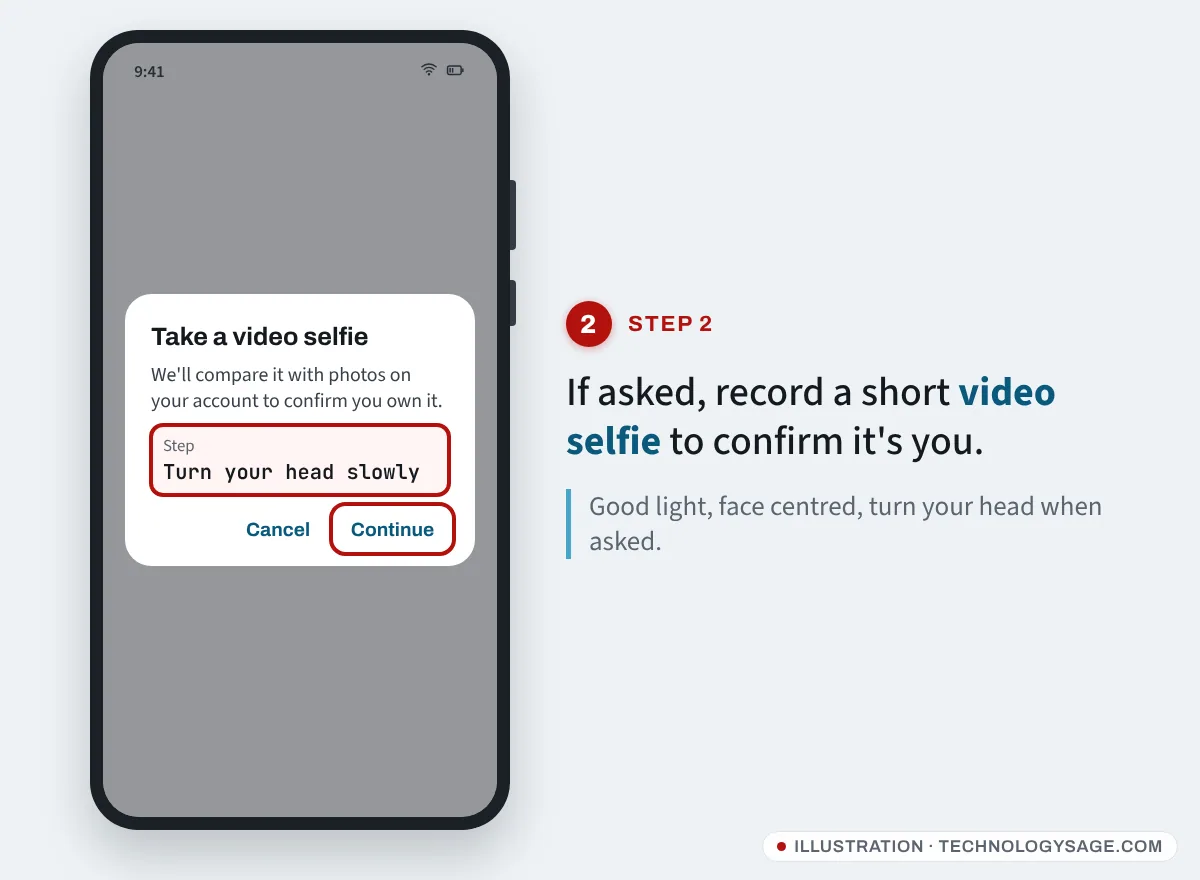
- A video selfie. Hold your phone at face level and turn your head as instructed. Instagram compares it with photos on the account. If the issue is age, the video selfie age check uses Yoti’s technology to estimate your age and is available in some countries.
- A photo of your ID. Use an original, in-date government ID. The name should match the account.
- A short explanation. If there is a text box, write two or three calm, factual sentences: what the account is for and why you believe the decision was a mistake. Do not paste long legal threats.
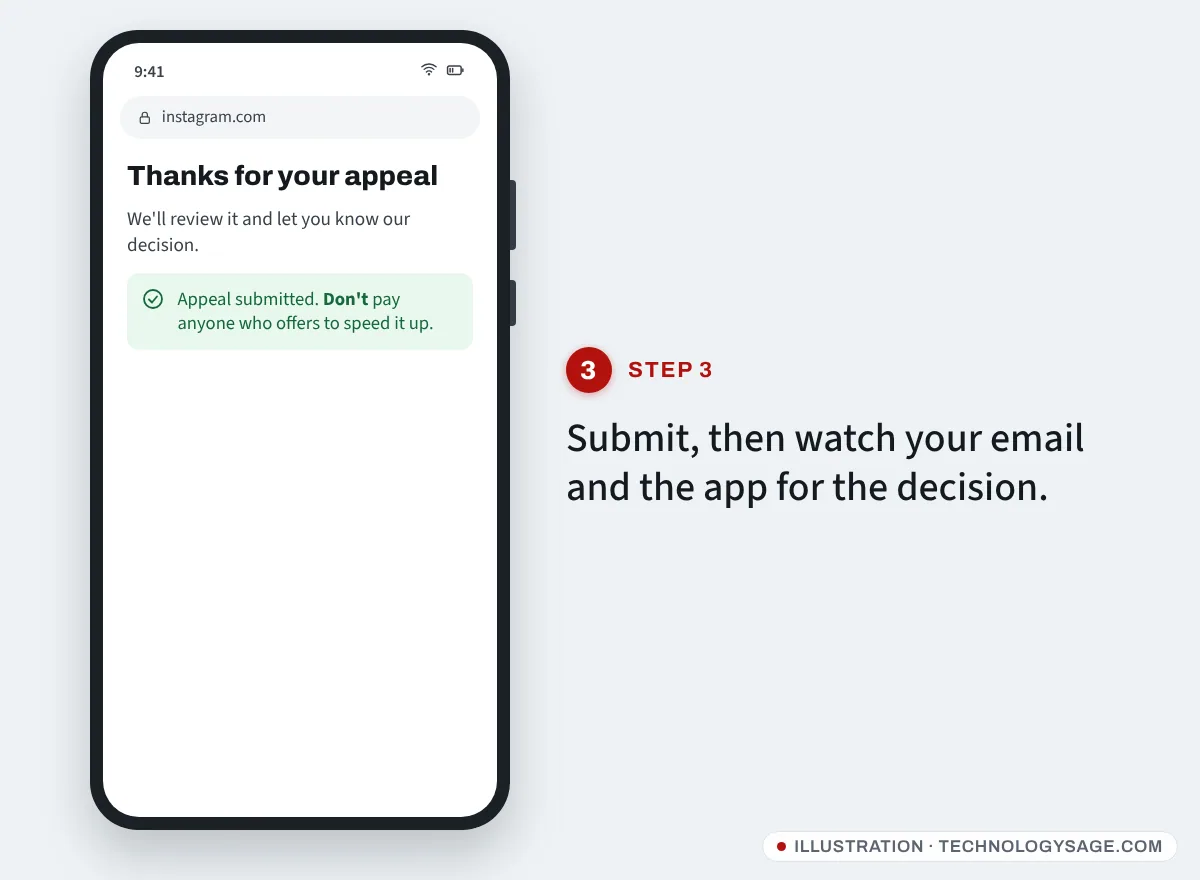
Step 4: Submit and wait
Tap Submit. Instagram sends updates by email and in the app. It does not publish a fixed review time; many decisions come within days, but some take weeks. Don’t create a new account to get around a suspension while you wait, as that breaks the rules too and can hurt your appeal.
Instagram’s own guidance is in its Help Center article about disabled accounts.
If the appeal button is missing or the appeal fails
- No appeal option on the screen: some decisions are final, especially for serious violations. If the notice says you can’t request another review, that decision usually stands.
- Disabled for copyright or trademark: Instagram has a separate help form for accounts disabled for intellectual property reasons; find it from the Instagram Help Center rather than links sent to you.
- The video selfie screen is blank or won’t load: update the app, allow camera permission (Settings → Apps → Instagram → Permissions → Camera on Android), switch to a stronger connection and try again.
- Code not arriving: check spam, and make sure the email or phone on the account is still yours.
- Linked Facebook account also disabled: appeal each one from its own app.
- Lost the appeal: you may not be able to get that account back. Download your data if Instagram offers it, and start fresh within the rules.
Avoid “unban” scams
Disabled accounts attract scammers quickly:
- Fake “Meta support” DMs or emails saying your account will be deleted unless you “appeal here”. Instagram does not DM you about appeals, and genuine security emails come from Instagram’s own domains. Check Settings and activity → Accounts Center → Password and security → Recent emails in the app if you are unsure.
- “Unban services” on Telegram, TikTok or Instagram that promise to restore your account for a fee. Nobody outside Meta can reverse a suspension. Paying by crypto, gift card, mobile money or airtime just loses you money.
- People asking for your password or login code “to submit the appeal for you”. Never share them.
Our older post on Instagram safety tips for new users has more basics, and the same scams target banned Telegram users; see Telegram account banned.
How to avoid being disabled again
- Stop using any app that asks for your Instagram password to grow followers, unfollow or auto-reply.
- Turn on two-factor authentication in Accounts Center → Password and security so a hacker can’t post scams from your account.
- Check Account Status now and then (in Settings and activity, usually under More info and support). It shows removed content and whether your account is at risk.
- Make sure your birthday on the account is correct.
FAQ
How long do I have to appeal a suspended Instagram account?
The deadline is shown on your suspension screen. It varies, so check it and appeal as soon as possible. After it passes, the account can be permanently disabled.
How long does an Instagram appeal take?
Instagram does not give a fixed time. Some appeals are decided within a day or two; others take several weeks.
Can I contact Instagram by phone about a disabled account?
No. Instagram does not offer phone support for account appeals. Any “Instagram helpline” number is a scam.
Will I lose my followers if my account is restored?
No. If the appeal succeeds, your account returns with its posts and followers.
My account was disabled after it was hacked. What now?
Appeal and explain briefly that the account was hacked. Once back in, change your password, remove unknown logins and turn on two-factor authentication.