In this guide
- Before you start
- Method 1: Forward the M-PESA message to 456 (fastest)
- Method 2: Reverse from the M-PESA app
- What happens after you request a reversal
- If the recipient declines or has withdrawn the money
- Sent to the wrong Till or Paybill?
- Beware of M-Pesa reversal scams
- How to avoid sending money to the wrong number
- FAQ
To reverse an M-Pesa transaction sent to the wrong number in Kenya, forward the original M-PESA confirmation SMS, unchanged, to 456. The service is free. Safaricom confirms within seconds that your request has started, notifies the recipient, and updates you within about two hours. If you sent it from the M-PESA app, you can also request the reversal right after the transaction from inside the app.
Act fast. A reversal only works if the money is still in the recipient’s account and they don’t dispute it, so the sooner you request it, the better your chances. This guide covers Safaricom M-PESA in Kenya; M-Pesa in Tanzania, the DRC, Mozambique and other countries is run by different operators with their own reversal processes.
Before you start
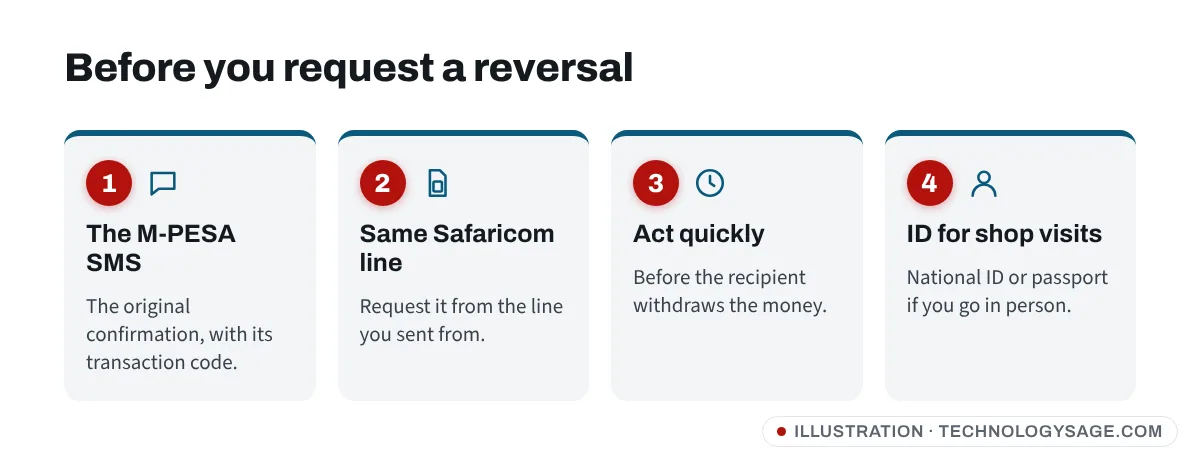
You need:
- the M-PESA confirmation SMS for the wrong transaction (from the sender “MPESA”), with its transaction code, such as
TKL4XXXXXX; - the phone you sent from: the request must come from the same Safaricom line;
- if you go to a Safaricom shop, your national ID or passport.
Don’t call or SMS the recipient to ask for the money back first. Request the reversal through Safaricom; it’s the official record.
Method 1: Forward the M-PESA message to 456 (fastest)
- Open Messages and find the M-PESA confirmation SMS for the transaction you want to reverse.
- Long-press the message and tap Forward (or Copy text).
- Paste the whole message, unchanged, into a new SMS. Don’t delete or add anything.
- Send it to 456.
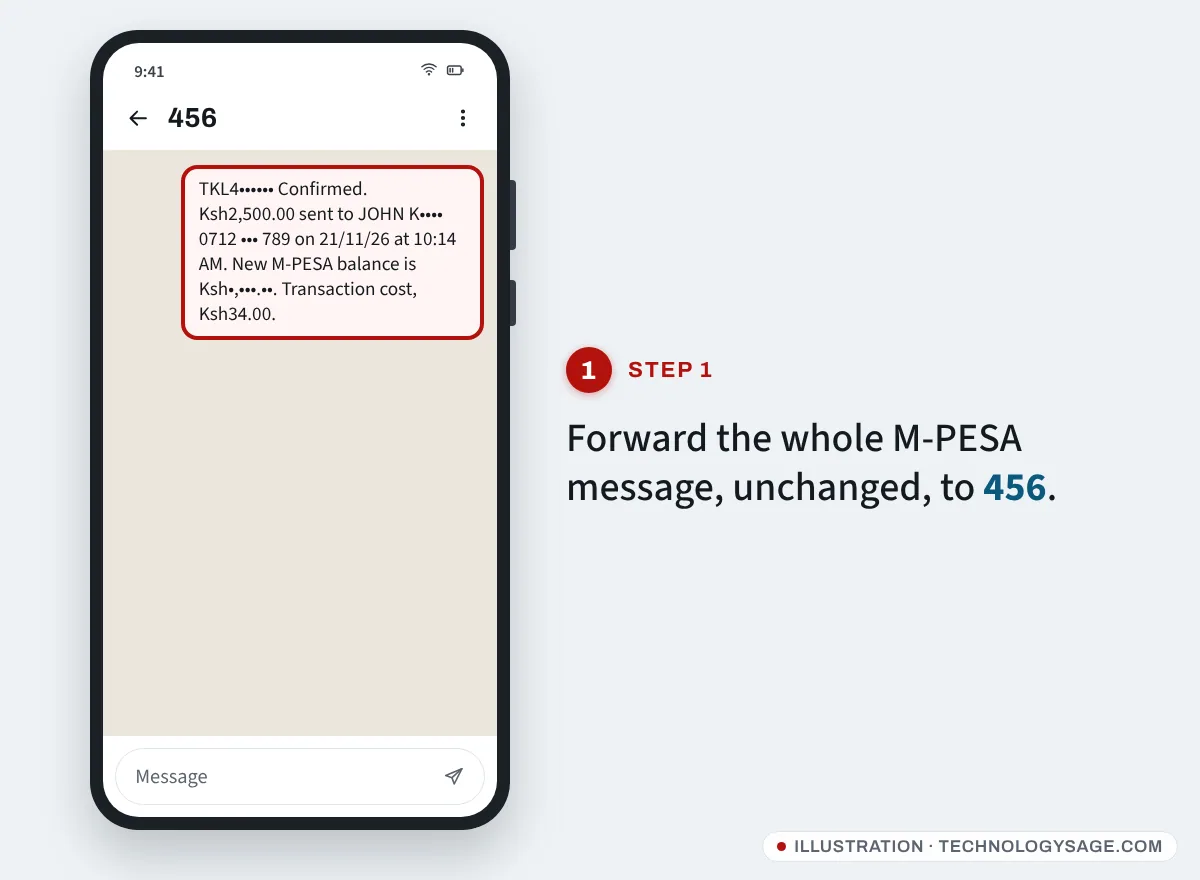
- Within seconds you should get an SMS saying your reversal request has been received and started.
- Wait for the result. Safaricom says it updates you within about 2 hours.
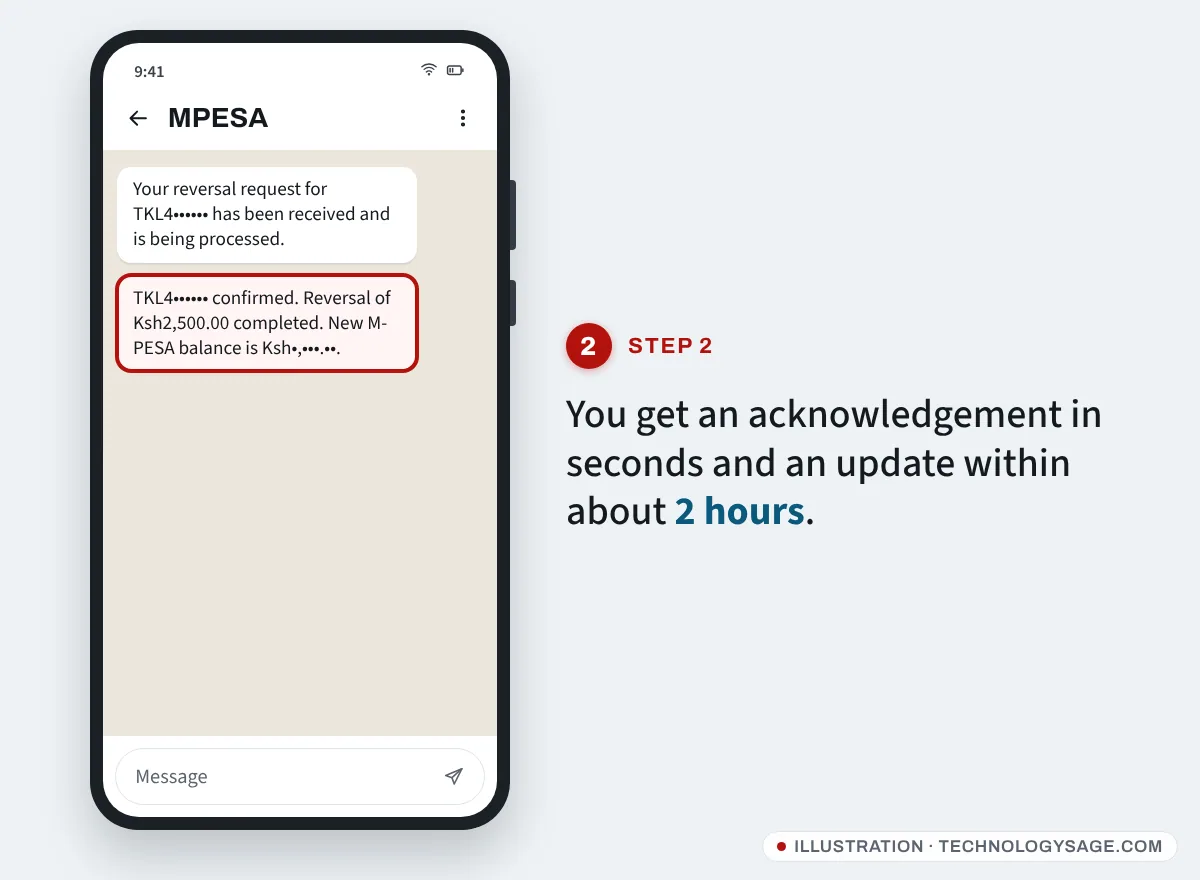
Forwarding to 456 is free. If you get no confirmation SMS, check that you sent the full original message from the same line, then try again.
Method 2: Reverse from the M-PESA app
The M-PESA app lets you request a reversal for a transaction you made in the app, immediately after it completes. Older transactions can’t be reversed from the app; use 456 instead.
- Right after the payment, open the transaction in the M-PESA app (from the success screen or your recent transactions/statement).
- Tap Reverse (or the reversal option shown for that transaction).
- Choose a reason, such as Wrong recipient or Wrong amount.
- Confirm, and enter your M-PESA PIN if asked.
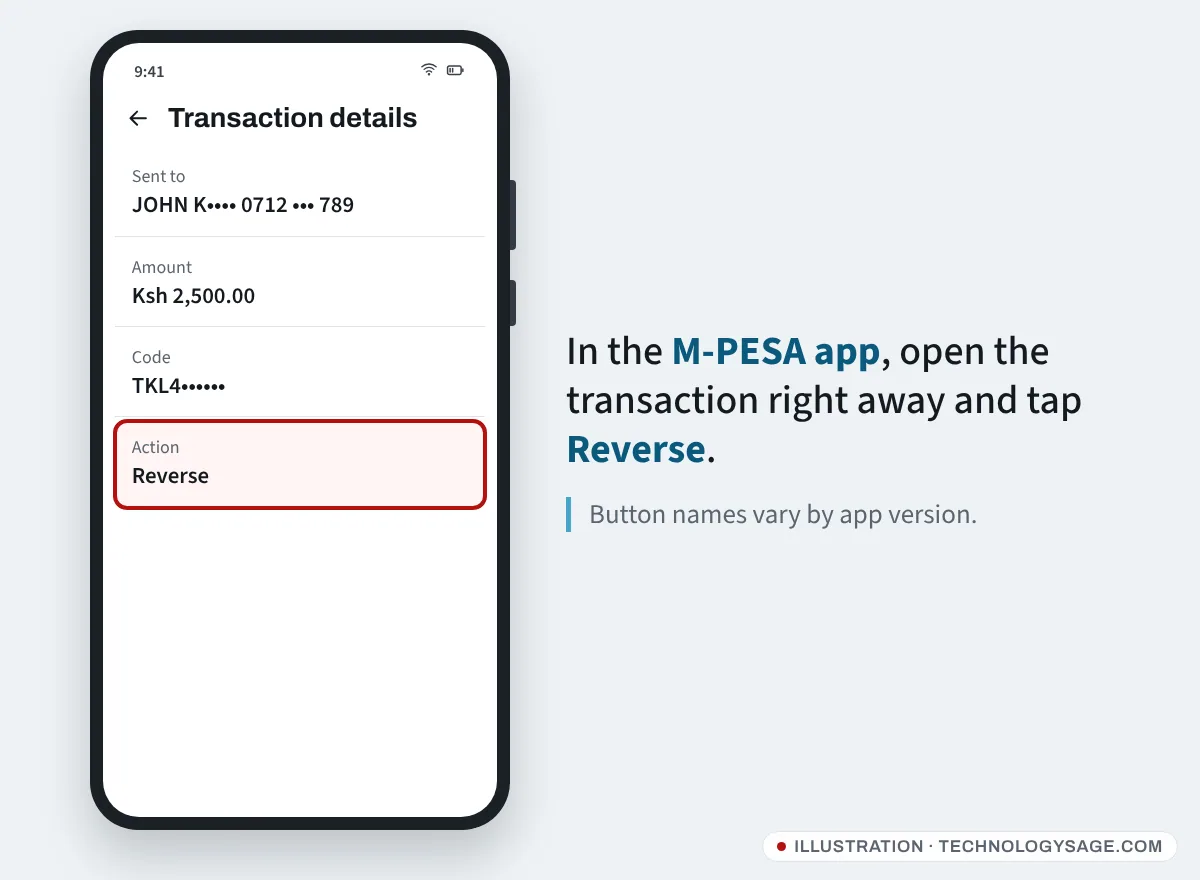
The exact button names change between app versions. If you don’t see a reverse option, forward the SMS to 456.
Some versions of the mySafaricom app also show a reversal option next to transactions in the M-PESA statement. It sends the same request as 456.
What happens after you request a reversal
- Safaricom notifies the recipient that a reversal has been requested and gives them a chance to accept or dispute it.
- If the money is still there and they don’t dispute it, the amount is returned to your M-PESA and you get a confirmation SMS.
- If they dispute or decline it, you get an SMS saying so. Save that message.
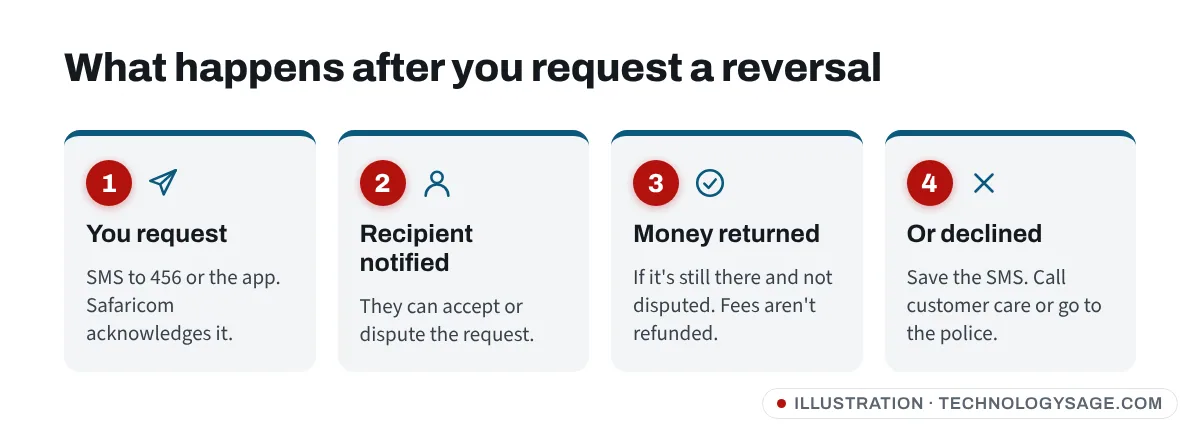
Transaction charges are not refunded, even if the reversal succeeds. Only the amount you sent comes back.
If the recipient declines or has withdrawn the money
Safaricom has said that once a recipient disputes or declines a reversal, it cannot remove the money from their M-PESA wallet on its own. Your options then:
- Call Safaricom customer care (234 for M-PESA, or 100) and ask for the case to be reviewed. Have the transaction code ready.
- Report to the police. Take the original M-PESA message and the “declined” SMS to a police station. Keeping money you know was sent to you by mistake can be a criminal matter, and the police can follow it up with Safaricom.
- Contact the recipient only if you’re comfortable doing so, and only to ask them to accept the reversal through Safaricom, not to send money to a different number.
Fuliza: if the recipient had an unpaid Fuliza balance, the money you sent may have been used automatically to repay it. Safaricom has confirmed this can happen, and it can make a reversal fail or only partly succeed. In that case, follow the steps above.
Sent to the wrong Till or Paybill?
Payments to a business (Lipa na M-PESA Till or Paybill) are handled differently from person-to-person transfers.
- Contact the business first. Many will refund a clear mistake, especially if you haven’t received anything.
- Call Safaricom customer care (234 or 100) with the transaction code, amount, date and the Till or Paybill number. Safaricom contacts the business and tries to arrange a refund.
- If the business refuses, keep all messages and report it to the police.
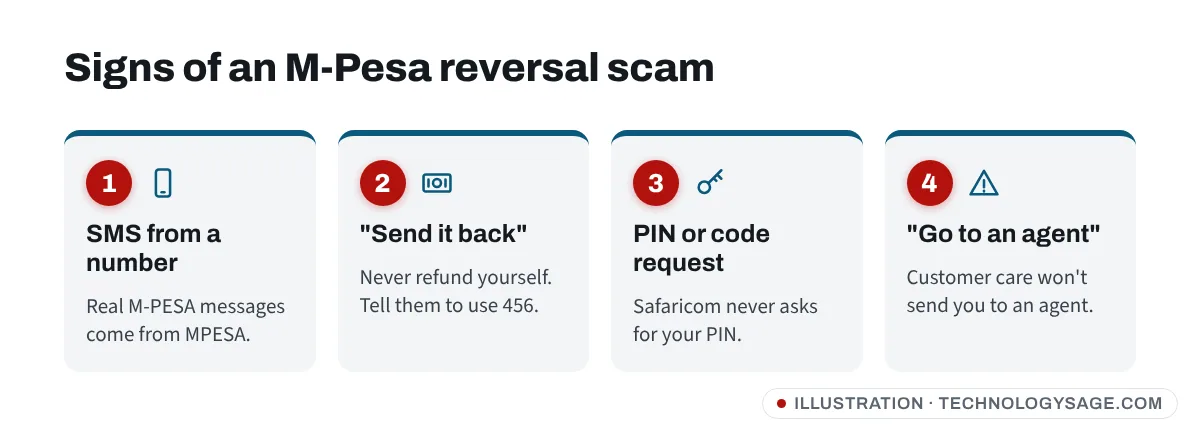
Beware of M-Pesa reversal scams
Reversal scams are common in Kenya. Protect yourself:
- “I sent you money by mistake, please send it back.” Check your real M-PESA balance first (via the M-PESA app or menu). A genuine M-PESA message comes from MPESA, not from a phone number. If someone really sent money to you by mistake, don’t send it back yourself; ask them to forward their message to 456 so Safaricom reverses it.
- Safaricom will never ask you to visit an agent to process a reversal, and never asks for your M-PESA PIN or a code you receive by SMS.
- Block repeat scam callers and texters. Our guide to blocking unwanted calls and SMS shows how.
- Don’t trust “Safaricom” numbers on social media. Use the official Safaricom website, app or the short codes above.
- See Safaricom’s own guidance on fake reversal instructions.
If a stranger has gained access to your accounts more broadly, the same rules apply as with a hacked WhatsApp account: never share codes, and secure your accounts first.
How to avoid sending money to the wrong number
- Read the name before you enter your PIN. M-PESA’s Hakikisha prompt shows the recipient’s registered name. If it’s not who you expected, cancel.
- Save regular recipients as contacts or favourites in the M-PESA app instead of typing numbers.
- For businesses, check the Till or Paybill name in the app before paying.
- Keep your phone secure. A screen lock and a private M-PESA PIN stop others from sending money from your line. If your phone is lost or stolen, call Safaricom to block the line and use Google’s tools to find, lock or erase your lost Android phone.
FAQ
What is the M-Pesa reversal code?
There’s no USSD “reversal code”. The official SMS number is 456: forward the original M-PESA confirmation message to it. You can also use the M-PESA app right after the transaction, or call customer care.
How long does an M-Pesa reversal take?
You get an acknowledgement within seconds and an update within about two hours. If the recipient doesn’t respond or disputes it, it can take longer or fail.
Can I reverse M-Pesa after 24 hours?
Request it as soon as possible. Older transactions are harder to reverse because the recipient may already have withdrawn or spent the money. You can still try 456 or call customer care; the M-PESA app only allows reversals right after the payment.
Is M-Pesa reversal free?
Yes, forwarding the message to 456 is free. The original transaction charge is not refunded.
Can Safaricom force the recipient to return the money?
No. If the recipient disputes the reversal, Safaricom has said it can’t take the money from their wallet by itself. Report the case to the police with your M-PESA message and the “declined” SMS.