In this guide
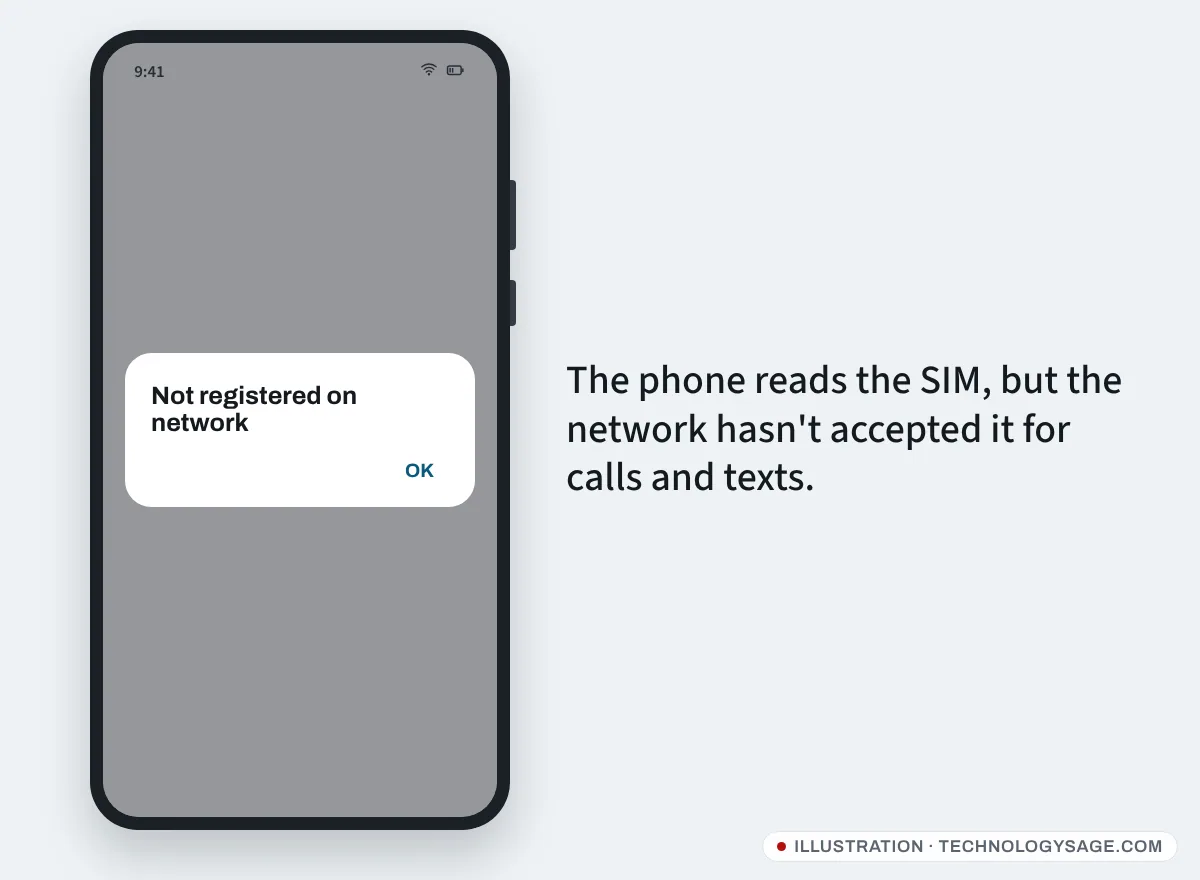
“Not registered on network” means your phone can see the SIM card but hasn’t been accepted onto your carrier’s mobile network, so it can’t make calls or send texts. The most common causes are a SIM or line problem, the phone being stuck on the wrong network or network type, or a carrier lock. Restart the phone, set network selection back to automatic, and reseat the SIM; if that fails, reset mobile network settings and then check the line with your carrier.
The message usually pops up when you try to call or send an SMS, most often on Samsung Galaxy phones, but any Android phone can show it. You may also see No service, an empty signal bar, or Emergency calls only in the status bar at the same time.
What does “Not registered on network” mean?
When you switch your phone on, it reads the SIM and asks the nearest mast to register it: the network checks the SIM, your account and the phone, and then lets it make and receive calls. “Not registered on network” means that check didn’t finish or was refused. The phone is not broken just because you see it; it’s telling you the network hasn’t let it in.
It’s close to three other messages, which have their own guides:
- Invalid SIM: the phone can’t read the SIM properly or won’t accept it (often a carrier lock).
- SIM not provisioned: the SIM is readable but the carrier hasn’t activated it.
- Emergency calls only: the phone found a network but only for emergency calls.
Why does my phone say “Not registered on network”?
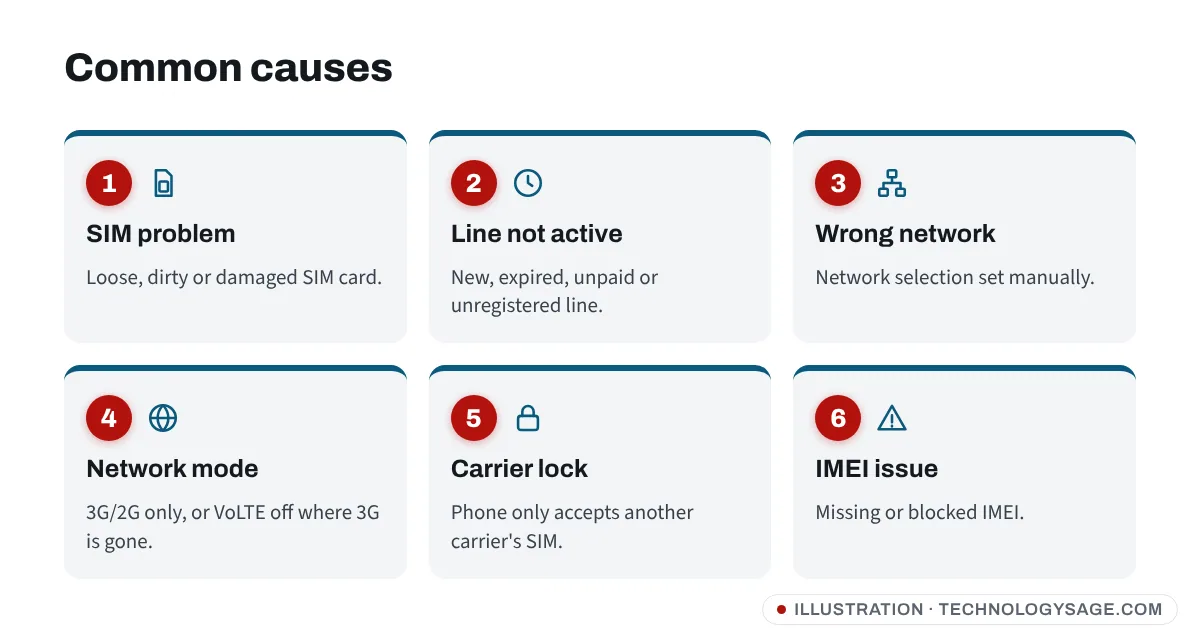
- The SIM is loose, dirty or damaged. Very common after a drop, a case change or a SIM swap.
- The line isn’t active. A new SIM that hasn’t been activated, an expired prepaid line, unpaid bills, or a SIM that wasn’t registered with your ID (required in many countries) can all stop registration.
- Network selection is set manually to a network that isn’t yours or isn’t in range, typically after travelling.
- Network mode doesn’t match what’s available. If the phone is set to 3G or 2G only and those networks have been switched off in your area, it can’t register. Many carriers have shut down 3G (and some 2G), and calls now need 4G with VoLTE.
- The phone is locked to another carrier. Some locked phones show “Not registered on network” rather than “Invalid SIM”.
- The phone’s IMEI is missing or blocked. A phone reported lost or stolen, or one whose IMEI was damaged by an unofficial flash, may be refused by the network.
- Roaming is off abroad, or there’s a local outage.
- A software bug, sometimes right after a system update.
Quick fixes
Start here. These solve most cases.
1. Restart the phone and toggle Airplane mode
Restart the phone. If the error comes back, turn Airplane mode on, wait 30 seconds and turn it off. Both make the phone ask the network to register it again.
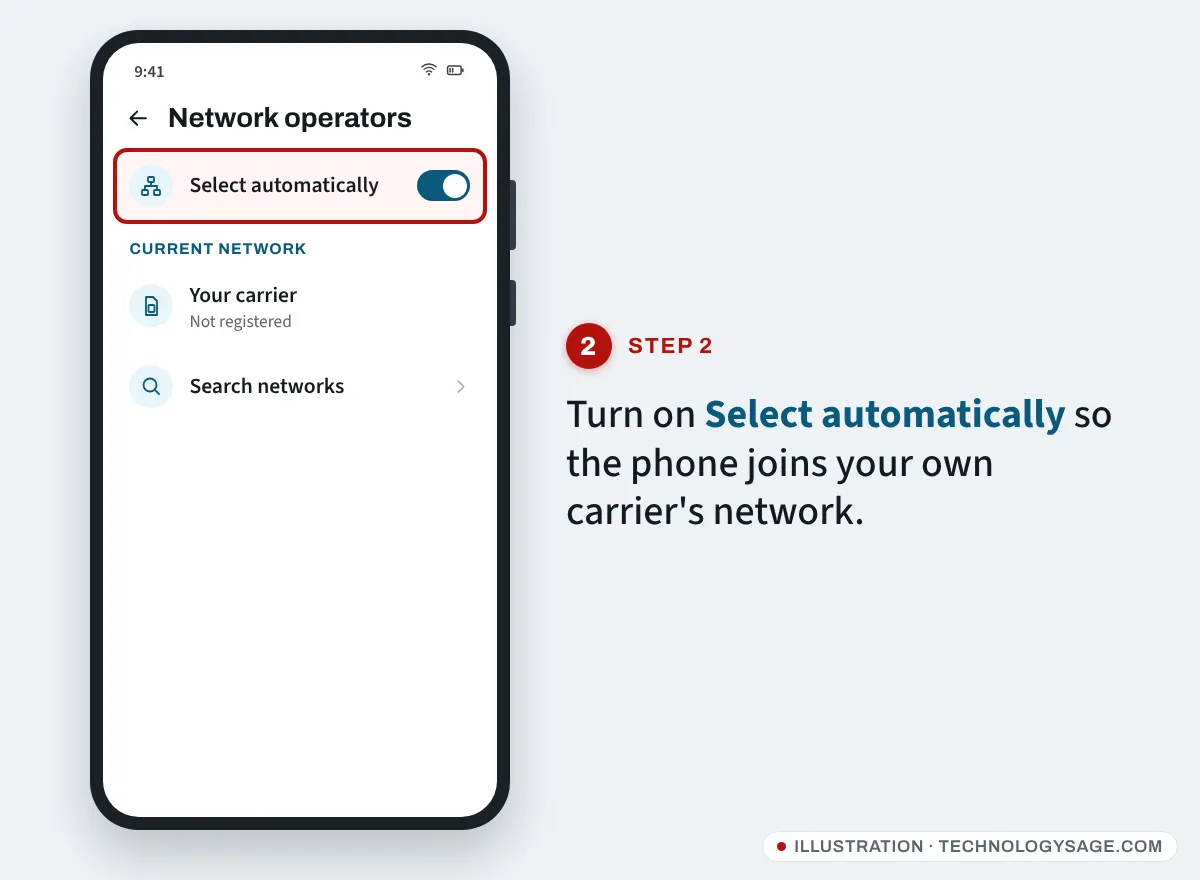
2. Set network selection to automatic
If you’ve been abroad or tapped a network manually, the phone may be trying to join the wrong one.
- Samsung: Settings → Connections → Mobile networks → Network operators → turn on Select automatically.
- Pixel and most other Android phones: Settings → Network & internet → SIMs → choose your SIM → turn on Automatically select network. On older Android versions this is under Mobile network → Advanced.
- Tecno, Infinix, itel, Xiaomi and others: the option is usually in Settings → SIM card & mobile data (or Mobile network) → your SIM → Network operators or Carrier. If you can’t find it, search Settings for “network operator”.
If automatic still fails, turn it off and let the phone search networks, then pick your carrier from the list. Some carriers appear twice (for example 4G and 3G); choose the one marked 4G/LTE if there’s a choice.
3. Remove and reinsert the SIM
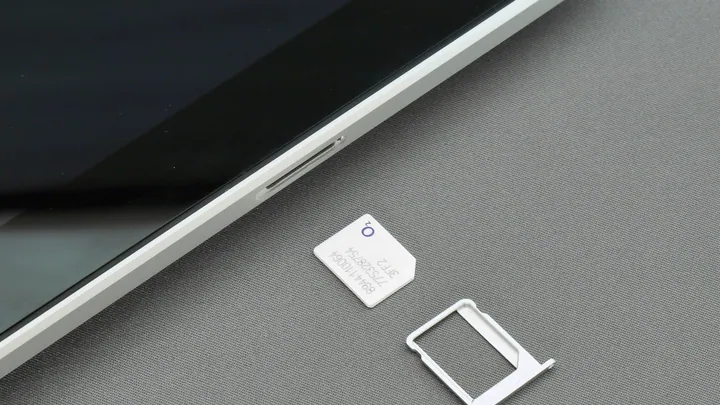
Switch the phone off, eject the SIM tray with the SIM tool or a straightened paperclip, and check the SIM for scratches, bends or dirt. Wipe the gold contacts gently with a dry, lint-free cloth, put it back the right way round, and switch on. On a dual-SIM phone, try the SIM in the other slot.
A good test is to put your SIM in another phone, and another working SIM in your phone. If your SIM fails in both phones, the SIM or line is the problem; if every SIM fails in your phone, it’s the phone.
More fixes
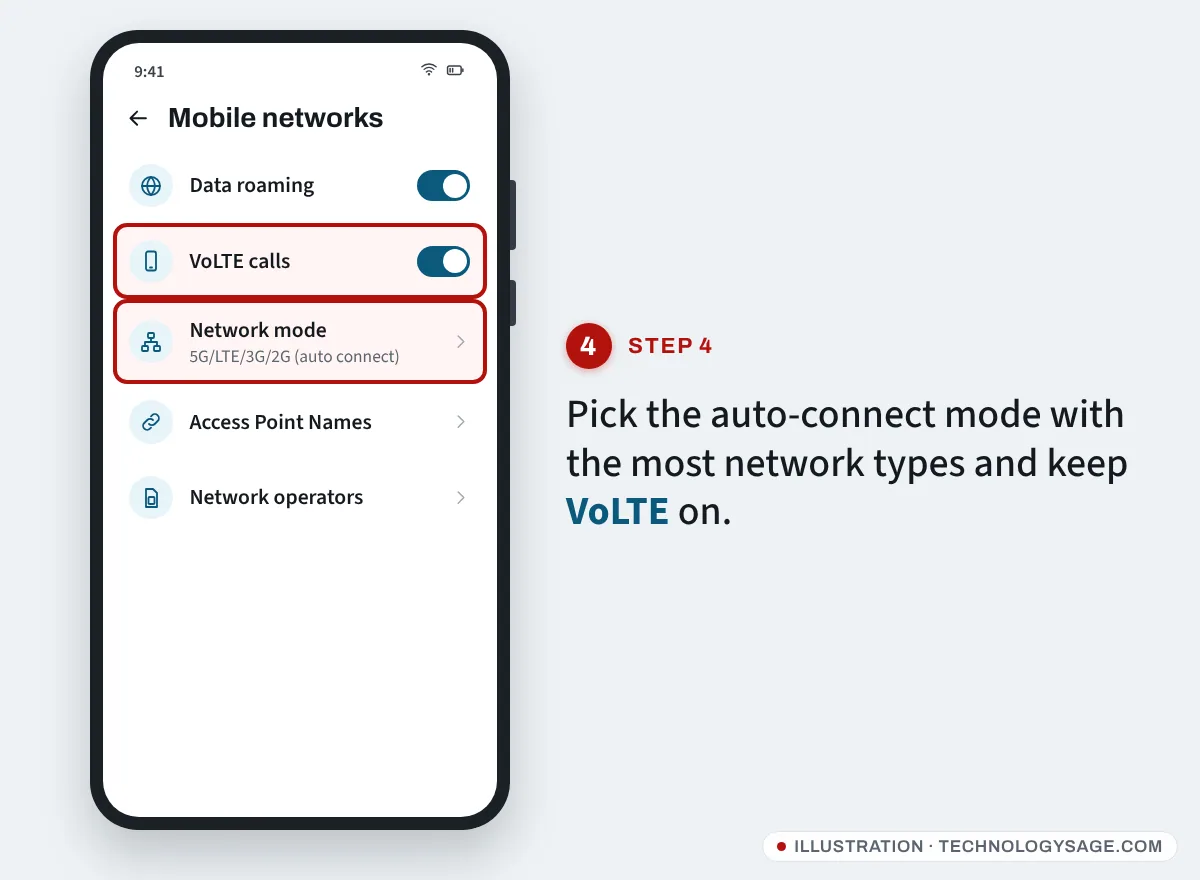
4. Check the network mode and VoLTE
Set the phone to use every network type it supports, automatically:
- Samsung: Settings → Connections → Mobile networks → Network mode → choose the option with the most network types, such as 5G/LTE/3G/2G (auto connect).
- Pixel and others: Settings → Network & internet → SIMs → your SIM → Preferred network type → the highest option (5G or LTE).
Then make sure VoLTE (sometimes called 4G calling, HD calls or VoLTE calls) is switched on in the same Mobile networks or SIM screen. Where 3G has been switched off, calls only work over 4G with VoLTE. If your phone doesn’t offer VoLTE for your carrier, or it’s an old 3G-only phone, ask the carrier whether it still works on their network.
5. Turn on roaming if you’re abroad
Outside your home country, the phone has to register on a partner network. Make sure your plan includes roaming, then turn on roaming in Settings → Connections → Mobile networks → Data roaming (Samsung) or Settings → Network & internet → SIMs → Roaming (Pixel). Some carriers need roaming switched on in their app or by request before you travel.
6. Update the phone’s software
Install any pending updates: Settings → Software update → Download and install on Samsung, or Settings → System → Software updates (or System update) on most other phones. Updates often include new carrier settings and fixes for network registration bugs. Connect to Wi-Fi first, since mobile data won’t work.
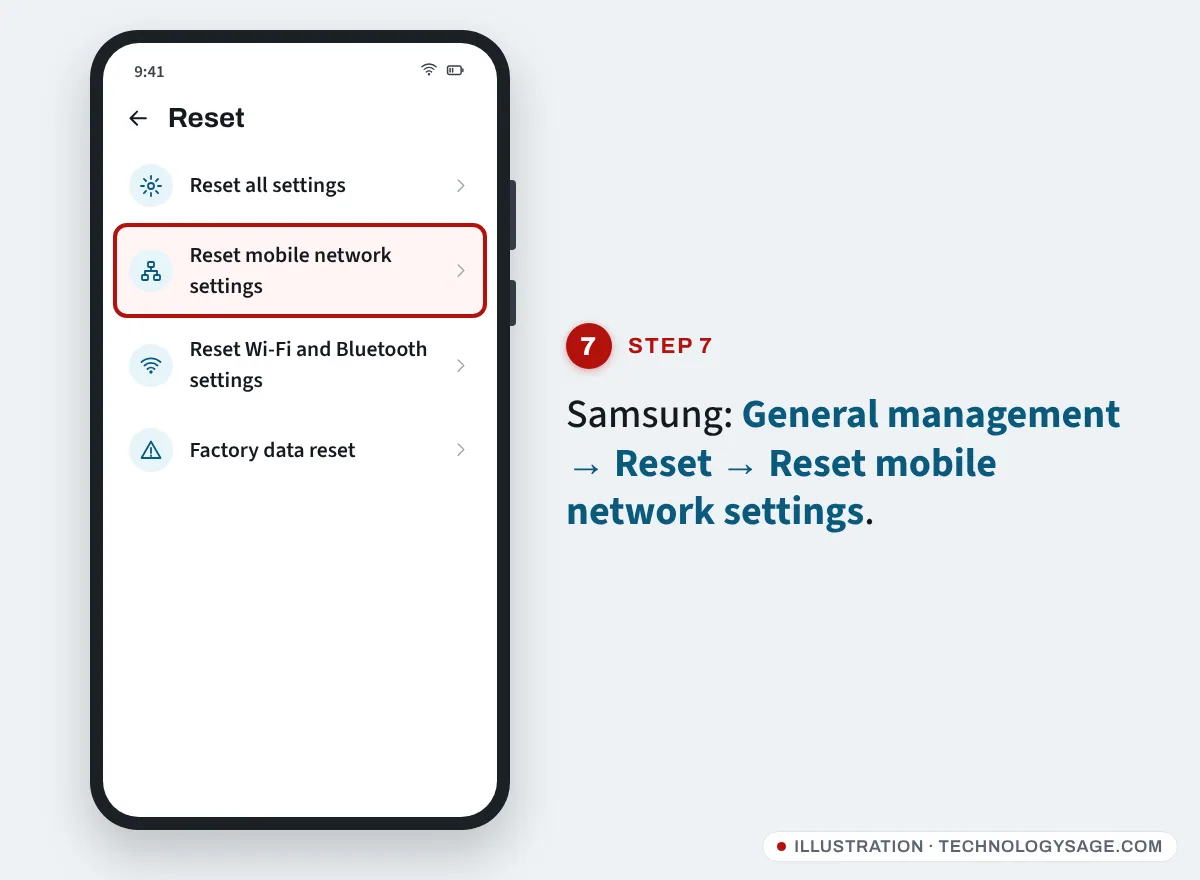
7. Reset mobile network settings
This puts all mobile network settings (network selection, network mode, APNs) back to default. It doesn’t delete your photos, apps or messages, but it may remove saved Wi-Fi networks and Bluetooth pairings depending on the option. Don’t choose Erase eSIMs or Factory data reset.
- Samsung: Settings → General management → Reset → Reset mobile network settings. On older One UI versions, choose Reset network settings, which also forgets Wi-Fi and Bluetooth.
- Pixel and stock Android: Settings → System → Reset options → Reset Mobile Network Settings.
- Other brands: search Settings for Reset, and pick the option that mentions network, Wi-Fi, mobile or Bluetooth.
Restart the phone afterwards.
8. Check the IMEI
Open the Phone app and dial *#06#. The phone should show one IMEI per SIM slot, each a 15-digit number. If it shows nothing, all zeros or “null”, the IMEI is missing and the network will refuse the phone; that needs the manufacturer’s authorised service centre. Our Invalid SIM guide explains IMEI checks and carrier locks in more detail.
If nothing works
If you’ve reseated the SIM, set the network to automatic, reset mobile network settings and updated the phone, the problem is almost certainly on the carrier’s side or in the hardware.
- Test with another SIM in your phone, and your SIM in another phone, if you haven’t already.
- Contact your carrier from another phone, their website or app, or a shop. Ask them to check that the line is active and registered, that the SIM isn’t faulty, that your phone isn’t locked or blocked, and that your phone works on their network (especially VoLTE). Have your phone number, the SIM’s ICCID (printed on the card) and the IMEI from *#06# ready. A replacement SIM is often the fix.
- If every SIM fails in your phone, take it to the manufacturer’s authorised service centre. A damaged antenna or modem, often after a drop or water exposure, needs a repair. If the phone was bought locked, ask the original carrier for an unlock.
Carriers and manufacturers won’t ask you to pay with gift cards or airtime, or for your PIN or one-time codes, to “fix” a network problem. Use the contacts on the official website or your SIM pack, not numbers from social media comments.
FAQ
How do I fix “Not registered on network” on Samsung?
Restart the phone, then go to Settings → Connections → Mobile networks → Network operators and turn on Select automatically. Set Network mode to the auto-connect option with the most network types, reseat the SIM, and if it continues, use Settings → General management → Reset → Reset mobile network settings.
Why does my phone say “Not registered on network” when I have signal?
The signal bars show there’s a mast nearby, not that the network has accepted your SIM. The SIM’s line may be inactive, the phone may be locked to another carrier, the network mode may not support calls on that network, or VoLTE may be needed and switched off.
Can a blocked IMEI cause “Not registered on network”?
Yes. If a phone has been reported lost or stolen, or its IMEI was damaged, networks can refuse to register it. Dial *#06# to check that a valid IMEI shows, and ask your carrier whether it’s blocked.
Does resetting network settings delete anything?
It doesn’t delete photos, apps, contacts or messages. It returns mobile network settings to default and, depending on the option, may forget saved Wi-Fi networks and Bluetooth devices. Don’t erase eSIMs unless your carrier tells you to.
Is “Not registered on network” the same as “SIM not provisioned”?
They’re related but not the same. “SIM not provisioned” means the carrier hasn’t activated the SIM. “Not registered on network” is broader: the phone couldn’t join the network, which can be the SIM, the line, the phone’s settings or a lock.