In this guide
If your Instagram was hacked and the email changed, first open your old email inbox and look for a message from [email protected] about the change. It contains a link to reverse it and secure your account. If you can’t find it, or the phone number was changed too, go to instagram.com/hacked (or tap Forgot password? on the login screen), follow the steps for a hacked account, and confirm your identity, usually with a short video selfie.
The process is free and you do it yourself. Nobody on Instagram, Telegram or TikTok can “recover” your account for a fee. Here is the full route, in the order most likely to work.
Step 1: Use the reversal link in your old email
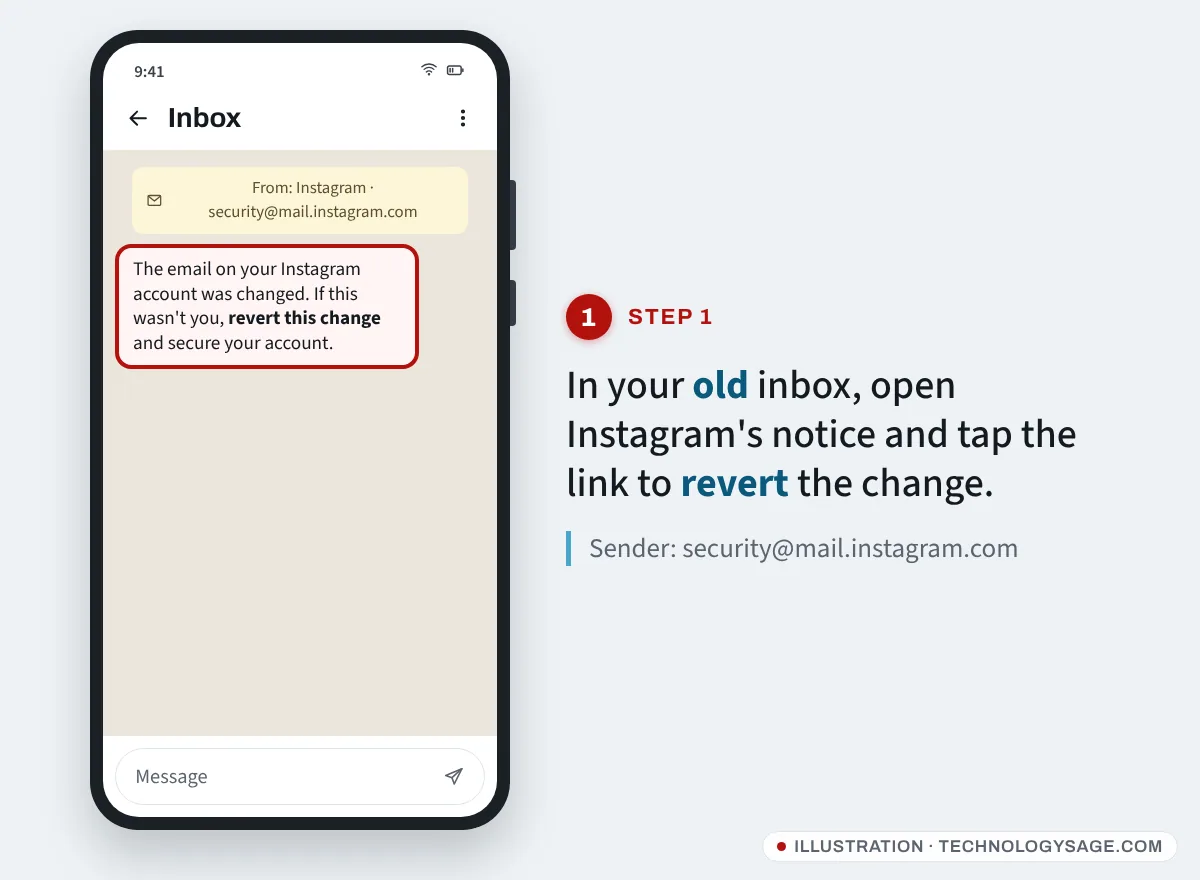
When the email on an Instagram account is changed, Instagram sends a notice to the previous address with a link to undo the change.
- Open the inbox of the email address that used to be on your Instagram. Check spam, promotions and updates folders.
- Find the message about your email address being changed, sent from [email protected].
- Tap the link to revert the change or secure your account, then set a new password.
Act quickly: the hacker may delete this email if they also got into your inbox. If your email account itself was hacked, recover that first. For Gmail, see recover a Gmail account without your phone number.
Be careful with look-alike emails. Fake “Instagram” messages from addresses such as [email protected] or security-meta.help are phishing.
Step 2: Start recovery at instagram.com/hacked
If there’s no reversal email, or it didn’t work:
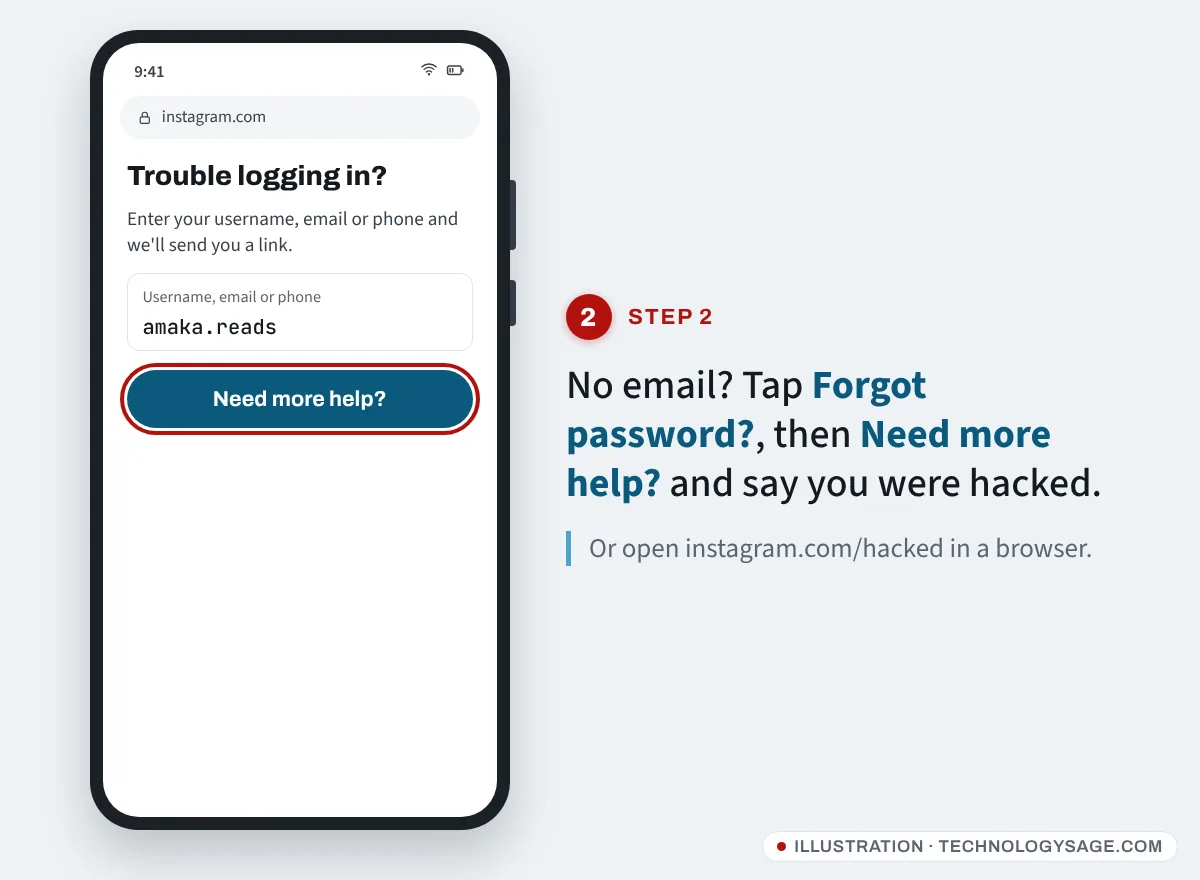
- On the phone you normally use Instagram on, open the Instagram app and tap Forgot password? (on some versions Get help logging in). On a browser, go to instagram.com/hacked.
- Enter your username, or any email or phone number that was on the account.
- If Instagram offers to send a login link or code to a contact you still control, use it.
- If not, tap Can’t reset your password? or Need more help? and choose the option saying your account was hacked.
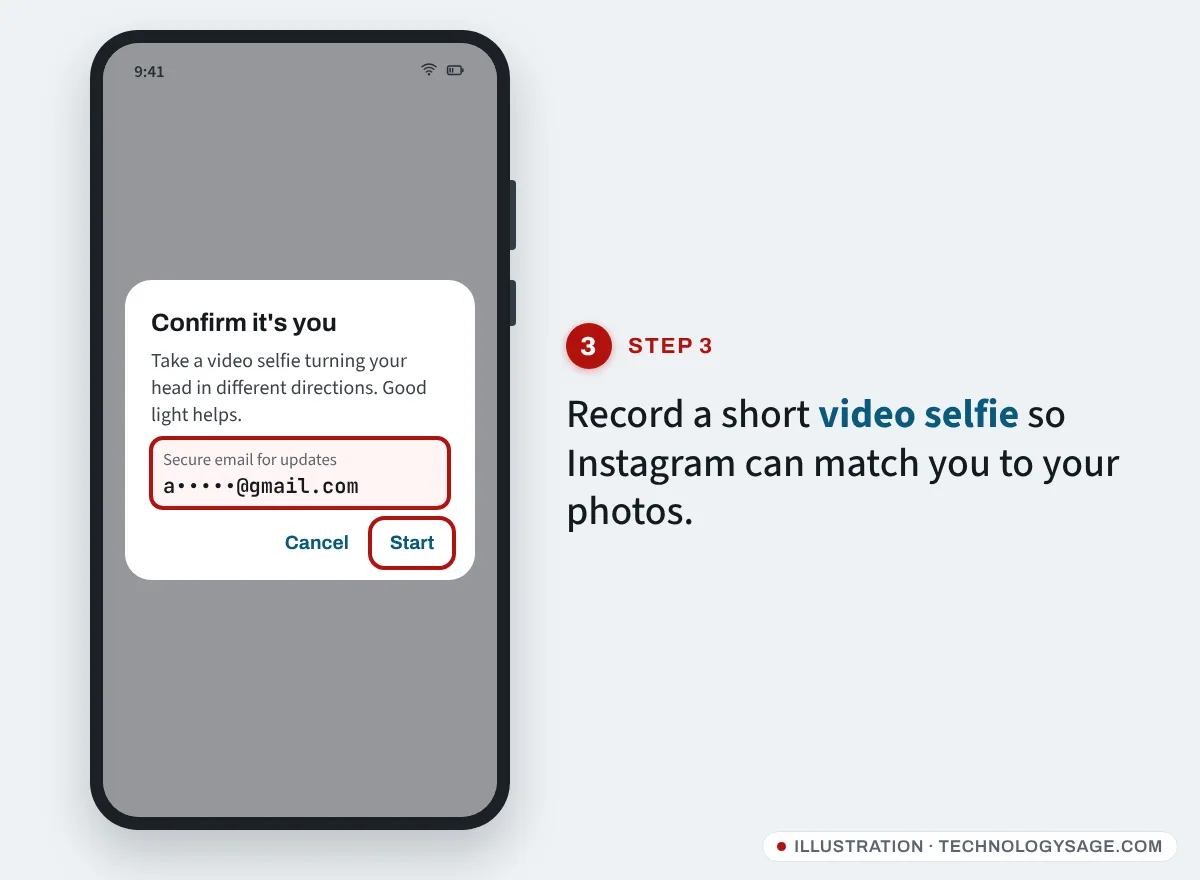
- When asked, enter a secure email address that only you can access. Instagram uses it to contact you about the recovery. Don’t use the email the hacker controls.
Tip: If your Instagram is connected to your Facebook account in Meta’s Accounts Center and you can still log into Facebook, try Log in with Facebook on the Instagram login screen.
Step 3: Confirm your identity
Instagram picks the check based on your account:
- Video selfie. If your account has photos of you, Instagram may ask you to record a short video turning your head in different directions. It is compared with photos on the account, and Instagram says the video is deleted within 30 days. Record in good light, without sunglasses or a hat.
- Details from when you signed up. For accounts without photos of you, Instagram may ask for the email address or phone number you originally signed up with and the type of device you used (for example Android or iPhone).
- A photo holding a code. Some people are asked for a photo of themselves holding a handwritten code that Instagram provides.
After you submit, Instagram replies to the secure email you gave. Some people hear back within a day or two; others wait longer. Submit once and wait; sending many requests can slow things down.
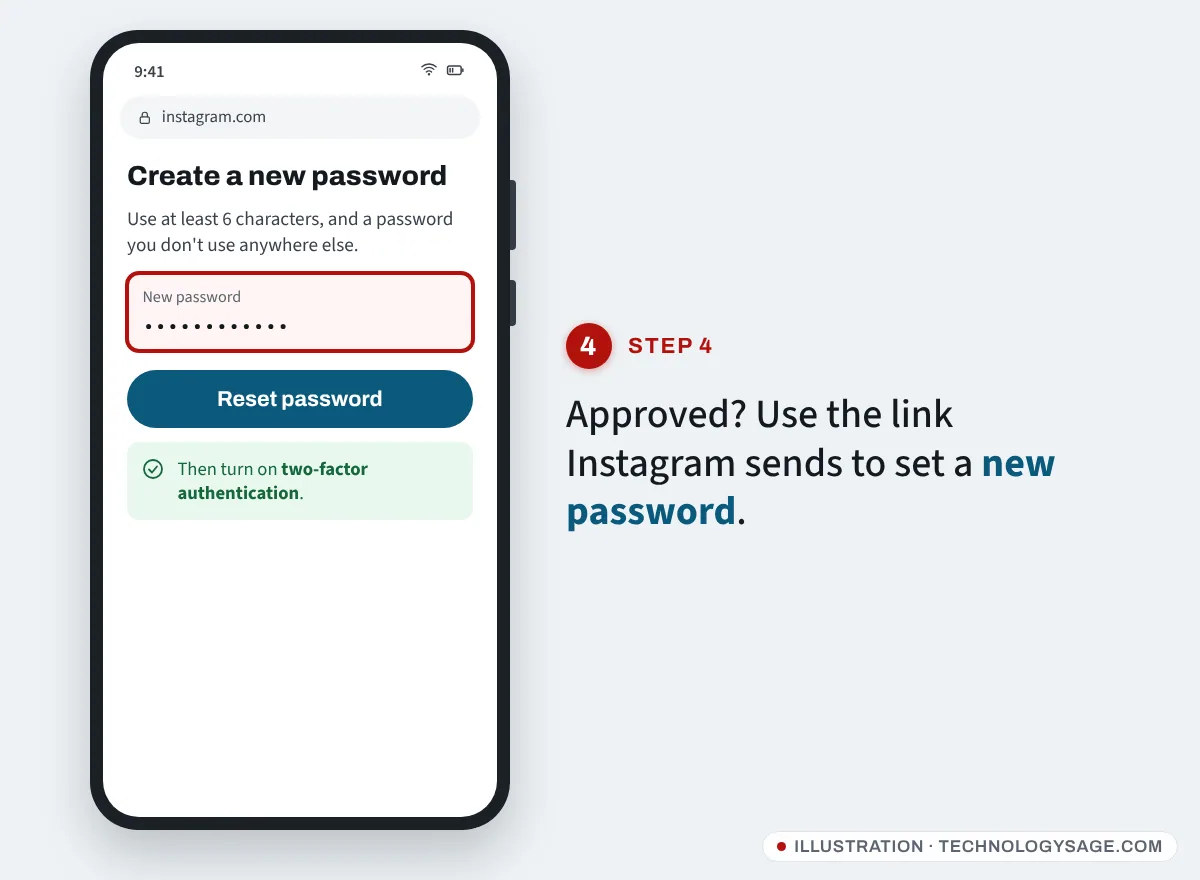
When the account is approved, you’ll get a link to log in and set a new password.
Step 4: Lock the account so it doesn’t happen again
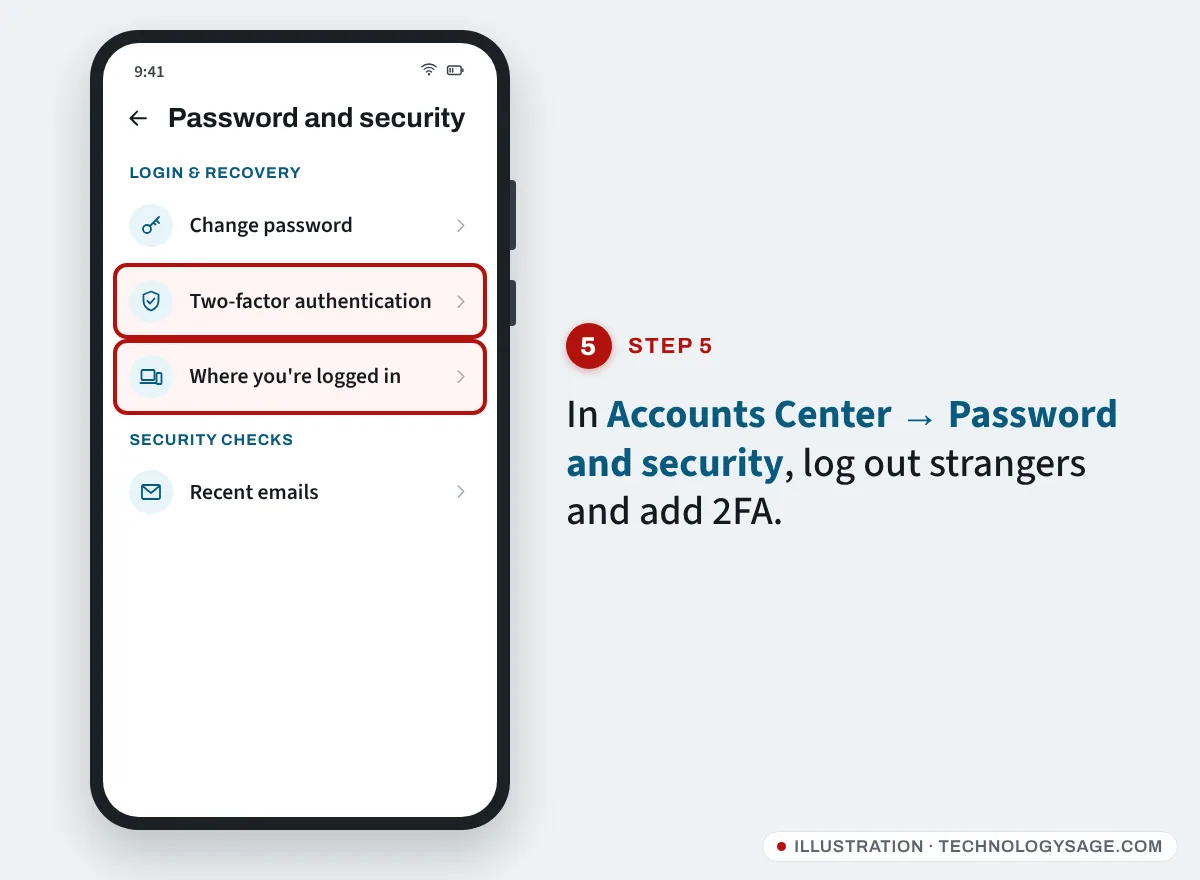
As soon as you’re back in, open Settings and activity → Accounts Center → Password and security, then:
- Change password to a new one you don’t use anywhere else.
- Open Where you’re logged in and log out of every device you don’t recognise.
- Turn on Two-factor authentication, ideally with an authenticator app.
- Check Personal details and remove any email or phone number the hacker added.
- Look at Recent emails to see which security emails Instagram really sent you.
Then on your profile, check your bio, name, posts and DMs for anything the hacker changed or sent, and warn followers if they posted crypto or “investment” scams. Remove access for apps you don’t use under Settings and activity → Website permissions → Apps and websites.
How Instagram accounts get hacked
- “Copyright violation” or “verification badge” DMs and emails that send you to a fake login page.
- A friend’s hacked account asking you to vote for them, or to send a code that “came to your number by mistake”.
- Reused passwords leaked from another website.
- Follower and like apps that ask for your Instagram password.
Our older post on Instagram safety tips for new users covers more of the basics.
Beware “recovery hackers”
Under almost every post about hacked accounts you’ll see comments recommending a “hacker” who “recovered my account in an hour”. These accounts are run by scammers. They ask for an upfront fee, often crypto, gift cards or mobile money, then demand more, and some use your details to take over your email too. Instagram has no phone support line, and Meta staff never DM you offering paid recovery. The only legitimate route is the one above.
If it doesn’t work
- No reversal email: check every folder and the inbox’s trash. If it’s been deleted, use instagram.com/hacked.
- Video selfie keeps failing: use a phone with a good front camera, bright light and a stable connection. If your account has no photos of you, the selfie can’t match; use the other options offered.
- No reply from Instagram: check spam in the secure email you gave. Wait a few days before trying again.
- The account is now disabled: hackers often post spam that gets accounts suspended. Follow the appeal on the login screen; see Instagram account disabled.
- Your Facebook was hacked too: follow our Facebook hacked recovery guide.
FAQ
Can I recover Instagram if the hacker changed both email and phone number?
Yes. Use the reversal link sent to your old email, or go to instagram.com/hacked, give a new secure email and complete the video selfie or other identity check.
How long does Instagram hacked recovery take?
Reversing the change from the email link is instant. Identity checks have no fixed time; many are answered within a few days.
Does Instagram have a phone number I can call?
No. Instagram does not offer phone support for hacked accounts. Any “Instagram helpline” is a scam.
What if my account has no photos of me?
Instagram may ask for the email or phone you signed up with and the device you used, instead of a video selfie.
Can the hacker see my DMs?
While they have access, yes. After you recover the account and log out their devices, they lose access, so act quickly and warn anyone you were chatting with.