In this guide
To recover a hacked Facebook account, go to facebook.com/hacked on a phone or computer you have used Facebook on before and follow the steps. If the hacker changed your email or phone number, first look in your old email inbox for Facebook’s “email changed” message and use its link to reverse the change. If you have no access to any contact details on the account, choose the option that says you no longer have access, add a new email you control, and confirm your identity with a video selfie or a photo of your ID.
That is the whole official route, and it is free. No phone number, “Meta agent” or hacker on Instagram can do it faster. Here is each step in detail.
First: can you still log in?
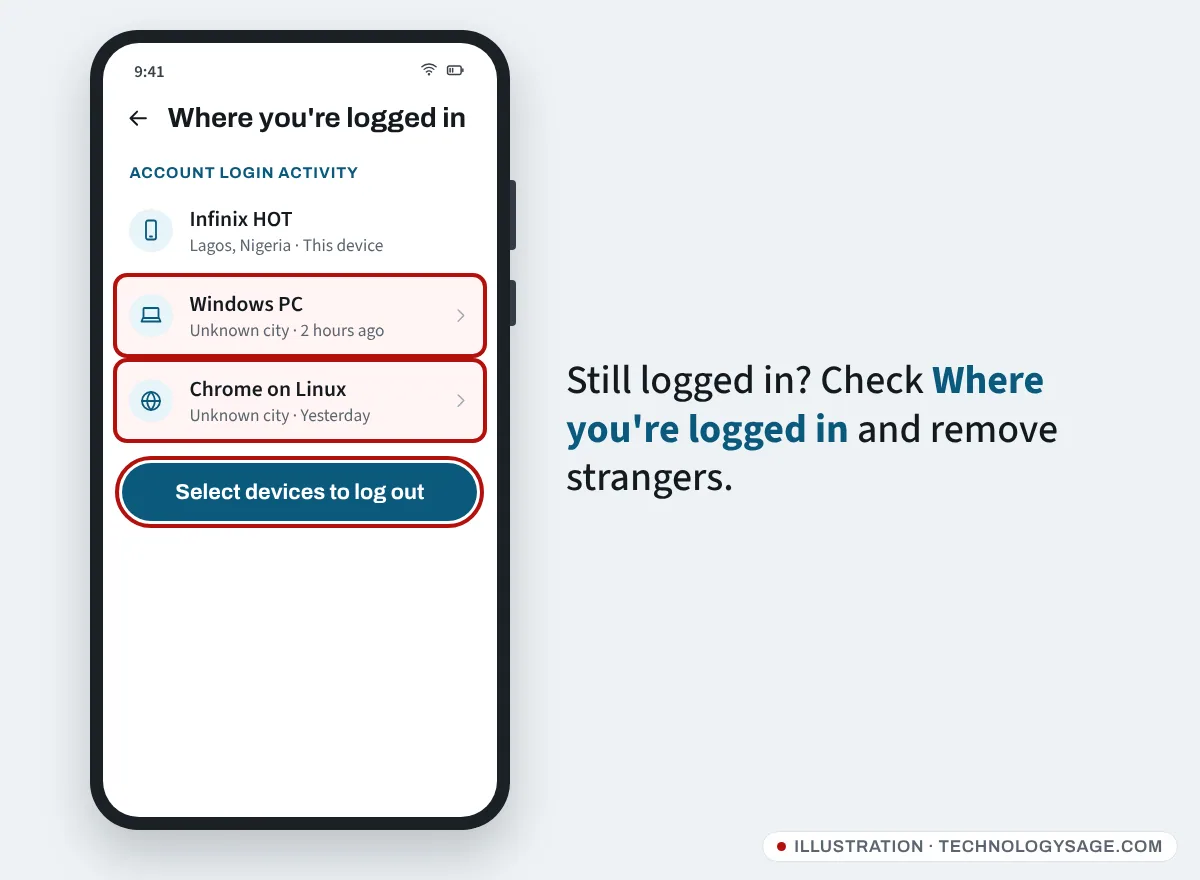
If Facebook still lets you in, act now before the hacker locks you out:
- Go to Settings & privacy → Settings → Accounts Center → Password and security → Change password and set a new password you don’t use anywhere else.
- In Password and security → Where you’re logged in, select any device or location you don’t recognise and log it out.
- Turn on Two-factor authentication in the same section.
- Check Accounts Center → Personal details → Contact info and remove any email address or phone number that isn’t yours.
If you can’t log in, continue below.
Step 1: Check your old email for the reversal link
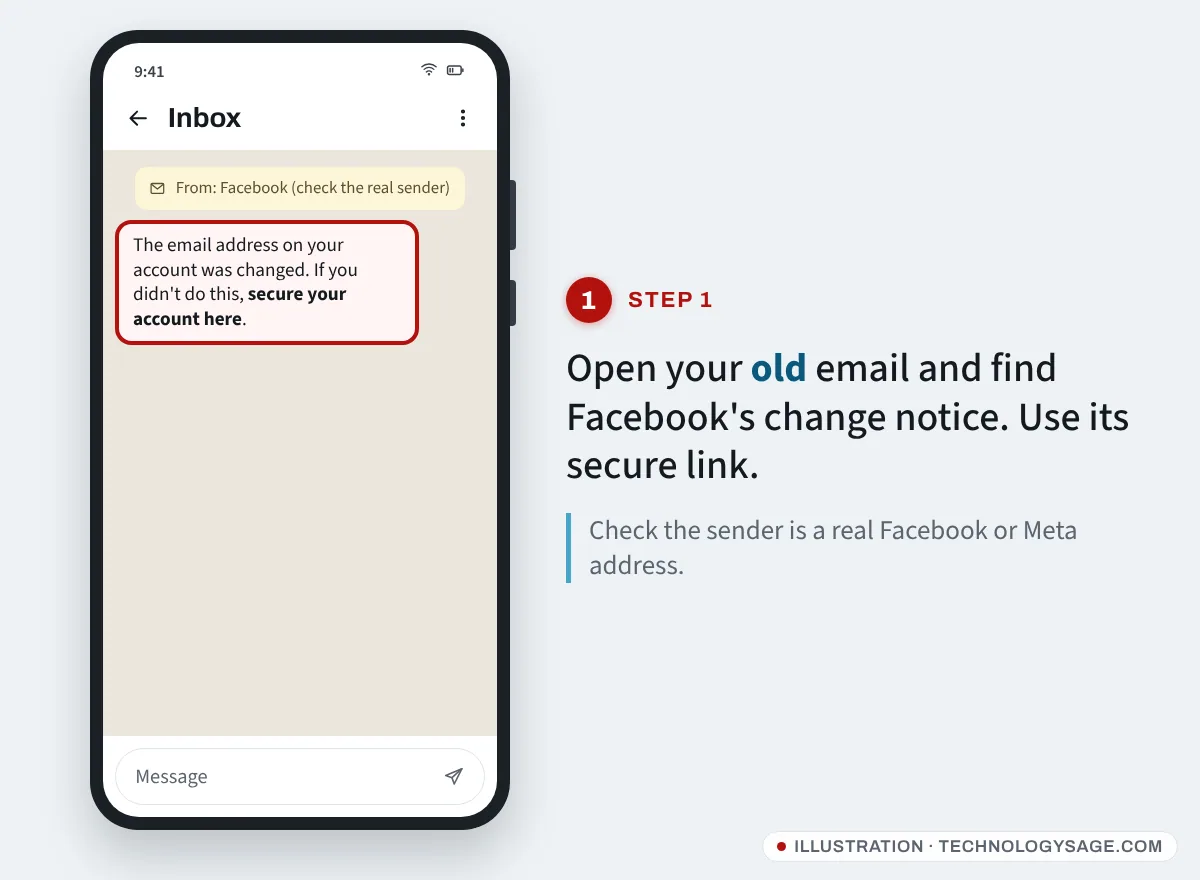
When the email address on a Facebook account is changed, Facebook sends a message to the previous address. It normally includes a link to reverse the change and secure the account.
- Open the email inbox that used to be on your Facebook account. Check spam and promotions too.
- Look for a recent message from Facebook about your email or phone number being changed.
- Check the sender. Genuine Facebook security email comes from Facebook or Meta domains such as facebookmail.com. Ignore look-alike addresses.
- Tap the link to say you didn’t make the change, then follow the steps to reset your password.
If you’re unsure whether an email is genuine, don’t click it. Go straight to facebook.com/hacked instead.
If the hacker got in through your email account itself, recover that first, or they will keep resetting your Facebook. For Gmail, see how to recover a Gmail account without your phone number.
Step 2: Start at facebook.com/hacked
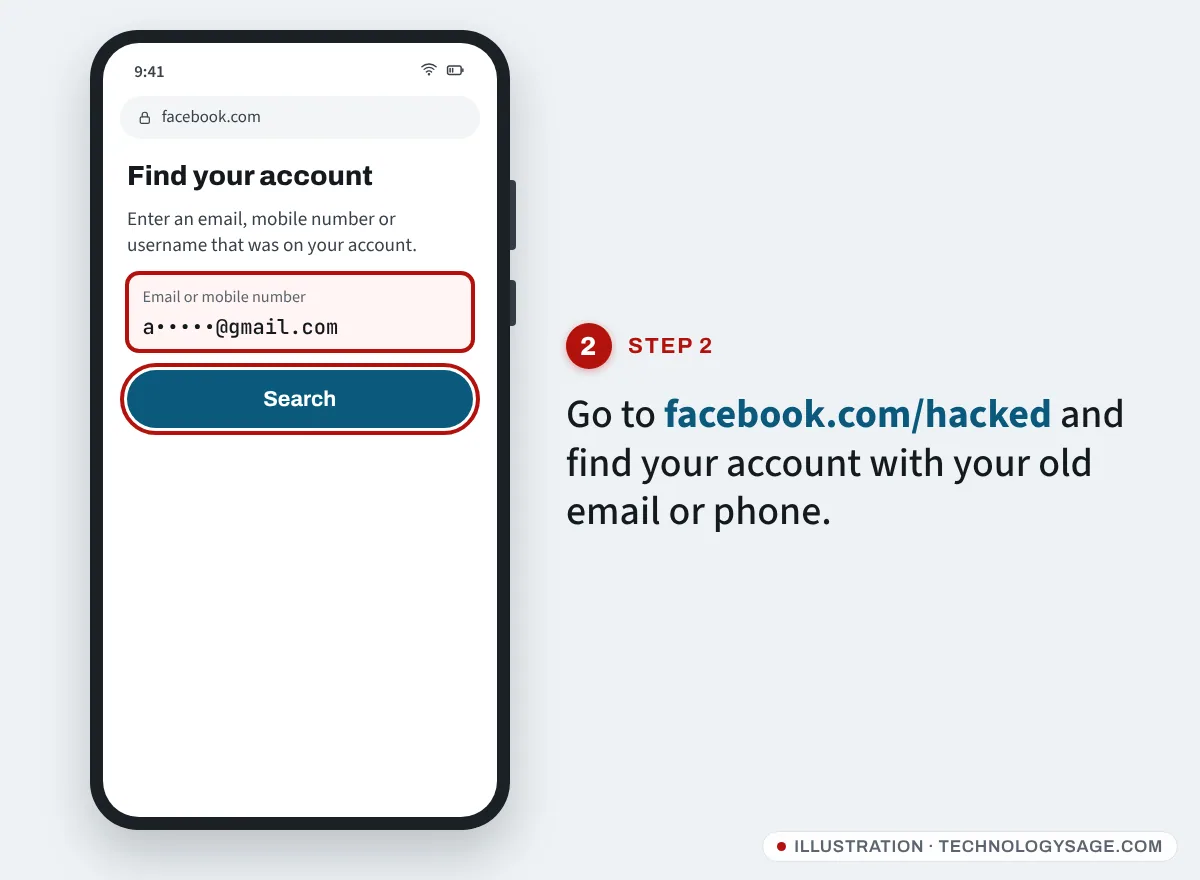
- On a phone or computer you’ve logged into Facebook with before, on your usual Wi-Fi or mobile data, open facebook.com/hacked.
- Choose the option that matches what happened, such as someone accessing your account without permission.
- Enter an email address, phone number, username or full name that was on your account. Try your old email or phone number; that is how Facebook finds your account.
- If Facebook shows contact details you can still use, choose one and enter the code it sends you, then set a new password.
Doing this from a familiar device and location matters. Facebook recognises devices you have used before and can offer simpler recovery options on them.
Step 3: No access to any email or phone on the account
This is the case when the hacker changed both. On the recovery screen:
- Tap No longer have access to these? or Try another way.
- Enter a new email address or phone number that only you control. Facebook uses it to contact you about the recovery.
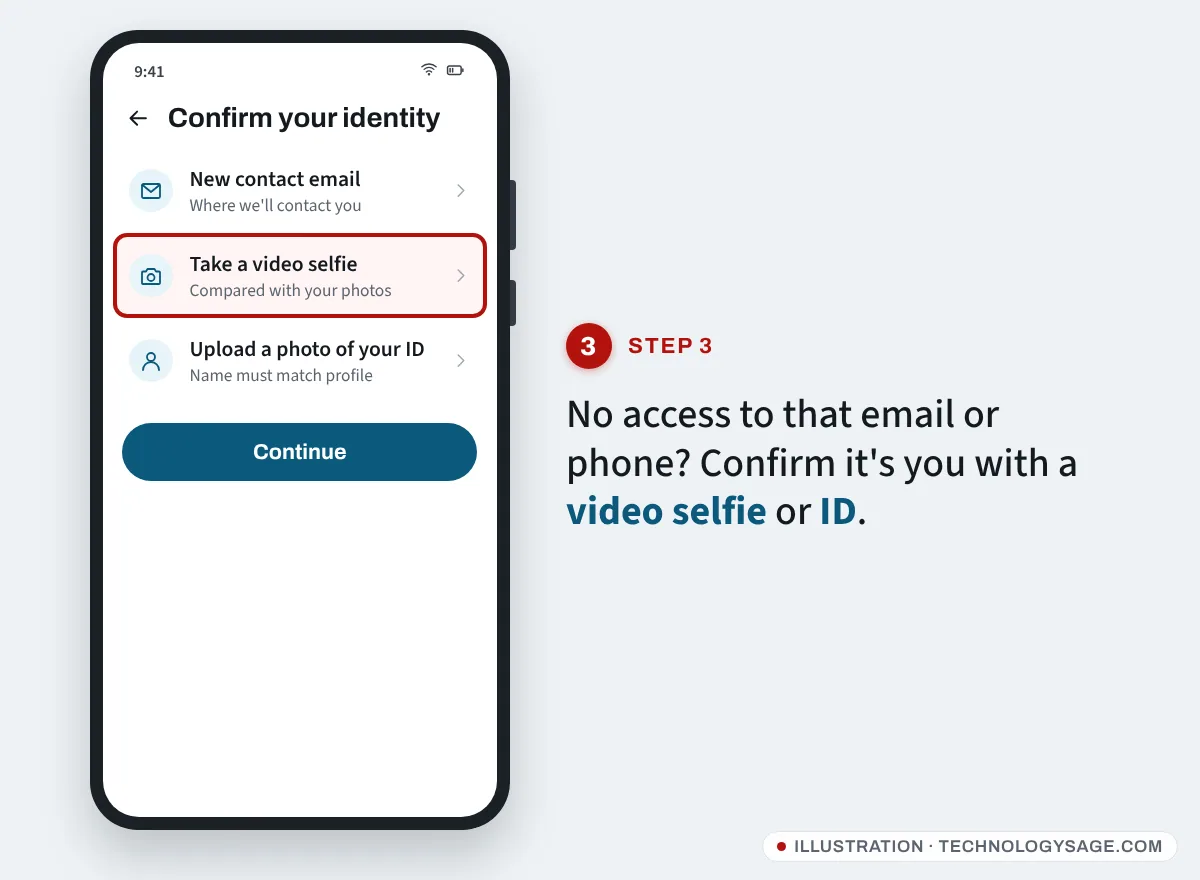
- Facebook then asks you to confirm your identity. You may be offered:
- A video selfie. You record a short clip turning your head. Meta compares it with photos on the account and says the video is used only for this check. It works best if your profile has clear pictures of your face.
- A photo of your ID. Use an original, in-date government ID showing the name on your Facebook account. Meta lists accepted ID types by country.
- Submit and watch the new email address or phone number for updates. There is no published review time. Submit once; repeated submissions don’t speed it up.
When the account is returned, Facebook asks you to set a new password and review recent changes. Undo anything the hacker did: posts, messages, name changes, added admins on your Pages, and linked apps.
Step 4: Lock it down and clean up
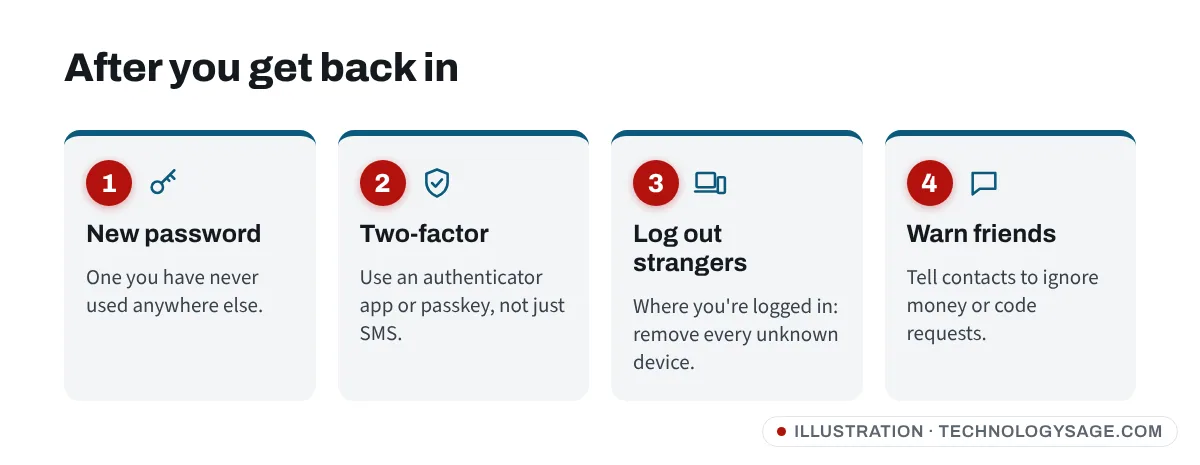
- Turn on two-factor authentication, preferably with an authenticator app rather than SMS.
- Add a passkey if your phone offers it under Password and security.
- Remove unknown logins under Where you’re logged in.
- Check Instagram too. If it’s in the same Accounts Center, the hacker may have reached it. See Instagram hacked and email changed.
- Warn friends. Hackers often message contacts asking for money or for a “code”. Post that you were hacked.
- Check your phone and email security. Our phone security tips cover the basics.
Don’t fall for “recovery hackers” and fake support numbers
Searches for this problem are flooded with pages listing a “Facebook support phone number” and with accounts claiming to be “ethical hackers” or “Meta agents” who can recover any account. They are scams.
- Facebook has no phone helpline for hacked accounts. Any number you find on a forum, PDF or blog is fake.
- Nobody outside Meta can recover your account. “Recovery experts” take an upfront fee (often crypto, gift cards, mobile money or airtime), then ask for more, or steal your other accounts.
- Never share your password, login codes or ID with anyone in DMs, WhatsApp or Telegram. Upload ID only on facebook.com or in the Facebook app.
- Comments saying “@someone got my account back” under posts about hacking are part of the scam.
Meta’s genuine help is reached through facebook.com/help and the Help or support menu inside the app. In some countries the app also offers an AI support assistant that can help with login problems.
If it doesn’t work
- “We couldn’t confirm your identity”: wait a day, then try again from a device and network you’ve used before. Make sure your ID name matches your profile name.
- Your profile has no photos of you: the video selfie may fail; use the ID option if offered.
- Code goes to the hacker’s email: use No longer have access to these? so codes go to a new address you control.
- The account was disabled after the hack: you’ll see an appeal option when you log in. Explain briefly that the account was hacked.
- The hacker deleted the account: Facebook keeps deleted accounts for a short period before removing them, so start recovery at facebook.com/hacked immediately.
- Instagram locked as well: see Facebook confirm your identity for identity checks and the Instagram guide above.
FAQ
How long does Facebook hacked recovery take?
Code-based recovery is instant. ID and video selfie reviews have no fixed time; some come back within a day or two, others take longer.
Can I recover Facebook without my email and phone number?
Often, yes. Use No longer have access to these?, give a new email, and confirm your identity with a video selfie or ID.
Does Facebook have a phone number for hacked accounts?
No. Facebook does not offer phone support for hacked accounts. Every “Facebook support number” online is a scam.
Will I get my messages and photos back?
Yes. Once you recover the account, your photos, friends and messages are still there, unless the hacker deleted specific items.
The hacker turned on two-factor authentication. Can I still recover?
Yes. Use facebook.com/hacked from a familiar device. If you can’t get the code, Facebook offers other ways to confirm your identity.