In this guide
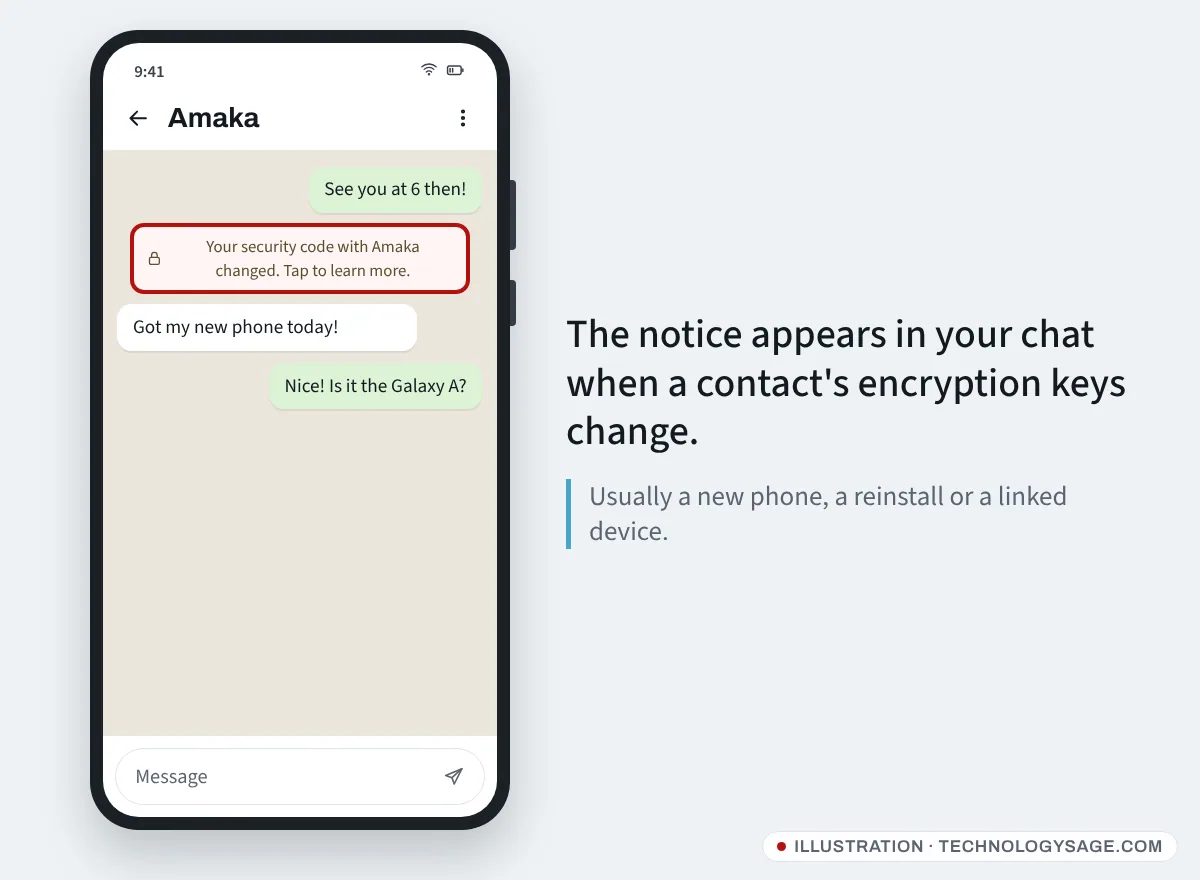
“Your security code with [contact] changed” is a normal WhatsApp notice, and in almost every case it is harmless. It appears when that person reinstalled WhatsApp, moved to a new phone, or added or removed a linked device such as WhatsApp Web. Your messages are still end-to-end encrypted. It is only worth worrying about if the contact did none of those things and starts acting strangely, for example asking you for money or for a 6-digit code.
You can’t “change” or “fix” your own security code from settings; it changes by itself when the keys behind your chats change. What you can do is verify it, which this guide explains.
What the security code actually is
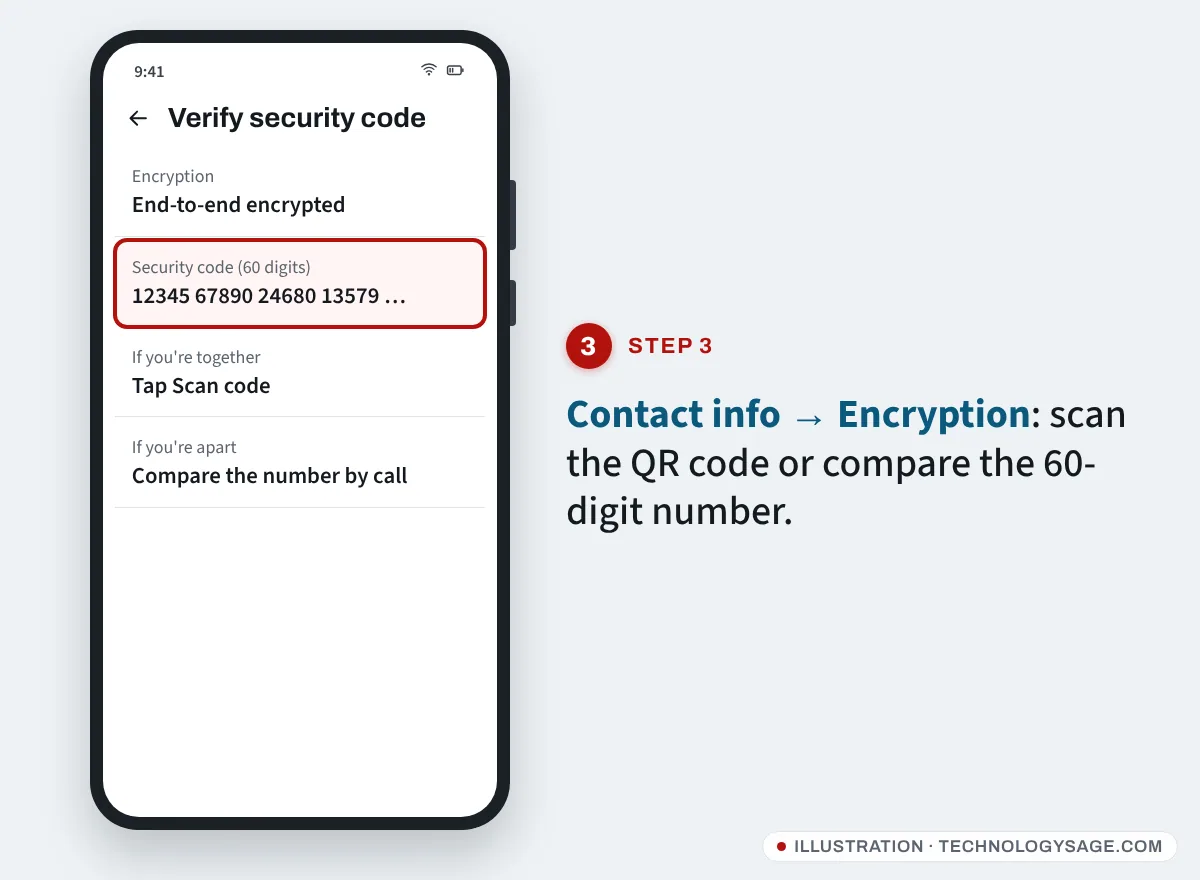
Every WhatsApp chat is protected with end-to-end encryption: only your device and your contact’s devices hold the keys to read the messages. The security code is a 60-digit number (also shown as a QR code) made from those keys. If the code on your phone matches the one on your contact’s phone, you know nobody is sitting in the middle of your conversation.
When your contact gets new keys, for example on a new phone, the code changes and WhatsApp can show a small note in your chat.
Why your contact’s security code changed
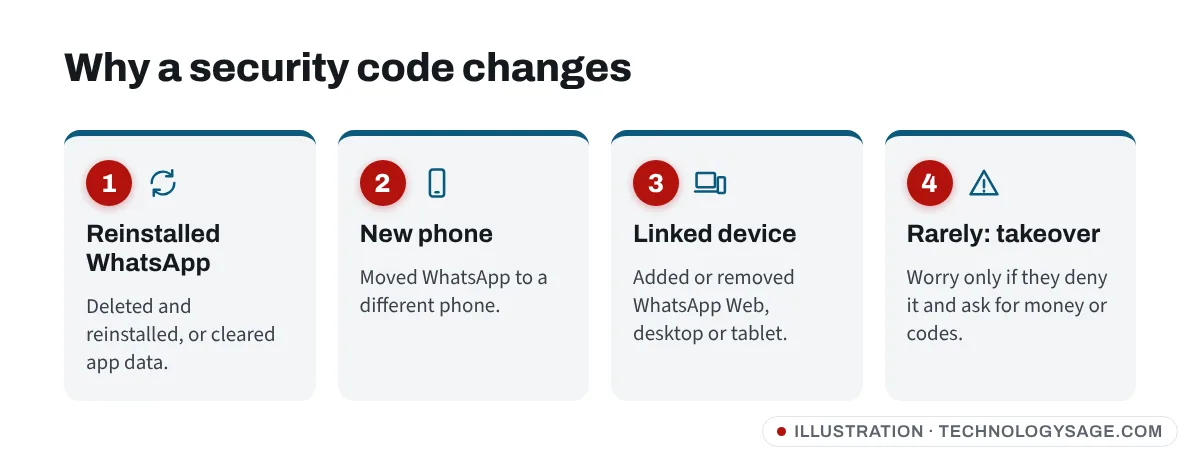
According to WhatsApp, the most common reasons are:
- They reinstalled WhatsApp. After deleting and reinstalling the app, or clearing its data.
- They changed phones. Including restoring a backup or using the chat transfer to a new phone.
- They added or removed a linked device. WhatsApp Web, the desktop app, a tablet or a companion phone.
- You did one of the above. Your contacts may see the same note about you.
In big groups you may see these notes often, simply because so many people change phones.
How to verify a contact’s security code
Verifying confirms you’re talking securely to the right device.
- Open the chat with the contact.
- Tap the contact’s name at the top to open Contact info.
- Tap Encryption. (You can also tap the security code notice in the chat, then Learn more → Verify.)
- WhatsApp may verify the code automatically and show the result.
- To check yourself:
- If you are together: one of you taps Scan code and scans the QR code on the other’s phone. A green tick means it matches.
- If you are apart: compare the 60-digit number. Read it to each other on a phone call, or send it through a different app, and check every block matches.
If your contact uses WhatsApp on several devices, the code covers all of them, so it changes whenever any of their devices change.
When should you worry?
The notice by itself is not proof of hacking. Be suspicious if several of these happen around the same time:
- The contact says they did not change phones, reinstall WhatsApp or link a device.
- Soon after the notice, “they” message you asking for money, airtime, mobile money, a loan or an urgent favour.
- “They” ask you to forward a 6-digit code that was “sent to you by mistake”. That code is your own WhatsApp registration code, and sharing it hands over your account.
- The writing style, language or profile photo suddenly changes.
- Messages arrive at odd hours, or the contact denies sending them when you call.
If this matches, call the person on a normal phone call (or meet them) before you do anything. If their account has been taken over, send them our guide on what to do if WhatsApp is hacked. Report the chat in WhatsApp (open the chat, tap the contact’s name, then Report) and don’t send anything.
If it’s your own account that is at risk
You’ll usually notice if someone took over your WhatsApp: you get logged out with a “Your phone number is no longer registered” style message, or you receive codes you didn’t ask for. To protect yourself:
- Never share your WhatsApp 6-digit code, even with friends, family or anyone claiming to be WhatsApp support.
- Turn on two-step verification: Settings → Account → Two-step verification → Turn on, set a 6-digit PIN and add an email address.
- Check Settings → Linked devices and log out of any computer or device you don’t recognise. See how to manage WhatsApp linked devices.
- Keep the phone itself locked and free of dodgy apps; see our tips to protect your Android phone from hackers.
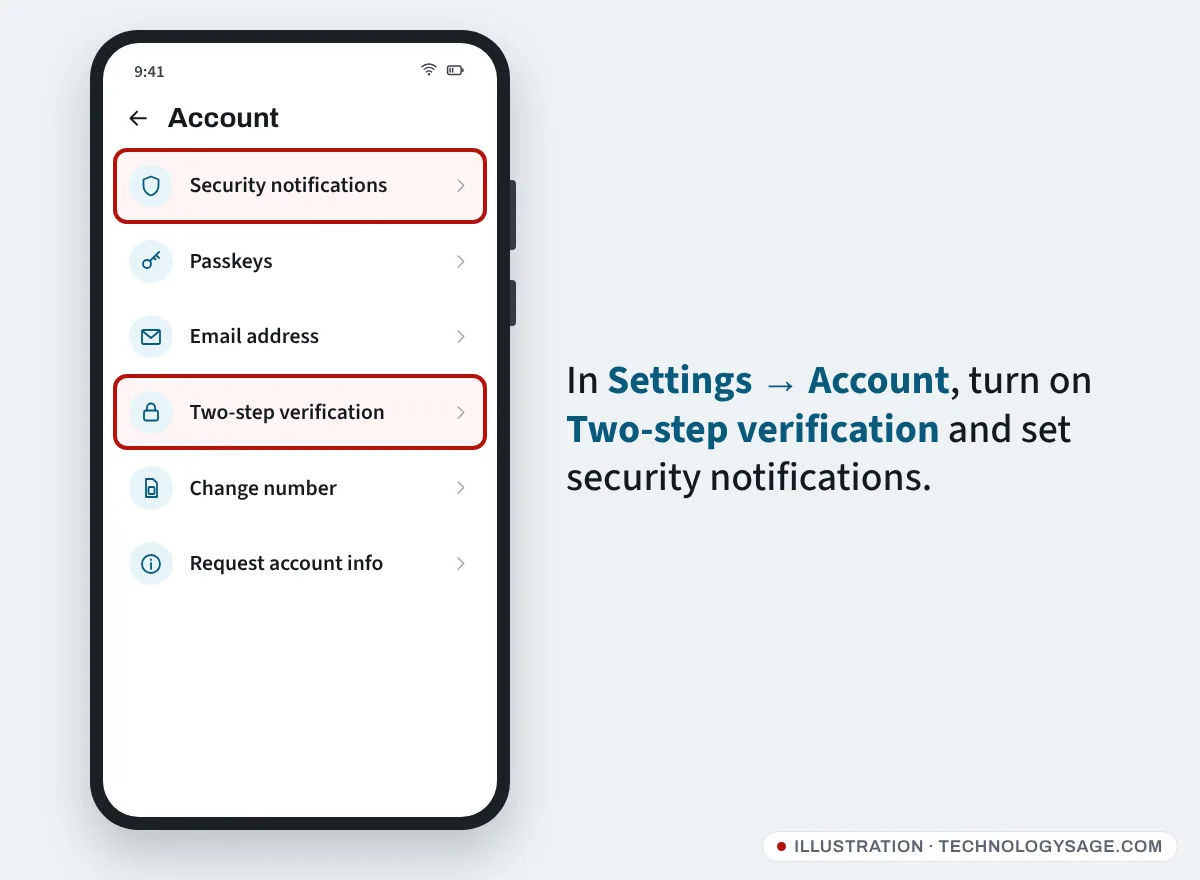
Turn security code notifications on or off
The chat notices are controlled by a setting on each of your devices.
- Open WhatsApp → Settings → Account → Security notifications.
- Turn Show security notifications on this phone on or off. (On a computer it says on this computer.)
Turning it off only hides the notes; your chats stay encrypted either way. If you’re a journalist, activist or someone who might be targeted, keep it on.
FAQ
Does “security code changed” mean someone is reading my messages?
No. It means your contact’s encryption keys changed, almost always because of a new phone, a reinstall or a linked device. Your messages remain end-to-end encrypted.
Can I change my own WhatsApp security code?
Not directly. There’s no setting for it. It changes automatically when you reinstall WhatsApp, change phones, or add or remove a linked device. Articles claiming you can “change” it in settings are wrong.
Will my contacts know I changed phones?
Contacts who have security notifications turned on will see a note that your security code changed. Nothing else is sent to them. Moving phones properly is covered in how to move WhatsApp to a new Android phone.
Why do I see this message so often in groups?
In a group, a notice appears whenever any member’s code changes. With many members, someone is always changing phones or linking a computer.
Is WhatsApp’s encryption still safe on a cheap Android phone?
Yes, the encryption is the same on every phone. The bigger risks are malware and people with access to your phone, so follow our tips to improve the security of your phone.