In this guide
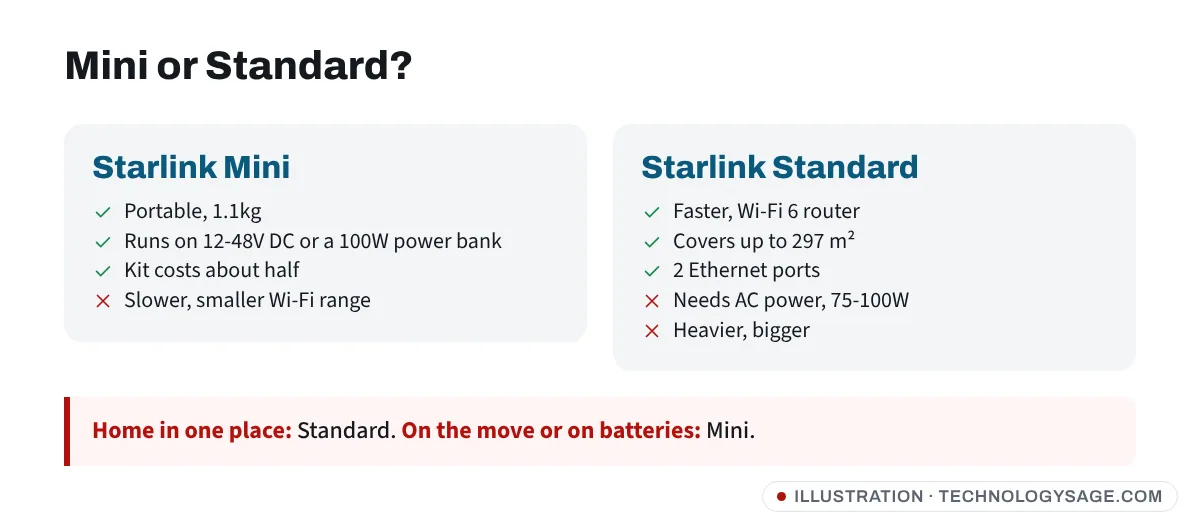
Choose the Starlink Standard if you want internet at home in one place: it’s faster, has a stronger Wi-Fi 6 router covering up to 297 m², and handles bad weather better. Choose the Starlink Mini if you need to carry it or run it on batteries: it weighs 1.1kg instead of 2.9kg and uses 25-40W instead of 75-100W. In most African markets the Mini kit costs roughly half as much (for example about KSh 27,000 vs KSh 49,900 in Kenya), but the monthly plan usually costs the same.
Here’s the full comparison, using Starlink’s official spec sheets and mid-2026 prices.
Quick verdict
- Home internet, mains or solar power with an inverter: Standard
- Travel, vehicles, boats, field work, events: Mini
- Frequent power cuts and a small battery or power bank backup: Mini
- Big house, many users, lots of video calls or uploads: Standard
- Tight budget for the kit: Mini
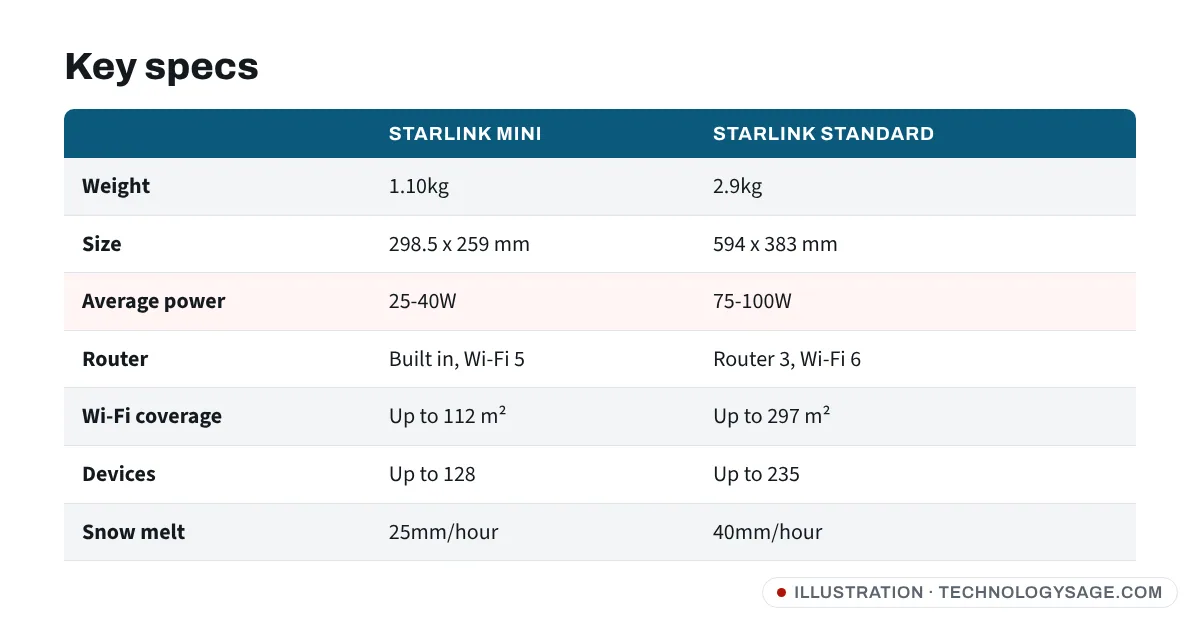
Starlink Mini vs Standard: specs
From Starlink’s official specification sheets. The current Standard kit is labelled Standard 4 X on Starlink’s spec sheet and comes with Router 3.
| Starlink Mini | Starlink Standard | |
|---|---|---|
| Size | 298.5 x 259 x 38.5 mm | 594 x 383 x 39.7 mm |
| Weight | 1.10kg (1.16kg with kickstand) | 2.9kg (3.2kg with kickstand) |
| Field of view | 110° | 110° |
| Pointing | Manual, app-guided | Manual, app-guided |
| Average power use | 25-40W | 75-100W |
| Power input | 12-48V DC, or 100W USB-C PD with Starlink’s cable | Mains power supply (100-240V AC) |
| Router | Built into the dish, Wi-Fi 5 dual band | Separate Router 3, Wi-Fi 6 tri band |
| Wi-Fi coverage | Up to 112 m² | Up to 297 m² |
| Devices | Up to 128 | Up to 235 |
| Ethernet | Via Starlink plug/adapter | 2 ports on Router 3 |
| Weather rating | IP67 (with DC cable and Starlink plug fitted) | IP67 |
| Snow melt | Up to 25mm/hour | Up to 40mm/hour |
Speed: how much faster is the Standard?
Starlink doesn’t guarantee speeds for either kit, and real results depend on your location and how busy your area is. Published tests give a guide:
- EarthSims tested both kits side by side at 38 locations: the Mini averaged 112 Mbps download and the Standard 138 Mbps, about a 19% difference.
- DishyTech, after months with both, reported the Standard as roughly twice as fast as the Mini in its own use, with latency usually under 40ms on the Standard and under 50ms on the Mini.
- HighSpeedInternet measured the Mini at about 112 Mbps down, 11 Mbps up and 20ms latency over Wi-Fi.
In short: both are fast enough for streaming, video calls and online classes. The Standard pulls ahead for uploads, households with many users and busy times of day.
Power: the difference that matters most in Africa and Asia
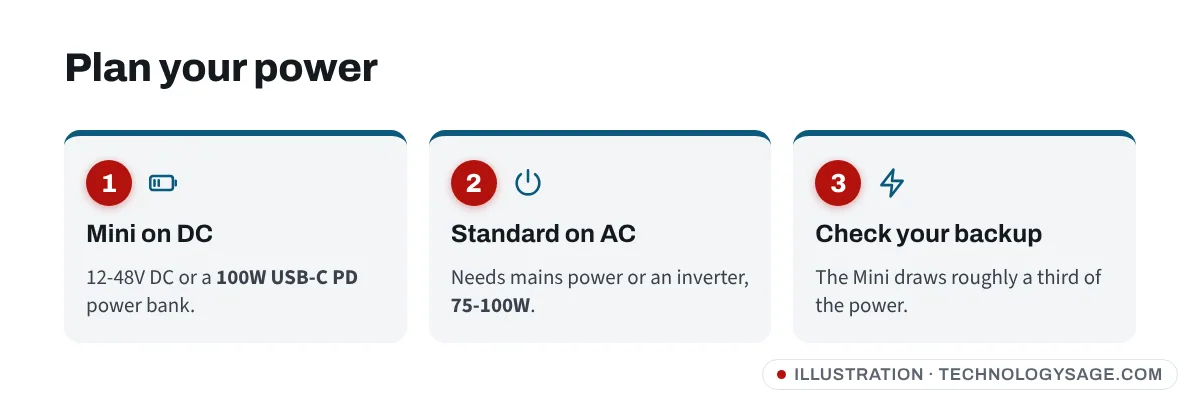
This is where the Mini really wins. The Standard uses 75-100W on average; the Mini uses 25-40W.
- On a 1kWh battery or inverter (before losses), the Mini could in theory run for around 25 to 40 hours, and the Standard for around 10 to 13 hours. Real runtime will be lower because of inverter losses and the rest of your load.
- The Mini runs directly on 12-48V DC (car batteries, many solar charge controllers) or a 100W USB-C PD power bank. The Standard needs AC power, so you need an inverter.
If you live with daily power cuts, the Mini’s low power draw can be worth more than the Standard’s extra speed.
Wi-Fi range and devices
The Standard’s Router 3 is Wi-Fi 6, tri-band, covers up to 297 m² and supports up to 235 devices, with two Ethernet ports. The Mini’s built-in router is Wi-Fi 5, covers up to 112 m² and supports up to 128 devices.
For a flat or small house, the Mini is enough. For a large house, a small office or a compound, the Standard is better, or you can add Starlink mesh nodes to either. Weak Wi-Fi in some rooms? Our guide to fixing a laptop’s Wi-Fi that keeps disconnecting covers common causes.
Price: Mini vs Standard kit by country
Kit prices from Starlink’s local pricing reported by tech.africa (checked 16 June 2026). Prices change often, so check starlink.com before you buy. The monthly plan is the same whichever kit you choose.
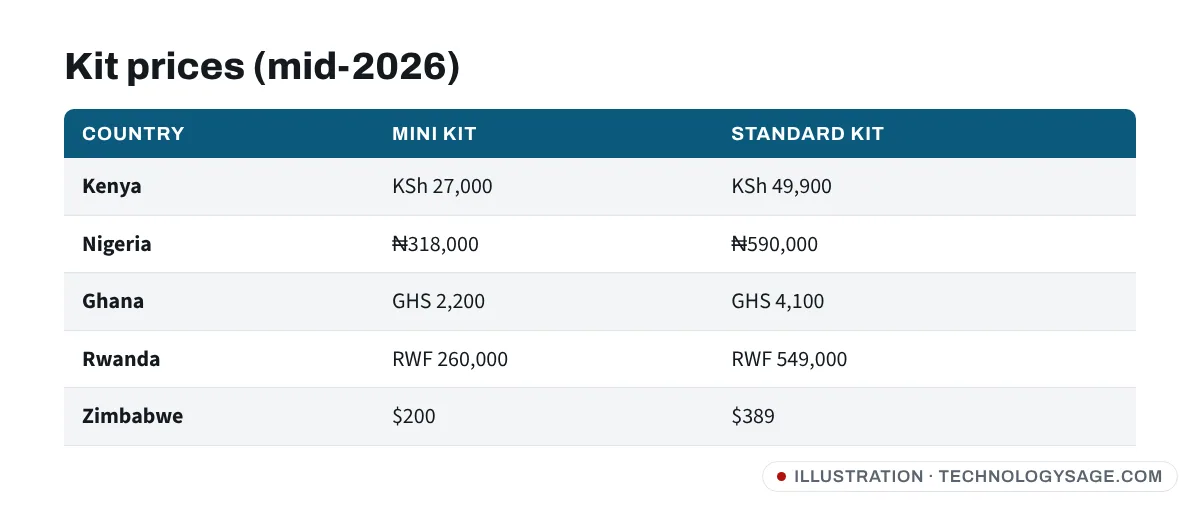
| Country | Mini kit | Standard kit | Residential plan |
|---|---|---|---|
| Kenya | KSh 27,000 | KSh 49,900 | KSh 6,500/month |
| Nigeria | ₦318,000 | ₦590,000 | ₦57,000/month |
| Ghana | GHS 2,200 | GHS 4,100 | GHS 770/month |
| Rwanda | RWF 260,000 | RWF 549,000 | RWF 60,000/month |
| Zambia | ZMW 5,250 | ZMW 10,290 | ZMW 1,160/month |
| Senegal | XOF 117,000 | XOF 146,000 | XOF 30,000/month |
| Zimbabwe | $200 | $389 | $50/month |
United States: prices change often. In 2026 the Standard kit was listed at $349, with regional promotions and some new residential customers offered a monthly kit fee instead of buying outright. The Mini dropped to $199 and then to $149 in an October 2026 report. Check the checkout price for your address on starlink.com.
Philippines: Starlink raised plan prices in 2026. Reported Roam plans are about ₱3,299 a month (100GB) and ₱5,999 (unlimited).
Which plan works with which kit?
Both kits work with Starlink’s Residential plans (where offered) and Roam plans. The Mini is designed for Roam use, but you can use it at home. The Standard can also be used on Roam if you move it, though its size and power needs make that less practical. Plan names and data limits vary by country, so compare them on starlink.com.
Before you buy either kit
- Check the coverage map for your exact address on starlink.com.
- Find a clear view of the sky. Trees and buildings cause dropouts on both kits.
- Buy from starlink.com or an authorised reseller. Fake “Starlink agents” on social media are common; never pay for activation by gift card, airtime or mobile money to a personal number.
- Plan your power. Standard: you need AC power or an inverter. Mini: a DC source or a 100W USB-C power bank will do.
If you’re comparing Starlink with fibre or 4G/5G home internet, see our guide to finding a reliable internet provider near you, and if your router shows a red light after setup, our router red light guide explains what it usually means.
Which should you buy?
Buy the Starlink Standard if it will stay at one home or office, you have reliable power (or a decent inverter), and you want the best speed and Wi-Fi coverage. The extra kit cost is spread over years of use.
Buy the Starlink Mini if you’ll carry it, use it in a vehicle or at different sites, rely on batteries or solar, or want the cheapest way to get Starlink. For the full Mini review, see our Starlink Mini specs and price guide.
Consider neither if you have good 4G/5G coverage. A mobile hotspot or a 5G router may be cheaper each month; our Android hotspot speed tips can help you get more from your phone first.
FAQ
Is the Starlink Mini slower than the Standard?
Usually, yes. In EarthSims’ side-by-side test the Mini averaged about 112 Mbps and the Standard about 138 Mbps. The Standard’s lead is bigger for uploads and in busy areas.
Can I use the Starlink Mini at home?
Yes. You can use the Mini at home with a plan that covers your address. Many people use it as both a home and travel kit.
Which uses less power, Starlink Mini or Standard?
The Mini, by a wide margin: 25-40W on average, compared with 75-100W for the Standard, according to Starlink’s spec sheets.
Is the Starlink Standard waterproof?
Starlink rates the Standard dish IP67. The Mini is also IP67, but only when the DC cable and Starlink plug are fitted. Routers and power supplies have their own ratings.
Is the monthly price different for Mini and Standard?
In most markets the plan price is the same; only the kit price differs. Roam plans can cost more than Residential plans, so check the options for your country.