In this guide
WhatsApp has fixed three security flaws in its apps, listed in its official November 2026 security advisories. One of them, in WhatsApp and WhatsApp Business for Android, “may have been abused in conjunction with specific spam messages”, in WhatsApp’s own words: a specially crafted reply to a “Click to WhatsApp” ad could reveal the target device’s IP address to the attacker. WhatsApp told SecurityWeek, which reported the fix on 20 November, that its team found the issue while disrupting a scam campaign, and that a scammer was likely using it to make scam messages seem more credible.
What it means for you: update WhatsApp from the Play Store or App Store now. The fixes are already in current versions, and there is nothing else to switch on.
What was fixed
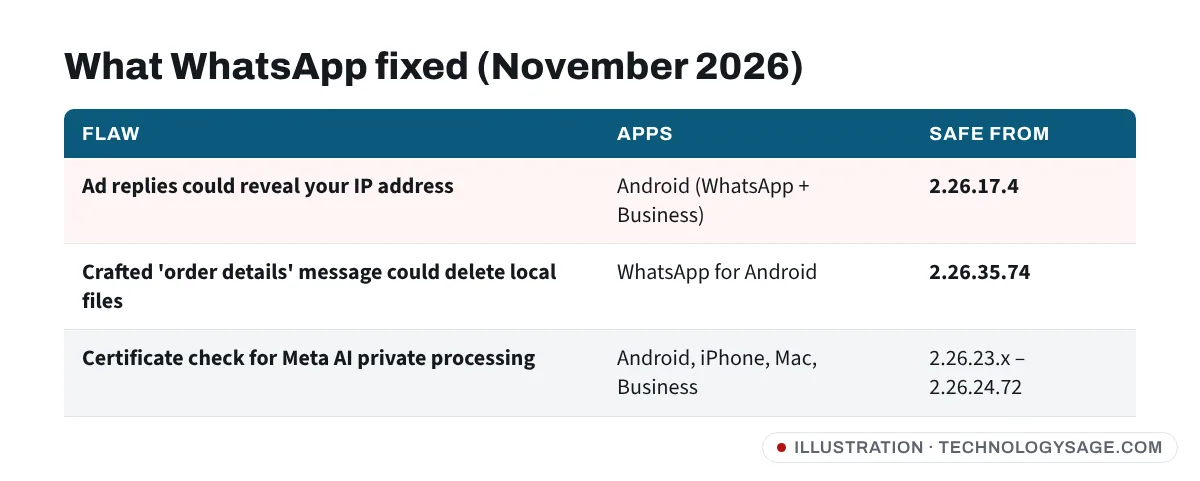
| Flaw | Apps affected | Fixed in | Exploited? |
|---|---|---|---|
| Ad-reply links could reveal your device’s IP address (CVE-2026-23871) | WhatsApp and WhatsApp Business for Android | 2.26.17.4 and later | “May have been abused” with spam messages |
| Crafted “order details” message from an unofficial client could delete local WhatsApp files (CVE-2026-102769) | WhatsApp for Android | 2.26.35.74 and later | No evidence of exploitation |
| Certificate check in the system used to connect securely to Meta AI’s private processing (CVE-2026-44908) | WhatsApp for Android, iPhone, Mac and WhatsApp Business | 2.26.23.x / 2.26.24.72 and later (varies by app) | WhatsApp says no exploitation |
An IP address can show roughly where you are (your city or internet provider). On its own it doesn’t give anyone access to your chats, which stay end-to-end encrypted. But scammers use details like your location to make a message feel personal and believable (“We noticed you’re in Lagos…”).
What to do now
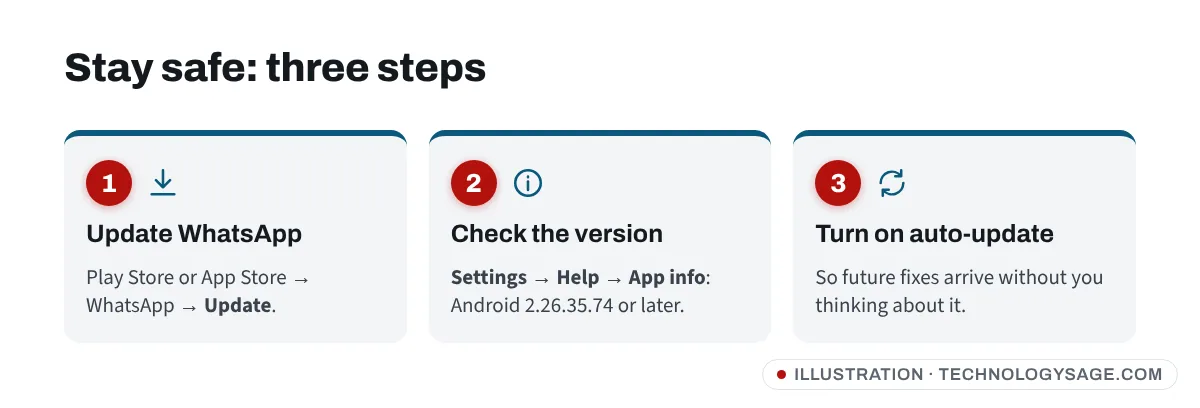
- Update WhatsApp. Open the Google Play Store or App Store, search for WhatsApp (and WhatsApp Business if you use it) and tap Update.
- Check your version. In WhatsApp, go to Settings → Help → App info. On Android you want 2.26.35.74 or later to have all three fixes.
- Turn on automatic updates so you get future fixes without thinking about it (Play Store: profile picture → Settings → Network preferences → Auto-update apps).
- Be careful with messages from businesses you don’t know, especially ones that arrive after you tap an ad. Don’t share codes, send money or click links because a message seems to “know” where you are.
- Never share your 6-digit WhatsApp code. If you think someone has got into your account, follow our guide: WhatsApp hacked? How to get your account back.
FAQ
Were my messages exposed?
According to WhatsApp’s advisories, none of the three flaws let an attacker read your messages. The scam-related one could reveal a device’s IP address; another could delete local WhatsApp files and leak a single bit of information about the chat database, with no evidence it was ever used.
I use an iPhone. Am I affected?
The scam-related flaw affected only Android apps. One of the other fixes also covers WhatsApp for iPhone and Mac, so update on every device anyway.
Is it safe to tap “Click to WhatsApp” ads?
Ads that open a chat with a business are normal. The risk is from scammers posing as businesses. Check the business is real (look for its official website or verified account) before you share anything.
Sources: WhatsApp security advisories 2026 (November update); SecurityWeek, 20 November 2026. Also see how to check which devices are logged in to your WhatsApp.