In this guide
- What you need
- Step 1: Install DStv Stream from the Play Store
- Step 2: Sign in with your DStv ID
- Step 3: Link your subscription
- Step 4: Watch live TV and Catch Up
- Streaming-only plans: DStv without a decoder
- How to save mobile data with DStv Stream
- Watching on your TV from your phone
- If DStv Stream isn’t working
- FAQ
To watch DStv on your Android phone, install the official DStv Stream app from the Google Play Store, sign in with your DStv ID, and your channels appear in the app. It’s included with every DStv subscription at no extra cost, and in some countries you can buy a streaming-only plan with no dish or decoder. There is no legitimate free way to get DStv’s paid channels: apps such as Mobdro that used to promise this were pirate services, and the “free DStv” APKs around today are often malware.
This guide replaces our older article on watching DStv with Mobdro. Mobdro was shut down by police in 2021; see what happened to Mobdro.
What you need
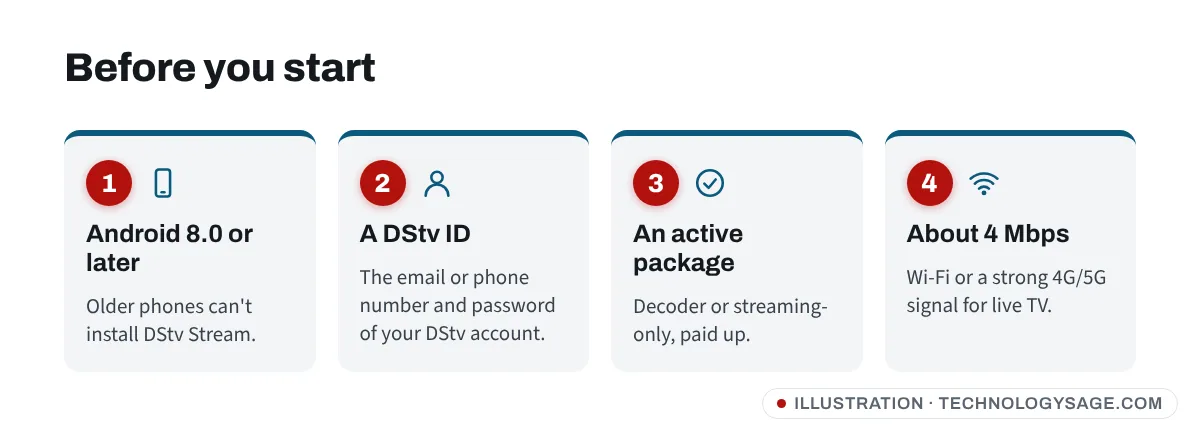
- An Android phone or tablet running Android 8.0 or later (DStv’s stated minimum).
- A DStv subscription (decoder or streaming-only) and a DStv ID, the email address or phone number and password you use for your DStv account.
- A steady internet connection. DStv’s support team suggests about 4 Mbps or more for smooth live TV.
- To be in a country where DStv operates. DStv Stream works only in sub-Saharan Africa; it won’t play live channels abroad.
Step 1: Install DStv Stream from the Play Store
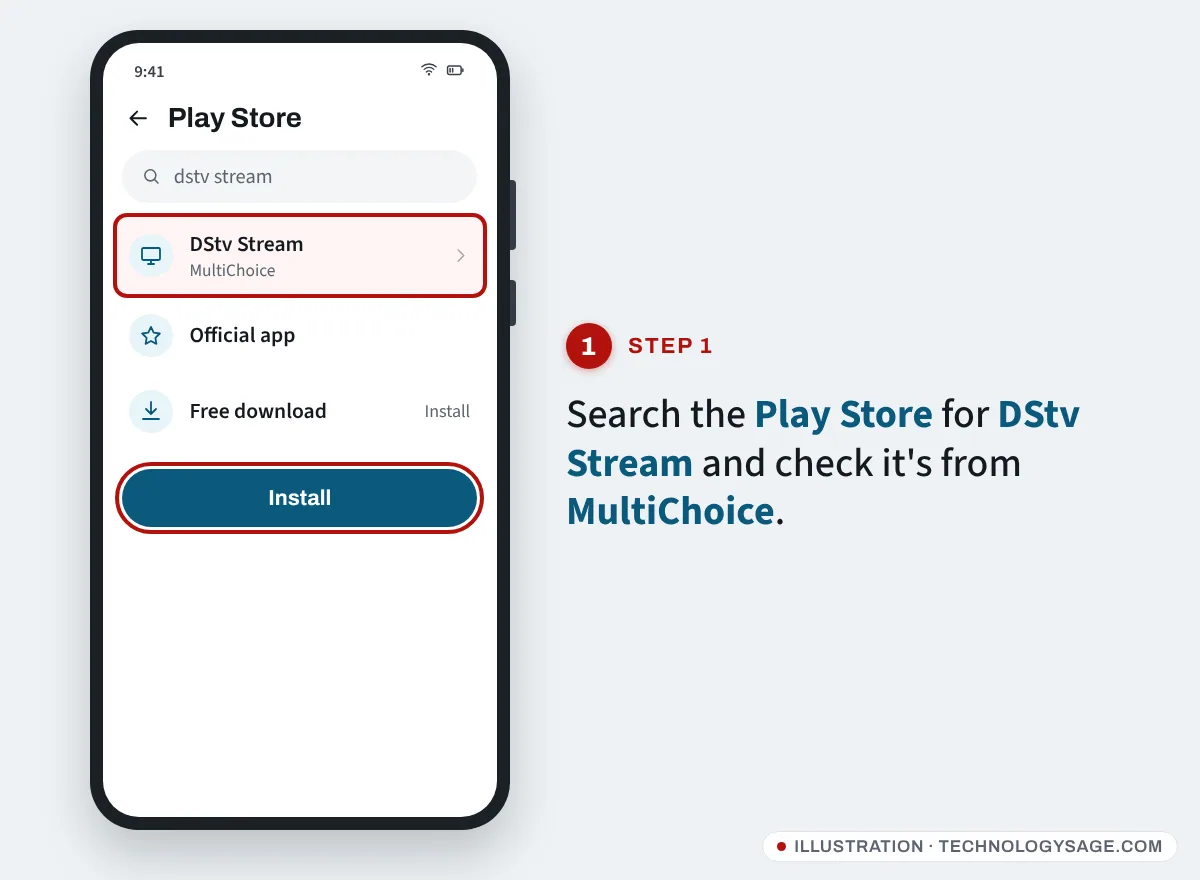
- Open the Play Store and search for DStv Stream (it may be listed simply as DStv).
- Check the developer is MultiChoice. Avoid look-alike apps with “free”, “live” or “HD” in the name.
- Tap Install, then Open.
Never install DStv from an APK sent on WhatsApp or downloaded from a “mod” site. Real DStv only comes from the Play Store (or the App Store on iPhone).
Step 2: Sign in with your DStv ID
- Open the app and tap Sign in.
- Enter the email address or mobile number of your DStv ID, then your password. If you have never created one, tap Sign up and follow the steps.
- If you forgot the password, use Forgot password in the app; the reset code is sent to your email or phone. DStv will never ask you to send that code to anyone.
Step 3: Link your subscription
If you already pay for DStv on a decoder, your DStv ID has to be linked to that account before the channels unlock.
- After signing in, the app normally finds your subscription automatically.
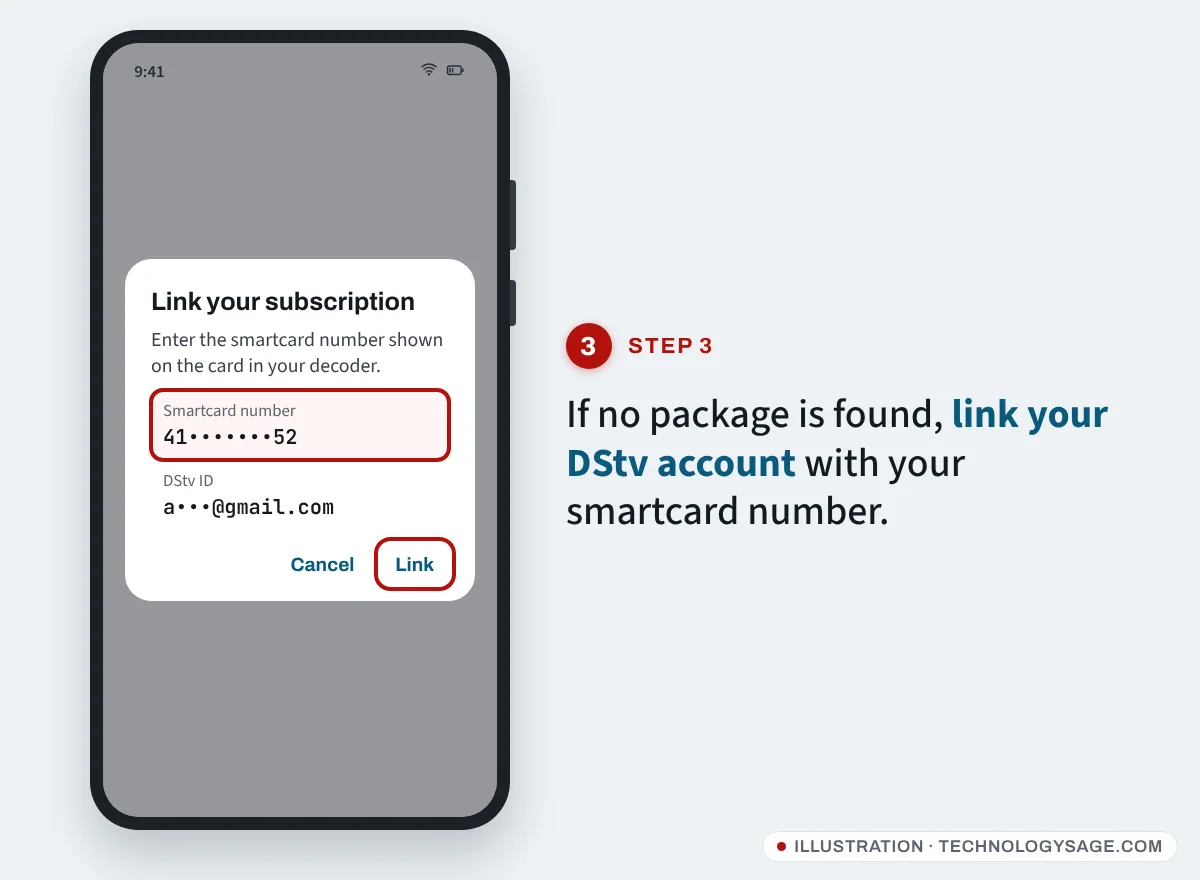
- If it says there is no active subscription, choose the option to link your DStv account and enter the details it asks for, usually your smartcard number or customer number. The smartcard number is printed on the card in your decoder and shown in the decoder’s information menu.
- If linking still fails, use the MyDStv app or DStv’s official help channels on your country’s DStv site. Don’t use “agents” on social media.
Step 4: Watch live TV and Catch Up
- Live TV: tap Live TV (or TV Guide) and choose a channel. Only channels in your package play; the others show a lock or an upgrade message.
- Catch Up: shows, films and series you can watch on demand, including the former Showmax originals that moved into DStv Stream after Showmax closed in April 2026.
- Downloads: many Catch Up titles can be downloaded over Wi-Fi to watch offline later. Live channels and most live sport can’t be downloaded.
Streaming-only plans: DStv without a decoder
If you don’t have a dish, you can buy a DStv package to watch only in the app (and on a browser or smart TV). Streaming-only plans are sold in South Africa and reportedly in Kenya; availability elsewhere varies, so check your country’s DStv site.
| Package (South Africa streaming) | What’s in it for football | Price, as of November 2026 |
|---|---|---|
| DStv Starter | SuperSport KICKOFF, selected Premier League matches | R99 a month |
| DStv Select | More channels, same selected football | R299 a month |
| DStv Sports | Every Premier League and Champions League match | R399 a month |
Prices change and differ by country, so check the official DStv site before you pay. For Kenya and Nigeria prices and the cheapest ways to see every match, see how to watch the Premier League live.
How to save mobile data with DStv Stream
Live TV uses a lot of data. DStv doesn’t publish exact figures, but independent estimates range from a few hundred MB an hour at low quality to well over 1 GB an hour in HD. A full football match in HD can use 2 GB or more.
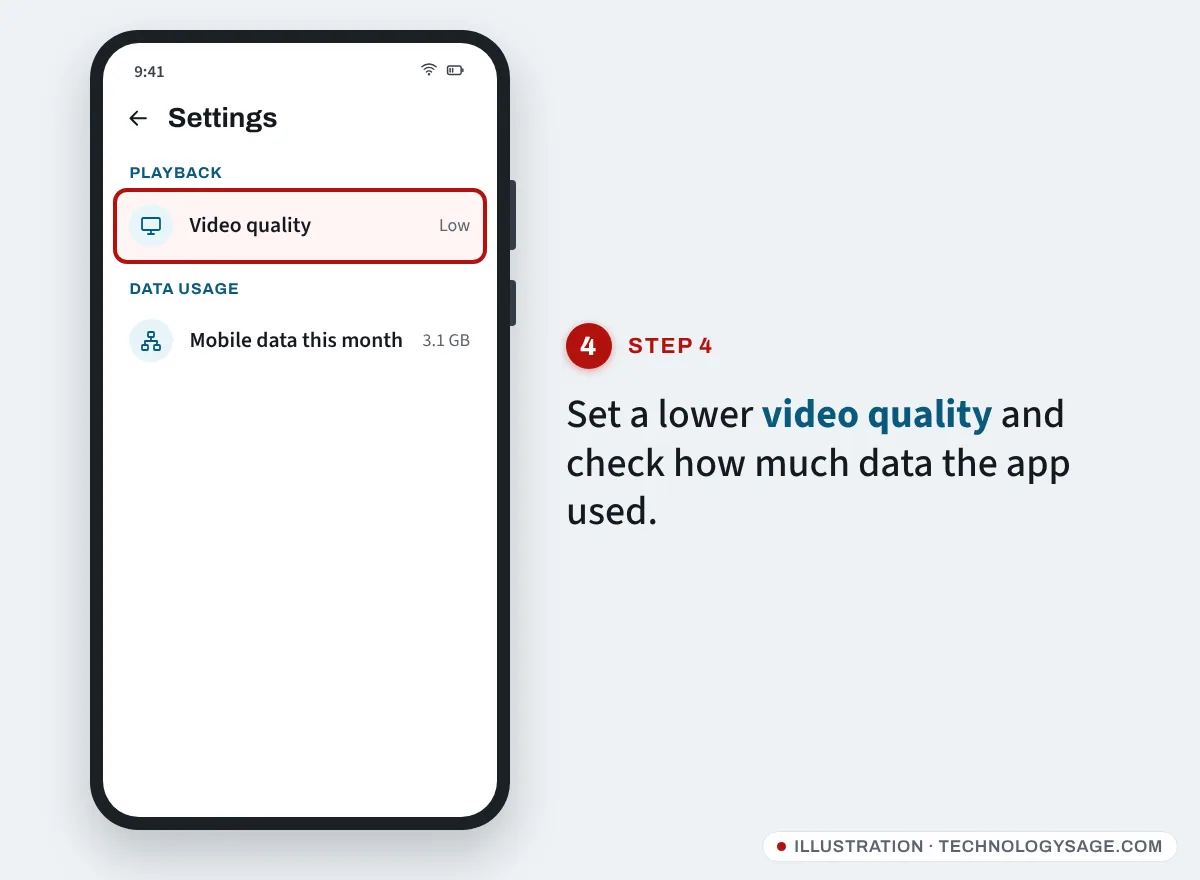
- Lower the video quality. Open the app’s Settings and look for the video quality or data-saving option. Low or medium quality looks fine on a phone screen.
- Download on Wi-Fi and watch Catch Up offline later.
- Buy the right bundle. Many networks sell night, weekend or video bundles that are cheaper per GB than standard data.
- Watch Android’s own counter: Settings → Network & internet → Data usage (on Samsung: Settings → Connections → Data usage) shows how much DStv Stream used.
There’s more on this in how to reduce data usage on Android.
Watching on your TV from your phone
The easiest way is to install DStv Stream directly on the TV if it’s a supported smart TV or Android TV (DStv lists Android TV 8.0 and later). Casting or screen mirroring from the phone may work too, but some live channels block mirroring for copyright reasons. See how to watch live football on Android TV and how to mirror an Android phone to a TV.
If DStv Stream isn’t working
- “Stream limit reached” or “device limit”: your subscription allows a limited number of registered devices and streams at once, depending on the package. Remove old phones under More → Settings → Manage Devices, and stop playback on other devices.
- Channels are locked: your package doesn’t include them, or the subscription is paused or unpaid. Check the account in the MyDStv app.
- Video keeps buffering: lower the quality, move closer to the Wi-Fi router, or switch between Wi-Fi and mobile data.
- “Not available in your region”: you’re outside DStv’s service area, or a VPN is on. Turn the VPN off.
- The app crashes or won’t load: update it in the Play Store, then go to Settings → Apps → DStv Stream → Storage and tap Clear cache. Restart the phone.
- Black screen while screen recording or mirroring: that’s copy protection, not a fault.
FAQ
Can I watch DStv on my phone for free?
Not DStv’s paid channels. The DStv Stream app is free to download and comes at no extra cost with a DStv subscription, but you need a paid package. For free, legal football and TV, see free legal ways to watch football.
Do I need a decoder to use DStv Stream?
No. A decoder subscription includes DStv Stream, but in some countries you can buy a streaming-only package and watch on your phone without any decoder or dish.
How many devices can I use DStv Stream on?
It depends on your package. Each subscription has a limit on registered devices and on how many can stream at once. You can see and remove devices in the app under Manage Devices.
Is DStv Stream the same as DStv Now?
Yes. DStv Now was renamed DStv Stream. If you had DStv Now, your DStv ID still works.
Why does DStv Stream use so much data?
Live video is data-heavy, especially in HD. Set a lower video quality in the app and download Catch Up shows on Wi-Fi to cut usage.