In this guide
You can watch DStv on a laptop or PC without a decoder by opening DStv Stream in your web browser and signing in with your DStv ID. No software download is needed. You do need a DStv package: either the one you already pay for on a decoder (DStv Stream is included at no extra cost) or, in some countries, a streaming-only plan with no dish at all. Websites and “DStv for PC” downloads that promise every channel for free are pirate streams or malware, not DStv.
This guide replaces our older article on watching DStv online for free, which pointed to unofficial streams. We no longer recommend those.
What you need
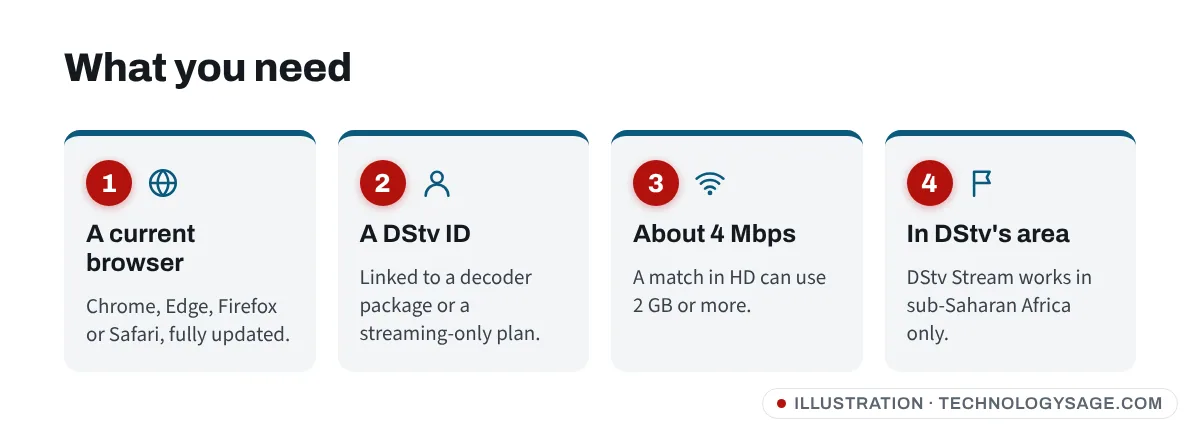
- A Windows laptop or PC, a Mac, or a Chromebook with an up-to-date web browser such as Chrome, Edge, Firefox or Safari. DStv uses copy protection that needs a current browser; Linux browsers often don’t work.
- A DStv ID (the email address or phone number and password for your DStv account) linked to an active package.
- A steady connection: about 4 Mbps or faster for live TV. Live football in HD can use 2 GB or more per match.
- To be in a country where DStv operates. DStv Stream is only available in sub-Saharan Africa.
Step 1: Open DStv Stream in your browser
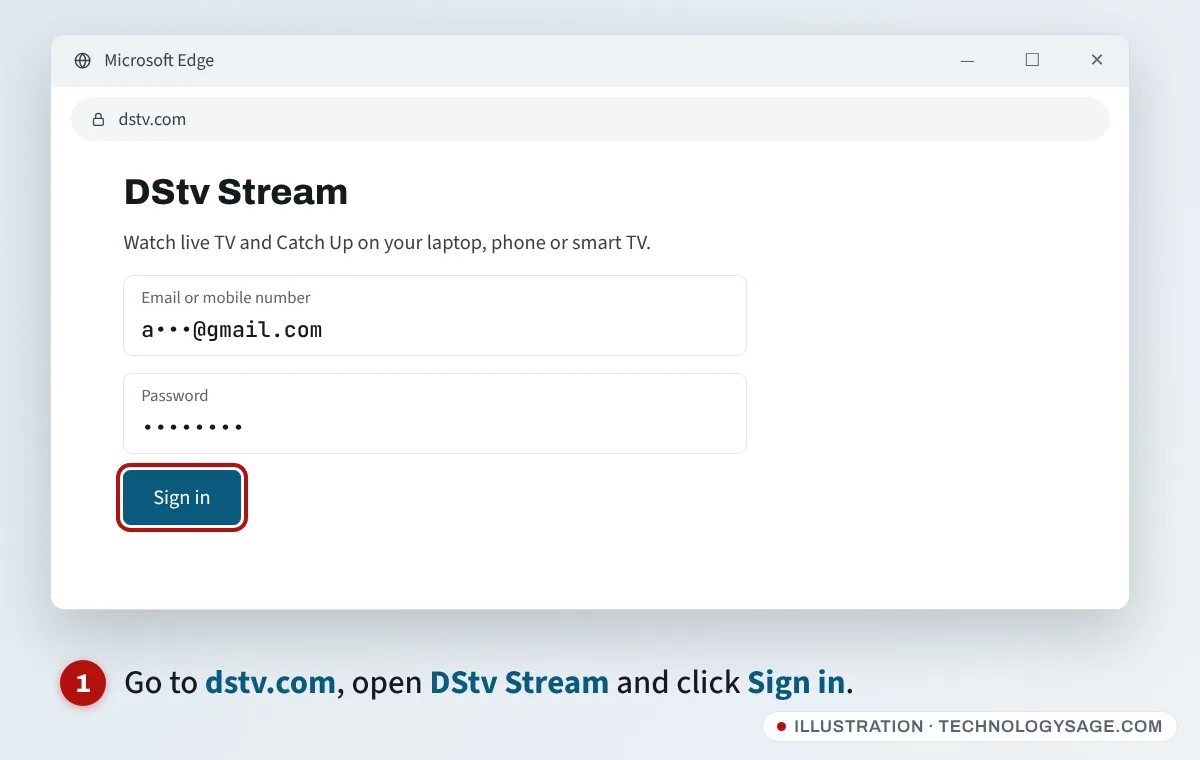
- Open your browser and go to dstv.com, choosing your country if asked.
- Follow the link to DStv Stream (sometimes labelled Watch or Stream). Older bookmarks for DStv Now still lead to the same service.
- Make sure the address bar shows a dstv.com address before you type your password. Fake “DStv login” pages are used to steal accounts.
Step 2: Sign in and link your package
- Click Sign in and enter your DStv ID email or mobile number and password. If you don’t have one, choose Sign up.
- If you have a decoder subscription and the site says no package was found, follow the prompt to link your DStv account. It will ask for details such as your smartcard number, which is printed on the card in your decoder.
- If you don’t have a decoder, choose a streaming-only package and pay through the official site or app (available in South Africa and reportedly Kenya; check your country’s DStv site).
Each package lets you register a limited number of devices and stream on a set number at once. Your laptop counts as one of them.
Step 3: Watch live TV or Catch Up
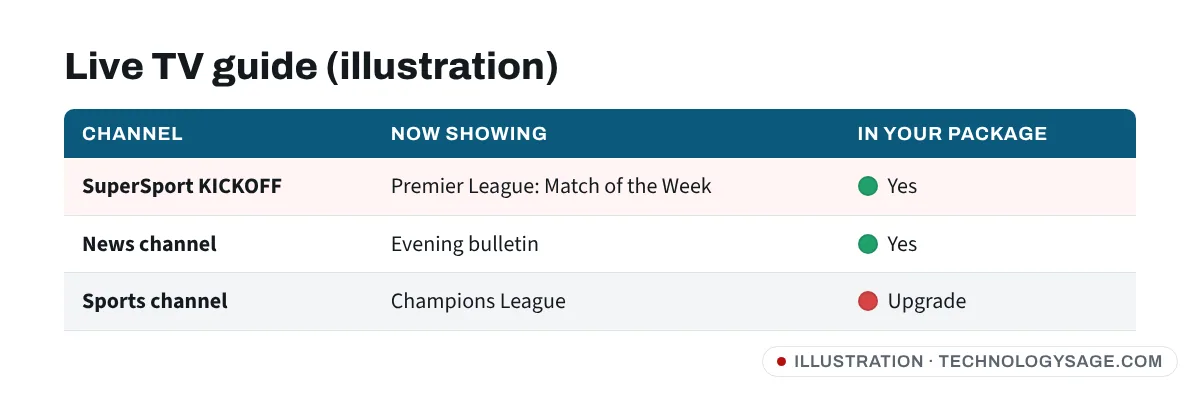
- Click Live TV or the TV Guide to see the channels in your package. Locked channels aren’t in your package.
- Click Catch Up for shows, films and series on demand, including the former Showmax originals that moved into DStv Stream after Showmax closed in April 2026.
- Use the full-screen button in the player. Some live sport has Watch from Start if you tune in late.
Streaming-only plans at a glance
As of November 2026, DStv’s streaming packages in South Africa run from Starter at R99 a month (SuperSport KICKOFF with selected Premier League matches) to Sports at R399 (every Premier League and Champions League match) and Premium at R799. In Kenya and Nigeria the same Starter, Select and Sports names apply to the new packages launched on 5 November 2026. Prices change, so check the official DStv site. For a country-by-country price list, see how to watch the Premier League live.
Watching DStv from your laptop on a TV
A laptop screen is fine for one person, but for a match with friends you’ll want the TV.
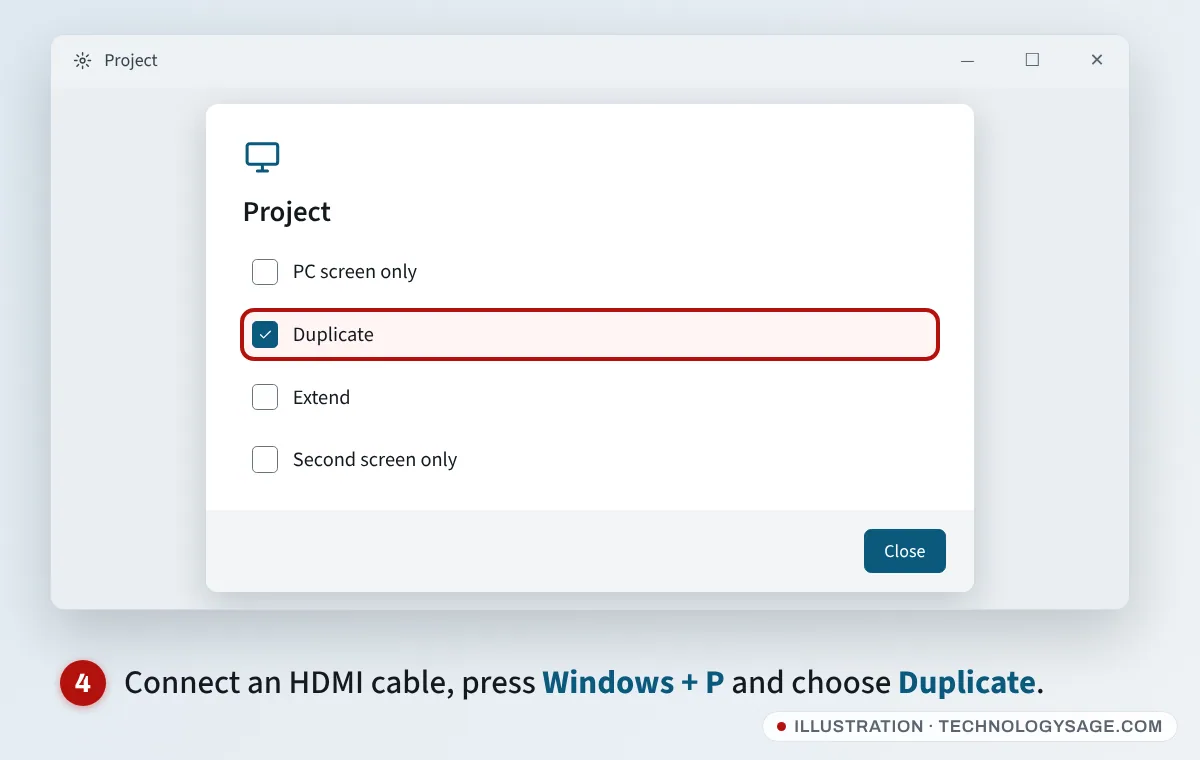
- HDMI cable (most reliable). Connect the laptop’s HDMI port to the TV and select that HDMI input on the TV. On Windows, press Windows + P and choose Duplicate or Second screen only. Most laptops made in recent years support copy-protected video over HDMI.
- Cast from the browser. In Chrome or Edge, you can cast a tab to a Chromecast or Google TV. Some protected live channels show a black screen when cast this way; if so, use HDMI or the app on the TV.
- Use the TV’s own app (best picture). If you have a supported smart TV or Android TV, install DStv Stream there and sign in with the same DStv ID. See how to watch live football on Android TV.
If DStv Stream won’t play on your laptop
- Black screen or “playback error”: update the browser. In Chrome, go to Settings → About Chrome; in Edge, Settings → About Microsoft Edge. Then try another browser.
- “Protected content” errors: in Chrome, open Settings → Privacy and security → Site settings → Additional content settings → Protected content IDs and make sure sites are allowed to play protected content.
- Keeps buffering: close other tabs and downloads, plug into the router with a cable if you can, or lower the playback quality in the player’s settings.
- “Stream limit reached”: stop watching on another device, or remove old devices under Manage Devices in the DStv Stream app.
- “Not available in your region”: turn off any VPN or proxy. DStv Stream doesn’t work outside its service area.
- Ad-blockers and extensions: some block the video player. Try an InPrivate or Incognito window with extensions off.
- Sign-in loop: clear cookies and site data for dstv.com, then sign in again.
Why to avoid “free DStv on PC” sites and downloads
Sites that embed SuperSport or Premier League streams for free, and Windows programs or Android emulator “packs” that promise DStv channels, are unlicensed. They are full of pop-ups and fake download buttons, and some install adware or steal passwords. Pay-TV piracy is also prosecuted: in early 2026, MultiChoice, Irdeto and South African police carried out raids that led to arrests and convictions under the Cybercrimes Act. If you’ve already installed something like this, run a scan with Windows Security and remove unknown programs; these signs of malware are worth knowing.
For free and legal ways to watch football, see free legal ways to watch football. For the phone version of this guide, see how to watch DStv on your Android phone.
FAQ
Can I watch DStv on my laptop for free?
Not DStv’s paid channels. DStv Stream in the browser is free to use if you already have a DStv package, but you need an active subscription or a streaming-only plan.
Do I need to download an app to watch DStv on a PC?
No. On a laptop or PC, DStv Stream works in a web browser. You only need to install the app on phones, tablets and smart TVs.
Can I watch DStv without a decoder?
Yes. In some countries, including South Africa, DStv sells streaming-only packages you watch online on a laptop, phone or smart TV with no dish or decoder.
Why does DStv Stream show a black screen on my laptop?
Usually because the browser is out of date, protected content is blocked, or you’re casting or recording the screen. Update the browser, allow protected content and use HDMI to connect to a TV.
Can I watch DStv on a laptop outside Africa?
Generally no. DStv Stream is only available in sub-Saharan Africa, so live channels won’t play when you travel outside the region.