In this guide
To watch live football on an Android smart TV or Android TV box, install the official app of the broadcaster that shows your league, such as DStv Stream, StarTimes ON or SABC+, from the Google Play Store on the TV, then sign in with your subscription. If the app isn’t available for your TV, cast it from your phone instead. Sideloaded “sports channel” APKs that promise hundreds of channels for free are pirate apps, and they’re a common way for malware to reach a TV box.
This guide replaces our older post about an APK for streaming sports channels on Android TV. That app was unlicensed, so we’ve removed it.
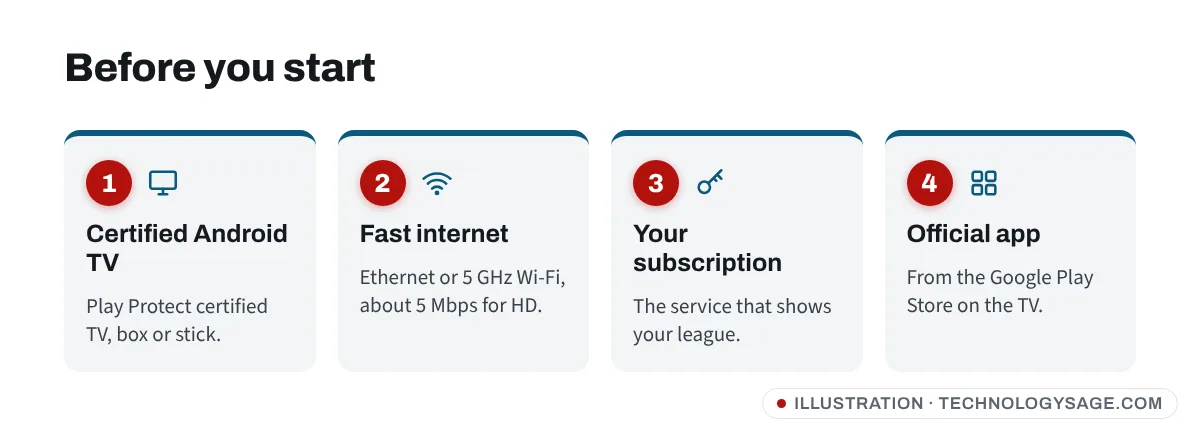
What you need
- An Android TV or Google TV (Sony, TCL, Hisense, Philips, Xiaomi and others) or an Android TV box or stick. Ideally it should be Play Protect certified, because some apps, including DStv Stream, only install on certified devices.
- A stable internet connection: Ethernet or 5 GHz Wi-Fi is best for HD.
- A subscription to the service that has your football (or a free broadcaster app).
- Your Google account, signed in on the TV.
Not sure which service has your league? In Africa, SuperSport (DStv and GOtv) shows the Premier League and Champions League, and StarTimes shows LaLiga and the Bundesliga. See how to watch the Premier League live for packages and prices.
Step 1: Install the official app from Google Play
On Google TV (newer TVs and the Chromecast with Google TV):
- Press Home on the remote and go to the Apps tab.
- Choose Search for apps and type the app name, for example DStv Stream.
- Open the result and check the publisher: MultiChoice for DStv, StarTimes for StarTimes ON, SABC for SABC+.
- Select Install, then Open.
On older Android TV models, open Apps on the home screen, then Google Play Store (or Get more apps), and search from there.
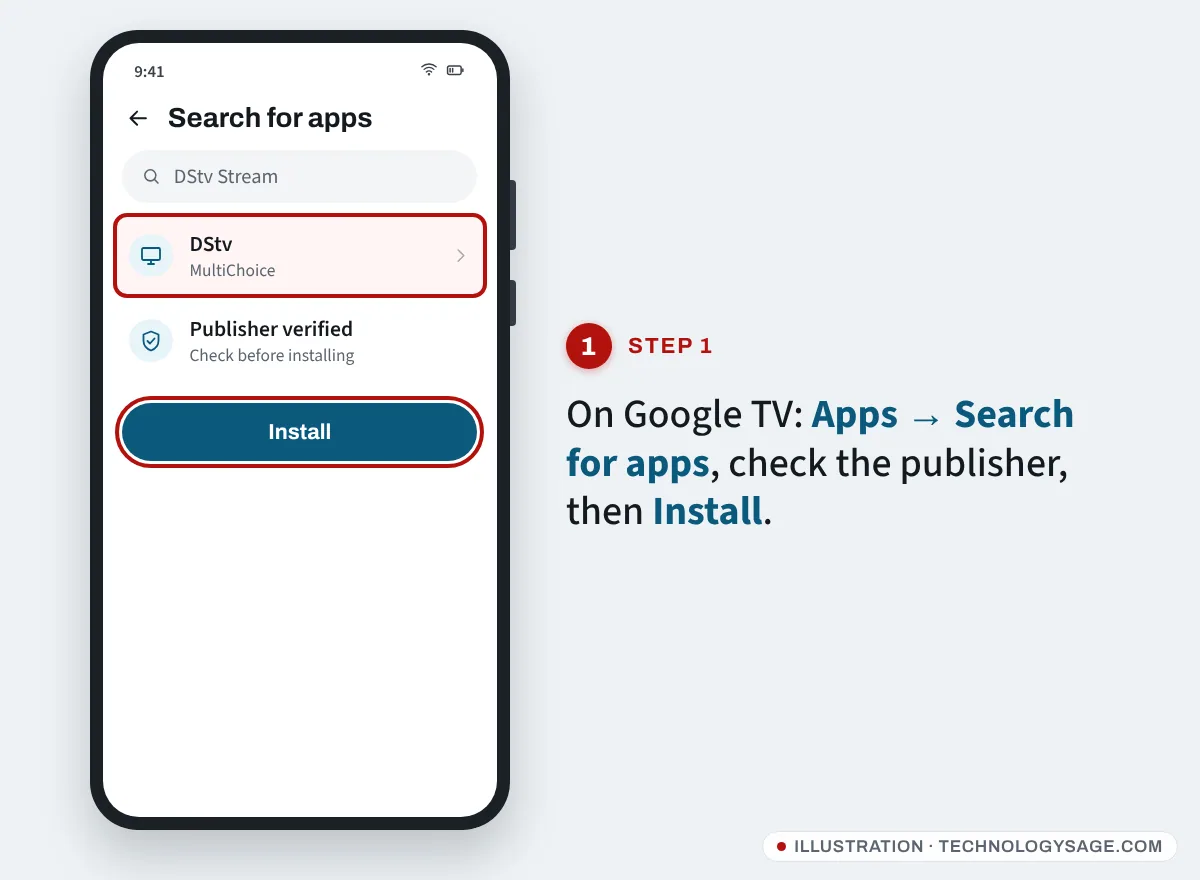
If the app doesn’t appear in search, your TV probably isn’t supported. DStv, for example, lists Play Protect certified Android TV running Android 8.0 or higher as a requirement and says the app can’t be sideloaded. Check the compatible devices page on your country’s DStv site.
Step 2: Sign in and pick your match
Open the app and sign in with the account you use for your subscription. Many TV apps show a short code and ask you to finish signing in on your phone or computer, which is easier than typing a password with the remote. Then open the Live TV or Sport section and select the channel.
If you’re signing in on a TV for the first time, the service may ask you to register the device. Most plans limit how many devices can stream at once, so log out of old phones or TVs you no longer use.
Step 3 (if the app isn’t on your TV): cast from your phone
If your TV doesn’t support the app but has Chromecast built-in (most Android and Google TVs do):
- Connect your phone and the TV to the same Wi-Fi network.
- Start the match in the official app on your phone.
- Tap the Cast icon (a rectangle with Wi-Fi waves) if the app shows one, and choose your TV.
If there’s no Cast icon, the broadcaster may block casting; try screen mirroring instead (on many Android phones it’s in the Quick Settings panel as Cast, Smart View or Screen Cast), though some apps show a black screen when mirrored because of copy protection. Our guide on connecting a smartphone to a smart TV wirelessly covers the options, and an HDMI cable from a laptop is a reliable fallback (see watching DStv on a laptop or PC).
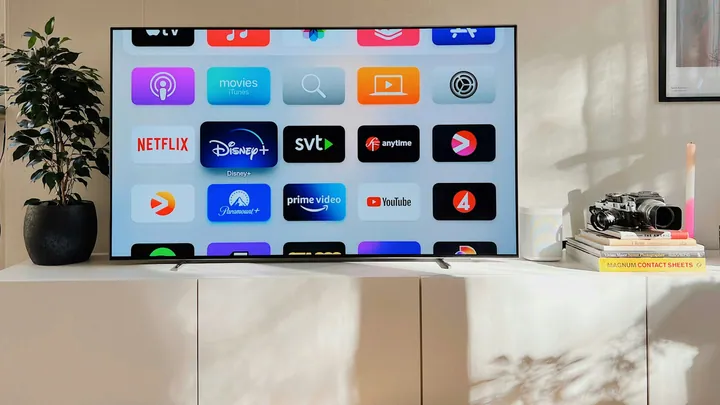
 Photo: Jakub Żerdzicki on Unsplash
Why sideloading sports APKs is a bad idea
Android TV lets you install APK files from USB sticks or downloader apps. That’s useful for some legitimate apps, but most “live sports” APKs passed around online are pirate IPTV apps:
- They’re unlicensed. No small app has rights to SuperSport, Sky, beIN and ESPN all at once.
- They can carry malware. In 2026, security firms ThreatFabric and Kaspersky reported fake IPTV apps spreading Android malware. A TV box is on your home network all day, and many cheap boxes never get security updates.
- They fail on match day. Streams are taken down without warning, and there’s no refund.
- Some boxes come with them pre-installed. Cheap uncertified boxes sold as “fully loaded” with free channels have a history of shipping with malware. Buy a certified device from a known brand.
Our guide to football streaming apps that are safe and legal explains how to spot a pirate app, and what to do if you’ve installed one. Kodi is legal open-source software that runs well on Android TV for your own media; it’s the third-party piracy add-ons that aren’t (see Kodi on Android).
Fix buffering and improve the picture
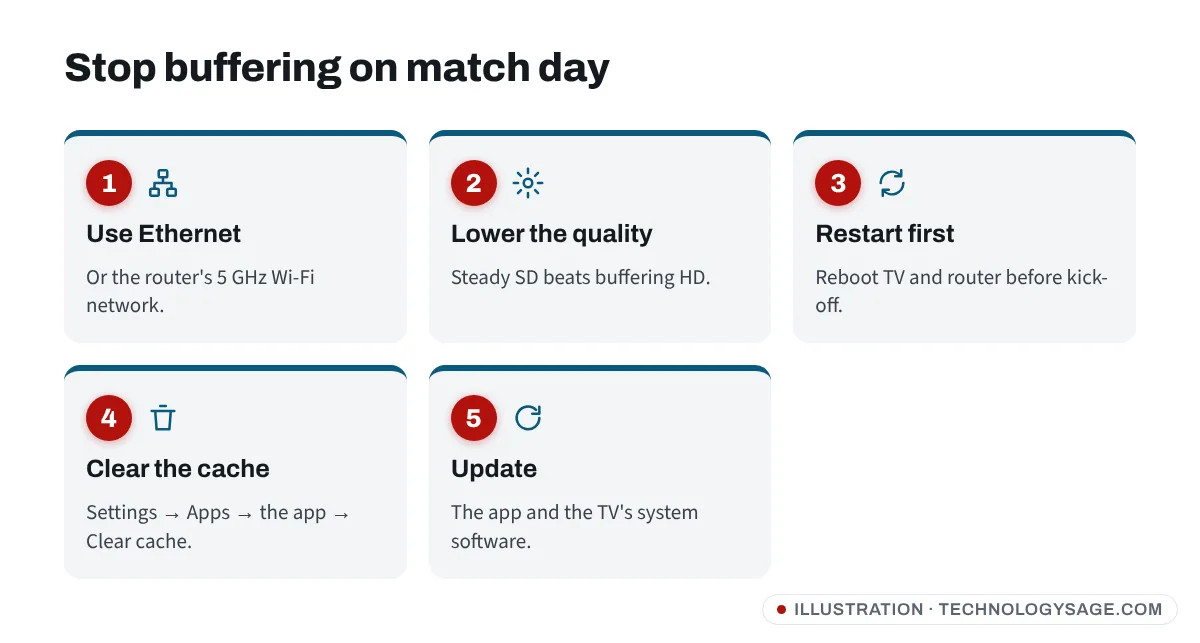
- Use a cable if you can. Many TVs and boxes have an Ethernet port. If not, connect to your router’s 5 GHz network and move the router closer or clear the line of sight.
- Test your speed. Most streaming services recommend around 5 Mbps or more for HD. Run a speed test on the TV’s browser or on your phone next to the TV.
- Lower the stream quality in the app’s settings if your connection is slow. A steady standard-definition picture beats a buffering HD one.
- Restart the TV and router before kick-off, and close other apps (and downloads on other devices) during the match.
- Clear the app’s cache: Settings → Apps → [the app] → Clear cache (on Google TV, Settings → Apps → See all apps). Don’t choose Clear data unless you’re ready to sign in again.
- Update everything: the app (Play Store → Manage apps & games) and the TV’s system software (usually Settings → System → About → System update; menus vary by brand).
- Picture looks off? Set the TV’s picture mode to Sport or Standard, and turn off heavy motion smoothing if the ball looks blurry.
If the TV says it’s connected but nothing loads, see Wi-Fi connected but no internet; if YouTube highlights won’t play either, YouTube not working on TV covers TV-specific fixes.
Data use: a full match in HD can use a few gigabytes. On a capped home connection or mobile hotspot, choose a lower quality.
FAQ
Can I watch live football on Android TV for free?
Yes, for some matches: free broadcaster apps such as SABC+ in South Africa, or your national broadcaster’s app, and official highlights on YouTube. Full pay-TV sports channels need a subscription.
Why can’t I find DStv Stream on my Android TV?
Your TV or box may not be supported. DStv lists Play Protect certified Android TV (Android 8.0 or higher) as a requirement and doesn’t support sideloading. Cast from your phone or use a supported streaming device instead.
Is it safe to install APK files on an Android TV box?
Only from developers you trust. Most free sports-channel APKs are pirate apps, and some carry malware. Stick to apps in the Google Play Store on the TV.
How do I stop live football buffering on my smart TV?
Use Ethernet or 5 GHz Wi-Fi, lower the stream quality, restart your router and TV before the match, clear the app’s cache and keep the app updated.
Can I watch StarTimes on Android TV?
StarTimes ON is available on Android phones and selected smart TVs. If it isn’t in your TV’s Play Store, cast it from your phone.