In this guide
What is Apple CarPlay? How does it work, who can use it, and how do you set it up? This guide answers those questions, explains what you need before you start, and helps you decide whether CarPlay is worth adding to an older car.
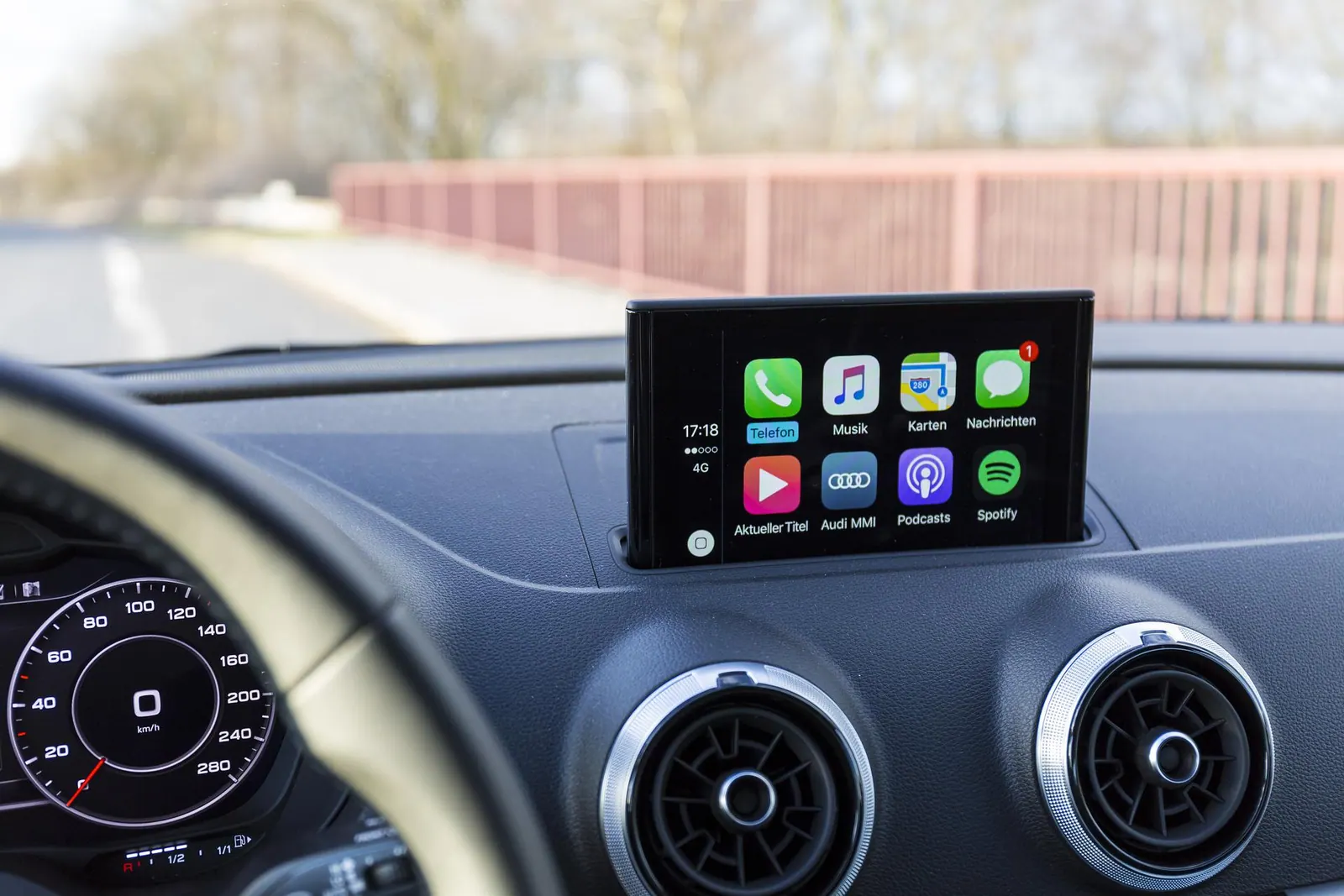
What is Apple CarPlay?
Apple CarPlay is software developed by Apple that projects a simplified version of your iPhone onto your car’s built-in display. Instead of fiddling with your phone while driving, you use the car’s touchscreen, steering-wheel buttons, control knob or Siri voice commands to reach the apps that matter on the road.
It is important to understand that CarPlay runs on your iPhone, not in the car. The car’s screen acts as a display and input device. That means CarPlay improves whenever Apple updates iOS, even if your car’s own software never changes.
With CarPlay you can typically:
- get turn-by-turn directions in Apple Maps or supported third-party navigation apps such as Google Maps and Waze;
- make and receive calls;
- hear and dictate messages, including iMessage and supported messaging apps such as WhatsApp;
- play music, podcasts and audiobooks from Apple Music, Spotify and other supported audio apps;
- ask Siri for directions, reminders or to play something.
Only apps that Apple allows in specific categories (such as navigation, audio, messaging, calling and EV charging) appear on CarPlay. You cannot watch videos or browse the web on it, which is deliberate: it is designed to keep distraction to a minimum.
For older Audi models without CarPlay built in, you can add, for example, the Audi Apple CarPlay module, which you will find on carsie.net.
Who can use Apple CarPlay?
You need two things:
- A compatible iPhone. CarPlay works with iPhone models from the iPhone 5 onwards, running a supported version of iOS. In practice, any iPhone that still receives iOS updates supports it. CarPlay does not work with iPad or iPod touch.
- A compatible car or head unit. Most major carmakers now offer CarPlay on many of their models, including Audi, BMW, Ford, Honda, Hyundai, Kia, Mercedes-Benz, Nissan, Toyota, Volkswagen and General Motors brands. Apple keeps an up-to-date list of supported models on its website, and your car’s manual or dealer can confirm support for your exact model and year.
If your car is older, you are not necessarily left out. Aftermarket head units from car-audio brands, and model-specific retrofit modules like the Audi module mentioned above, can add CarPlay to cars that never had it.
How do you connect to Apple CarPlay?
There are two ways to connect, depending on what your car supports.
Wired CarPlay
- Start the car and make sure Siri is enabled on your iPhone.
- Plug your iPhone into the car’s USB port with a good-quality Lightning or USB-C cable (depending on your iPhone). The correct port is often marked with a CarPlay or smartphone icon.
- Follow the prompts on the car’s screen and your iPhone to allow CarPlay.
Wireless CarPlay
Wireless CarPlay uses Bluetooth to set up the connection and Wi-Fi to carry the screen and audio, so your car must specifically support wireless CarPlay. Ordinary Bluetooth audio is not enough.
- On cars with a voice button, press and hold it on the steering wheel to start pairing, or choose CarPlay or phone pairing from the car’s settings menu.
- On your iPhone, go to Settings > General > CarPlay and select your car from the list of available cars.
- Follow the on-screen prompts.
Once paired, CarPlay usually starts automatically each time you get into the car. You can also rearrange the app icons from the same CarPlay settings screen on your iPhone.
Troubleshooting common CarPlay problems
- CarPlay does not start when plugged in: try a different cable, preferably an original or certified one; cheap cables are the most common cause. Also check you are using the data-capable USB port, not a charge-only port.
- Your car does not appear in Settings > General > CarPlay: check that Siri is turned on and that CarPlay is not restricted under Screen Time content and privacy restrictions.
- Wireless CarPlay keeps disconnecting: forget the car on your iPhone and pair again, and make sure the car’s own software is up to date.
- No sound or wrong audio source: select CarPlay or the iPhone as the audio source on the car’s head unit.
- Everything else: restart your iPhone and the car’s infotainment system, and install the latest iOS update.
Should you add CarPlay to an older car?
Pros: safer hands-free access to navigation, calls and messages; maps that stay current through your phone instead of expensive in-car map updates; and a familiar interface for iPhone users.
Cons: retrofit units cost money and may need professional installation; quality varies between aftermarket products; and wireless CarPlay drains your iPhone’s battery faster than wired, unless the car also charges the phone.
If you use your phone for navigation every day, CarPlay is usually one of the most worthwhile upgrades you can make to an older car.
Audi Apple CarPlay: summary
In a nutshell, Apple CarPlay is software that connects your iPhone to the built-in display in your car. It is easier to use than standard dashboard controls and lets you use your iPhone’s key features without taking your eyes off the road for long. That extra safety for drivers and passengers is one of its main benefits.
It is also worth mentioning that CarPlay’s main rival is Android Auto, Google’s equivalent for Android phones. Many cars support both, so households with a mix of iPhones and Android phones can usually use the same car.
Frequently asked questions
Does Apple CarPlay cost anything?
CarPlay is built into iOS at no extra cost. You only pay if your car does not support it and you need an aftermarket head unit or retrofit module.
Does CarPlay use mobile data?
CarPlay itself does not need data, but apps such as maps, streaming music and messaging use your iPhone’s mobile data just as they would without CarPlay.
Can I use CarPlay with an iPad?
No. CarPlay works only with iPhone.
Can I use CarPlay and Android Auto in the same car?
Yes, if the car or head unit supports both. Most cars sold in recent years that offer one also offer the other.